
B31N1912 C31N1912 VivoBook Battery
4.3Editor score
42Wh three-cell capacity
Screwdrivers included
Wide VivoBook compatibility
An ASUS laptop battery replacement can restore portability to a machine that still performs well but no longer holds a dependable charge. A suitable battery must match the notebook's voltage, connector, cell configuration and original part number while also meeting appropriate safety and support standards.
This guide compares ten replacement batteries spanning ASUS VivoBook, TUF Gaming, ROG and older notebook families. The comparison considers supported model numbers, electrical specifications, included accessories, stated protections and after-sales policies, allowing shoppers to narrow the field before ordering.
Each review highlights the battery family, compatible ASUS models, capacity, voltage and practical trade-offs. The top selections represent strong options for different needs, including a well-equipped VivoBook replacement and higher-capacity gaming choices. Prices and availability can change, so confirm current listings before buying.
4.3Editor score

4.6Editor score
4.2Editor score
As an Amazon Associate we earn from qualifying purchases.
The table below compares all ten batteries by their target ASUS notebook family, core electrical rating, stated compatibility and notable support or installation features. Use it as a quick shortlist, then verify the exact model and battery part number printed on your current battery.
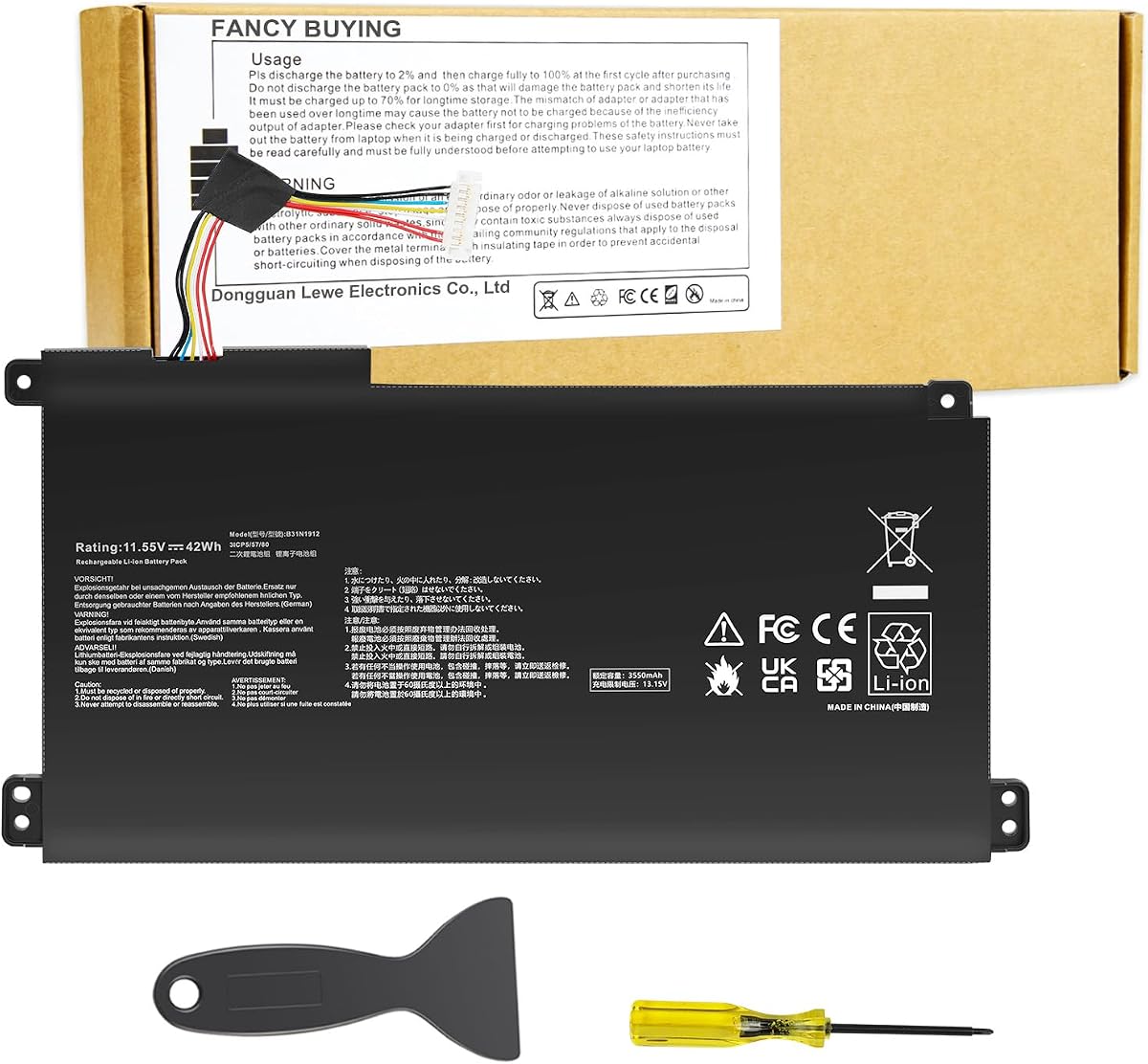


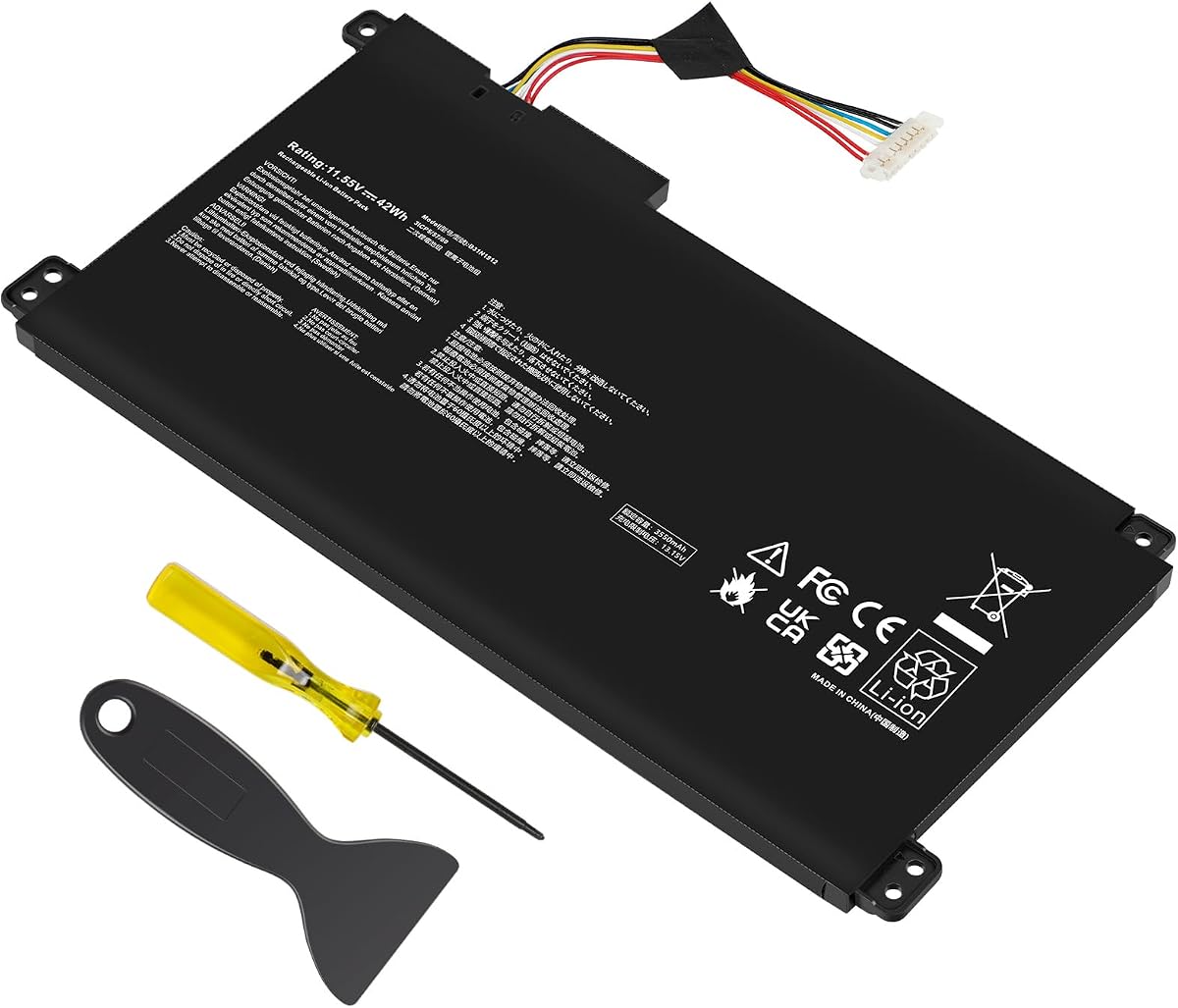

This B31N1912 replacement is a well-equipped option for several ASUS VivoBook 14 families, including the E410, L410, F414, E510 and L510 lines. Its 4.3 rating reflects solid buyer feedback, while its 11.55V, 42Wh three-cell configuration aligns with the original battery family identified in the listing.
We may earn a commission when you buy through this link, at no additional cost to you.
A major practical advantage is the inclusion of screwdrivers, which can simplify access to a notebook's bottom panel and battery connector. The seller also states that the battery uses Grade A cells, supports up to 500 recharge cycles and includes protections for short circuits, overheating and overload. These are stated product features rather than independent test results.
The main limitation is the return policy, which the seller says closes one month after Amazon's return window. Buyers who expect a lengthy evaluation period should examine that condition carefully. The compatibility list is also extensive but not identical to every other B31N1912 listing, so shoppers with an E410KA must confirm the exact suffix shown on their original battery.
This is a sensible general choice for a compatible VivoBook user who wants a straightforward replacement with tools, broad safety claims and accessible seller support. It earns the Best Budget award because it combines a standard 42Wh VivoBook configuration with installation hardware at a value-oriented position in the list.
The included screwdrivers reduce the need to source separate tools for a basic bottom-cover removal. It does not replace a complete service manual, but it adds useful hardware for owners who do not already maintain a small laptop repair kit.
The listing cites UL, CE, FCC and RoHS certifications alongside short-circuit, overheat and overload protection. It also states that Grade A cells can provide up to 500 recharge cycles, giving buyers useful information beyond capacity alone.
We may earn a commission when you buy through this link, at no additional cost to you.
This second B31N1912 option targets the same broad VivoBook 14 families as several other replacements, but it distinguishes itself with a particularly detailed list of model suffixes and replacement part numbers. It carries a 4.3 rating and uses an 11.55V, 42Wh, three-cell polymer configuration.
We may earn a commission when you buy through this link, at no additional cost to you.
The package includes an auxiliary installation tool and user manual. Its compatibility list covers E410MA, L410MA, F414MA, E510MA, E510KA, L510MA and R522MA families, along with several numbered configurations. That breadth is useful for owners who know the commercial model name but need help matching the precise submodel.
Its policy states a 60-day return and 12-month replacement, but also notes that the return window closes one month after receipt. That language should be read carefully before ordering, especially if the installation or compatibility decision is not immediate. The listing does not provide the same broad certification details presented by some competitors.
This battery is best for buyers who have found the exact compatible submodel in the detailed listing and value clear installation guidance. It is not the only 42Wh VivoBook option, but its extensive suffix coverage and stated replacement support make it a credible alternative.
The list includes numerous E410MA and L410MA suffixes, reducing the need to rely on a broad series name alone. Still, the label on the installed battery and the notebook's underside remain the most reliable references before ordering.
An installation tool and user manual make the package more complete than a bare battery. New owners should follow general ASUS service procedures and disconnect power before touching internal components.
We may earn a commission when you buy through this link, at no additional cost to you.
The C21N1347 is designed for older ASUS X555-series notebooks and related A555L, K555L, R556L and VM590L families. Its 4.4 rating is among the strongest in this roundup, while the listed 7.6V, 38Wh and 5000mAh specifications identify a distinct battery family.
We may earn a commission when you buy through this link, at no additional cost to you.
Compatibility extends across several X555 variants, including X555L, X555LA, X555LD, X555LN, X555LP, X555LJ, X555SJ and X555YI configurations. The battery also replaces C21N1347, 2ICP4/63/134 and PP21AT149Q-1 part numbers. CE and FCC certification is stated, as is built-in circuit protection for safety and stability.
Its 38Wh capacity is lower than the 42Wh, 48Wh, 67Wh and 76Wh batteries elsewhere in the guide, but that is expected for this older platform. It should not be compared directly with a modern VivoBook battery because voltage, connector and chassis support differ. The installation note recommends cycling the battery if it is not immediately recognized.
This is the most fitting choice for an owner of a compatible legacy X555-series laptop who needs a genuine replacement for the C21N1347 battery family. Its strong rating, broad legacy coverage and explicit installation guidance make it a focused but compelling option.
A healthy battery can restore the everyday portability of an older X555-series notebook even when the computer otherwise remains capable. The correct battery family is especially important because connector layouts and voltages differ across ASUS generations.
The seller advises reinstalling the battery and checking a fully seated connection if it is not recognized. It also recommends discharging to 10–20 percent rather than zero, then charging and cycling three or four times.
We may earn a commission when you buy through this link, at no additional cost to you.
The A32-K55 replacement is a broad option for classic ASUS notebooks, covering A45, A55, A75, K45, K55, K75, R400, R500, U57 and X45 families. It has a 4.3 rating and an 11.1V Li-polymer configuration with a stated capacity of 5200mAh.
We may earn a commission when you buy through this link, at no additional cost to you.
Its major advantage is the sheer variety of supported older models. The listing includes numerous suffixes and says users can press Ctrl+F to search by notebook model or part number. The battery includes overcurrent, overcharge, overdischarge and temperature-control functions, while the seller states that its circuit boards support fast charging and low power consumption.
Capacity is expressed as 5200mAh rather than watt-hours, which can make direct comparison with newer replacements less straightforward. The seller also states that the battery can reach up to 500 recharge cycles and offers a 30-day refund, 12-month warranty and email support. Buyers should verify the A32-K55 label and connector rather than relying only on a series name.
This is a useful choice for owners of many legacy ASUS notebook families who want one listing with extensive model references and a stated warranty. It is less relevant to recent VivoBook, TUF or ROG systems, but for its target platforms it offers a broad and well-supported replacement path.
The extensive A-, K- and R-series coverage reduces the number of separate searches required by owners of older ASUS notebooks. Exact model and part-number verification remains essential because similarly named variants can use different batteries.
Overcurrent, overcharge, overdischarge and temperature-control functions are specifically stated. These protections are important because a replacement battery introduces a high-energy component into a notebook that may be used for long periods.
We may earn a commission when you buy through this link, at no additional cost to you.
This B31N1912 listing combines a standard VivoBook replacement with an installation tool and user guide. It carries a 4.3 rating and supports an 11.55V, 42Wh, three-cell configuration for E410, E410MA, E410KA, L410MA, F414MA, E510, L510, L510MA and R522MA families.
We may earn a commission when you buy through this link, at no additional cost to you.
The model references are extensive and include DF112 and L510MA-WB04 designations as well as multiple numbered VivoBook configurations. Compatible part numbers include B31N1912, C31N1912 and several 0B200-series identifiers. That makes the listing approachable for owners who encounter several identifiers on the battery label.
The seller's stated policy combines a 60-day return and 12-month replacement, although it also explains that the return window closes one month after receipt. The listing does not make the same specific certification claims as several competitors, so buyers who prioritize documented safety credentials should review the available product documentation before installation.
This option is attractive for compatible VivoBook users who want more than the battery alone. The supplied tool and guide add convenience, while the detailed compatibility references help narrow the correct model. It is a practical pick, though owners should read the return conditions carefully.
Including an auxiliary tool and guide makes the package more convenient for a first-time replacement. The guide should be treated as supplementary, with the ASUS service information for the exact notebook serving as the primary reference.
The matching voltage alone does not guarantee compatibility. Confirm the battery label, connector shape, cable routing and model suffix before ordering, especially when the replacement contains several similarly named part numbers.
We may earn a commission when you buy through this link, at no additional cost to you.
The B31N1726 targets ASUS TUF Gaming FX504 and FX505 systems, as well as FX80 and FX86 families and selected FA506 and FA706 models. Its 4.3 rating reflects generally positive feedback, and the 11.4V, 48Wh three-cell design provides a higher capacity than the common VivoBook replacement.
We may earn a commission when you buy through this link, at no additional cost to you.
Compatibility includes TUF FX504GD, FX504GE, FX504GM and the broad FX505 range, along with FX80G, FX80GD, FX80GE, FX80GM, FX86FE and FX86FM. Compatible part identifiers include B31N1726, B31N1726-1, B31BnEH, B31Bn91, A41LK9H and 0B200-series numbers.
The listing highlights overcurrent, overcharge, overdischarge, temperature and short-circuit protection. It also states that the battery is assembled from quality materials and circuit boards, supports fast charging, can last up to 500 recharge cycles and comes with a 12-month warranty. Unlike several VivoBook options, no installation tool is specifically listed.
For a compatible TUF gaming notebook, this is a balanced choice with more energy capacity than a standard 42Wh VivoBook battery. The extensive platform list and stated protections are positive, but exact submodel verification remains crucial because FX504, FX505, FX80 and FX86 use different physical designs.
A 48Wh battery gives compatible TUF systems more stated capacity than the 42Wh VivoBook replacements in this guide. Runtime still depends on the display, graphics workload, power settings and battery condition.
The listing spans several FX-series generations, but their model suffixes must be checked carefully. A shared family name does not guarantee that a battery, connector and chassis are interchangeable.
We may earn a commission when you buy through this link, at no additional cost to you.
The TREE.NB B31N1912 is a 42Wh, three-cell Li-ion replacement for several ASUS VivoBook 14 families. It has a 4.3 rating and lists an 11.55V voltage and 3550mAh capacity, providing the core specifications shoppers need when matching a replacement.
We may earn a commission when you buy through this link, at no additional cost to you.
Compatible models include the E410MA, L410MA, E410KA, E510MA, E510KA, F414MA, L510MA, R522MA and E510MA families. The replacement part numbers are B31N1912, C31N1912, 0B200-03680200 and 0B200-03680000. Several specific suffixes, including E410MA-EK026TS, E410MA-EK018TS and L410MA-BV058TS, are also called out.
The seller says its products are tested for voltage, circuit protection, capacity, stable current and low self-discharge. This gives the listing a clear focus on measurable battery attributes. However, it does not provide a specific warranty duration, return period or included installation hardware, so its package value is less clearly defined.
This battery is a balanced pick for users who want a straightforward TREE.NB option covering common VivoBook families. It is most useful when the current battery carries one of the listed B31N1912 or C31N1912 identifiers and its connector and dimensions match.
The 11.55V and 42Wh ratings align with the B31N1912/C31N1912 family used across multiple VivoBook models. Even so, shoppers should verify the physical connector and original label before purchasing.
The listing states that low self-discharge is tested, a useful characteristic for a battery that may remain in storage. The benefit is especially relevant when a laptop is used intermittently or kept powered intermittently for extended periods.
We may earn a commission when you buy through this link, at no additional cost to you.
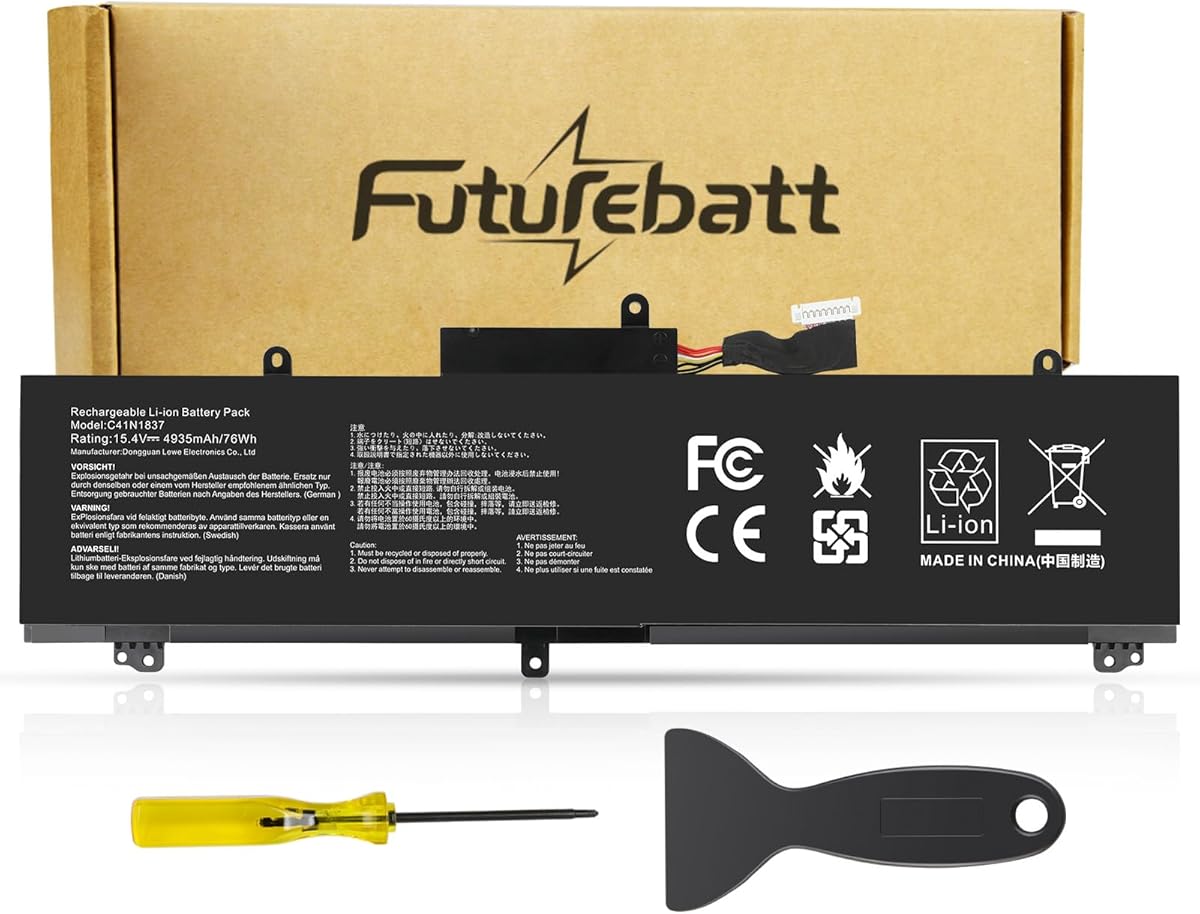
The C41N1837 is the highest-capacity option in this guide, with a stated 76Wh rating at 15.4V. It is designed primarily for modern ASUS ROG Zephyrus, TUF Dash and ProArt StudioBook systems, and carries a 4.2 customer rating.
We may earn a commission when you buy through this link, at no additional cost to you.
Compatible part numbers include C41N1837 and three 0B200-series identifiers. Supported models cover Zephyrus GX502 and GX532 families, GU502 and GU532 models, TUF Dash F15 FX516PR and FX516PM, and ProArt StudioBook 15 H500GV, H500GV W500GV and W500G5T configurations.
The battery is described as a new Grade A product using quality materials and circuit boards for fast charging and low power consumption. Stated protections include overcharge, overdischarge, overtemperature and short-circuit protection, with up to 500 charge cycles. The seller offers a 30-day refund, 12-month replacement and email support.
Its 76Wh capacity and modern high-performance platform support make it the premium selection. The trade-off is a slightly lower 4.2 rating than the other options and compatibility limited to newer, higher-voltage systems. It is best for owners of a specifically listed ROG or ProArt model who want substantial stated capacity.
At 76Wh, this battery offers considerably more stated capacity than the 42Wh, 48Wh, 67Wh and 38Wh alternatives. Actual runtime depends on the graphics workload and power settings, especially in demanding ROG applications.
Multiple stated circuit protections help manage risks associated with a high-capacity battery. Buyers should still use a compatible charger, avoid physical battery damage and follow the notebook manufacturer's charging guidance.
We may earn a commission when you buy through this link, at no additional cost to you.
This TREE.NB B31N1912 replacement holds a 4.4 rating, tying the strongest legacy C21N1347 option for the second-highest score in the guide. It provides the common VivoBook battery specification of 11.55V, 42Wh and 3550mAh in a three-cell Li-ion design.
We may earn a commission when you buy through this link, at no additional cost to you.
Compatible models span the VivoBook 14 E410M, E410MA, L410M, L410MA, E410KA, F414MA, E510MA, E510KA, L510MA and R522MA families. The listing names 0B200-03680000, 0B200-03680200 and B31N1912 as compatible part numbers, which is useful when the notebook model alone is not enough to make a decision.
CE and UL certifications are stated, along with strict compatibility guidelines and environmental safety standards. The seller also provides a specific troubleshooting note: if the battery is not recognized, reseat the connection and discharge it to 10–20 percent rather than zero before charging and cycling it three or four times.
This is a strong alternative among the many B31N1912 listings. Its strong rating and explicit certification claims help distinguish it, although buyers should expect a more basic package than options that clearly list screwdrivers, a guide or an installation tool.
CE and UL certification claims provide more documented safety context than listings that only discuss general protections. Compatibility still depends on matching the original label, connector and physical battery shape.
The recommendation to discharge only to 10–20 percent avoids fully depleting a newly installed pack. Cycling it several times can help the notebook's charge-management system establish a usable range.
We may earn a commission when you buy through this link, at no additional cost to you.
The C41N1731-2 is the highest-rated product in this guide at 4.6. It is a 67Wh, 4335mAh battery operating at 15.4V and supports a broad range of ASUS ROG Strix G15, G17, G512, G531, G532, G712, G731 and G732 configurations.
We may earn a commission when you buy through this link, at no additional cost to you.
The supported list includes G512LU through G512LWS, G531GU, G531GV and G531GW, G532LV, G532LW and G532LWS, plus selected G712, G731 and G732 variants. This breadth makes it a useful single option for many newer ROG Strix owners, although the most specific submodel still has to be checked.
The listing describes an all-new 5.0 technology upgrade with high-capacity cells and a BattArmor safety system covering overcharge, circuit overload, short circuit and temperature. The package includes the battery, installation tools, a guide and a service manual, while the seller advertises 24-hour customer service.
This combination of the guide's strongest rating, modern 67Wh capacity, extensive model coverage and useful installation materials earns the Editor's Choice award. It is the most complete package for a compatible ROG Strix owner, while the 76Wh C41N1837 remains the alternative for the different, specifically listed Zephyrus and ProArt platforms.
Installation tools, a guide and a service manual make the package particularly useful for buyers undertaking the replacement themselves. These materials still complement rather than replace careful handling of the internal connector.
The listing covers many ROG Strix G15 and G17 configurations, from G512 through G732. Checking the exact suffix prevents selecting a visually similar battery from a neighboring product family.
We may earn a commission when you buy through this link, at no additional cost to you.
The most important buying factors are exact platform compatibility, electrical specifications, physical fit, safety provisions and seller support. Use the label on the installed battery and ASUS service information to narrow the choices before comparing features.
Begin with the battery's printed model number, such as B31N1912, C31N1347, B31N1726, C41N1837 or C41N1731-2. Compatible ASUS families often include several interchangeable or closely related identifiers, but the presence of similar numbers does not guarantee identical connector layouts, dimensions or cable routing. Cross-reference the part number with the complete notebook model and its suffix before ordering.
In short, verify the part number first and use the family name only as a secondary confirmation.
Voltage must match the notebook's charging system and battery design. The featured replacements range from 7.6V and 11.1V in older families to 15.4V in modern ROG systems. A three-cell layout is also consistent across most choices in the guide, but cell count alone does not guarantee compatibility. Compare voltage, cell type and physical battery layout rather than focusing on a single specification.
In short, treat voltage as non-negotiable and use the cell count as an additional matching clue.
Capacity is often expressed in watt-hours, which represents stored energy, while some listings emphasize milliamp-hour ratings that do not account for voltage. The guide includes batteries from 38Wh to 76Wh, but higher capacity is not automatically appropriate for a different platform. Select the capacity specified for your exact battery family, then consider runtime expectations based on screen brightness, workload and power settings.
In short, compare like-for-like watt-hour ratings and never choose a larger battery solely because it offers more energy.
Battery compatibility includes connector shape, plug position, cable path, screw positions and battery dimensions. A notebook series name can encompass designs with subtle differences, particularly across VivoBook submodels and gaming platforms. Compare photographs of the original and replacement, and check whether the surrounding components allow the new pack to sit flat without pressure or interference.
In short, match every physical point of reference before ordering, not just the printed model family.
Useful safety information includes stated overcharge, overdischarge, short-circuit and temperature protection, along with applicable CE, FCC, UL or RoHS certifications. Claims vary among listings, so buyers should distinguish between a broad certification statement and named circuit protections. A complete safety approach also depends on using the correct charger, avoiding physical damage and following the notebook manufacturer's charging guidance.
In short, favor listings with specific protection claims and recognizable certification references.
Some replacements include screwdrivers, an auxiliary tool, a user guide, a service manual or a combination of these. Included accessories do not guarantee an easy installation, but they can reduce friction for owners without a dedicated repair kit. For a newer gaming notebook, service documentation is particularly helpful because internal covers, ribbon cables and battery connectors can vary by chassis.
In short, check the package contents and choose the most complete option that fits your experience level.
Replacement-battery listings often advertise return windows, replacement periods or both, but their wording may include qualifications. Some products in this guide state a 60-day return while noting that the return window closes one month after delivery, and others offer 30-day refunds with 12-month replacement coverage. Read the full policy before installation and retain the packaging, accessories and purchase records until the battery is confirmed compatible.
In short, verify both the duration and the conditions because a headline period may not describe every eligible return.
Familiar brands such as TREE.NB, Fancy Buying and Futurebatt appear in the lineup, while other listings use different or less prominent branding. Brand recognition alone cannot confirm fit or quality, so prioritize the part number and specifications first. Responsive email or 24-hour support can be valuable when a notebook suffix is missing from the listing and the seller can verify compatibility before shipment.
In short, use seller responsiveness as a tiebreaker after exact fit and electrical compatibility have been established.
Before installation, power the notebook down fully, disconnect the charger and consult the service information for the exact model. ASUS notebooks may use screws, clips or a combination of fasteners beneath the bottom panel, so remove only the components required to reach the battery connector. Keep the replacement in its packaging until it is ready to install and avoid bending, puncturing or crushing the cell.
Move any ribbon cables or secondary connectors exactly as directed by the service guide, disconnect the original battery, and seat the replacement connector fully without forcing it. Secure the battery in the same orientation and location as the original. Before closing the chassis, verify that no cable is trapped and that no screw is missing from the battery or lower case.
After installation, reconnect the compatible ASUS charger and allow the battery to charge normally. If the system does not recognize it, shut down, reseat the connector and check the contact path. The listed guidance for several products recommends discharging to 10–20 percent, not zero, and then charging and cycling three or four times. Keep heat, direct sunlight, liquid and physical impact away from the battery, and use the notebook's original charging system.
Read the model number printed on the existing battery, such as B31N1912 or C41N1731-2, and compare it with the replacement listing. Confirm the full ASUS notebook model, voltage, connector and physical layout. A notebook series name alone is not enough because closely related models can use different battery designs.
Only if the manufacturer confirms compatibility in the exact battery family. The charging system, voltage, connector and chassis must still match, and a higher-capacity pack may change weight or thermal behavior. Never assume that more watt-hours makes a battery from another ASUS platform safe.
First shut down the notebook and disconnect the charger, then check that the battery connector is fully seated. A ribbon cable or other internal connector may also need to be reseated. The listed guidance recommends discharging to 10–20 percent rather than zero and then charging and cycling the battery three or four times.
A full manual calibration is not always necessary, but several products recommend a few initial charge cycles so the system can establish a usable range. Avoid repeatedly running the battery to zero. Let the operating system manage charge limits and calibrated estimates when those functions are available.
Modern ASUS notebooks commonly manage charging internally, and the operating system may limit charging when the battery is full. Follow the battery-care settings offered by ASUS and the notebook model. Leaving the computer plugged in is generally reasonable, but heat, battery swelling and charger compatibility still require attention.
Stop using the notebook, disconnect the charger if it is safe to do so and avoid pressing against the swollen pack. Do not puncture, puncture deliberately, open or dispose of the battery in ordinary household waste. Follow local battery recycling guidance or contact ASUS or a qualified repair professional for safe handling.
They may be sufficient for a straightforward replacement, but the correct ASUS service information remains more authoritative than a generic guide. Some gaming laptops require ribbon cables or additional components to be moved before the battery can be removed. Owners unfamiliar with laptop servicing should seek professional assistance.
Longevity depends on capacity, cell quality, temperature, charging habits and workload. Two listings state that their batteries can provide up to 500 recharge cycles, but that is a stated product characteristic rather than a guarantee for every installation. Keeping the notebook cool and avoiding prolonged high heat generally supports a longer service life.
The best overall choices depend on the ASUS platform. The B31N1912 C31N1912 options cover the common VivoBook 14 families and offer practical alternatives with different package contents, while the C21N1347 serves older X555-series systems and the A32-K55 addresses numerous classic notebook families.
For performance-oriented machines, the C41N1731-2 is the Editor's Choice for compatible ROG Strix notebooks, and the C41N1837 is the premium high-capacity selection for specified Zephyrus, TUF Dash and ProArt models. Whichever option you choose, prioritize the exact battery part number, full notebook suffix, connector and voltage before considering capacity or accessories.
Finally, review the current listing, seller support and return terms immediately before purchasing because prices, stock and policies can change. Keeping the original battery label nearby and taking a clear photograph of the connector can make the selection and installation process much smoother.