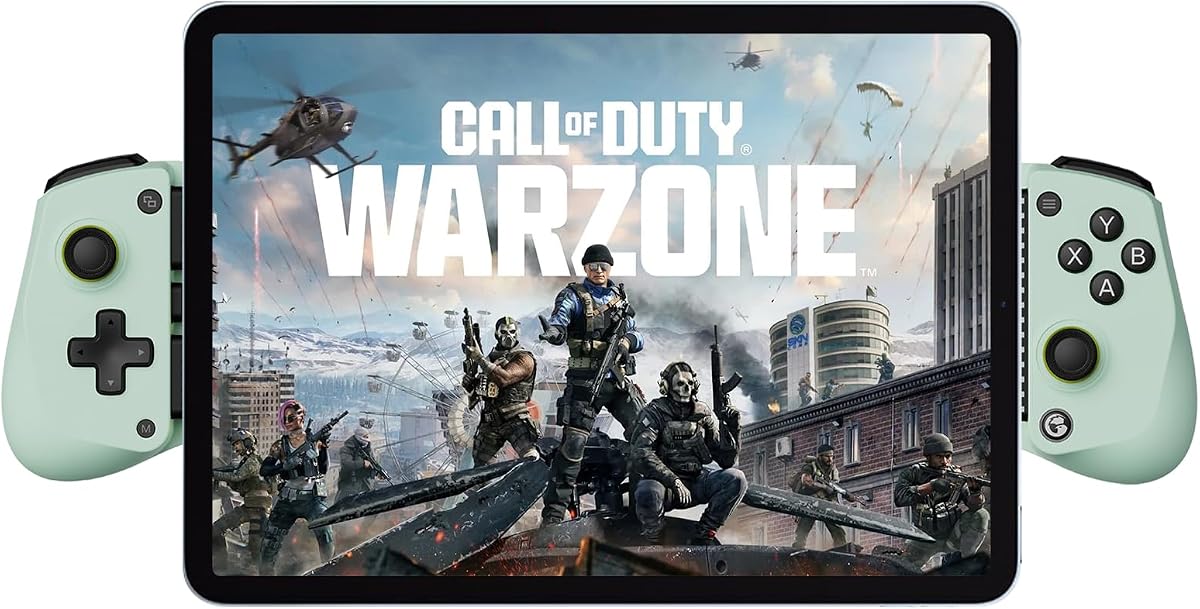
GameSir X5 Lite Mobile Gaming Controller
4.3Editor score
Lightweight 135.4-gram design
Pass-through charging
Customizable turbo buttons
Discover the best mobile gaming controller for Android, comparing compatibility, controls, connection options, features, and comfort across ten models.
A mobile gaming controller for Android can turn touch-based games into a more comfortable, precise, and console-like experience. The right model should match your phone, preferred connection method, and the types of games you play while providing reliable buttons, smooth joysticks, and a secure grip.
This guide compares ten controllers based on the supplied specifications, including device compatibility, Hall effect controls, connection methods, adjustable features, phone fit, battery life, and platform support. It covers wired, wireless, and hybrid designs for casual mobile games, cloud services, remote play, emulators, and console-style experiences.
Each review explains the strongest qualities, practical trade-offs, and ideal user for the selected controller, while the comparison table makes the major differences easier to scan. Product specifications, software compatibility, and availability can change, so confirm your phone and game requirements before purchasing.
4.3Editor score

4.4Editor score

4.1Editor score
The comparison below highlights the connection styles, control technologies, device support, and standout features of all ten controllers, helping you narrow the field according to your Android phone and preferred games.


The Mocagen MC1 combines a wireless Android and iPhone controller with Hall effect joysticks, dual vibration motors, programmable turbo, and a seven-color joystick light ring. Its 4.4 rating reflects a broadly capable package, especially for players who want one accessory to handle native mobile games, cloud gaming, remote play, and supported emulators.
We may earn a commission when you buy through this link, at no additional cost to you.
Its strongest selling point is the combination of useful everyday hardware and meaningful customization. The Hall effect sticks are advertised with a five-million-cycle lifespan and drift-free operation, while the three turbo levels can output five, 12, or 20 shots per second. The KeyLinker app can also adjust vibration intensity and personalize controls, making the controller adaptable to different action games.
Phone handling is unusually well considered. The expanding grip accommodates cases up to 0.47 inches, or 12 millimeters, and a shallow recess on the left side helps protect the phone camera. The anti-slip laser-engraved texture and shaped grips improve handling, although the wireless-only design removes the reassurance of a continuous wired connection during a long session.
This is an excellent choice for Android users who play supported games across mobile, cloud, and streaming platforms. It may be less suitable for anyone requiring a physical USB-C cable or PlayStation Remote Play, since the product information specifically excludes that service. For a flexible, feature-rich wireless controller, the MC1 is a particularly compelling recommendation.
The contoured handle, textured grip, and adjustable phone cradle are designed to make the MC1 comfortable for extended play and convenient to carry. Its wireless design also avoids occupying the phone's charging port, making it suitable for travel, commuting, and casual gaming away from a desk.
Three turbo levels, adjustable vibration, and app-based customization give action-game players several ways to tailor the controls. The Hall effect sticks also address a common concern with mobile controllers by emphasizing durability and resistance to stick drift.
We may earn a commission when you buy through this link, at no additional cost to you.
The 8Bitdo Ultimate Mobile is an officially licensed, console-inspired controller built for Apple devices, Android phones, and Xbox Cloud Gaming. Its 4.3 rating and polished layout make it a natural choice for players who want familiar Xbox-style inputs, tactile controls, and rear paddles in a portable format.
We may earn a commission when you buy through this link, at no additional cost to you.
Hall effect joysticks and Hall effect triggers are designed to provide improved precision, sensitivity, and durability compared with conventional carbon-based sticks. Around the main controls, tactile bumpers, a distinct D-pad, an Xbox button, wear-resistant metal joystick rings, and two professional back paddles provide more input options than a basic mobile gamepad.
The stretchable body supports phones measuring 100 to 170 millimeters in length, and the design appears intended to keep the display unobstructed. The main limitation is that it lacks pass-through charging, so players who need to game while charging will need to consider a wired or hybrid alternative. Software support is also more focused on Android through 8BitDo Ultimate Software V2.
Buy the Ultimate Mobile if recognizable console ergonomics, rear paddles, and official Xbox Cloud Gaming support matter most. It is especially well suited to Android owners of larger phones within the stated size range who want a premium-feeling controller without the broad platform reach of a hybrid model.
The controller translates familiar console conventions into a compact mobile form. Its tactile bumpers, clear D-pad, metal stick rings, and rear paddles should feel intuitive to players who already use gamepads on Android, cloud services, or compatible mobile applications.
The combination of Hall effect sticks, Hall effect triggers, and two back paddles gives competitive players more ways to bind and execute actions. The two paddles are particularly useful in action and shooter games where rapid reassignment can reduce the need to lift a thumb from the face.
We may earn a commission when you buy through this link, at no additional cost to you.
This renewed GameSir X5 Lite offers a lightweight, flexible USB-C controller for Android phones, iPhone 15 and 16 series devices, and compatible tablets. Its 4.2 rating makes it a practical choice for players who prioritize a stable cable, pass-through charging, and a broad physical fit over wireless convenience.
We may earn a commission when you buy through this link, at no additional cost to you.
The stretching design extends to 213 millimeters, allowing it to hold supported tablets such as the iPad Mini 6 or 7 as well as standard phones. Hall effect sensing supplies the analog stick control, while cushioned membrane triggers and buttons aim to reduce noise and improve the feel of repeated inputs. Turbo can be assigned to numerous face and shoulder buttons.
Its main limitation is that this is a renewed listing, so cosmetic or packaging condition may not match a new unit. It also lacks Bluetooth, which means it will not offer the same freedom as a wireless controller. The fixed USB-C approach and pass-through charging are nevertheless advantages for long sessions where stable latency and uninterrupted power matter.
This renewed X5 Lite is a strong fit for Android users who want a lightweight, expandable controller and do not need wireless freedom. Check the listing's condition details carefully, and confirm that your device uses a compatible USB-C connection before ordering.
At a listed weight of 135.4 grams, the X5 Lite is designed to remain comfortable during extended play. Laser-engraved grips help prevent slipping, while the broad clamp can accommodate both phones and supported tablets without requiring the user to change controllers.
The USB-C connection provides a dependable physical link between the controller and device. Pass-through charging lets the phone receive power while the controller remains in use, making this model appealing for long missions, streaming sessions, and story-heavy games.
We may earn a commission when you buy through this link, at no additional cost to you.
The Wasabi edition of the GameSir X5 Lite is a capable USB-C controller for Android phones, iPhone 15 and 16 series devices, and the iPad Mini 7. With a 4.3 rating, it stands as one of the most approachable choices for players who want solid controls, charging support, and familiar gamepad functionality.
We may earn a commission when you buy through this link, at no additional cost to you.
Its stretchable body handles devices from 105 to 213 millimeters in length without imposing a width restriction. The Hall effect joystick promises smooth 360-degree control, while cushioned membrane triggers and buttons provide quieter feedback. A customizable turbo function can be assigned to A, B, X, Y, LB, RB, LT, or RT, making it easy to adapt the controller to fast action games.
This version's direct USB-C connection is dependable, and pass-through charging keeps the phone powered during extended play. The tradeoff is that there is no Bluetooth mode. In addition, although the controller supports iPhone games, the supplied information says the companion app is available only on Android, which should influence the choice for iPhone users who want deeper customization.
For Android owners seeking a lightweight, expandable controller with useful customization and charging support, the Wasabi X5 Lite is a balanced recommendation. It is less suitable for players who demand wireless pairing, although its cable-based design may appeal to anyone who values a consistent connection.
The 105-to-213-millimeter range covers a broad selection of phones and the iPad Mini 7. This makes the controller useful for players who move between compact handsets and larger screens without carrying multiple clamp-style accessories.
Configurable turbo, responsive Hall effect sticks, and cushioned controls cover several common needs in competitive mobile titles. On-the-fly button combinations add another route to adjustments when the phone is not conveniently available for full app-based setup.
We may earn a commission when you buy through this link, at no additional cost to you.
The Dual-Mode Mobile Gamepad is designed for users who want one controller that can work through USB-C or Bluetooth 5.3. It supports a wide range of phones, tablets, computers, and Switch hardware, making it one of the more versatile options in this guide for Android users who also play beyond mobile games.
We may earn a commission when you buy through this link, at no additional cost to you.
The physical USB-C connector provides a direct alternative to wireless pairing, while the stated 32.8-foot Bluetooth range offers more freedom for couch, desk, and travel play. Hall effect joysticks, quick-response triggers, manually assignable turbo, and adjustable vibration provide a broad feature set for action, racing, and role-playing games.
Compatibility requires care. Although it supports several device categories, the product information notes that an iPad, tablet, or Switch 2 cannot be placed in the controller itself. First-use setup also involves charging the controller, selecting the appropriate mode, and following a specific long-press procedure for Bluetooth pairing. These steps are reasonable but less effortless than a simple plug-and-play design.
Choose this controller if hybrid connectivity is a priority and you play across Android, iOS, Windows, supported streaming platforms, or compatible Nintendo hardware. Verify the dimensions and connection method for each device you intend to use, since broad platform support does not mean every device fits physically or identically.
The wired mode can suit players who want a continuously connected experience, while Bluetooth supports more relaxed positioning. Switching between them adds useful flexibility, although the mode button and first-use pairing process should be understood before gaming away from a desk.
Support for Android, iOS, Windows, Switch, and major streaming methods is valuable for owners of multiple devices. The listed game and service coverage includes Xbox Game Pass, GeForce NOW, Steam Link, remote-play applications, emulators, and numerous controller-supported mobile games.
We may earn a commission when you buy through this link, at no additional cost to you.
The Wireless Hall Joystick Controller is a battery-powered Android and iPhone gamepad built around wireless freedom, Hall effect controls, dual vibration, and adjustable turbo. Its 4.3 rating reflects a strong feature set for mobile shooters, cloud gaming, remote-play applications, and controller-supported emulators.
We may earn a commission when you buy through this link, at no additional cost to you.
The 600mAh battery is advertised to provide more than eight hours of play and to recharge in two to three hours. Three turbo settings—five, 12, and 20 shots per second—let players choose how quickly a selected action repeats, while two vibration motors add physical feedback to supported games. The expandable grip accepts phones from 10 to 17.5 centimeters and is designed to retain the phone case.
It uses the Xbox controller input protocol and is recognized as an Xbox Wireless Controller over Bluetooth. That gives it broad native compatibility with many mobile and PC games, but it also creates an important limitation: PlayStation Remote Play, which requires Sony's input protocol, is not supported. A reset pin on the back provides a troubleshooting route for pairing, charging, or joystick-offset issues.
This controller is a good option for Android players who prioritize wireless play, long battery life, and configurable action controls. It is less appropriate for users whose priority is PlayStation remote access, and first-time owners should follow the specified pairing sequence carefully.
A stated runtime of more than eight hours makes the controller suitable for long gaming sessions without frequent charging. Its wireless connection also leaves the phone's USB-C port open, although users should still plan around the controller's own battery level.
Presenting as an Xbox Wireless Controller allows the device to work with many games and apps that natively support Xbox-style gamepads. The trade-off is that Sony-specific services such as PS Remote Play remain outside the controller's supported feature set.
We may earn a commission when you buy through this link, at no additional cost to you.
The GameSir G8 Galileo is a substantial wired controller with Hall effect joysticks, Hall effect analog triggers, a movable USB-C connector, pass-through charging, and a 3.5mm headphone jack. Its 4.2 rating makes it an appealing option for Android players who want a more elaborate, console-like mobile setup.
We may earn a commission when you buy through this link, at no additional cost to you.
The movable Type-C port is a thoughtful physical design choice because it can align better with different phone positions. Its larger body accommodates devices from 110 to 185 millimeters in length without a case, although case thickness should remain at or below one millimeter for reliable use. A camera recess supports devices with camera depth of five millimeters or less.
The analog Hall triggers offer variable input rather than relying solely on a digital click, while the included audio jack allows a headset to remain connected while the phone charges through the controller. Two extra buttons can be programmed without software, and the supplied Android app expands the mapping options. The app itself is not available for iOS.
Choose the G8 Galileo if audio, analog triggers, and an expansive control layout matter more than wireless portability. It is a particularly compelling Android recommendation for stationary play, streaming, and supported games where the player wants power, charging, and headphones connected at once.
The 3.5mm jack allows wired headphones to remain connected without occupying the phone's charging port. Combined with pass-through charging, this creates a convenient setup for long sessions that involve both sound and sustained power.
Hall effect analog triggers, large face buttons, a D-pad, and extra programmable inputs provide a more console-like control layout. Magnetic faceplates also allow the controller's appearance to be changed without altering its core functionality.
We may earn a commission when you buy through this link, at no additional cost to you.
This Bluetooth Mobile Game Controller is built for unusually broad use, covering Android phones, iPhones, tablets, computers, Switch systems, PlayStation devices, and streaming platforms. Its 4.0 rating indicates a versatile accessory, though buyers should check the detailed compatibility notes before assuming every device will work in the same way.
We may earn a commission when you buy through this link, at no additional cost to you.
The Hall effect joystick and linear trigger emphasize precise, responsive input. A turbo function and rear programmable buttons add flexibility for first-person shooters, while the ergonomic shape, rotating sticks, and adjustable clamp are designed to remain comfortable during longer sessions. The controller can hold screens up to 11 inches, including a broad list of current and earlier iPad models.
The platform list is extensive but contains exclusions. The 12.9-inch iPad Pro and 13-inch iPad Air are not supported, and services such as Apple TV, iPod, Fire TV, and TV Box are also excluded. Bluetooth setup requires selecting a connection mode based on the desired game and phone model, which may be less convenient than automatic reconnection.
This model makes sense for an Android user who also owns a Switch, tablet, laptop, or compatible console and wants one wireless gamepad. It is less suitable for buyers with a large excluded tablet or those who expect a single identical control scheme across every supported device.
The extendable grip and broad platform support are useful for households or individual users who alternate among phones, tablets, and other compatible hardware. Its value comes from flexibility, although each platform may require a different connection or button-mapping choice.
A linear trigger offers smooth analog response, while the Hall effect joystick supports precise directional control. Rear programming controls make frequently used actions easier to access and can reduce repeated taps during fast-paced mobile games.
We may earn a commission when you buy through this link, at no additional cost to you.
The GameSir G8 Plus blends a mobile Bluetooth gamepad with a console-inspired design, Hall effect sticks and triggers, motion sensing, and dual vibration. Its 4.2 rating makes it an attractive option for Android users who want flexible device support and a more substantial physical layout.
We may earn a commission when you buy through this link, at no additional cost to you.
The six-axis gyroscope is particularly relevant for Switch games that depend on motion, while dual motors offer both strong and subtle vibration feedback. Console-sized sticks and buttons are intended to improve comfort and control during longer play sessions. The extendable design also accommodates tablets and other supported devices beyond a standard phone.
Connection is flexible but not identical across platforms. Mobile devices use Bluetooth, while PC gaming uses a wired connection, and each side has its own 500mAh battery. Interchangeable magnetic components add customization to both the appearance and functionality, though the split battery arrangement means users may need to monitor and charge both sides independently.
The G8 Plus is well suited to Android players who also use a Switch, value tactile console controls, or want a single accessory across several screen sizes. It is less convenient for a strictly mobile setup where simple Bluetooth reconnection and minimal charging management are the main priorities.
The built-in gyroscope expands the controller's relevance for compatible Switch titles, while large sticks and familiar button placement reduce the learning curve for console-oriented players. These features make the G8 Plus feel more like a complete gamepad than a minimal phone accessory.
An extendable body and Bluetooth connection allow the controller to serve phones and compatible tablets. The wired PC option adds another use case, although Android owners who never game on a computer may not need that particular flexibility.
We may earn a commission when you buy through this link, at no additional cost to you.
The second-generation USB-C BACKBONE One is a premium mobile controller designed for Android phones and recent iPhone models, with a focus on console-like precision, remote play, and optional software enhancements. Its 4.1 rating reflects a polished platform, even though some of its most distinctive features extend beyond the basic controller function.
We may earn a commission when you buy through this link, at no additional cost to you.
Ultra-wide analog triggers, high-precision thumbsticks, and a responsive D-pad and button set form the core hardware. The controller connects to games through the phone, supports streaming through services such as Xbox Game Pass and GeForce NOW, and can participate in remote play from PlayStation, Xbox, or PC. Included adapters help accommodate cases on compatible USB-C devices.
BACKBONE's software adds game recording, a friends list, a universal launcher, and an in-app emulator on supported iPhones. The emulator requires users to import their own ROMs and a Backbone+ subscription, while the Android emulator remains in development. Basic controller use does not require the subscription, but users should distinguish the hardware experience from the optional extended features.
This is a strong premium recommendation for Android users who want a refined mobile controller and regularly use streaming or remote-play services. It is less essential for basic touchscreen gaming, but for those who value a dedicated accessory, broad service support, and a growing software ecosystem, the BACKBONE One provides a distinctive experience.
Wide analog triggers and high-precision sticks give the controller a console-inspired feel in mobile shooters, action games, and cloud titles. The emphasis is on controlled movement and responsive inputs rather than the basic click-and-play experience of a simple Bluetooth gamepad.
The universal launcher, game recording, friends list, and emulator features extend the controller beyond its physical controls. Because some tools require Backbone+ and the Android emulator is still in development, buyers should choose the hardware for the core experience rather than purchasing solely for unannounced software capabilities.
We may earn a commission when you buy through this link, at no additional cost to you.
The best Android mobile gaming controller depends on your phone connector, screen size, game library, and preferred playing environment. These factors help separate basic gamepads from models designed for long sessions, competitive controls, or multi-platform access.
Wired USB-C controllers offer a consistent physical connection, reduce wireless pairing uncertainty, and often support pass-through charging. Wireless Bluetooth controllers provide greater freedom, make handheld use more convenient, and allow the phone's charging port to remain accessible. Hybrid models offer both, but they add mode-switching and setup considerations. Choose wired if uninterrupted input and charging matter most, or wireless if portability and flexible positioning are your priorities.
Check the controller's supported operating-system versions, connector type, and supported dimensions rather than assuming that every Android device will work. Some models fit a broad range of phones, while others state limits for case thickness, camera depth, or screen length. A controller that appears universal may still require removing a thick case, changing a mode switch, or following a specific pairing procedure.
Hall effect joysticks use magnetic sensing rather than a traditional carbon contact, and the products in this guide advertise them for precision, stability, and resistance to drift. Hall effect analog triggers can offer smoother and more variable inputs than basic digital triggers. These technologies are particularly appealing to frequent players, though the overall layout, app support, and button placement remain equally important.
A physical controller cannot make an unsupported game respond to gamepad input. Review the listed compatibility with Android games, cloud services, streaming applications, remote-play platforms, and emulators before purchasing. Pay special attention to protocol limitations: a controller that appears as an Xbox Wireless Controller may work with many mobile games but not with a service requiring Sony's PlayStation input protocol.
Action-game players should look for programmable turbo, rear paddles, extra face buttons, and adjustable vibration. Turbo can automate repeated firing or actions, while paddles provide alternative bindings without moving a thumb away from the stick. Vibration adds immersion, but it is useful only when the selected game supports controller feedback. App-based mapping and on-the-fly shortcuts provide more flexibility but may also add setup complexity.
An expanding clamp is only useful if it accommodates the dimensions of your device. Check the maximum supported phone length, depth, and width restrictions, along with any camera recess requirement. Thick cases can prevent the USB-C plug from seating fully, and larger phones may not sit securely. Models with included adapters or a recessed connector offer extra tolerance for everyday protective cases.
Wireless controllers need enough battery capacity for long sessions, while wired models may support pass-through charging through a dedicated port. Android players who use headphones should check for a 3.5mm jack, especially when the phone's charging and audio ports are occupied. Removable or separately charged batteries can improve flexibility, but they also require more charging management than a single internal battery.
The best controller should feel secure without becoming tiring over a long session. Look for textured grips, a stable phone cradle, comfortable handles, and controls that fall naturally beneath the thumbs. Weight also matters: a lighter design is easier to carry, while a larger, console-style body may feel more substantial during desktop play. Consider where you will play as well as how long each session usually lasts.
Begin by fully charging the controller and installing any required companion app before your first game. For a wired model, connect the USB-C plug directly to the phone and check that it is seated firmly. For Bluetooth pairing, put the phone in pairing mode, follow the controller's specified Home, power, or mode-selection sequence, and wait for the correct device name to appear. Once paired, open a game known to support controller input and test every button before starting a mission.
Configure the controls before competitive play. Assign turbo only to actions that benefit from repetition, check the analog stick direction and trigger range, and adjust vibration to a comfortable level. Use the companion app for remapping or firmware updates where it is available, but also learn the controller's on-the-fly shortcuts so you can correct essential settings without interrupting a session. Keep the phone in landscape orientation and use both thumbs only after confirming that the on-screen layout is correct.
Store the controller in a dry environment and avoid pulling the phone from the clamp while the connector is under strain. Remove the device before tightening or repositioning the grip, and do not force a thick case into an opening that exceeds the listed clearance. Clean the controls and connector with a soft, dry cloth, keep liquids away from the electronics, and follow the manufacturer's battery and firmware instructions. Periodic charging, careful pairing, and clean connections help maintain consistent input and extend the controller's useful life.
No. The game must officially support external controller input, and the controller must use a protocol recognized by the game or service. Many Android titles support standard gamepads, but touch-only games, some streaming applications, and certain regional or device-specific releases may not. Check the game's control settings and the controller's compatibility list before purchasing.
A wired USB-C controller is a straightforward choice for stable input, pass-through charging, and users who want to avoid pairing issues. A wireless controller is more convenient for travel, couch play, and uninterrupted access to the phone's charging port. Hybrid models provide both options, although they require switching modes and learning separate setup procedures.
That depends on the case and controller. Many models support common cases, but some specify a maximum thickness, camera depth, or need to be used without a case. A USB-C plug may also fail to seat fully when a case surrounds the port. Compare the case and phone measurements with the controller's fit specifications before ordering.
Hall effect joysticks are designed to improve precision, stability, and resistance to drift compared with conventional carbon-contact sticks. They are particularly useful for frequent players who notice stick movement becoming less consistent over time. They do not make an unsupported game compatible, and overall comfort still depends on grip, button layout, and phone fit.
A wired controller draws power through the phone connection, while a wireless controller has its own battery. Models with pass-through charging can charge the phone while the controller remains in use. You can also connect a wired controller while charging the phone through a suitable power bank or charging solution, provided the setup is safe and compatible.
Turbo automates repeated input for actions such as continuous firing. Most controllers let you select which button receives the function, while some also allow you to choose the repetition rate. It can be useful in shooters and action games, but it may be disabled or restricted by particular titles and should be configured before entering sensitive matchmaking.
Many models support services such as Xbox Game Pass, GeForce NOW, Steam Link, and other streaming applications, but compatibility depends on the controller's protocol and the service. PlayStation Remote Play can be a special case because it may require Sony's input protocol. Confirm that both the specific service and the exact controller model are listed as compatible.
Several controllers in this guide support both Android and Apple devices, but compatibility varies by connector and operating-system version. USB-C iPhones can work with suitable USB-C controllers, while older Lightning models require a different version. Tablet support also depends on dimensions, depth, connector placement, and whether the device can physically fit in the clamp.
The Mocagen MC1 stands out as the feature-rich overall choice, combining a wireless connection, Hall effect sticks, adjustable turbo, case-friendly handling, and customization. The GameSir X5 Lite is an appealing practical pick for players who prefer a lightweight wired design, while the BACKBONE One provides a more premium, software-oriented experience for mobile, streaming, and remote-play users.
Prioritize the details that affect your own sessions. Confirm the connector and case clearance, ensure your games support the relevant protocol, and decide whether wireless freedom or pass-through charging matters more. Hall effect controls, useful extra buttons, turbo options, and vibration can improve particular genres, but they cannot compensate for poor fit or unsupported software.
Product details, firmware, service compatibility, and availability can change over time, so review the current listing and supported-game notes before ordering. Taking a few minutes to compare your phone, case, and game library with the controller's specifications should lead to the most satisfying Android mobile gaming setup.