
NETGEAR Nighthawk C7000 Renewed
4.2Editor score
DOCSIS 3.0 cable standard
Dual-band AC1900 WiFi 5
Up to 30 connected devices
Our Cable Modem WiFi Router Combo guide compares ten all-in-one models for speed, WiFi coverage, wired ports, provider compatibility, setup ease, and value.
A cable modem WiFi router combo combines the cable modem and wireless router functions your home internet connection needs into one enclosure. The strongest choices balance DOCSIS speed, WiFi performance, useful Ethernet ports, provider approval, and straightforward administration, while avoiding unnecessary equipment complexity.
We compared all ten products by examining their stated cable standards, supported internet tiers, WiFi generations, coverage claims, wired connectivity, management features, and provider restrictions. The list includes current and renewed DOCSIS 3.1 options, DOCSIS 3.0 choices for lower-tier plans, and one voice-enabled model for Xfinity customers.
Each review identifies the hardware most likely to suit a particular household, whether that means balanced everyday performance, a lower-cost path to replacing two devices, high-speed WiFi, or voice support. Ratings and specifications can change, product availability varies, and current prices should be checked before purchasing.
4.2Editor score

4.1Editor score

3.9Editor score
This side-by-side comparison covers the cable standard, maximum provider tier, WiFi class, and wired networking options of each combo, making it easier to identify a model that matches both your service and household needs.

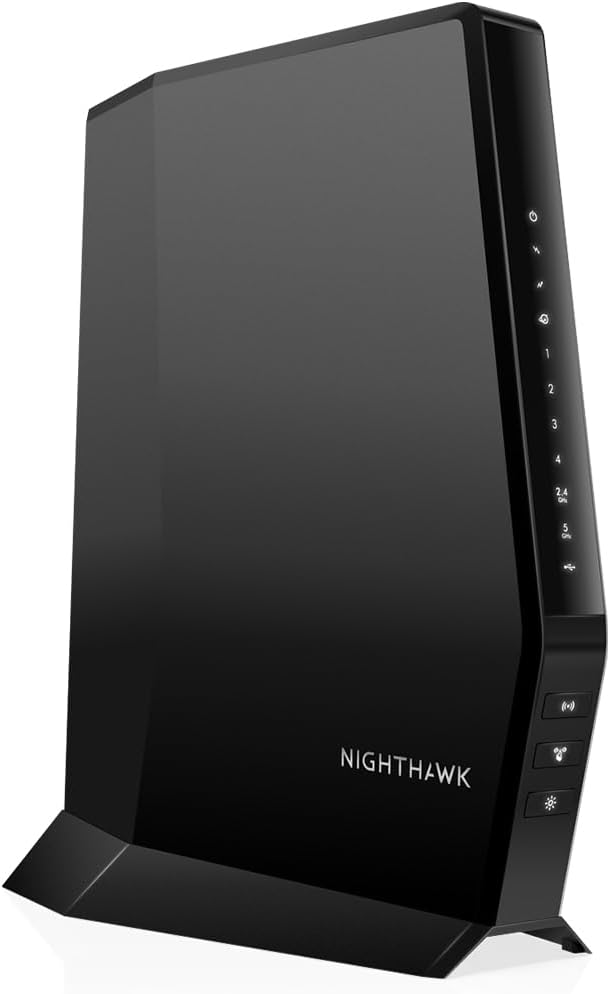



The NETGEAR Nighthawk CAX30 combines a DOCSIS 3.1 cable modem with dual-band AX2700 WiFi 6 in one package. Its 4.1 rating reflects a capable general-purpose design rather than a flawless product, and its strongest qualities include multi-gig cable potential, broad device capacity, four Gigabit Ethernet ports, and an approachable Nighthawk management app.
We may earn a commission when you buy through this link, at no additional cost to you.
For the cable plans explicitly listed in the supplied information, the CAX30 supports Xfinity service up to 800Mbps, Spectrum service up to 1Gbps, and Cox service up to 1Gbps. That makes it a practical middle ground for households ready to use a faster cable tier but not necessarily demanding the highest available speeds. Its DOCSIS 3.1 platform also provides more headroom than the DOCSIS 3.0 alternatives in this list.
Wireless performance is specified as AX2700, with up to 2.7Gbps aggregate dual-band throughput and coverage for as many as 25-plus connected devices across up to 2,000 square feet. Real results will depend on the service plan, internet package, router placement, walls, and client devices. Four Gigabit Ethernet ports give gaming consoles, desktops, streaming boxes, and network storage stable wired connections.
The trade-offs are mostly about expectations. It is not compatible with Verizon, AT&T, CenturyLink, DirecTV, DISH, or bundled voice plans, so customers must have qualifying US cable service. ISP activation is also required. For a cable household seeking modern WiFi 6 without a dedicated multi-gig port, the CAX30 remains the most balanced recommendation in this guide.
DOCSIS 3.1 gives this model a useful balance of present speed and future headroom, while AX2700 WiFi 6 supports modern phones, laptops, televisions, and household devices. It avoids the complexity and higher hardware tier associated with the CAX80 without falling back to an older WiFi generation.
The four Gigabit Ethernet ports are enough to hardwire several high-use devices, and the stated capacity for more than 25 wireless clients suits many active homes. Nighthawk app controls, guest network tools, WPA3, firewall protection, and automatic network management round out the everyday-use features.
We may earn a commission when you buy through this link, at no additional cost to you.
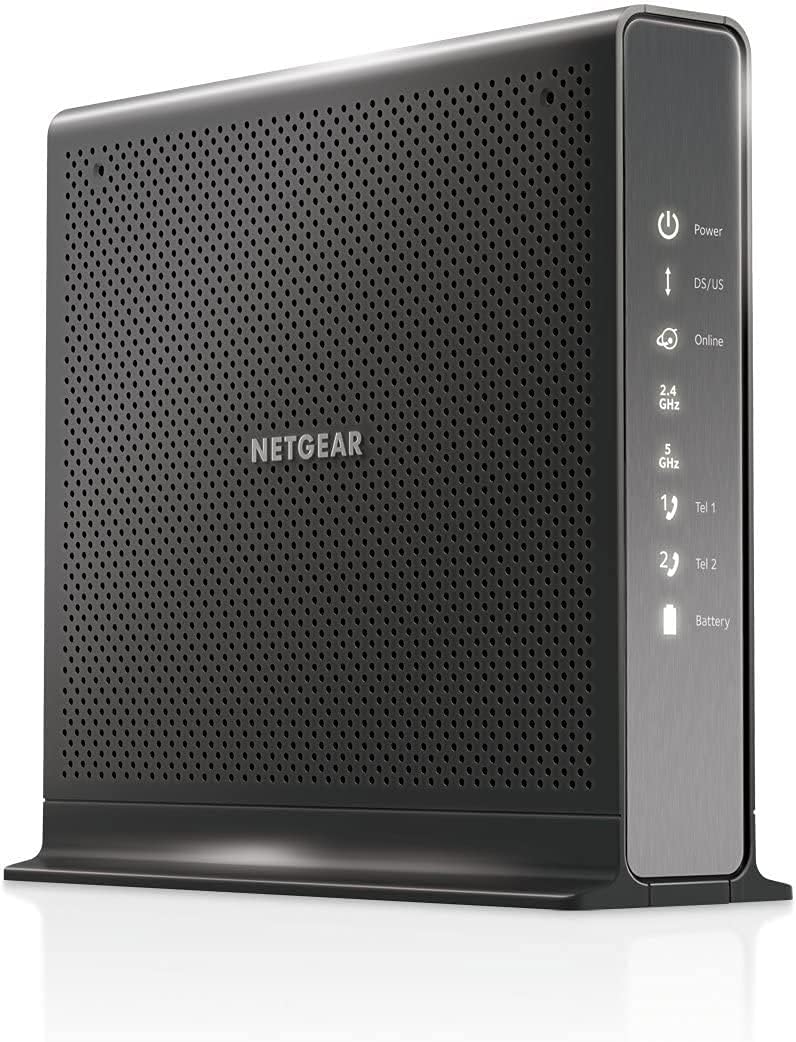
The NETGEAR Nighthawk C7000 is a DOCSIS 3.0 modem-router combo for shoppers who want to consolidate two pieces of home equipment without moving beyond an 800Mbps cable tier. Its 4.2 rating is among the strongest in the group, and the combination of AC1900 WiFi 5, four Gigabit Ethernet ports, beamforming, and familiar Nighthawk controls makes it a sensible value-oriented choice.
We may earn a commission when you buy through this link, at no additional cost to you.
The stated provider support includes Xfinity internet plans up to 800Mbps and Cox plans up to 500Mbps. It is not suitable for Verizon, AT&T, CenturyLink, DirecTV, DISH, or cable packages that include voice. It also cannot serve fiber, DSL, or satellite homes. As with other products in this guide, the cable provider must activate the device after installation.
Its dual-band AC1900 specification provides up to 1.9Gbps combined wireless performance across the 2.4GHz and 5GHz bands. Beamforming is intended to strengthen range and reduce dead spots, although actual coverage depends on connected client hardware and the home environment. Four Gigabit Ethernet LAN ports provide dependable connections for consoles, desktops, players, and storage devices, while a USB 2.0 port adds limited peripheral support.
The primary compromise is technological age. WiFi 5 is less future-facing than the WiFi 6 models, and DOCSIS 3.0 offers less headroom than DOCSIS 3.1. Even so, it is a strong recommendation for a home on a compatible lower-to-midrange cable plan, especially when replacing a separate modem and router is the primary goal.
The C7000 handles the cable connection and wireless networking in one enclosure, reducing desk clutter and simplifying the home setup. It is particularly attractive to households that do not need the additional capacity or multi-gig features found in higher-tier combinations.
The Nighthawk app supports guided setup, speed tests, device pausing, connected-device management, and remote network control. Built-in WPA/WPA2 encryption, dual firewall protection, denial-of-service protection, and automatic firmware updates add practical administration features.
We may earn a commission when you buy through this link, at no additional cost to you.
This renewed CAX30 listing combines a DOCSIS 3.1 cable modem with AX2700 WiFi 6 and has a 4.2 rating. Its central appeal is access to a modern multi-gig platform at a different market position than the new CAX30 listing. It also supports link aggregation and provides four Gigabit Ethernet ports for flexible wired connections.
We may earn a commission when you buy through this link, at no additional cost to you.
The product description emphasizes 1Gbps-plus internet support and the capacity to serve more devices than earlier generations. That makes renewed inventory attractive for a compatible cable household that wants current wireless and cable standards but may not need a factory-new unit. The renewed designation is important because appearance, packaging, and accessory completeness can vary between sellers.
Its wireless platform is designed for lag-free gaming, high-definition streaming, browsing, and simultaneous household activity, while the four Gigabit Ethernet ports can serve computers, game consoles, streaming players, and other wired equipment. The listed provider families include Xfinity, Spectrum, and Cox, though customers must confirm the exact model and plan with their service provider.
This option is not the first recommendation for buyers who prioritize the most predictable condition or accessories, but it can be compelling when the seller provides clear return terms and the hardware is well maintained. Its modern DOCSIS and WiFi specifications are more compelling than buying an older DOCSIS 3.0 model solely for a lower initial outlay.
DOCSIS 3.1 and WiFi 6 give this renewed unit the same core technology generation as the standard CAX30 listing. The main distinction is condition and seller presentation, so buyers should examine the warranty, return policy, included cables, and exterior condition carefully.
Four Gigabit Ethernet ports and support for link aggregation distinguish this model from simpler two-port combos. Those features are useful for connected homes that want fast wired connections for more than one device or plan to use advanced network configuration.
We may earn a commission when you buy through this link, at no additional cost to you.
This CAX30 listing highlights DOCSIS 3.1, 32×8 channel bonding, AX2700 WiFi 6, and compatibility with cable plans described as reaching up to 2Gbps. Its 4.1 rating makes it a strong high-speed option for properly supported providers, although exact service-tier approval varies by carrier and must be confirmed before purchase.
We may earn a commission when you buy through this link, at no additional cost to you.
The modem portion is built for modern cable networks, while dual-band WiFi 6 is stated to cover up to 2,000 square feet and support more than 25 concurrent devices. This combination works well for households that use high-throughput cable service and many connected products, such as 4K televisions, game systems, smart-home equipment, computers, and mobile devices.
Networking flexibility comes from four Gigabit Ethernet ports with port aggregation support and one USB 3.0 port. The combination may be useful for compatible higher-tier service, although the supplied information does not describe a dedicated 2.5Gbps Ethernet port. Nighthawk app setup and management make it straightforward to configure WiFi and monitor connected clients.
Its main limitation is the need to verify compatibility rather than assume it from the product category. Verizon, AT&T, CenturyLink, DSL, DirecTV, DISH, and bundled voice are excluded. Within supported cable networks, however, the combination of channel bonding, WiFi 6, and multiple ports gives it a convincing performance profile.
DOCSIS 3.1 with 32×8 channel bonding offers a strong foundation for households on faster cable packages. The ultimate speed still depends on the provider's network, local node conditions, and the plan available at your address.
The Nighthawk app provides guided setup and everyday network controls, while built-in security features and NETGEAR Armor add optional protection tools. The unit can also serve as the central hub for a busy connected home.
We may earn a commission when you buy through this link, at no additional cost to you.
The ARRIS Surfboard G34 pairs a DOCSIS 3.1 cable modem with dual-band AX3000 WiFi 6, earning a 3.7 rating. It is one of the few products here listed as supporting cable internet plans up to 2.5Gbps, giving it meaningful performance potential for homes with access to very fast service.
We may earn a commission when you buy through this link, at no additional cost to you.
Its advertised wireless performance reaches up to 3Gbps across the two bands, while the stated coverage is for the whole home. Four Gigabit Ethernet ports provide connections for multiple wired devices. The physical design is compact, with clear indicators for power, upstream and downstream activity, and online status, making it practical for a visible or confined installation area.
Setup is described as a straightforward process involving the coaxial connection, power, provider activation, and joining or customizing the wireless network. The product is CableLabs certified and has been tested and qualified for Cox, Xfinity, and Spectrum, but customers should still confirm exact model support with their provider. Fiber, DSL, and satellite services are not supported.
The lower rating is the principal reason it does not lead the list, yet the specifications remain attractive. It is a sensible candidate for a customer with approved multi-gig service who wants a compact DOCSIS 3.1 and WiFi 6 unit, particularly if the stronger wireless specification of AX3000 better fits the household than the CAX30's AX2700 class.
The G34's DOCSIS 3.1 platform and stated support for plans up to 2.5Gbps make it relevant for customers whose providers offer high-tier cable service. Provider qualification and local network availability remain the critical checks before installation.
Its small footprint and clearly labeled status lights suit homes where the networking equipment must remain accessible but visually unobtrusive. Four Gigabit Ethernet ports preserve flexibility for desktop computers, televisions, consoles, and other wired devices.
We may earn a commission when you buy through this link, at no additional cost to you.
The renewed NETGEAR Nighthawk C7000 offers a two-in-one DOCSIS 3.0 and AC1900 WiFi 5 solution with a 4.2 rating. Its stated coverage reaches up to 1,800 square feet and 30 connected devices, making it a familiar solution for medium homes that do not need newer WiFi 6 equipment.
We may earn a commission when you buy through this link, at no additional cost to you.
This listing identifies major cable providers including Xfinity and Cox as compatible and recommends the model for cable plans up to 800Mbps. It is explicitly not compatible with Verizon, Spectrum, AT&T, CenturyLink, DSL, DirecTV, DISH, or bundled voice services. The restricted provider list is important because another C7000 listing in this roundup has different certification details.
The renewed status should be evaluated alongside the hardware specifications. Buyers may encounter differences in cosmetic condition, packaging, or included accessories, so the seller's return policy and warranty matter. The core platform remains a combination cable modem and AC1900 WiFi router, reducing the need for two separate devices and simplifying installation.
This option fits budget-conscious buyers with a compatible provider and moderate internet tier. It is less suitable for households planning to move to very high cable speeds, requiring WiFi 6, or expecting the newest wired interfaces. For its intended service level, the renewed condition can make an otherwise capable design more attainable.
The stated AC1900 performance and support for as many as 30 devices provide adequate capacity for many apartments and medium-sized homes. Placement near the center of the property remains more influential than a headline coverage number in difficult layouts.
Check the unit's physical condition, supplied power and connection cables, activation eligibility, warranty, and return window. Renewed does not necessarily mean functionally different, but it can mean fewer included accessories or less uniform exterior appearance.
We may earn a commission when you buy through this link, at no additional cost to you.
The NETGEAR Nighthawk CAX80 is the premium selection in this guide, combining DOCSIS 3.1 with dual-band AX6000 WiFi 6 and a 2.5Gb Ethernet port. Its 3.9 rating is modest relative to several lower-cost models, but its specifications justify consideration for larger homes, crowded wireless environments, and households that want high-end wired and wireless capacity.
We may earn a commission when you buy through this link, at no additional cost to you.
The wireless specification is stated at up to 2,500 square feet with capacity for more than 30 connected devices, substantially more ambitious than the AX2700 and AX3000 alternatives here. DOCSIS 3.1 OFDMA is designed to improve response during congested periods, while the combination of AX6000 and a 2.5Gb port allows modern devices to take advantage of faster local connections.
Wired connectivity includes one 2.5Gbps Multi-Gig port and four Gigabit Ethernet ports. That makes the CAX80 useful for a desktop, high-performance NAS, or other device capable of using the faster interface, while additional devices can use the standard Gigabit connections. It is the only model in this group with a clearly documented 2.5Gbps Ethernet port.
Provider compatibility remains essential. The stated plan limits are Xfinity up to 800Mbps, Spectrum up to 1Gbps, and Cox up to 1Gbps, which are narrower than some lower-cost alternatives' listed cable-tier limits. The CAX80 is therefore best for buyers whose priority is wireless performance and a multi-gig LAN connection rather than maximizing cable download speed alone.
AX6000 gives this model substantially more aggregate wireless capability than the AX2700 and AX3000 units. In a large or busy home, that additional headroom can be valuable when many phones, televisions, computers, and smart-home devices share the same network.
The dedicated 2.5Gb Ethernet port is the clearest premium feature in the list. It can serve compatible high-speed local devices without relying on a separate multi-gig switch, while four additional Gigabit ports preserve extensive wired connectivity.
We may earn a commission when you buy through this link, at no additional cost to you.
The NETGEAR Nighthawk C7100V is the only product in this roundup built around integrated Xfinity cable and voice service. It combines a DOCSIS 3.0 modem, AC1900 WiFi 5 router, and two Voice over IP ports, earning a 4.2 rating. Its defining advantage is convenience for a household that wants home phone service without a separate voice terminal.
We may earn a commission when you buy through this link, at no additional cost to you.
The listed service support extends to Xfinity cable and voice plans up to 600Mbps. This narrower limit makes it less relevant than modern DOCSIS 3.1 choices for high-tier internet customers, and the voice integration does not make it appropriate for other providers. For the correct Xfinity package, however, consolidating three functions into one device is compelling.
For calling and connectivity, the unit offers two VoIP ports, four Gigabit Ethernet ports, and two USB ports. It can also work with an optional battery backup for outages, with the supplied information stating up to eight hours of standby and five hours of talk time. AC1900 WiFi handles ordinary streaming, browsing, and gaming requirements.
Its strengths make more sense when telephone service is central to the purchase. A customer without Xfinity voice should avoid paying for unused phone functionality, while a customer on a newer or faster plan should prioritize a DOCSIS 3.1 alternative. Within its specific voice-equipped niche, it is a capable and unusually complete combination.
The C7100V integrates two phone lines with cable internet and WiFi, reducing the number of boxes and connections a qualifying Xfinity household needs. VoIP calling uses the internet connection, so reliable service and proper provider activation are essential.
An optional battery backup can maintain the voice system for the stated standby and talk-time durations during power interruptions. This feature is especially relevant to households that depend on home calling for accessibility or emergency communication.
We may earn a commission when you buy through this link, at no additional cost to you.
The NETGEAR C6250 is a DOCSIS 3.0 cable modem and AC1600 WiFi router designed for cable plans up to 300Mbps. Its 4.2 rating is strong, and its most obvious use is a smaller home or customer who wants a straightforward two-in-one network without paying for higher-tier multi-gig hardware.
We may earn a commission when you buy through this link, at no additional cost to you.
The listed carrier speeds are Spectrum up to 300Mbps, Xfinity up to 300Mbps, and Cox up to 250Mbps. While the title refers to compatibility with major cable providers including Xfinity, Spectrum, and Cox, customers should verify the exact service tier and model approval. Fiber, DSL, satellite, DirecTV, DISH, and bundled voice service are not supported.
Wireless performance is stated at up to 1,500 square feet with support for 25 connected devices. Two Gigabit Ethernet ports serve computers, printers, game systems, storage drives, and other wired equipment, and one USB port adds peripheral connectivity. Parental controls and WPA/WPA2 security provide the essentials for a family network.
Its limitations become noticeable when service speeds or household device counts rise. Two Ethernet ports are modest, and the 300Mbps ceiling prevents it from exploiting faster cable tiers. It remains a logical fit for apartments, smaller homes, and compatible lower-tier plans where straightforward whole-home WiFi is the main requirement.
The C6250 avoids paying for capabilities that a 300Mbps plan cannot use. It is designed to deliver that service efficiently through a combined modem and router while still supporting a respectable number of wireless devices.
Parental controls make it easier to manage household internet use, while WEP, WPA, and WPA2 support covers common wireless security needs. The device is uncomplicated and avoids advanced multi-gig features that would add little value on its target service level.
We may earn a commission when you buy through this link, at no additional cost to you.
The ARRIS SURFboard SBG7600AC2 has a 4.3 rating, the highest numerical rating among the ten products, and combines a DOCSIS 3.0 cable modem with AC2350 WiFi. It is designed for compatible US cable services up to 800Mbps, giving it a useful balance of speed, wireless capability, and wired connectivity.
We may earn a commission when you buy through this link, at no additional cost to you.
Four Gigabit Ethernet ports are more generous than the two-port C6250 and allow several high-use devices to remain wired. The supplied information identifies compatibility with major US providers, including Cox and Xfinity, but explicitly advises checking the provider's website to confirm that the exact model is approved for the intended plan and location.
The SURFboard Central app guides activation, WiFi setup, and device addition. After installation, it provides real-time device monitoring, enhanced parental controls, time limits, and the ability to pause internet access. Those tools make the unit approachable for users who want visible control over family activity without navigating a complex technical interface.
Its DOCSIS 3.0 and WiFi 5 hardware is not as advanced as the DOCSIS 3.1 and WiFi 6 options here, and it does not provide a multi-gig LAN port. Even so, the high rating, four Ethernet ports, app management, and 800Mbps target make it a convincing choice for households seeking a proven midrange cable-router combination.
The four Gigabit Ethernet ports support computers, gaming consoles, streaming devices, and storage equipment without requiring a switch. That flexibility is one of the clearest advantages over basic two-port combinations.
SURFboard Central supports activation, network personalization, connected-device monitoring, time limits, and internet pausing. These features are particularly useful in homes where children share devices and parents want convenient controls.
We may earn a commission when you buy through this link, at no additional cost to you.
Choosing a cable modem WiFi router combo starts with your provider and service tier, then requires matching the modem, wireless standard, coverage, wired ports, and management features to the devices and layout of your home.
A cable modem must be supported by the specific provider, model, and service tier serving the home. The products here are aimed at US cable networks, but their lists differ: some listings mention Xfinity, Spectrum, and Cox, while others exclude Spectrum or identify different maximum tiers. Bundled voice plans, fiber, DSL, satellite, DirecTV, and DISH may also be unsupported even when ordinary cable internet is available. Provider approval should be checked before buying rather than after installation, because a cable outlet alone does not guarantee that a model will activate.
DOCSIS 3.0 models in this guide are intended for lower and some midrange cable tiers, while DOCSIS 3.1 combinations provide greater headroom for faster service. The stated maximum plan is only a ceiling; actual throughput also depends on the package purchased, provider network conditions, and the number of users. Choosing a modem with enough DOCSIS capability avoids becoming the limiting element in a home network. Conversely, paying for advanced multi-gig hardware has little practical value when the internet plan itself is much slower.
WiFi 5 models remain suitable for conventional cable plans and many smaller homes, while WiFi 6 adds capacity and efficiency for newer clients and crowded networks. AX2700 and AX3000 are moderate WiFi 6 classes, while AX6000 provides substantially more aggregate wireless headroom. Wireless speed figures combine multiple bands and do not equal real throughput for one device. Coverage also depends on router placement, walls, floors, nearby interference, and client hardware, so larger specifications should be treated as capacity rather than guaranteed range.
The number of Ethernet ports determines how many devices can remain hardwired without adding a switch. Most products offer four Gigabit ports, but the C6250 has two and the C7100V adds two phone ports. The CAX80 is distinguished by a 2.5Gbps Ethernet port, which is useful for compatible local devices and high-speed home storage. Gamers, desktop owners, smart TVs, and network-storage users should also consider whether a dedicated multi-gig switch or access point would better suit their needs.
Coverage claims range from approximately 1,500 to 2,500 square feet, and stated client capacity ranges from 25 to more than 30 devices. These numbers are useful for an initial comparison but should not be treated as guarantees. Central placement, building materials, floor plans, and the number of simultaneous high-bandwidth clients can all change the result. Large homes may need a mesh system or access point even when the combo advertises generous coverage.
Every modern option benefits from WPA-family wireless encryption, firewall protections, and firmware maintenance, but management quality varies. Nighthawk and SURFboard apps offer setup guidance, device monitoring, speed tests, guest controls, parental tools, and the ability to pause connected clients. NETGEAR Armor is presented as an optional enhanced-security subscription after a trial period, so buyers should distinguish built-in protections from services that require continued payment.
Renewed listings can offer a more economical route to a capable model, but they require additional scrutiny. Check the seller's condition description, warranty, return window, included power cable and other accessories, and whether the unit has been reset or updated. A renewed C7000 or CAX30 can provide the same core hardware generation as a new listing, yet condition and seller support may differ. Purchase protection, activation eligibility, and cosmetic expectations should all be considered before ordering.
Begin by confirming provider approval and the correct service tier, then connect the combo to an active coaxial outlet and power it on. Follow the provider's activation process before attempting extensive device configuration. Once the modem is online, use the Nighthawk or SURFboard application or the browser-based setup tools to create a unique wireless network name, set a strong password, and choose the 2.4GHz and 5GHz networks appropriately for client capabilities.
Place the unit in a central, open location rather than beside a television cabinet, router, microwave, or other common source of wireless interference. Raise it slightly off a surface when possible, keep cables organized, and avoid stacking equipment that can trap heat. Connect stationary, high-bandwidth devices with Ethernet where practical. Use the management app to update firmware, review connected clients, create a guest network, and change administrative or wireless credentials as needed.
Treat routine care as preventive maintenance. Read provider messages about service changes, install firmware updates promptly, periodically review attached devices, and use parental controls when children share the connection. If speeds fall, first compare results with the provider's plan and test a wired connection to isolate wireless congestion from service issues. Avoid factory-resetting the equipment until you have checked the provider's activation status and recorded any necessary network settings.
Usually not. A combo contains both the cable modem and wireless router functions, so it can replace two separate devices. Some households may still choose a dedicated router or mesh system for greater wireless coverage or specialized controls. Check whether your provider requires a specific modem model and whether advanced features justify adding separate networking equipment.
No. Provider approval depends on the modem model, location, and service tier, and some combinations support different cable providers than others. Voice packages can create additional restrictions. Check your provider's supported-device list before buying and confirm that the exact model is approved for the speed plan you intend to use.
It is most useful if your provider offers cable speeds substantially above 300Mbps and you want room for future service upgrades. DOCSIS 3.0 can adequately serve lower-tier plans and modest households. Choose based on your current speed tier rather than on the modem category alone, because internet speed also depends on the provider's network and your plan.
Not necessarily. WiFi ratings describe the router's maximum wireless capabilities, while your actual internet speed is capped by the cable plan. A higher WiFi class can improve performance for multiple nearby clients and reduce congestion, but it cannot deliver service faster than the provider supplies. Wired connections may still offer the most stable result for high-use devices.
Count the desktop computers, televisions, game consoles, network storage, and other wired devices in your home. Four Gigabit ports provide comfortable flexibility, while two may require a switch. If you own a compatible high-speed NAS or desktop that benefits from faster local networking, consider the CAX80's 2.5Gbps Ethernet port or a separate multi-gig switch.
Renewed hardware can be perfectly serviceable, but the condition and seller policies may vary. Review photographs, warranty coverage, return window, included accessories, and the stated functional condition. Activate promptly through the provider and test both internet and WiFi performance so any problem can be addressed within the return period.
Both bands can be useful because they balance range and throughput differently. The 2.4GHz band generally travels farther and handles lower-bandwidth devices well, while 5GHz is usually better for nearby high-speed clients. Modern combinations may also band steer automatically. Keep both enabled unless your provider setup or management app directs otherwise.
It may, depending on the home's layout, construction, device load, and router placement. The largest coverage claim in this guide is 2,500 square feet for the CAX80, but that is not a guarantee. Large homes with multiple floors, thick walls, or extensive dead zones may benefit from a mesh system or additional access point.
The NETGEAR Nighthawk CAX30 is the strongest overall recommendation because it combines DOCSIS 3.1, AX2700 WiFi 6, four Gigabit Ethernet ports, and straightforward management without moving into the CAX80's premium hardware category. The new or renewed C7000 serves as the budget-oriented alternative for compatible 800Mbps plans, while the CAX80 is the premium choice for advanced WiFi and a dedicated 2.5Gbps LAN connection.
Prioritize provider approval and service tier before any other consideration. From there, match the DOCSIS generation to your plan, choose enough WiFi capacity for the house and its clients, and count the wired devices that will remain connected. Smaller homes on 300Mbps service may find the C6250 entirely adequate, while the C7100V makes sense specifically for a qualifying Xfinity voice household.
Product availability, ratings, offers, and prices can change, so review the current listing and provider guidance before placing an order. Comparing the same model across renewed and new listings may reveal differences in condition, warranty, accessories, or support. In every case, confirm that the selected device can be activated on your exact cable plan before finalizing the purchase.