
UGREEN 2K Capture Card
4.5Editor score
4K30 HDMI input
2K30 or 1080p60 output
USB-A and USB-C
Driver-free operation
External HDMI Video Capture Cards guide compares 10 options for resolution, latency, loop-out, audio, compatibility, and streaming with practical guidance.
External HDMI video capture cards turn compatible cameras, consoles, computers, and other HDMI sources into capture devices for recording, streaming, and video calls. The best choice depends on source resolution, frame rate, latency, loop-out behavior, audio options, operating-system support, and whether your workflow needs a compact adapter or a dedicated professional interface.
This guide compares ten external capture cards using the specifications and product information supplied for each model. It covers practical distinctions such as HDMI input versus USB output resolution, MJPEG and YUY2 formats, microphone inputs, pass-through support, HDCP limitations, driver requirements, and compatibility with platforms including OBS, Zoom, Twitch, YouTube, VLC, and XSplit.
The reviews identify a strong option for gaming, a feature-rich premium interface, and several accessible choices for streaming and webcam work. Each entry explains the most useful strengths, limitations, and ideal user so readers can match the hardware to their source and software. Product listings and availability can change, so confirm current specifications before purchasing.
4.5Editor score

4.7Editor score

4.5Editor score
The comparison below highlights each card's capture ceiling, passthrough options, connection style, and ideal source. These distinctions matter because input resolution, output resolution, and latency are separate parts of a capture workflow.



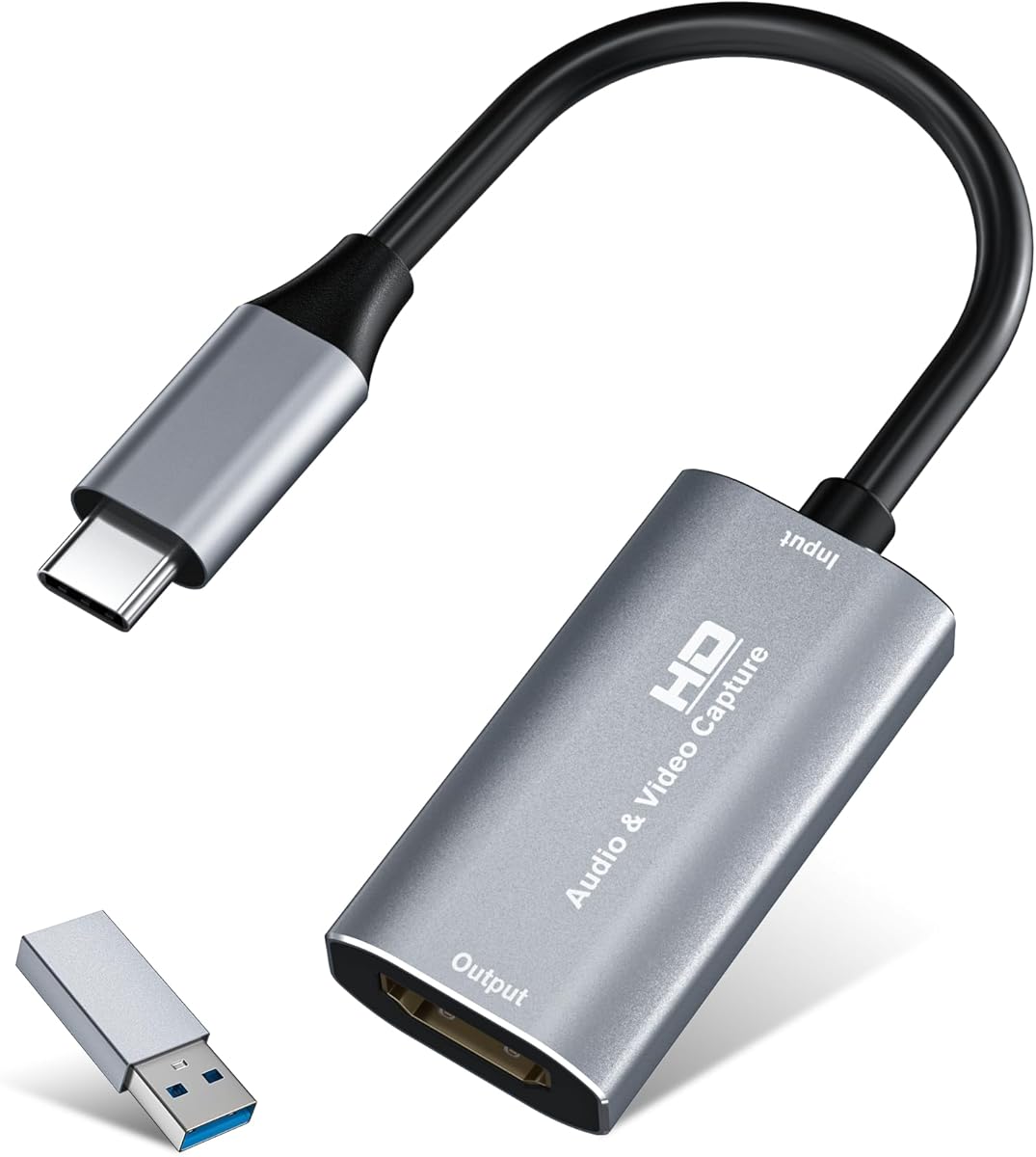
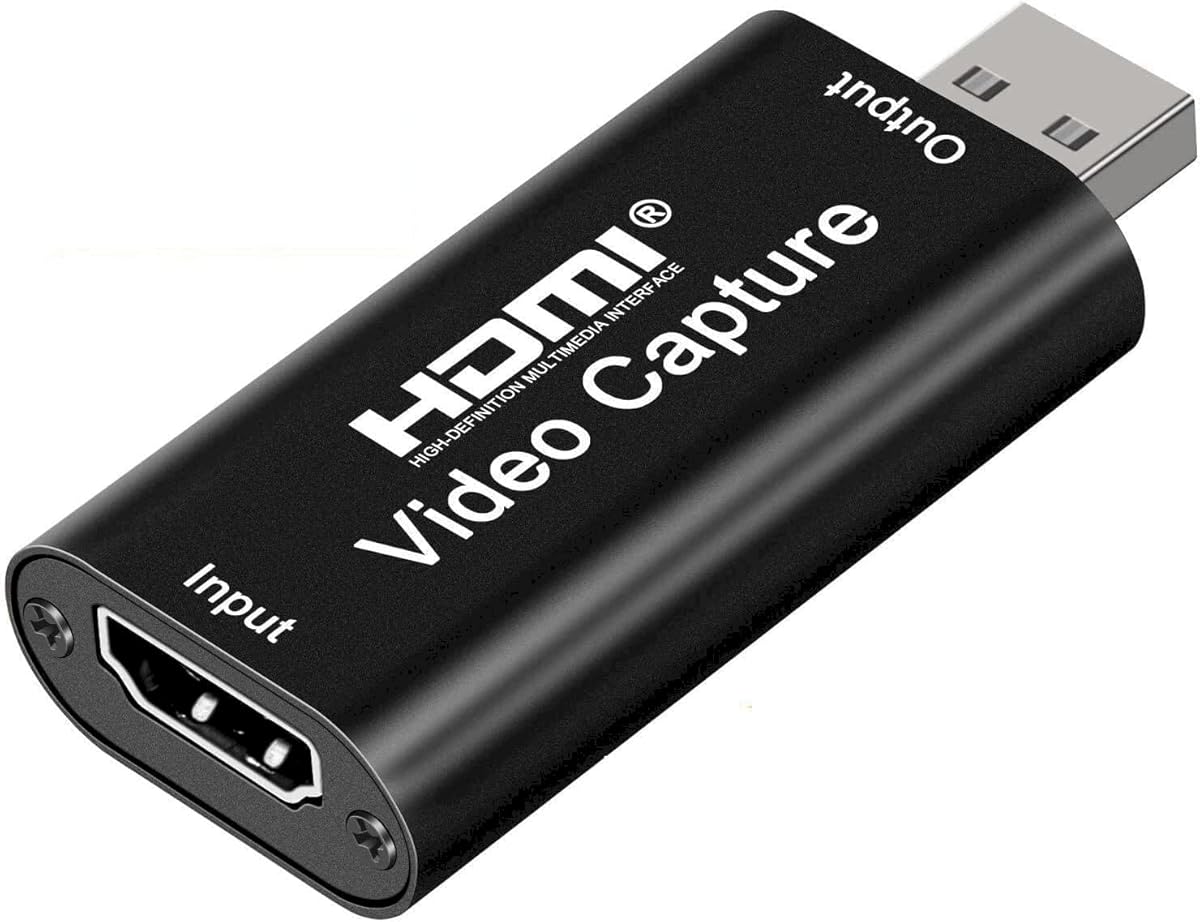


The Rybozen 1080p60 Capture Card is a general-purpose HDMI-to-USB interface for creators who want to capture console gameplay, camera feeds, desktop video, or broadcasts. Its 4.3 rating reflects a practical device that covers common streaming needs without requiring a complicated setup. It accepts HDMI input up to 4K30 and 1080p120/144, while its USB capture output reaches 1080p60 and up to 2K30.
We may earn a commission when you buy through this link, at no additional cost to you.
Its most useful distinguishing feature is HDMI loop-out. That allows a source to remain visible on a local display while the computer receives the capture feed, a valuable arrangement for gameplay, live demonstrations, and event production. The card also includes a 3.5mm TRS microphone headset input for commentary, reducing the need to route voice audio through another interface. Driver-free plug-and-play operation and automatic webcam recognition make it approachable for first-time users.
The trade-offs are important. It does not capture 4K at 120Hz or 144Hz, and the USB output ceiling is 2K30 rather than 4K. The loop-out description also indicates no delay during local playback, but a capture workflow still requires suitable software and source settings. Users should verify HDCP status and resolution support on their particular console or camera before building a production around it.
This is a good choice for a streamer or educator who values loop-out, simple USB setup, and an external commentary connection. It is less appropriate for someone requiring high-frame-rate 4K capture or the advanced passthrough and processing features found in premium cards. For standard 1080p60 workflows, however, it offers a useful and flexible feature set.
HDMI loop-out lets you keep a game or source on a nearby monitor while OBS or another program records the USB feed. That is especially useful when commentary is added live and you need immediate visual feedback.
The built-in 3.5mm TRS headset input gives streamers a direct way to add a microphone. It accepts standard headset microphones rather than every professional microphone or connector arrangement.
We may earn a commission when you buy through this link, at no additional cost to you.
The Guermok HDMI-to-USB-C Card is a compact capture solution designed for users who want to bring a camera, console, or set-top box into OBS, Zoom, VLC, and other applications. It carries a 4.4 rating and supports HDMI input up to 4K30, with USB output available at 1080p60 or 2K30. Its small aluminum housing and included USB-C adapter make it particularly convenient for portable streaming kits.
We may earn a commission when you buy through this link, at no additional cost to you.
The card works without additional drivers or external power and supports USB 3.0 and USB-C hosts. Its aluminum alloy construction is intended to dissipate heat during sustained captures, while the low-latency design is useful for live previews, recording, gaming streams, and online meetings. Compatibility information covers Windows, macOS, Linux, and Android hosts alongside major source devices and software.
There are some workflow details to understand. It is a capture device rather than a direct screen-casting adapter, so capture software is necessary. Signal is one-way from HDMI to USB, and using an unsuitable USB-C adapter can cause loss of bandwidth or recognition at USB 2.0. The manufacturer also notes that OBS may need to be restarted after changing the audio configuration.
Choose this card when portability, simple installation, and access to both USB-A and USB-C matter. It is a strong fit for an educator, presenter, or streamer assembling a compact field setup. Users with demanding high-frame-rate capture requirements should look toward a dedicated premium interface instead.
Its lightweight enclosure and integrated connections make the Guermok card easy to pack with a camera, laptop, and streaming accessories. The included adapter also reduces the need to carry a separate USB-C cable.
The card can accept 4K30 HDMI video, but the attainable output depends on the host, cable, software, and selected format. MJPEG and YUY2 support different combinations of resolution and frame rate.
We may earn a commission when you buy through this link, at no additional cost to you.
The acer USB 3.0 HDMI Capture Card combines 4K HDMI input, loop-out, 1080p60 output, and a dedicated commentary microphone connection. Its 4.4 rating makes it one of the stronger all-purpose choices in this roundup. It is aimed at gamers, teachers, presenters, and vloggers who want a conventional HDMI capture path into a computer.
We may earn a commission when you buy through this link, at no additional cost to you.
A major strength is the YUY2 format, which the product information describes as delivering richer color than MJPEG. That makes it useful when color quality matters in game broadcasts, online classes, or recorded demonstrations. The HDMI loop-out supports a local preview, while the low-latency approach helps keep on-screen action and commentary closely synchronized.
As with most capture cards, the headline input resolution should not be mistaken for the recording resolution. The card outputs 1080p60, and content still needs to be captured through compatible software such as OBS, XSplit, VLC, or a supported conferencing application. The product is a capture interface, not a general-purpose way to add an HDMI output to a computer.
This is a persuasive option for streamers who want microphone input without a separate commentary interface. It also suits users who need loop-out but do not require 4K recording or advanced high-frame-rate passthrough. For users who value uncomplicated setup and broadly compatible software support, it is an excellent general-purpose recommendation.
YUY2 avoids relying on heavy frame compression and can preserve more visual detail than MJPEG. That can be advantageous for recorded content where crisp text, interface elements, or natural color are important.
The 3.5mm headset connection provides an easy route to mix in commentary. It reduces setup complexity for users who would otherwise need another audio input device alongside the capture card.
We may earn a commission when you buy through this link, at no additional cost to you.
The Silver USB-C Capture Card is an approachable option for anyone who wants to record console gameplay, camera video, online meetings, or presentations without installing additional drivers. Its 4.4 rating and 4K30 HDMI input position it as a capable budget-oriented interface, while output at 2K30 or 1080p60 covers mainstream recording and streaming requirements.
We may earn a commission when you buy through this link, at no additional cost to you.
Its USB 3.0 interface supports both Type-A and Type-C hosts, covering many desktop, laptop, and tablet arrangements. The aluminum alloy body assists with heat dissipation, and the low-latency architecture is designed to provide real-time preview and stable recording. Listed source compatibility includes Switch, PS4, PS5, Xbox, DSLR cameras, and TV boxes, while OBS, Zoom, VLC, and Twitch Studio appear among supported applications.
The product does not claim HDMI loop-out, so users who need to monitor the source on a separate screen should not assume that feature is present. Tablet operation also depends on the device supporting the necessary USB functionality, including OTG where applicable. As with other capture devices, software configuration and source HDCP settings remain important parts of obtaining a clean feed.
This card is a good match for students, casual streamers, and presenters who want a straightforward capture path across several computer systems. Its easy installation and broad source support offer more flexibility than a basic camera-only adapter. For demanding 4K recording or advanced gaming passthrough, a higher-tier model would be preferable.
Supporting USB-A, USB-C, and several operating systems makes the card useful for mixed equipment. It can serve as a common capture point for a console, camera, and computer-based lesson.
The card's 2K30 and 1080p60 recording modes are practical for streams and meetings. The included USB-C adapter also makes it easier to connect to hosts that lack a full-size USB port.
We may earn a commission when you buy through this link, at no additional cost to you.
The Audio Express AXHDCAP is a basic external capture card aimed at users who need reliable HDMI-to-USB acquisition without a high-speed interface. It has a 4.4 rating and accepts HDMI input up to 4K30, but its USB output tops out at 1080p30. That distinction is appropriate for teaching, conferencing, simple broadcasts, and webcam-style applications rather than demanding game capture.
We may earn a commission when you buy through this link, at no additional cost to you.
Stereo audio capture is one of the card's strongest practical features. It can bring both picture and sound from a source into a computer, while plug-and-play operation removes the need for external power or additional drivers on supported systems. The product information specifically mentions OBS, Zoom, PotPlayer, VLC, Twitch, and YouTube as possible applications.
The most important limitation is the USB 2.0 interface. It cannot sustain the higher recording speeds associated with USB 3.0, and the output resolution is limited to 1080p30. Users must use OBS or comparable software for proper setup rather than expecting direct monitor casting. The product also cannot add an HDMI output to a computer that lacks one.
This is a sensible choice for an educator, remote presenter, or occasional streamer whose source does not require 60Hz output. It is less suitable for fast-paced competitive gaming, high-frame-rate recording, or 4K post-production. When simplicity and affordability matter more than bandwidth, it remains a functional basic option.
The card can turn a compatible DSLR, microscope, or other HDMI source into a simple input for a lesson. Its 1080p30 output is sufficient for many online teaching and remote presentation workflows.
Capturing stereo audio alongside HDMI video makes the device more convenient than a video-only adapter. OBS or similar software can then record the combined feed directly to the computer.
We may earn a commission when you buy through this link, at no additional cost to you.
The Elgato 4K X is the premium gaming option in this guide, combining 4K capture up to 144 frames per second with HDMI 2.1 input and output. Its 4.5 rating reflects a specification set aimed at demanding creators, particularly those producing high-frame-rate game footage for platforms such as YouTube, Twitch, and Discord.
We may earn a commission when you buy through this link, at no additional cost to you.
The standout capability is high-frame-rate capture. It can document 4K at 144fps, while HDMI 2.1 passthrough extends to 1080p at 240fps. VRR passthrough supports smooth variable-refresh-rate gameplay on compatible displays, and the ultra-low-latency USB 3.2 Gen 2 interface is designed to keep gameplay, capture, and broadcast timing closely aligned.
This performance depends on the entire chain. A source must output the desired resolution and frame rate, the host computer must sustain the data throughput, and the streaming or recording application must be configured correctly. VRR and high-rate passthrough also require compatible displays and source hardware. The card excels where inexpensive adapters stop, but it does not remove those system requirements.
For professional game streamers, competitive gaming creators, and users producing detailed 4K footage, the Elgato 4K X is the strongest feature-focused recommendation. It is less necessary for standard meetings, classroom capture, or ordinary 1080p streaming. Those users can obtain the core capture function from a less specialized card.
Capturing at 4K144 preserves a much higher level of motion detail than 30 or 60fps output. That is valuable for fast games, action sports, and footage intended for detailed editing or slow-motion treatment.
VRR passthrough allows a compatible gaming display to retain variable-refresh-rate behavior while the feed is captured. The result is smoother local gameplay with fewer compromises than a basic capture-only path.
We may earn a commission when you buy through this link, at no additional cost to you.
The UGREEN 2K Capture Card offers a strong balance of useful resolution, connectivity, and portability. Its 4.5 rating reflects a well-rounded option for streamers, educators, and mobile creators. It accepts 4K30 HDMI input and records at up to 2K30 or 1080p60 through a high-speed USB 3.0 connection.
We may earn a commission when you buy through this link, at no additional cost to you.
Both USB-A and USB-C are available, allowing the card to work with many modern laptops, desktops, tablets, and smartphones. It supports 5Gbps transfer speeds and low-latency operation while remaining backward compatible with USB 2.0. The aluminum casing helps with heat dissipation, and the built-in cable uses tinned-copper conductors for signal stability and durability.
The card supports Windows, macOS, Linux, phones, and tablets, along with major capture programs including OBS Studio, XSplit, PotPlayer, and QuickTime Player. HDCP must be disabled on compatible PS4, PS5, Switch, Switch 2, and Xbox Series X sources. iPad use requires iPadOS 17 or later, and the signal path remains one-way from HDMI to USB.
This is a particularly good pick for users who want more bandwidth than a basic USB 2.0 adapter without moving to a premium gaming card. It lacks an advertised HDMI loop-out and does not record at 4K, but it handles mainstream 2K and 1080p60 workflows across a wide range of hosts. That balance makes it one of the most broadly useful options here.
Having both host interfaces is useful in mixed production environments. The card can move between a traditional desktop and a modern laptop or tablet without requiring a different capture adapter.
2K30 and 1080p60 output cover most everyday streaming and recording needs. The 5Gbps interface also provides more headroom than a USB 2.0 capture path.
We may earn a commission when you buy through this link, at no additional cost to you.
The UGREEN 4K Loop-Out Card is designed for creators who want immediate local monitoring while capturing to a computer. It supports 4K30 HDMI input and 4K30 loop-out, while the recorded USB feed reaches 2K30 or 1080p60. Its 4.4 rating makes it a practical choice for gaming, teaching, live demonstrations, and multi-device production.
We may earn a commission when you buy through this link, at no additional cost to you.
Loop-out is the defining feature. The HDMI output supports real-time preview and zero-latency monitoring, allowing the source to remain visible on a second display. The card also offers MJPEG and YUY2 formats, giving users a choice between efficient compression and higher visual fidelity. USB-A and USB-C connections make it adaptable to different recording computers.
It is important not to mistake the 4K30 loop-out for 4K capture. The product explicitly states that 4K capture is unsupported, with 2K30 as the maximum recording output. PS4 and PS5 sources must have HDCP turned off, Windows 7 requires USB 3.0 drivers, and the device is not compatible with Fire TV Stick. iPhones also cannot serve as acquisition hosts because they do not support the required UVC protocol.
Choose this card when instant local feedback is more important than native 4K recording. Its broad operating-system support and dual format options make it adaptable for live events, classrooms, and console streams. If editing 4K source files is essential, choose a capture card with explicit 4K output instead.
The 4K30 loop-out provides a clean local view while OBS or another application captures the USB signal. This is useful for live shows, gameplay, and demonstrations where visual feedback is important.
MJPEG can reduce the data burden, while YUY2 is useful when preserving visual detail matters. Testing both formats in the intended software is the best way to confirm performance.
We may earn a commission when you buy through this link, at no additional cost to you.
The Magewell USB Capture HDMI Gen 2 is the most established all-round choice for dependable professional capture at 1080p60. Its 4.7 rating is the highest among the products in this guide. The device captures HDMI video and audio through a single USB connection and supports input resolutions up to 2048×1080 at 60fps in 4:4:4 format.
We may earn a commission when you buy through this link, at no additional cost to you.
The major technical advantage is FPGA-based video processing. Cropping, scaling, de-interlacing, color conversion, and flipping or mirroring occur on the device rather than placing a greater processing burden on the host computer. This is valuable for live production, fixed installations, and recordings that benefit from consistent performance.
Magewell's device is also designed for continuous use, with thermal protection, status LEDs, a compact enclosure, and a three-year limited warranty. The USB Capture Utility provides control over EDID, resolution, frame rate, and firmware, along with log export and diagnostic features. It works with Windows, macOS, Linux, and Chrome OS while remaining backward compatible with USB 2.0.
This is the strongest recommendation for users who value dependable operation, diagnostics, and professional workflow controls more than headline 4K capture. It is particularly suitable for conferencing, broadcast, education, and stable 1080p60 recording. Creators needing 4K or high-frame-rate gaming capture should evaluate newer high-bandwidth alternatives instead.
FPGA-based scaling and color conversion handle common processing tasks within the capture hardware. This can leave more computer resources available for recording, encoding, and streaming applications.
Thermal protection, status indicators, and a durable compact design suit installations that may run for extended periods. The included utility adds useful visibility when diagnosing resolution or firmware problems.
We may earn a commission when you buy through this link, at no additional cost to you.
The VIXLW 4K Cam Link specializes in turning an HDMI-equipped camera into a high-quality webcam or capture source. It carries a 4.2 rating and supports output formats including MJPEG at 3840×2160 and 60fps, NV12 and YUY2 at 4K30, XRGB at 2560×1440 and 30fps, and 1080p120. Those capabilities make it especially relevant to photographers, filmmakers, and remote presenters.
We may earn a commission when you buy through this link, at no additional cost to you.
Beyond streaming and meetings, the device is useful for electronics repair, microscope observation, and other precision tasks. Its ultra-low-latency transmission is intended to keep live video responsive, while the driver-free USB 3.0 design is recognized automatically by supported computers. A broad source list includes DSLRs, camcorders, action cameras, microscopes, consoles, laptops, and DVD players.
The most important requirement is a suitable camera with clean HDMI output. Many cameras output a clean feed only when recording or in a particular mode, and the camera may need separate power while the card supplies no external power to it. Format choice also controls maximum resolution: 4K60 is specifically listed for MJPEG, while YUY2 tops out at 4K30.
The VIXLW is a good fit for users who want a camera's image quality in OBS, Zoom, or a live meeting. Its resolution ceiling exceeds what most entry-level adapters offer, and the broad device support makes it useful outside conventional streaming. Users restricted to Linux or Android should choose a more broadly compatible card instead.
A compatible DSLR, camcorder, or action camera can become a high-resolution webcam. The resulting image may offer finer detail and more control than a built-in computer camera.
Microscope and electronics-work applications benefit from a stable, high-resolution feed. The card can turn compatible visual equipment into a practical inspection or demonstration tool.
We may earn a commission when you buy through this link, at no additional cost to you.
The right external capture card depends on your source, desired output, host computer, and need for local monitoring. Review resolution, bandwidth, audio, software, and protection limitations together rather than focusing on only one headline specification.
Summary: Match the output to your recording target, not just the source.
Summary: Choose 30fps for general use and 60fps or higher for smooth motion.
Summary: Prefer USB 3.0 for 1080p60, 2K, or higher-resolution capture.
Summary: Local loop-out is valuable for live work; verify it before buying.
Summary: Verify HDMI audio, microphone input, and mixing support together.
Summary: Check host, operating system, application, and connector requirements.
Summary: Confirm that the source provides a clean, capturable HDMI feed.
Summary: Match portability, cooling, and diagnostics to the recording environment.
Begin by confirming that the source can provide the intended clean HDMI output and resolution. Connect the source to the capture card with a suitable HDMI cable, then connect the card's USB-A or USB-C interface to the computer. Turn on the source and computer, open the capture application, select the capture card as the video device, and confirm that the intended microphone and audio source are selected separately.
Configure the software before recording. Choose a supported format and resolution, then adjust the frame rate to match the source and the capabilities of the computer. If the card includes HDMI loop-out, connect its HDMI output to a compatible display for local monitoring. Test a short recording and watch for dropped frames, synchronization issues, color problems, or audio that is too quiet before beginning a full session.
To protect the equipment, handle the card and cables by their connectors, keep the housing away from moisture and excessive heat, and avoid repeated unplugging while software is recording. During long sessions, leave the housing unobstructed so its aluminum casing can dissipate heat. After use, close the recording application, stop the source, and disconnect the USB connection before changing HDMI equipment. Update firmware or drivers only when the manufacturer specifies a need and follow the product guidance for the operating system.
It depends on both the card and the source. Some devices accept 4K30 HDMI input but output only 1080p60 or 2K30 to the computer, while premium gaming models can capture at substantially higher frame rates. Check the stated USB output resolution, frame rate, and video format rather than relying on the maximum HDMI input specification.
Many modern capture cards are designed to be recognized automatically without additional drivers. Older Windows installations may still require USB 3.0 drivers, and the computer must support the relevant USB connection speed. Always confirm operating-system support before use and follow the setup instructions supplied with the selected model.
HDCP protection is a common cause, particularly with games, streaming applications, and premium video services. The source may need to have HDCP disabled, if that option is available. Also check the selected OBS video device, HDMI input resolution, format, and cable connection. Some consoles and capture cards work only at particular source resolutions.
No. An HDMI-to-USB capture card captures an incoming HDMI signal for recording or streaming; it does not add an HDMI output to a computer. You need a separate HDMI output adapter or a computer with a native HDMI port if the goal is to send a computer display to a television or monitor.
They are different ways of transferring video through USB. MJPEG commonly uses frame compression and can support high frame rates efficiently, while YUY2 sends uncompressed pixel data and can preserve more detail at the cost of greater bandwidth. Supported resolution and frame-rate combinations differ, so compare both formats in the intended capture software.
No. Some capture audio embedded in the HDMI source, while others include a 3.5mm headset or microphone input for commentary. A card without a microphone connection may require a separate USB or audio interface. Confirm the connector type and whether the application can mix microphone audio with the captured source.
Some models support compatible USB-C or USB-A hosts, including tablets with the required OTG functionality. Other constraints may apply, such as an updated iPadOS version, host-side data acquisition support, or the absence of UVC support. The product's compatibility list should be checked against the exact device and operating system.
It is not essential for basic recording, but it is highly useful when you want to view the source locally while streaming. Loop-out can provide immediate monitoring with minimal added latency, which is helpful for gameplay, live presentations, and event production. Ensure the source, local display, and card all support the selected resolution and refresh rate.
The UGREEN 2K Capture Card stands out as a balanced, budget-minded choice because it combines 2K30 or 1080p60 output, a 5Gbps USB 3.0 path, and both USB-A and USB-C connections. The Magewell USB Capture Gen 2 is the editor's choice for dependable 1080p60 acquisition, on-device processing, diagnostics, and continuous-operation design. For premium gaming creation, the Elgato 4K X leads with 4K144 capture, HDMI 2.1, high-rate passthrough, VRR, and low-latency USB connectivity.
Before purchasing, prioritize the output resolution and frame rate you actually need, then confirm the computer, software, source, and connector can all sustain that workflow. Loop-out matters for live monitoring, audio inputs matter for commentary, and HDCP rules can determine which consoles and services are capturable. The lowest-cost card is not necessarily the most economical choice if it cannot deliver the required resolution, bandwidth, or reliability.
Finally, check the current product listing and compatibility details before ordering. Hardware revisions, included adapters, operating-system support, and source requirements can change, while special software settings may be necessary for the first launch. A short test recording with the intended source and capture program is the safest way to confirm that the selected external HDMI video capture card fits the workflow.