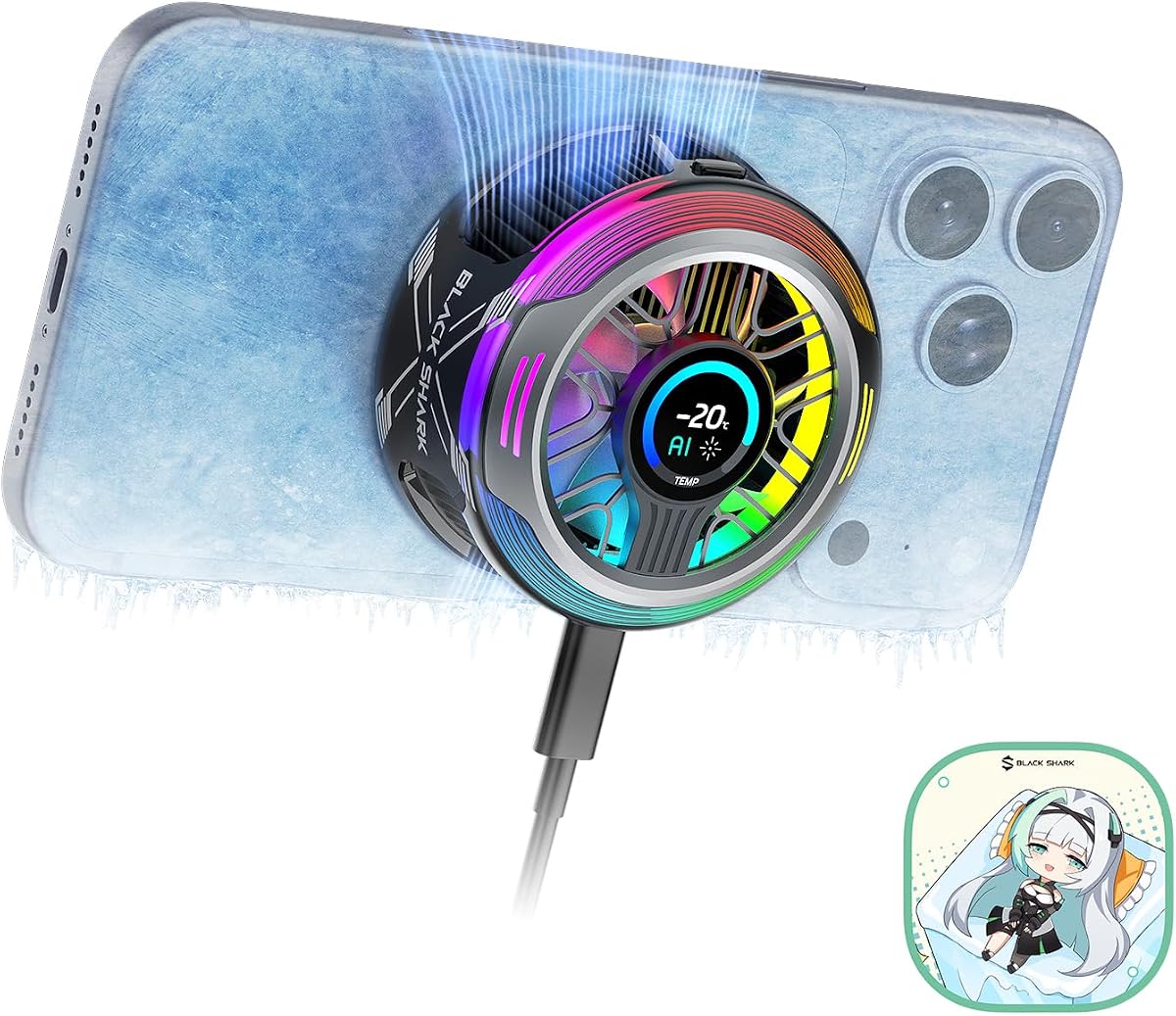
Black Shark Magnetic Phone Cooler 6 Pro
4.5Editor score
Up to 35W cooling power
Full-color smart display
App-controlled operating modes
Addressable RGB lighting
Magnetic plate included
Our Magnetic and Clip on Phone and Tablet Cooler guide compares cooling power, mounting options, noise, compatibility, displays, and features for gamers.
Magnetic and clip-on phone and tablet coolers help keep mobile devices comfortable during gaming, livestreaming, video calls, navigation, and long recording sessions. A useful cooler should combine effective heat transfer with a secure mount, useful controls, dependable power requirements, and noise levels appropriate for the environment.
This guide compares ten magnetic and clip-on coolers based on their stated cooling systems, mounting hardware, power needs, noise figures, temperature displays, lighting, and device compatibility. The selections cover compact phone models, tablet-specific designs, entry-level semiconductor coolers, and higher-powered options for demanding workloads.
Each review explains who the product is likely to suit, where it offers a meaningful advantage, and where buyers may need to compromise. Cooling results can vary with device heat, ambient conditions, attachment, and power supply, so compare specifications carefully and confirm the latest listing and deal terms before purchasing.
4.5Editor score

4.8Editor score

3.9Editor score
The comparison below highlights each cooler's mounting approach, cooling hardware, power arrangement, controls, and strongest use case so buyers can quickly narrow the field.


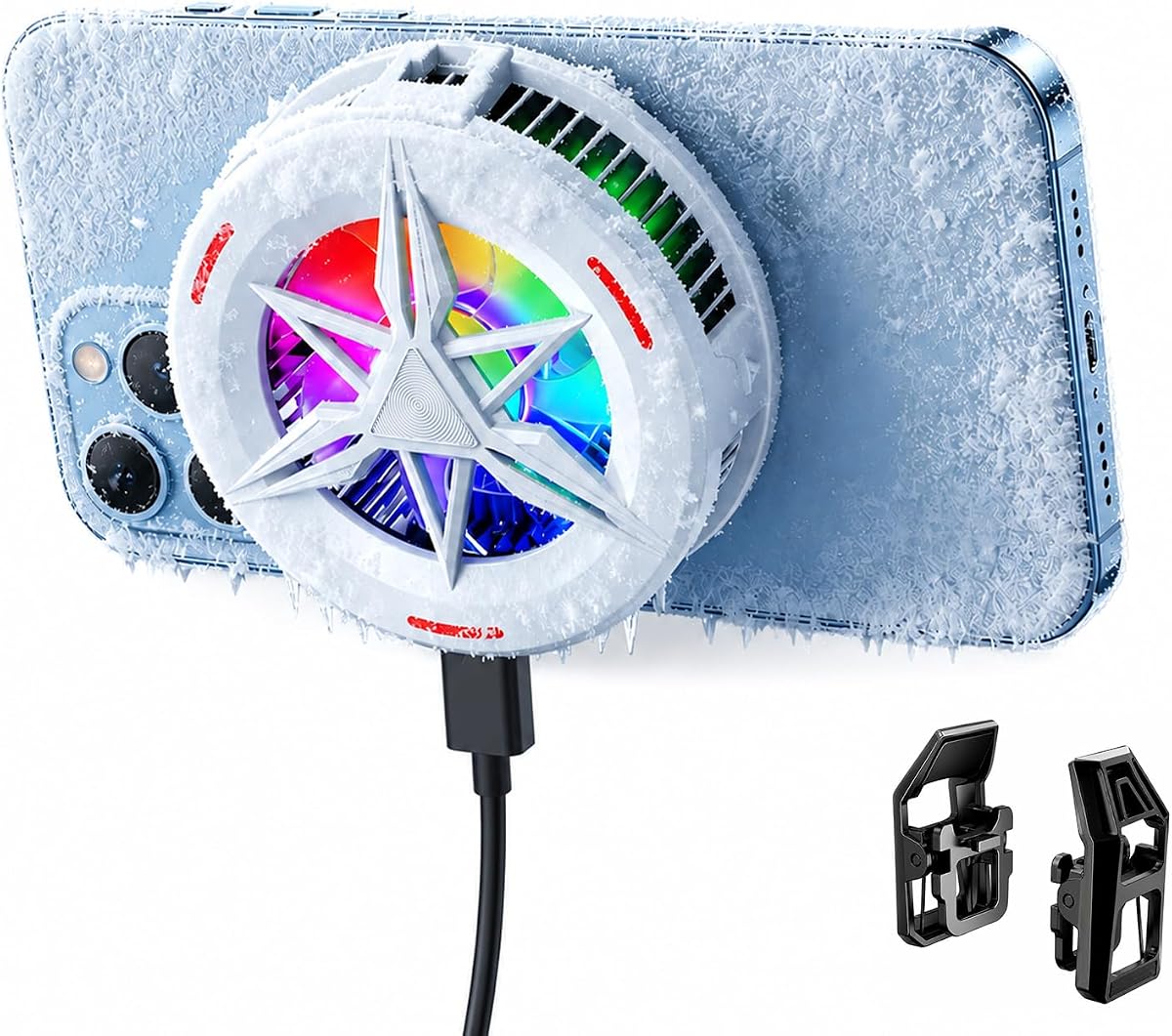


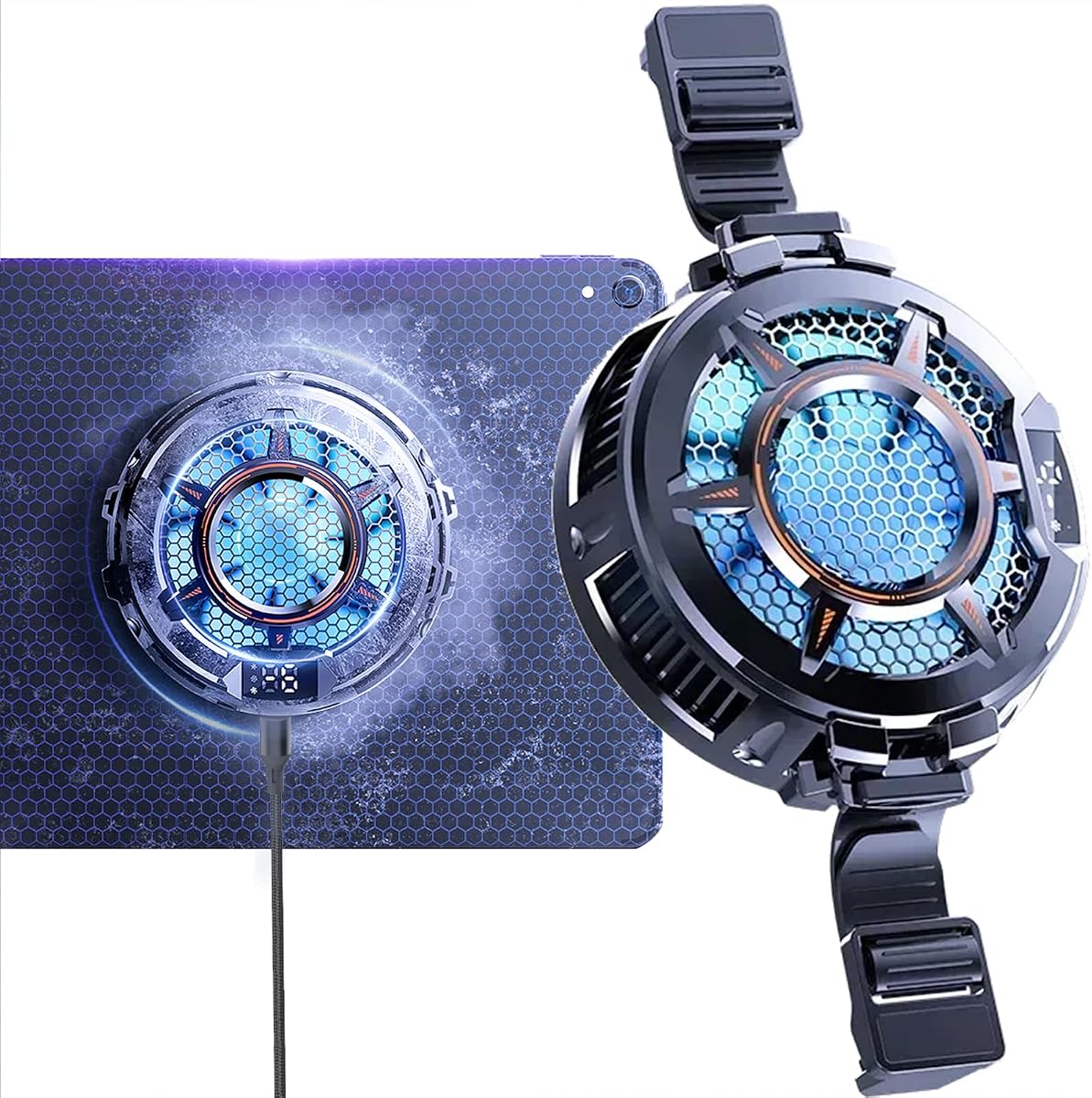


This 2-in-1 cooler offers a straightforward way to add active cooling to a phone or tablet. Its 3.7 rating is the lowest among the listed products, but the design addresses a common compatibility problem by combining a magnetic plate with a detachable clip. That flexibility is useful when switching between MagSafe-style devices and models that lack built-in magnets.
We may earn a commission when you buy through this link, at no additional cost to you.
The cooler includes three fan speeds, a digital temperature display, and RGB lighting that changes with temperature. Its clip arms extend up to four inches, allowing the body to sit away from a larger tablet while maintaining contact. Magnetic stickers are also included for non-magnetic devices, giving the buyer more than one way to position the cooling surface.
The principal trade-off is that the listing does not provide a specific cooling-power or wattage figure, making direct comparisons with higher-output models difficult. The 3.7 rating also suggests that some buyers may have found mounting, controls, or overall performance less consistent than they expected. It is powered through the included USB cable rather than an internal battery.
This is a sensible option for buyers who value attachment flexibility, visible temperature information, and a low-complexity design for gaming, video calls, broadcasting, or vlogging. It is less compelling when maximum cooling output, app control, or a larger cooling plate is the main priority.
The magnetic plate and expandable clip are the defining features here. Buyers can use magnetic attachment on compatible hardware, add the supplied stickers to other devices, or rely on the clip when case design or device size makes magnetic placement inconvenient.
The digital display and temperature-responsive RGB lighting make cooling easier to monitor than with a basic fan. Three speed levels also let users balance thermal control against noise depending on the activity.
We may earn a commission when you buy through this link, at no additional cost to you.
The Jremreo 2-in-1 model carries a 3.9 rating and builds on the familiar combination of magnetic attachment and a detachable side clip. Its most important distinction is the larger one-inch internal heatsink, which the manufacturer says improves heat dissipation compared with standard versions of this cooler design.
We may earn a commission when you buy through this link, at no additional cost to you.
The aluminum alloy thermal core supports semiconductor-assisted cooling, while three fan speeds let users choose between stronger output and quieter operation. A digital screen presents the cooling temperature and the RGB illumination reacts to temperature changes. The clip extends up to four inches, making the unit adaptable to different phones and tablets.
Unlike the first model, this version includes a cloud connection port in the detachable clip area. That may be useful for gamepad or streaming accessory setups, although buyers should verify that their preferred platform and cables are compatible. As with the first product, there is no stated wattage figure, and continued operation depends on the included USB connection.
The Jremreo is a good middle-ground choice for buyers who want more thermal hardware than a basic fan without moving to a high-output liquid-assisted design. It is particularly relevant to mobile gamers and creators who appreciate both a temperature display and multiple attachment options.
The larger internal heatsink is the main upgrade over a conventional compact phone fan. It gives the semiconductor system a broader heat-transfer component, which can be valuable during sustained gaming, live broadcasting, and video conferencing.
The four-inch adjustable arm accommodates a range of device widths, while the added connection port gives users another route for compatible gamepad or streaming accessories. Magnetic stickers cover devices without integrated magnets.
We may earn a commission when you buy through this link, at no additional cost to you.
This compact cooler uses semiconductor technology and a seven-blade fan operating at a stated 4500–5000 RPM. Its 3.8 rating places it near the middle of the group, while the combination of magnetic attachment, a magnetic ring, and a universal clip gives it unusually broad mounting flexibility.
We may earn a commission when you buy through this link, at no additional cost to you.
The listed noise level is below 25dB, which is among the quietest figures in this comparison. That makes the product relevant to late-night gaming, bedside video viewing, calls, and other situations where a louder fan could be distracting. A long press turns off the RGB lighting when a more understated appearance is preferred.
The cooling result depends on external power. The manufacturer calls for a 5V/2A-or-higher source, and the power adapter is not included. It also does not support magnetic charging while attached, so buyers who rely on MagSafe accessories should account for that limitation before ordering.
The cooler is a good fit for users who prioritize low noise, flexible attachment, and phone-focused cooling over app-based control or a large display. It can also be used for streaming, navigation, and extended video viewing, provided a suitable USB-C power source is available.
The below-25dB claim is the standout specification for shared rooms, nighttime play, and voice-sensitive content creation. Users can also disable the lighting, creating a discreet setup for calls or recordings.
Built-in magnets suit magnetic phones, the included magnetic ring supports other devices, and the universal clip offers a fallback for cases that resist magnetic adhesion. The accessories are intended to reduce the need to remove a protective case.
We may earn a commission when you buy through this link, at no additional cost to you.
The Black Shark iPad Cooler is designed around larger-screen gaming and streaming, earning a 4.4 rating. Its stated 40W cooling output and ICECOLD 2.0 system place it among the more powerful products in the guide, while a strong 14N magnetic force is intended to keep it stable on a tablet.
We may earn a commission when you buy through this link, at no additional cost to you.
Control options are unusually extensive. Users can select Overclock, Smart, Silent, or Custom modes from the built-in button, then make finer adjustments through the Shark Arsenal app. The app also manages fan speed and RGB effects, reducing the need to interact with the cooler during a session.
The product weighs only 0.33 pounds and is designed to leave the tablet's screen accessible. Silent mode is stated at 30dB, and 18 RGB LEDs provide several lighting effects. Compatibility includes iPad, Surface Pro, and Samsung Tab models, with an included magnetic adhesive ring extending support to non-magnetic tablets and devices such as the Steam Deck.
This is an excellent choice for tablet gamers and creators who want app control, substantial cooling, and a dedicated high-power design. The requirement for a power supply above 40W and the omitted data cable are notable inconveniences, but they do not undermine the core appeal for users prepared to assemble an appropriate power setup.
Unlike compact phone coolers, this model is shaped and positioned for tablets. Its stated 40W output and magnetic retention make it better suited to sustained tablet gaming, livestreaming, and multitasking on larger mobile devices.
The Shark Arsenal app exposes mode selection, fan speed, and lighting settings in one interface. This is particularly helpful when the user wants to monitor or change a tablet setup without repeatedly reaching for a small control button.
We may earn a commission when you buy through this link, at no additional cost to you.
The Black Shark Magnetic Phone Cooler 6 Pro combines 35W stated cooling with a 0.71-inch full-color display, earning a 4.5 rating. It is a feature-rich option for phone gamers, streamers, and mobile creators who want more information and customization than a basic three-speed fan can provide.
We may earn a commission when you buy through this link, at no additional cost to you.
The smart screen displays power output, cooling level, device temperature, and fan speed. It also supports custom wallpaper uploads. Internally, the updated ICECOLD 2.0 architecture uses more heat-dissipation fins, tighter spacing, and a larger overall dissipation area while reducing weight compared with the preceding generation.
The cooler is controlled through an app and includes 16 addressable RGB LEDs for ambient effects. Its magnetic plate supports magnetic and non-magnetic devices, and the stated device range includes Android phones, iPhones, Nintendo Switch, iPads, and laptops. The manufacturer recommends a 40W-or-higher wall charger, which is not included.
This is the premium option in the roundup for buyers who value a polished display, detailed telemetry, and app-assisted control. It may be excessive for casual users, but it is well suited to intensive sessions where monitoring thermal behavior and fan performance is important.
Rather than merely showing temperature, the screen presents power output, cooling level, and fan speed. This makes the device useful as a compact status monitor during long gaming, streaming, or photography sessions.
The revised cold-forged thermal platform increases fin area and reduces spacing according to the product data. The aim is stronger heat dissipation with less weight, making the cooler more practical for extended handheld use.
We may earn a commission when you buy through this link, at no additional cost to you.
The CHONCHOW cooler distinguishes itself with a stated cooling area of approximately 4.65 square inches, intended to cover major heat-producing areas. Its 3.8 rating reflects a practical design that offers more surface coverage than many compact phone fans, along with both magnetic and back-clip installation.
We may earn a commission when you buy through this link, at no additional cost to you.
The listing describes refrigeration-style cooling rather than ordinary airflow alone. A physical switch provides straightforward power control, and three refrigeration stages allow users to select an appropriate operating level. A small LED display reports temperature, while the lighting adds color to a gaming or streaming setup.
Maximum cooling and the stated frost effect require a 5V/3A or 15W-or-higher USB-C source, which is not included. The supplied two-amp cable is intended for everyday cooling, but buyers seeking the strongest stated performance should plan to provide a more capable cable and adapter.
This product makes sense for users who prioritize broad contact area and flexible mounting without moving to a premium liquid-assisted system. It is best suited to phones and tablets that fit the cooling surface, particularly for gaming and livestreaming sessions where maintaining stable thermal performance matters.
The approximately 4.65-square-inch thermal surface is designed to reach across more of the device than a small circular cooler. That broader coverage can be useful on phones where the processor and battery generate concentrated heat.
The included cable can handle routine cooling, but the product data specifies stronger external power for maximum cooling and frost. Buyers should treat the power requirement as part of the cooler rather than an optional accessory.
We may earn a commission when you buy through this link, at no additional cost to you.
This 50W liquid-cooled model has the highest rating in the roundup at 4.8 and the largest stated cooling output. It is aimed at heavy mobile gaming, 4K livestreaming, and prolonged video capture, situations in which sustained thermal control can matter more than a compact, minimalist design.
We may earn a commission when you buy through this link, at no additional cost to you.
The cooler uses liquid-assisted semiconductor cooling with three selectable power levels: 30W, 40W, and 50W. A V12 magnetic-levitation brushless motor and liquid noise-reduction structure are claimed to keep operation at 31dB. Its sealed radiator is prefilled with anti-corrosion coolant intended to support stable heat dissipation and a long service life.
Mounting is flexible despite the more involved thermal system. The slim magnetic pad matches MagSafe iPhone 12 and later devices, while adhesive magnetic sheets and back clips support non-magnetic Android phones. An extra-large heat-sink adapter is included for iPads, tablets, and small laptops.
This is the strongest all-around recommendation for buyers whose workload justifies substantial cooling. The 2.1-meter red cable is unusually long and helps keep the radiator away from the hands or tripod, while the 68-gram pad minimizes hand fatigue. Buyers should still verify room for the radiator and provide adequate external power.
Three power levels let users scale the thermal output to the activity. The 50W setting targets demanding games and high-quality streaming, while lower settings can provide more moderate cooling with less power.
The 2.1-meter cable gives the main radiator more placement freedom than a short attached lead. A larger adapter broadens compatibility beyond phones to tablets and compact laptops, while magnetic accessories support devices without native magnetic attachment.
We may earn a commission when you buy through this link, at no additional cost to you.
The YOVDA CX05 is built around a 3.93-inch contact area and a stated 30W maximum output, making it a dedicated tablet cooler rather than a universal pocket accessory. Its 4.2 rating reflects a strong combination of surface area, semiconductor cooling, adjustable modes, and broad device support.
We may earn a commission when you buy through this link, at no additional cost to you.
The cooling pad uses a large 40-by-40 millimeter plate, while a fan moves air around the device. Three cooling modes can be changed according to the activity, and a digital display provides a temperature reading. A stated operating noise level of 35dB is higher than the quietest models but still suitable for many gaming environments.
Installation uses complimentary silicone elastic clips, magnetic tabs, and a linear damping telescopic clip. The listed compatibility includes several iPad sizes, Surface Pro and Go models, MacBook Air and Pro configurations, XPS 13, Steam Deck, and Nintendo Switch. The product is not intended for tablets or phones that are too small for the 3.93-inch surface.
This is a compelling choice for tablet gamers, streamers, and users of larger portable computers who want more cooling area than a phone model provides. It is less appropriate for small phones, where the dedicated tablet proportions and mounting system may be cumbersome.
The broad contact surface covers more of a tablet than a conventional circular phone cooler. This makes the CX05 more useful for full-screen games, live broadcasts, and demanding tablet applications.
Magnetic tabs provide quick placement on compatible surfaces, while the telescopic clip gives more positional control. Silicone elastic pieces add support where a simple magnetic attachment may not be sufficient.
We may earn a commission when you buy through this link, at no additional cost to you.
The Compact Magnetic Cooler earns a 4.5 rating by combining semiconductor cooling, a seven-blade hydraulic-bearing fan, and straightforward high-speed and smart modes. Its stated dimensions of 62 by 65 by 26 millimeters and weight of 68 grams emphasize portability.
We may earn a commission when you buy through this link, at no additional cost to you.
Smart mode is intended to balance effective cooling with low noise, while high speed is available for demanding games. The hydraulic-bearing fan is designed for quiet operation, and the RGB controls cycle through rainbow, breathing, and gradient effects. Users can disable the lighting for a less conspicuous setup.
MagSafe-style phones can attach directly. For Android and other devices, a magnetic sticker and clip provide an alternative without the clamp pressure associated with some grips. A removable top cover allows the fan blades to be wiped clean, a practical detail for dusty travel environments.
This is a strong pick for phone gamers who want a compact cooler without giving up smart controls or customization. It is less suited to large tablets because the contact surface is much smaller, and the absence of a stated wattage makes direct output comparisons more difficult.
The smart mode is designed for situations where constant maximum output is unnecessary. It balances cooling and noise, which can be useful during calls, travel, or longer casual gaming sessions.
The removable cover gives direct access to the fan blades for routine cleaning. Keeping the airflow path free of dust helps the compact cooler maintain consistent performance over time.
We may earn a commission when you buy through this link, at no additional cost to you.
The NEEWER BASICS model is a practical entry point into phone and tablet cooling, with a 3.9 rating and a focus on essential functions. It combines semiconductor technology, a USB-powered cooling fan, two speed settings, and magnetic or clip-based mounting without adding a large app-driven control system.
We may earn a commission when you buy through this link, at no additional cost to you.
High Speed mode is intended for gaming, while Intelligent mode adapts the cooling output with an emphasis on reduced noise. The seven-blade hydraulic-bearing fan supports quiet operation, and RGB lighting changes according to the active mode. A button cycles through running lights, gradient, breathing, and off.
The included magnetic ring and clip extend compatibility to numerous phone, tablet, laptop, and Nintendo Switch models. The cooler does not support magnetic charging, requires a power source, and needs unobstructed airflow to work as intended. It should also be disconnected when not in use.
This is a good choice for everyday gamers, content creators, and office users who want a straightforward cooler with flexible mounting. It is especially attractive for people who appreciate the NEEWER BASICS approach of focusing on useful core functions rather than extensive display or app features.
Two clearly defined modes make the cooler approachable. Users can select strong cooling for gaming or intelligent cooling when lower noise and balanced output are preferable.
The magnetic ring and included clip allow use with devices that lack native magnetic attachment. The listed support covers a wide range of phones, tablets, laptops, and the Nintendo Switch, though the physical dimensions should be checked first.
We may earn a commission when you buy through this link, at no additional cost to you.
The right cooler depends on device size, thermal workload, mounting style, power access, and noise tolerance. These factors help separate a convenient desk accessory from a system designed for sustained heavy use.
A semiconductor cooling plate can transfer heat away from the device more effectively than a basic fan, while a fan is needed to move air across the plate and surrounding surfaces. Higher-output products often specify wattage and may require a capable USB-C adapter. A cooler that includes only a low-current cable may run at ordinary levels but not deliver its maximum stated cooling effect.
Match the power arrangement to the intended use. A compact cooler for occasional video viewing may work with a standard source, while sustained gaming, high-quality streaming, and tablet use are better served by a product designed for a higher-power supply. Check whether the adapter or data cable is included before ordering.
Magnetic mounting is fast and leaves the phone's sides unobstructed, but it requires either native magnetic hardware or an added plate, ring, or sticker. A clip works with more devices and can hold the cooling surface in place without magnetic accessories, although case thickness and device width may affect the fit.
Look for both magnetic and clip options when possible. This gives you a fallback if a case is incompatible with magnets, the magnetic plate is not positioned over the device's heat source, or a tablet is too large for a compact phone cooler.
Phone coolers generally use a compact contact area, while tablet coolers need a broad plate and a stable mounting arrangement. Some versatile products include larger heat-sink adapters, but they may not fit every tablet or laptop. Consider the width, thickness, camera position, case design, and whether the cooler interferes with controls or a tripod.
For a tablet, prioritize a dedicated large-surface model with clips or strong magnetic retention. For a phone, a compact unit is easier to carry and less likely to obstruct landscape gaming. Always compare the cooler's dimensions with the device and case before purchasing.
Noise specifications in this category range from below 25dB to around 35dB according to the stated product information. Lower figures are valuable for late-night gaming, voice calls, recording, and shared workspaces. Higher-output modes often produce more sound, so a smart or silent mode adds flexibility.
Do not rely on a single noise figure without considering operating mode. Read the specification for the mode you intend to use, and remember that ambient room noise can make a cooler seem louder or quieter than its published figure.
A temperature display helps confirm that cooling is functioning and shows whether a higher setting is necessary. LED indicators are simpler, while color screens can provide fan speed, cooling level, and power information. App control adds convenience but also requires compatible software and setup.
Choose the interface that matches your routine. A physical button and two or three modes may be ideal for a straightforward desk setup, while a detailed display and app are useful for enthusiasts who regularly monitor thermal performance.
RGB lighting can enhance a gaming setup, coordinate with other equipment, or make a cooler easier to locate in a dim environment. It is not essential to cooling, and buyers who record video or work in shared spaces may prefer a model that can switch the lighting off.
Check whether the lighting is addressable, whether the effects are customizable, and whether a button or app controls it. A cooler that can remain completely dark provides more flexibility than one with permanently illuminated LEDs.
The size and construction of the heat sink influence how quickly heat leaves the semiconductor plate. Larger fins and more dissipation area can improve sustained performance, but they also make the cooler bulkier. Liquid-assisted designs may further improve heat movement but require space for the radiator and a more deliberate cable arrangement.
For a fixed gaming desk, prioritize cooling area and cable reach. For mobile play, consider overall weight, radiator position, and whether the cable can be routed without pulling against the device. Long cables can be useful, but they also need secure management to avoid snagging.
Fans collect dust, cooling surfaces can collect residue, and removable parts should be handled without excessive force. Some products include a removable top cover specifically to simplify blade cleaning. Liquid-assisted systems also require attention to their sealed coolant system, which should not be opened by the user.
Follow the included care instructions, disconnect power before cleaning, and avoid obstructing the vents. Periodically removing visible dust helps preserve airflow and makes the cooler more reliable during long sessions.
Begin by fully charging the phone or tablet and confirming that its case is compatible with the chosen mount. Clean the back of the device and the cooler's contact surface, then attach the magnetic plate, ring, or clip according to the instructions. Position the cooling plate over the area where heat is most concentrated without blocking buttons, cameras, or ventilation.
Connect the cooler to a compatible USB-C power source before beginning a gaming, streaming, or recording session. Select the operating mode that matches the workload and allow the device to settle into position. For a tablet, check that the clip is stable and that the radiator or cable is not resting against the screen. Use a quiet or intelligent mode for calls, recording, and late-night use.
Disconnect the cooler before cleaning it. Use a soft, dry or lightly dampened cloth to wipe the contact plate and housing, and remove dust from accessible fan openings without pushing debris into the mechanism. A removable cover can make blade access easier. Never open a sealed liquid-cooling system, and check the mounting hardware periodically for looseness, residue, or damage.
It depends on the cooler. Some magnetic units are compatible with MagSafe charging, while the NEEWER BASICS model specifically does not support magnetic charging, and other products are not described as charging-compatible. Check the product details and accessory arrangement carefully. If magnetic charging is important, use a model explicitly designed for it and confirm that the cooler does not cover the charging area.
Magnetic coolers are generally designed to attach without damaging the device's exterior or electronics. The important precaution is to use the supplied magnetic accessories and avoid placing loose metal objects against the phone. Clean the contact surface regularly so grit does not scratch the device, and follow the manufacturer's guidance regarding compatible cases and attachment methods.
The products reviewed are primarily USB-powered and need an external power source for operation. Some include a cable, while others require a suitable USB-C adapter or charger that is not included. Because a cooling system consumes meaningful power, using a weak adapter can prevent the cooler from reaching its maximum stated performance.
Some compact models support both phones and smaller tablets, but a dedicated tablet cooler is usually better for larger screens. Models with a large contact surface, telescopic clip, or additional heat-sink adapter are more likely to fit a tablet securely. Check the dimensions, case clearance, and supported device list before assuming that a phone-first design will work well.
A cooler can reduce heat around the processor, help maintain performance, and make long gaming or recording sessions more comfortable. It cannot control every source of device heat, and actual results depend on power, ambient temperature, device design, contact quality, and workload. Good airflow around the device and a healthy thermal system remain important.
Liquid-assisted semiconductor systems are generally designed for more sustained cooling, especially during demanding games and high-quality streaming. They also tend to require more power, space, and setup. A compact air-cooled semiconductor model may be more convenient for travel, calls, and casual use, so the best choice depends on the intensity and duration of the workload.
The result may be limited by the power adapter, cable capacity, ambient temperature, device heat generation, or imperfect contact between the cooling plate and device. Some products also require a specific power level to achieve their maximum cooling effect. Start with the recommended adapter, confirm that the cable is fully supporting the required current, and ensure the plate is seated correctly.
Inspect the fan and cooling plate every few weeks, particularly in dusty or transport-heavy environments. Disconnect power before cleaning and use a soft cloth or a suitable low-moisture method for accessible surfaces. Do not open sealed liquid systems, and follow any model-specific cleaning instructions supplied by the manufacturer.
The 50W Magnetic Liquid-Cooled Phone Cooler stands out for its stated 50W output, flexible power levels, long cable, and broad attachment options, making it the leading choice for demanding sessions. The Black Shark Phone Cooler 6 Pro is the premium pick for buyers who prioritize its smart display and app controls, while the NEEWER BASICS model provides a practical two-mode setup at a more modest feature level.
For most buyers, device fit and power supply matter more than an elaborate lighting package. Choose a compact magnetic model for phone gaming, a broad plate and stable clip for tablets, and a liquid-assisted system when sustained high-output cooling justifies the added bulk. Low-noise and smart modes are valuable for calls, recording, travel, and late-night use.
Before making a final selection, compare the current product listing, included accessories, dimensions, power requirements, and device compatibility. Product listings and deal terms can change, so checking the latest information helps ensure that the chosen cooler remains suitable for the intended device and workload.