
PS5 Cooling and Charging Station
4.4Editor score
Compatible with PS5 models
Charges DualSense and Edge
Adds three USB hub ports
Includes adjustable cooling fan
Our PS5 Accessories for Kids guide compares charging stations, cooling stands, controller grips, skins, trigger extenders, and headsets for families.
The best PS5 accessories for kids should make gaming easier, more comfortable, and less cluttered without overwhelming a young player. Useful additions range from charging docks and cooling stands to grippy controller covers, adjustable trigger extenders, personalized decals, and lightweight gaming headsets suited to shared family spaces.
We compared all ten products by examining compatibility, core functions, installation requirements, included components, charging features, comfort benefits, storage value, and suitability for younger players. The guide covers PS5 cooling stations, controller charging docks, thumb grips and skins, trigger extenders, console stickers, and a 3.5mm gaming headset.
Each pick highlights a different way to improve the PlayStation 5 experience, from keeping controllers ready to play to personalizing a console or helping little hands operate the controls. Ratings reflect available customer feedback, while availability, included accessories, and prices can change, so shoppers should confirm current details before purchasing.
4.4Editor score
4.7Editor score

4.7Editor score
The comparison below places all ten accessories by their primary role, from console cooling and controller charging to personalization, grip, trigger access, and audio. It highlights compatibility and the most useful included features to make selection easier for families.


This multi-function PS5 station is designed for original, Slim, and Pro consoles in disc and digital configurations. It earns a 4.4 rating for combining vertical console support, active cooling, controller charging, USB connectivity, and accessory storage in one substantial add-on. For families seeking one central upgrade, it tackles several common gaming-area problems at once.
We may earn a commission when you buy through this link, at no additional cost to you.
Its adjustable fan offers three levels and an automatic mode, while the concealed cable arrangement and security screws help keep the console stable. The movable charging port accommodates both original DualSense and Edge controllers, and the integrated USB hub can charge three additional devices. A dedicated media remote slot reduces loose-item clutter, making the station especially useful in a child’s shared gaming corner.
The main trade-off is complexity. This is much more than a basic charging dock, and installation requires aligning the console, retrieving the supplied screws and cables, and securing the platform correctly. Families should also verify the precise console fit and power arrangement before installation. Despite those considerations, the breadth of functions justifies consideration for a PS5 setup used regularly by multiple people.
This is the strongest all-in-one choice for kids who share a console and need an organized place for controllers, devices, and cooling support. It may be more than necessary for a casual player, but for a dedicated gaming space it reduces desk clutter and helps keep essential equipment accessible.
The station’s adjustable fan can help dissipate heat during extended play, while the movable charging port supports original DualSense and Edge controllers. This combination makes it useful for a console that serves several young players in succession.
Three USB ports, a media remote slot, and controller storage create a central hub for frequently used accessories. A cleaner setup can also make it easier for children to put equipment back in the correct place after gaming.
We may earn a commission when you buy through this link, at no additional cost to you.
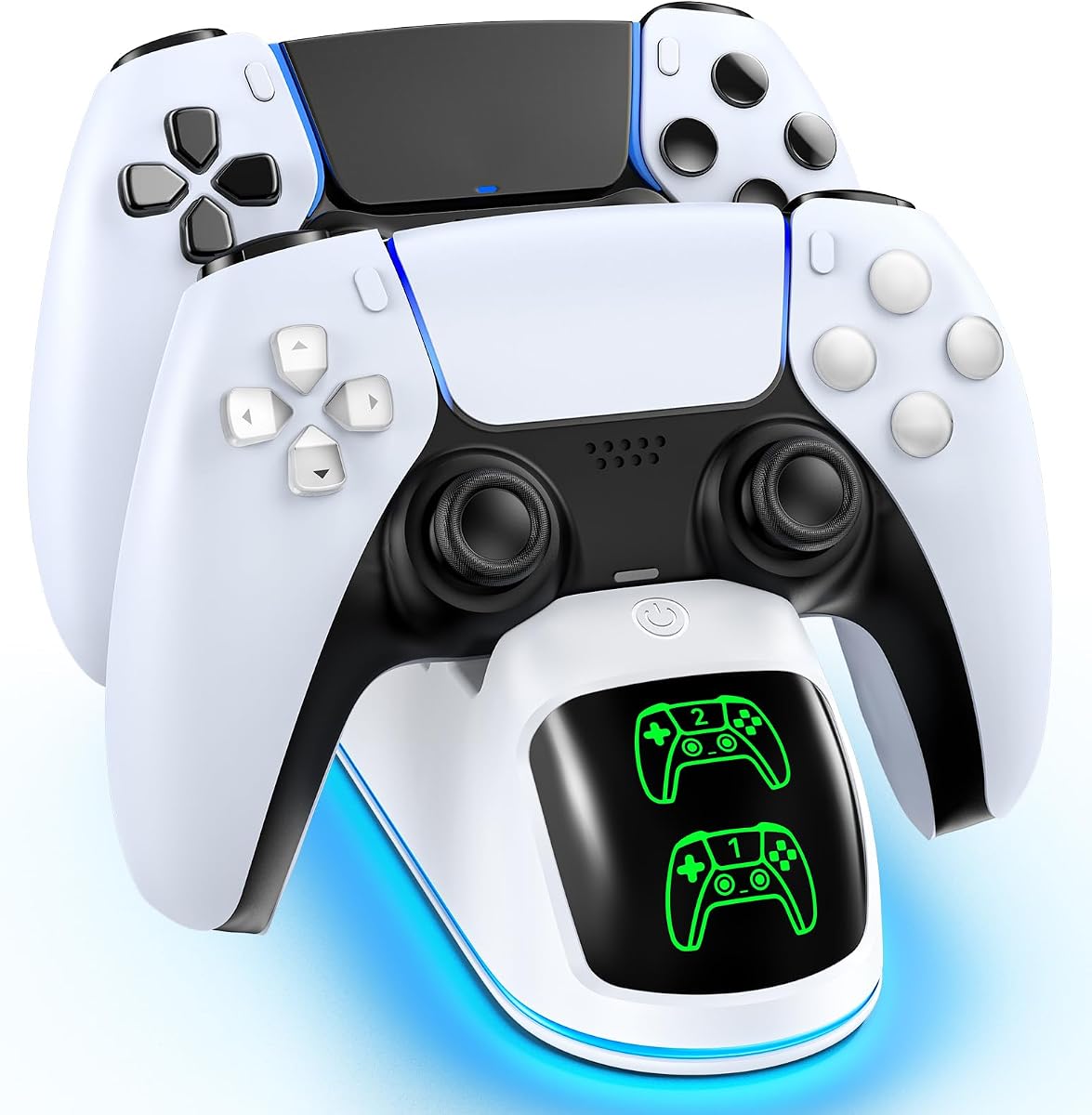
The OIVO dock is a focused solution for families with more than one PS5 controller. It receives a 4.7 rating and supports simultaneous charging for two original DualSense or Edge controllers. Its colorful lighting, compact footprint, and straightforward drop-in design give it a playful appearance without sacrificing basic charging functionality.
We may earn a commission when you buy through this link, at no additional cost to you.
The supplied 34.8-inch USB cable can connect to the PS5’s front or rear port, an original AC adapter, a laptop, or another suitable USB power source. Red and green LEDs indicate charging and completion or standby states. Non-slip pads keep controllers secure, while a long press toggles the RGB lighting on or off.
Its brightest feature is also the one most likely to divide opinion. Nine dynamic lighting modes can make a gaming room feel more engaging for children, but families who prefer a minimalist setup may switch them off permanently. It also does not cool the console or store accessories, so buyers should view it as a dedicated controller dock rather than a complete station.
This is an excellent pick for kids who share controllers or frequently interrupt play to recharge them. The strong rating, simple setup, and colorful design make it more entertaining than a basic plug-in charger, while the simultaneous two-controller charging provides practical everyday value.
Nine RGB modes add a gaming-room effect without requiring extra decorative lights. The long-press control makes it easy to turn the illumination off when a quieter appearance is preferred.
Two controllers can charge together, which is useful when siblings alternate turns. Indicator lights communicate the charging state clearly without requiring the dock to be watched constantly.
We may earn a commission when you buy through this link, at no additional cost to you.
The NEWDERY dock offers a direct, uncomplicated way to keep two PS5 controllers ready. Its 4.7 rating reflects a well-received combination of compatibility, fast charging, straightforward organization, and a relatively compact footprint. It is a practical choice for families that want more charging capability without a large console station.
We may earn a commission when you buy through this link, at no additional cost to you.
Both DualSense and Edge controllers can charge simultaneously, and the product description states that a full charge takes approximately 2.5 hours. Four anti-slip mats keep the controllers steady, while a blue light indicates active charging and a steady state indicates a full charge or standby. The package includes the dock, a 3.3-foot Type-C cable, and a user manual.
Compatibility with controller cases is a clear limitation. The instructions advise removing a controller skin or case before charging, and the product also specifies use of a 5V/3A adapter. Some families may prefer the OIVO dock because of its more decorative lighting, but the NEWDERY remains focused, practical, and easy for a child to operate independently.
This dock is best for siblings or families with multiple standard PS5 controllers. It offers the core benefit—organized, simultaneous charging—without the installation complexity of a cooling stand, making it one of the most approachable upgrades in the guide.
The two-controller format keeps both pads ready when players take turns. A dedicated dock is easier to maintain than a loose charging cable and gives controllers a consistent place to rest.
Blue illumination communicates the controller state, and four anti-slip mats help prevent movement during charging. These small details are particularly helpful when the dock is used by children.
We may earn a commission when you buy through this link, at no additional cost to you.
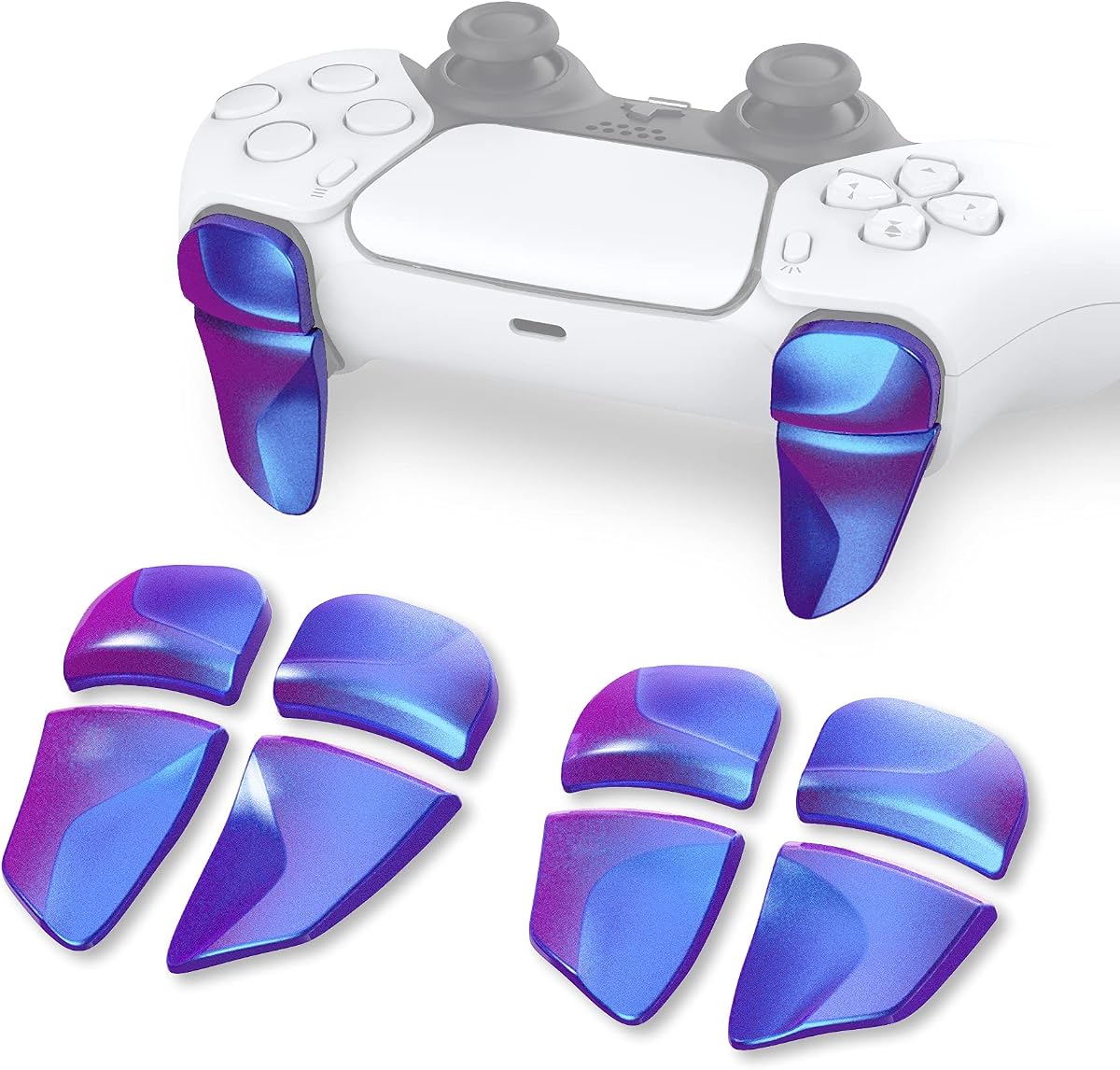
These trigger extenders are designed to make L1, R1, L2, and R2 easier for small hands to reach. With a 4.4 rating, the PlayVital set distinguishes itself through multiple adjustment options and compatibility with standard PS5 controllers, Edge controllers, and the PS Portal Remote Player.
We may earn a commission when you buy through this link, at no additional cost to you.
The package contains two pairs of extenders, with two thicknesses for the L1 and R1 components and two lengths for the L2 and R2 components. This lets families select a more comfortable fit instead of committing to one fixed shape. The extenders can improve trigger access, support a steadier grip, and reduce fatigue during longer play sessions.
Installation is the principal compromise. The extenders attach in combination with adhesive stickers, and the product information includes an online video guide. Adhesive installation is less reversible than a simple drop-in accessory, and children should not attempt the process without adult guidance. Users must also confirm that the extenders feel right for their preferred games and controller layout.
This is a useful targeted accessory for a child who struggles to reach the shoulder buttons or frequently plays action, racing, and shooting games. It is not necessary for every player, but when the standard trigger shape creates discomfort, the adjustment options make this a practical solution.
Extended trigger surfaces can reduce the need to stretch a finger toward the shoulder buttons. The included size variations make it possible to compare different fits as a child’s hand size or gaming habits change.
Compatibility extends beyond the standard DualSense controller to the Edge controller and PS Portal Remote Player. That versatility makes the set more useful for a family with different PS5 control methods.
We may earn a commission when you buy through this link, at no additional cost to you.
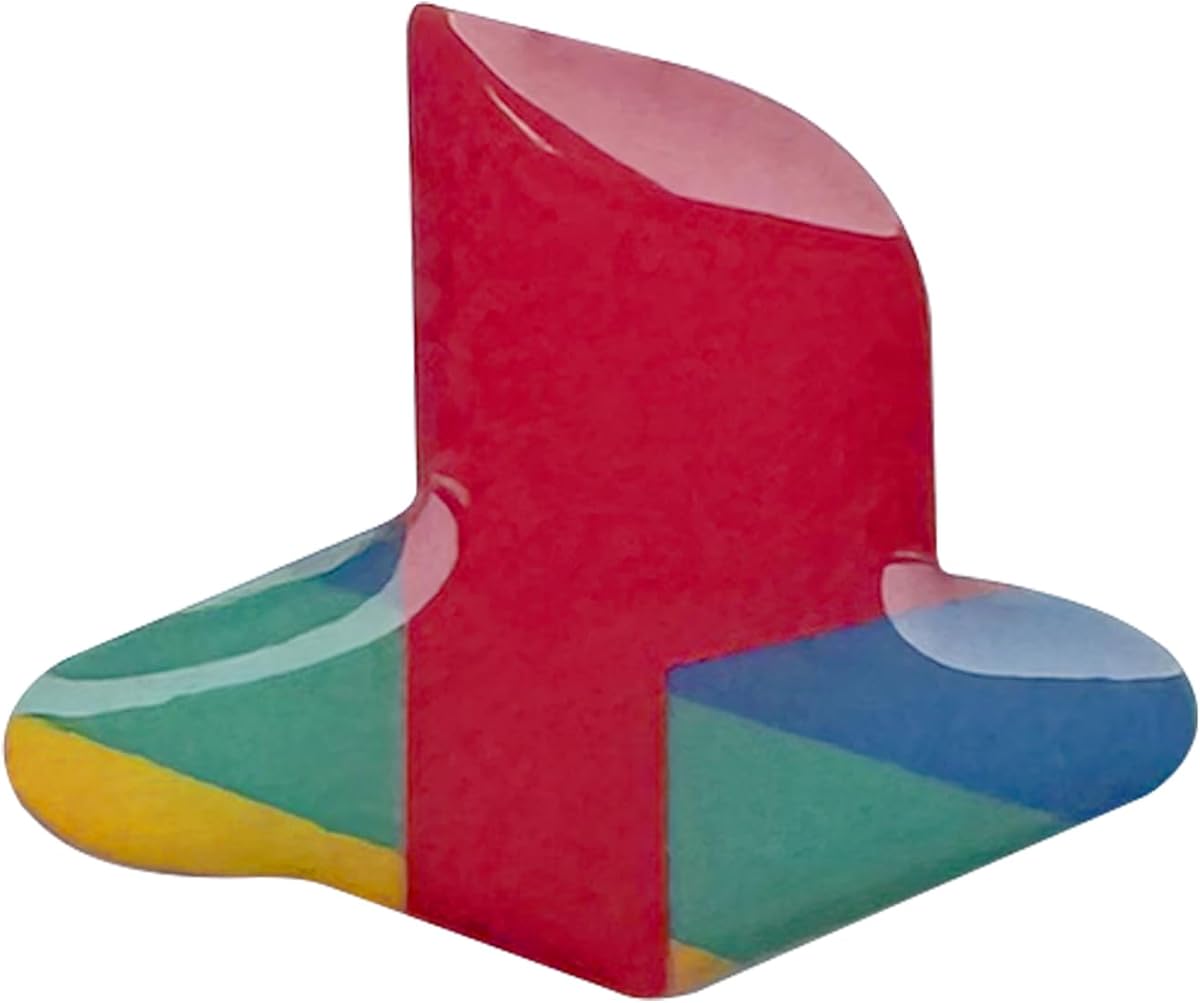
The underlay sticker set adds a classic retro-style accent to a PS5 Slim or PS5 Pro console and includes a DualSense logo decal. Its 4.7 rating indicates that many buyers appreciate the visual change, the domed finish, and the straightforward customization it provides.
We may earn a commission when you buy through this link, at no additional cost to you.
Unlike a full-body skin, this is a focused decorative update. The decals are designed to adhere securely while remaining removable without leaving sticky residue, which gives families a less involved way to personalize a gaming area. The raised shape mimics the appearance of an embossed or raised logo rather than a completely flat print.
Compatibility is the main consideration. The supplied information specifically lists PS5 Slim and PS5 Pro rather than the original PS5 console, so owners of another model should not assume it will fit. Cosmetic preferences also vary: some children will love the classic color treatment, while others may prefer the untouched standard appearance.
This is a good pick for kids who want their PS5 to look more personal without covering the entire console. It is inexpensive in principle, easy to remove, and particularly suitable for Slim or Pro owners who want a coordinated console-and-controller detail.
The focused decal approach preserves most of the console’s standard appearance while adding color. It can make a shared or older-looking setup feel more welcoming to a child who wants a distinct identity for the gaming space.
The stickers are described as secure during use but removable without leaving adhesive residue. That makes the set a lower-commitment form of customization when preferences change over time.
We may earn a commission when you buy through this link, at no additional cost to you.
The full body vinyl skin gives a PS5 Digital Edition a high-impact blue fire appearance. Its 3.8 rating is lower than those of the leading picks, but the product still combines decorative coverage with practical protection against dust and minor scratches. It is best suited to families seeking a dramatic visual change rather than subtle customization.
We may earn a commission when you buy through this link, at no additional cost to you.
The bundle includes console and controller stickers, allowing the gaming setup to look coordinated. The printed vinyl is described as easy to install and remove while leaving no sticky residue. That combination can be useful for children who want to personalize their gaming area or want the console to stand apart from the standard black finish.
Compatibility requires careful attention. The listed fit is the PS5 Digital Edition console with two compatible controllers, so the disc version, PS5 Slim, PS5 Pro, and current DualSense controllers should not be assumed to fit. The lower rating also makes it especially important to read recent customer feedback and inspect the material before applying it.
This skin makes the most sense for a Digital Edition owner whose console and controllers match the stated configuration. It is a bold cosmetic accessory rather than a functional upgrade, so buyers should confirm model compatibility before purchasing and remove the pieces carefully if they later want a different appearance.
Covering both the console and compatible controllers creates a unified look that can make a gaming space feel intentional. The blue fire graphic is especially suited to children who prefer vivid, energetic designs.
Beyond appearance, the vinyl offers a barrier against dust and scratches. The protective benefit is secondary, but it gives the makeover some practical value for a frequently handled setup.
We may earn a commission when you buy through this link, at no additional cost to you.
This red and black silicone skin is designed for the PS5 Edge controller, with a studded surface intended to improve traction and reduce the influence of sweaty hands. It includes three pairs of thumb grip caps and earns a 4.2 rating for its combination of grip, appearance, and controller-specific fit.
We may earn a commission when you buy through this link, at no additional cost to you.
The skin is cut to preserve access to the buttons, while the added thumb grips are described as improving analog-stick accuracy and comfort. That makes the set more than a cosmetic cover: it targets control stability during competitive or fast-paced games. The red and black color combination also gives an Edge controller a more distinctive appearance.
The limited compatibility is important. Although some descriptions refer broadly to PS5 controllers, the product data specifically identifies the PS5 Edge Wireless Controller, so standard DualSense owners should not assume a perfect fit. In addition, controller skins often need to be removed for charging, as noted in the NEWDERY dock guidance, so families should check their charging arrangement before applying this accessory.
This is a good option for a child who uses an Edge controller and struggles to maintain a secure hold during active games. The studded texture and extra thumb grips offer a functional benefit, while the bold color scheme provides the personalization appeal that many kids enjoy.
The raised studded design is intended to reduce slipping and improve the feel of sweaty hands. Children who play action games or hold the controller firmly for extended periods may notice the texture more than casual players will.
Three pairs of added thumb grips can change the feel of the analog sticks and provide extra contact. They are interchangeable, allowing the user to compare the included options over time.
We may earn a commission when you buy through this link, at no additional cost to you.
The Tatybo headset is a lightweight wired option for PS5, PC, Switch, and other compatible 3.5mm devices. It has a 4.4 rating and is designed for young players who want more private audio and clearer voice communication without using a wireless headset.
We may earn a commission when you buy through this link, at no additional cost to you.
High-precision 50mm neodymium drivers provide the sound foundation, while the flexible 360-degree microphone includes an easy mute control. Memory protein ear cushions and an elastic head pad support comfort, and the frame weighs less than eight ounces. Its black-and-blue design, RGB illumination, and braided cable give it a recognizable gaming appearance.
The connection method is the main limitation. Audio and microphone use require a 3.5mm jack, which is appropriate for the PS5 but may need an adapter on newer devices or systems. The USB connection only supplies power for the LED lighting and does not carry audio. It is also not suitable for Xbox 360, and older PS3 systems would need the appropriate jack adapter.
This headset is a sensible choice for children who play in a shared room, participate in voice chat, or regularly use a TV with a 3.5mm connection. Its low weight and flexible microphone make it practical for younger users, provided the wired format and platform compatibility suit the household.
A frame weighing less than eight ounces reduces the burden of prolonged wear. Soft memory protein cushions and a flexible head pad are helpful for children who may be sensitive to heavier headsets.
The adjustable microphone can be repositioned and muted, helping children communicate clearly during multiplayer sessions. Compatibility with 3.5mm devices also allows the headset to move between the PS5, PC, and compatible Nintendo Switch use.
We may earn a commission when you buy through this link, at no additional cost to you.
The white silicone skin provides a grip-focused upgrade for the standard PS5 Wireless Controller. Its 4.6 rating is among the strongest in this guide, reflecting a well-received accessory that combines a thicker studded surface, four pairs of thumb grips, and precise button access.
We may earn a commission when you buy through this link, at no additional cost to you.
The soft raised texture is intended to improve anti-slip performance and reduce the effect of perspiration on the hands. Its cutouts preserve access to the controller’s buttons, while the included thumb grips can improve analog-stick traction and comfort. The white-and-black color scheme gives the standard controller a clean, personalized appearance.
As with other silicone skins, compatibility with charging stations should be checked. The NEWDERY charging guidance specifically advises removing controller cases or skins before charging, which may also apply to this accessory. Children with sensitive hands may initially find the studded texture unusual, and the skin adds slight thickness to the original controller shape.
This is the best grip accessory here for a family using the standard PS5 controller rather than the Edge model. Its high rating, generous thumb-grip selection, and practical texture make it especially appropriate for young players who need more stability and control.
Four pairs of thumb grips provide multiple options for improving contact around the analog sticks. Additional traction can help children maintain steadier inputs during aiming, steering, and platforming games.
The fitted silicone layer adds protection while preserving access to controls. Unlike a full-body console skin, it focuses attention on the part of the setup most often handled during play.
We may earn a commission when you buy through this link, at no additional cost to you.
The automatic cooling stand combines temperature-responsive fan control with dual controller charging and extensive storage. It has a 4.5 rating and supports original, Slim, and Pro PS5 consoles in disc and digital editions, making it one of the broadest organization solutions in the guide.
We may earn a commission when you buy through this link, at no additional cost to you.
A built-in sensor adjusts the larger turbofan according to console temperature, while a touchscreen also provides three manual speed settings. The station includes three charging ports, a dual-controller charging section, a headset stand, media remote slot, hard drive slot, and storage for 14 game cards. Red and green lights clearly report controller charging status.
Its scale is both strength and drawback. The extra cooling, charging, and storage functions require a larger unit and more involved setup than a basic dock. Power can come from a wall outlet or the console’s front port through the included Type-C cable, and the supplied information notes an automatic stop at 70% to help limit overcharging. Buyers should also verify that their particular console and accessories match the listed arrangement.
This station is ideal for a serious PS5 gaming area where the family wants cooling, organized storage, and controller readiness in one place. It is overkill for occasional play, but for a child who regularly uses the console, the added organization can make the setup feel much more intentional.
The temperature sensor changes fan speed according to the console’s operating level, with low, medium, and high stages available. Manual touchscreen control adds flexibility when a family wants a different setting.
Dedicated positions for game cards, a hard drive, a headset, and the media remote keep frequently used pieces visible. This makes the station particularly practical for children who can organize and retrieve their own gaming gear.
We may earn a commission when you buy through this link, at no additional cost to you.
The right child-friendly PS5 accessory depends on the console model, controller type, available space, and the biggest daily frustration in the household. Consider compatibility and safe setup first, then choose the feature that provides the most visible improvement.
PS5 accessories are not automatically interchangeable across original, Slim, Pro, disc, and digital consoles. Charging stations may support several models, while full skins and decorative decals often target one specific configuration. Controller accessories also differ between the standard DualSense and the Edge controller, and the PlayVital trigger extenders also list PS Portal Remote Player compatibility.
Always compare the exact model named in the listing with the equipment already at home. Pay particular attention to whether a station supports both disc and digital consoles and whether its charging cradle accepts the controller shape the child actually uses.
A dedicated charging dock helps avoid gaming interruptions caused by a depleted controller. Some products charge two controllers simultaneously and report completion times of roughly two to two and a half hours, while larger stations can add ports for a headset or other devices. Power may come from the PS5 itself, a wall adapter, a computer, or another USB source.
Check the included cable, connector type, and adapter requirements before buying. The NEWDERY dock calls for a 5V/3A adapter, and the OIVO dock includes a 34.8-inch USB cable. A suitable power source should be available near the child’s gaming area.
Young players may struggle with small shoulder buttons, slippery hands, or uncomfortable analog sticks. Trigger extenders alter the reach of L1, R1, L2, and R2, while silicone skins and thumb grips add texture and traction. The right choice depends on whether the main issue is reach, sweat, stick control, or general hand fatigue.
Try the standard controller first and identify the specific movement that is uncomfortable. Extra accessories cannot compensate for a poorly fitting grip, so children should test any new cover or extender during a comfortable play session rather than immediately during an important game.
Cooling stations are intended to support the console during extended play by improving airflow and controlling heat. Some include an automatic mode with a temperature sensor, while others offer three manually selected fan levels. A larger fan and stronger airflow may suit a heavily used console, whereas a basic dock is better for occasional players.
Follow the installation instructions carefully, secure the console with the supplied screws, and route cables as directed. A cooling station should improve organization and comfort, but it should never block required vents or be positioned in a closed cabinet without adequate airflow.
Children often benefit from having a designated place for controllers, headsets, media remotes, game cards, and charging cables. A larger multi-function station can consolidate these items, while a simple dock handles only the controllers. Consider how much equipment the family owns and whether a child can reliably return each piece to the station after use.
Look for accessible storage rather than simply the largest number of compartments. A media remote slot, headset holder, and game-card area can be more valuable in daily use than many small features, provided the product fits the available desk space.
Decals and skins let a child make the gaming setup feel personal, but cosmetic accessories vary greatly in coverage and permanence. Focused logo decals provide a small reversible change, while full-body skins create a more dramatic transformation. Silicone controller covers prioritize grip but may need to be removed before charging.
Families should consider whether the child likes to change colors or prefers a consistent design. Read the removal instructions and avoid assuming that residue-free removal applies to every surface or adhesive. Confirm model fit before opening the package, since oversized skins cannot be restored to factory condition after application.
A gaming headset can help a child hear detail without disturbing others and can provide a microphone for team communication. Comfort depends on weight, ear cushion material, headband flexibility, and fit. The Tatybo headset weighs under eight ounces and uses a flexible microphone, but its 3.5mm connection and wired design may not suit every household.
Confirm the connection available on the PlayStation 5 and any other devices the child uses. Remember that a USB plug used only for lighting does not carry the headset’s audio. Let young children know how to use the mute control and keep the microphone away from breathing near the microphone.
An accessory that looks impressive but is difficult to install can create more frustration than value. Choose products with straightforward placement, visible charging indicators, non-slip supports, and manageable cables. Larger stations may require adult assembly, while adhesive trigger extenders and skins should also be installed with supervision.
Teach children to return controllers to the dock, keep vents clear, and remove incompatible skins before charging. Regular cleaning and careful cable management will help the setup remain safe, tidy, and ready for the next session.
Begin by checking the console model, controller type, power source, and dimensions of the available gaming space. Read the included instructions before attaching stands, decals, skins, or trigger extenders, and remove any controller case or skin when a charging dock specifically advises doing so. Large console stations and adhesive accessories should be set up with adult supervision.
Place the cooling or charging station on a stable, ventilated surface. Secure the console with the supplied screws where required, route cables away from walkways, and keep the charging indicators visible. For a controller dock, connect the appropriate power source, place each supported controller into its charging position, and confirm that the light changes from charging to complete or standby.
Clean removable accessories according to their material, and never immerse electronics. Wipe a headset, charging dock, or cooling station with a lightly dampened cloth after disconnecting it from power. Check thumb grips and trigger extenders for looseness, replace worn parts, and keep console vents unobstructed. Periodically review the setup as a child grows or begins using different PS5 accessories.
The most useful accessories depend on the child’s age, grip, and gaming habits. Charging docks prevent controller interruptions, cooling stations support long sessions, trigger extenders can improve shoulder-button access, and grippy skins or thumb grips can help children hold a standard DualSense controller more securely.
They can be useful, but adult installation is recommended because some models require screws, concealed cables, and careful console alignment. Children should not move a secured console by pulling on its cables or lifting the station while the console is attached. The station must also remain in an open, ventilated location.
Several docks in this guide support both original DualSense and Edge controllers simultaneously. Compatibility depends on the dock’s shape and charging contacts, so shoppers should check the product listing rather than relying on the general PS5 name. Controller skins or cases may also need to be removed before charging.
Not every child needs them. They are most useful when a player struggles to reach L1, R1, L2, or R2, or experiences discomfort during games that require frequent trigger presses. The PlayVital set offers thickness and length variations, allowing a more tailored fit than a one-size extender.
That depends on the skin and dock. The NEWDERY guidance specifically instructs users to remove controller skins or cases before charging, and some other docks may have similarly tight charging slots. Check both product instructions and compare the controller shape before applying a new skin.
The logo underlay and full-body vinyl products are described as removable without leaving sticky residue. Actual results can vary with application time, surface condition, and heat, so families should follow the supplied directions carefully. Check the complete model compatibility before applying a decal.
A wired headset can be practical because it requires no battery charging and commonly uses a 3.5mm connection. The Tatybo model weighs under eight ounces and includes a flexible microphone, making it suitable for children who value a light fit. Confirm that the device and any secondary platforms have the required audio connection.
A simple charging dock is sufficient when the main need is keeping one or two controllers ready. A full station makes more sense for a frequently used console where cooling, headset storage, game-card organization, media remote storage, and extra charging ports matter. Consider desk space, setup effort, and how much the child will use the console.
The OIVO charging dock stands out for colorful lighting and straightforward two-controller charging, while the NEWDERY dock offers a simpler, more functional approach with a strong 4.7 rating. For a comprehensive console upgrade, the PS5 Cooling and Charging Station combines active cooling, USB connectivity, controller charging, and accessory storage in one large but capable package.
The remaining picks address more specific needs. Trigger extenders help with shoulder-button access, controller skins and thumb grips improve traction, decals personalize a console, and the Tatybo headset provides lightweight wired audio and voice communication. Prioritize the problem a child actually experiences rather than adding accessories simply because they look appealing.
Before purchasing, verify the exact PS5 model, controller type, included cable, power requirements, and available space. Customer ratings and product configurations can change, and prices or availability vary over time, so checking the current listing is essential before making a final decision.