
Lexar D40E 256GB Dual
4.3Editor score
Dual USB-C and USB-A
256-bit AES file protection
Swivel design avoids loose caps
Our Flash Drive for HP Laptop guide compares ten portable options for capacity, speed, USB-C support, security, design, and everyday compatibility.
A flash drive remains one of the simplest ways to move files between an HP laptop, another computer, a phone, or a client without relying on cloud storage. The right choice depends on connector type, available capacity, transfer speed, security features, and how frequently the drive will travel or be shared.
We compared ten real flash drives using the specifications and feature details provided for each product. The list covers traditional USB-A models, dual-interface USB-C and USB-A drives, different capacity levels, encrypted storage options, and designs suited to work, school, backups, or media transfers.
Each review explains the product's strongest qualities, practical limitations, and ideal use case, while the comparison and buying guide make the differences easier to assess. Product availability and pricing can change, so check the current listing and your HP laptop's port configuration before purchasing.
4.3Editor score

4.6Editor score

4.5Editor score
This side-by-side overview compares connector style, capacity, stated performance, security, portability, and HP laptop compatibility across ten flash drives.




The SANDISK 128GB Ultra Flair combines a generous capacity with a strong emphasis on transfer speed. Its stated read performance reaches up to 150MB/s, making it a compelling choice for an HP laptop equipped with USB 3.0 or a newer compatible port. The product also carries a 4.6 rating, reflecting generally favorable customer feedback.
We may earn a commission when you buy through this link, at no additional cost to you.
Its main appeal is the combination of speed, storage, and physical design. The metal casing looks appropriate for frequent carrying, while the claimed write performance of up to 15 times that of standard USB 2.0 drives makes the drive better suited to moving collections of photographs, videos, documents, or work files than a basic USB 2.0 model. A USB 3.0 host is needed to realize the highest stated performance.
Password protection adds meaningful value for users who take confidential work documents off-site. SanDisk SecureAccess uses 128-bit AES encryption, and a software download is required for supported Mac systems. Because this is a USB-A drive, newer HP laptops that rely exclusively on USB-C would require an appropriate adapter, and the stated speed is still dependent on the host device and file conditions.
Choose the Ultra Flair when you want a traditional, full-size USB-A flash drive with strong speed specifications, a practical amount of storage, and built-in privacy tools. It is especially well matched to older or current HP laptops with a full-size USB port and users who frequently transfer large files.
The up-to-150MB/s read specification provides a meaningful advantage when moving sizeable media or document collections. Actual results depend on the HP laptop's interface, file attributes, and usage conditions, so the speed is best understood as a laboratory-based maximum.
Password protection through 128-bit AES encryption helps protect files if the drive is lost or left with another person. Windows users can use the included software, while Mac users need to download SecureAccess from SanDisk's support page.
We may earn a commission when you buy through this link, at no additional cost to you.
The Lexar D40E 256GB Dual is a premium-feeling option for people who need one drive to work across modern and traditional USB devices. It places USB-C and USB-A connectors on a rotating body, allowing it to fit directly into USB-C phones, tablets, Mac systems, and laptops as well as conventional Type-A equipment. Its 4.3 rating indicates solid, though not universally exceptional, customer sentiment.
We may earn a commission when you buy through this link, at no additional cost to you.
The 256GB capacity creates useful room for large presentations, photo collections, video files, and several working folders. Stated transfer speeds reach up to 100MB/s, which should suit routine transfers and larger files without requiring an adapter. Because actual performance depends on the host device, interface, and operating conditions, a slower USB 2.0 connection will limit results.
The 360-degree swivel is a thoughtful travel feature because it protects both connectors without separate caps that could be misplaced. Advanced security software provides 256-bit AES encryption, a stronger advertised security specification than the 128-bit AES options found on several SanDisk models in this list. The stated operating range is 0 to 50 degrees Celsius, and the drive weighs 26 grams.
This is a strong recommendation for HP laptop users who own a mix of USB-C and USB-A equipment or frequently share files with phone and tablet users. Its broad connector support and encryption make it more versatile than a standard Type-A stick, provided the 100MB/s transfer target meets your needs.
The integrated USB-C and USB-A plugs let the D40E connect to current USB-C equipment and older Type-A ports without a separate adapter. This is particularly useful when moving a file from an HP laptop directly to a compatible smartphone or tablet.
Rotating the enclosure exposes one connector and shields the other, reducing the chance of leaving a cap behind. The advertised 256-bit AES security adds protection for business files and private documents.
We may earn a commission when you buy through this link, at no additional cost to you.
The HP x900w 64GB is a straightforward choice for HP laptop owners who want a compact USB drive from a familiar computer brand. It supports USB 3.0, works with USB 3.0 ports, and remains backward compatible with USB 2.0. Its 4.5 rating suggests a favorable balance of portability, utility, and customer satisfaction.
We may earn a commission when you buy through this link, at no additional cost to you.
The stated USB 3.0 interface is designed to move large files quickly, and HP describes performance as up to ten times faster than USB 2.0. The drive's small, lightweight design makes it convenient to carry in a pocket, purse, or laptop bag, while 64GB provides practical space for documents, presentations, photographs, music, and a selection of larger media.
A key limitation is that the listing does not provide a specific maximum read or write speed, so buyers cannot compare a precise figure with the other products. The drive is also limited to USB-A. HP laptops that use only USB-C ports would need a suitable adapter, although the backward compatibility means it can still be used with older and many current systems.
Buy the x900w when straightforward HP branding, USB 3.0 support, and a 64GB capacity meet your needs. It is a sensible everyday option for students and office workers who need portable files more than they need advanced encryption or a dual connector.
Using an HP-branded drive can simplify the mental side of buying accessories for an HP laptop. The USB 3.0 interface and backward compatibility cover both newer high-speed ports and older USB 2.0 systems.
Sixty-four gigabytes is enough for common office documents, school materials, photo sets, and playlists. It offers a balance between carrying capacity and a smaller everyday footprint.
We may earn a commission when you buy through this link, at no additional cost to you.
The JOIOT 128GB Dual Drive is designed for users who want to move files among HP laptops, USB-C phones, tablets, Macs, and USB-A computers. It includes both Type-C and Type-A plugs, and the listing specifically calls out compatibility with several recent iPhone models that use USB-C. Its 4.4 rating reflects generally positive customer feedback.
We may earn a commission when you buy through this link, at no additional cost to you.
Performance specifications are unusually clear for a dual-interface option. The stated read speed reaches up to 130MB/s, while writes reach up to 35MB/s. It also supports Windows, Android, Linux, and Mac OS, is backward compatible with USB 2.0, and requires no software installation. Those traits make it convenient for people who work across different computers without maintaining a collection of adapters.
The main compatibility caveat is that the drive does not support Lightning-equipped iPhones or iPads. It also lacks a stated hardware or software security feature, so it is less appropriate for highly sensitive files unless you use operating-system encryption. The premium plastic enclosure includes caps intended to protect both connectors from dust and damage.
This is a versatile pick for a student, traveler, or mixed-device office worker who values one drive that can connect to multiple platforms. The 128GB capacity and clearly stated transfer rates are especially attractive, but security-focused buyers should look for an encrypted alternative.
Windows, macOS, Linux, and Android support broadens the JOIOT's appeal beyond a single-computer accessory. Plug-and-play operation further reduces setup time, although file-system and device support can still vary by platform.
Listing both a read speed of up to 130MB/s and a write speed of up to 35MB/s gives buyers a more realistic view of expected activity. Copying files to the drive will generally take longer than reading data from it.
We may earn a commission when you buy through this link, at no additional cost to you.
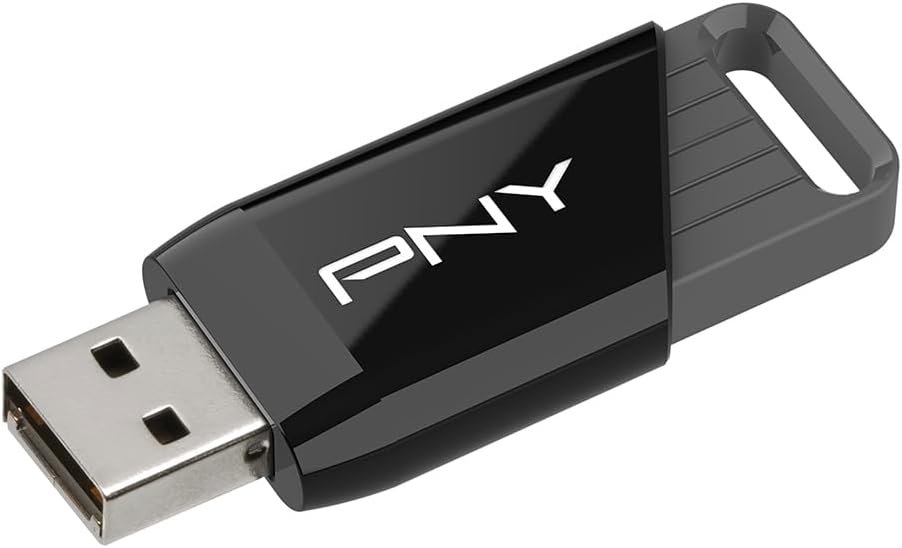
The PNY 256GB Attaché X focuses on capacity and efficient everyday transfer performance in a familiar USB-A format. It is intended for moving movies, videos, photographs, music, and documents between PCs and Mac laptop or desktop systems. With a 4.4 rating, it presents a balanced option for buyers who need more room than a compact drive offers.
We may earn a commission when you buy through this link, at no additional cost to you.
The drive is specified for advanced read speeds of up to 130MB/s and transfer rates up to ten times faster than standard USB 2.0 flash drives. Its 256GB capacity is particularly useful for large media libraries or multiple copies of project files. USB 3.2 Gen 1 compatibility and backward compatibility with USB 2.0 allow use across a wide range of computers.
The light, modern housing uses a sliding collar to protect the connector when it is not in use. Unlike several premium choices in this guide, the PNY does not advertise encryption or password protection. It also lacks a USB-C plug, so an HP laptop limited to USB-C would require an adapter that supports the drive's standard connector.
Choose the Attaché X for a high-capacity, USB-A-centered drive that can handle everyday file movement and large media collections. It is a particularly practical option for users who want generous capacity and a high stated read speed without paying for extra security or dual-connector features.
A 256GB capacity offers more flexibility for high-resolution photographs, videos, and portable document sets. It is well suited to users who regularly carry a working library rather than only a few presentation files.
The sliding collar helps shield the plug when the drive is stored or carried. It offers a simple alternative to a removable cap, reducing the number of separate pieces that could be misplaced.
We may earn a commission when you buy through this link, at no additional cost to you.
The Two 128GB Dual Drives bundle is distinctive because it provides two separate physical flash drives rather than dividing one device into multiple partitions. Each drive includes USB-C and USB-A connectors, making the pair useful for HP laptops, phones, tablets, and MacBooks. Its 4.1 rating is the lowest among the ten products but still indicates generally positive experiences.
We may earn a commission when you buy through this link, at no additional cost to you.
Two independent drives create a simple backup workflow: keep one for active files and use the other as a backup, client copy, or second work medium. The black-and-blue colors also make the drives easier to distinguish. Each unit has 128GB of capacity and supports plug-and-play use without software or drivers.
The principal drawback is the USB 2.0 standard, which will be noticeably slower than the USB 3.0 and USB 3.2 alternatives in this guide. The product data does not provide a maximum transfer rate, and no encryption or password protection is mentioned. Consequently, the bundle is better for general file storage than for large, time-sensitive transfers or sensitive material.
Buy this bundle if separate physical media and a simple backup copy matter more than maximum speed. It is a practical choice for students, travelers, and families who want one drive for each person or one for each distinct storage task.
Keeping two independent drives reduces the risk of losing every copy if one device is misplaced or fails. Alternating which drive is stored at a separate location can provide basic protection without complex software.
Both included drives have USB-C and USB-A connectors. That makes the pair more flexible with an HP laptop, especially when your computer has USB-C while another device still relies on a full-size port.
We may earn a commission when you buy through this link, at no additional cost to you.
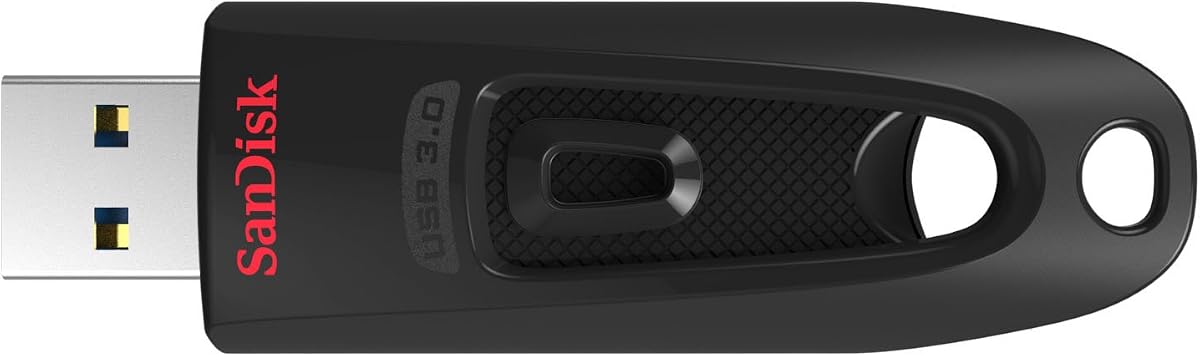
The SANDISK 256GB Ultra is a balanced option for HP laptop users who need more capacity than the 128GB drives while retaining USB 3.0 transfer performance and file protection. It carries a 4.6 rating and offers a conventional USB-A design that works with many laptops, desktops, and other standard USB devices.
We may earn a commission when you buy through this link, at no additional cost to you.
Its stated read speed reaches up to 130MB/s, and the product is described as transferring up to ten times faster than standard USB 2.0 drives when connected to an appropriate USB 3.0 port. The 256GB capacity accommodates substantial photo, video, music, and document collections. It also remains backward compatible with USB 2.0 systems, which makes it versatile across different computers.
Secure file encryption and password protection are important additions for a drive intended to hold private or work-related information. As with other flash drives, actual transfer performance depends on the host device. The listing does not state a specific write speed, and the USB-A-only design means USB-C-only HP laptops will need an adapter.
This drive makes sense for users who want a larger, secure SanDisk option without moving to a dual-interface premium model. It is a solid general-purpose recommendation for document storage, media transfers, and private files shared across multiple traditional USB-A computers.
The 256GB capacity is the main reason to choose this model over a 128GB USB-A drive. It does not add USB-C hardware, but it provides substantial storage for users who keep their HP laptop and other computers on traditional Type-A connections.
Password protection helps reduce exposure when the drive is lost or borrowed. Buyers should set up the protection before storing sensitive material and retain a separate recovery method in case the password is forgotten.
We may earn a commission when you buy through this link, at no additional cost to you.
The SANDISK 16GB Cruzer Blade is built around portability and simple file sharing rather than large media storage or high-speed transfers. Its ultra-compact, contoured body makes it easy to keep attached to a lanyard or carry in a small pocket. The product has a 4.6 rating and uses a widely supported USB 2.0 interface.
We may earn a commission when you buy through this link, at no additional cost to you.
Sixteen gigabytes remains useful for documents, presentations, a modest selection of photographs, short videos, and music. The contoured styling is designed for easy handling, while SecureAccess software provides password protection using 128-bit AES encryption. Supported systems include several Windows versions and Mac OS X 10.6 or later, with a Mac software download required.
Its disadvantages are inherent to the design. USB 2.0 is much slower than the newer interfaces offered by most competing products, and 16GB is the smallest capacity in this comparison. It is therefore poorly suited to large high-resolution video collections or users who want one drive to act as a portable media library.
Choose the Cruzer Blade for lightweight document exchange, emergency presentation storage, or a compact drive that can remain attached to a key ring. It remains functional for an HP laptop with USB-A, though it offers little advantage over faster models if you regularly transfer large files.
The compact contoured housing takes up little room in a pocket or laptop sleeve. Its simple USB-A plug also avoids the bulk of a dual-interface or swivel design, making it convenient for frequently shared files.
Sixteen gigabytes is best treated as a focused storage allowance for documents and selected media. Password protection can make that limited amount of storage more appropriate for private files, provided the software is configured correctly.
We may earn a commission when you buy through this link, at no additional cost to you.
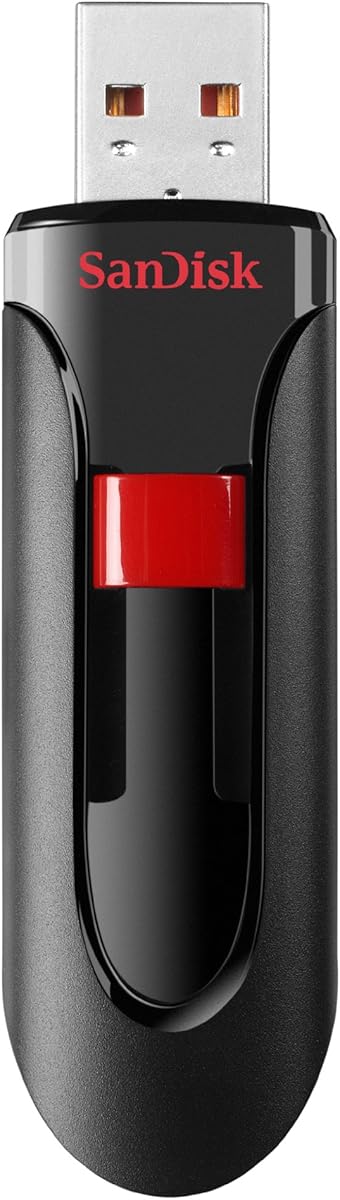
The SANDISK 128GB Cruzer Glide is an established-looking, conventional flash drive for everyday file storage. Its 4.7 rating is the highest among the listed products, indicating especially favorable customer feedback. The drive provides enough room for a useful working collection of documents, photos, music, and videos without reaching the bulk of a 256GB model.
We may earn a commission when you buy through this link, at no additional cost to you.
The retractable design helps keep the USB-A connector protected while the drive is carried, eliminating the need for a loose cap. SanDisk SecureAccess adds password protection with 128-bit AES encryption, and the product is backed by a two-year limited manufacturer warranty. It is designed primarily for moving images and other content between computers.
Unlike several faster competitors, the supplied data does not specify an exact read or write speed. The listing also focuses on a Type-A connection, so modern USB-C-only HP laptops require an adapter. It is best regarded as a dependable general-purpose drive whose appeal comes from capacity, retractability, customer feedback, and security rather than a headline speed number.
Buy the Cruzer Glide if you want a familiar USB-A drive for routine transfers and modest file sharing. It is a particularly sensible option for people who value the retractable form and protected files, while still needing a more substantial capacity than the Cruzer Blade provides.
Sliding the connector into the body keeps it protected from scratches and contact with other objects. It also means there is no separate cap to lose, which is useful for a drive that travels between work, school, or home.
The 128GB capacity sits in the middle of this list: larger than compact document drives and smaller than high-capacity media options. For most office and school users, that amount is easier to manage than carrying 256GB.
We may earn a commission when you buy through this link, at no additional cost to you.
The SANDISK 32GB Ultra is a compact USB 3.0 option for HP laptop users who want a modest amount of storage without resorting to USB 2.0. Its 4.7 rating places it alongside the Cruzer Glide for the strongest customer rating in the group. The drive supports high-resolution photos, HD video, and other larger files.
We may earn a commission when you buy through this link, at no additional cost to you.
Performance is stated at up to 80MB/s and is described as up to four times faster than USB 2.0 drives. Although that is below the up-to-130MB/s and up-to-150MB/s figures claimed by some newer alternatives, it should still suit many routine transfers on a laptop with a compatible port. The USB 3.0 interface is also compatible with USB 2.0 systems.
Thirty-two gigabytes is the main constraint, particularly for users who want to store extensive video libraries. SecureAccess software provides password protection for private files, and the included five-year limited warranty is a notable support benefit. The USB-A-only format also limits direct use with USB-C-only HP laptops without an adapter.
Choose this older-version Ultra when you prefer a compact capacity, established SanDisk design, and long warranty over maximum transfer speed. It is a sensible option for documents, coursework, and a moderate collection of media, but users with large files should consider a higher-capacity model.
The up-to-80MB/s claim offers a clear improvement over the USB 2.0 standard while keeping the drive's storage capacity relatively small. This can be useful when you need modern transfer performance for a limited selection of files.
A five-year limited manufacturer warranty provides added reassurance for a device that may remain in regular use. Normal care still matters, particularly when the drive is frequently carried or used for irreplaceable files.
We may earn a commission when you buy through this link, at no additional cost to you.
The right flash drive depends on your HP laptop's ports, the types and quantity of files you move, and the level of protection those files require. Use the following factors to narrow the field before making a selection.
Choose a connector that fits your computer without requiring an adapter when possible. If an adapter is unavoidable, confirm that it supports the drive's USB generation and that it does not prevent access to nearby ports.
Choose only as much capacity as you will use regularly. A smaller drive is easier to manage, while extra space can reduce the need to delete or offload files during travel.
Prioritize USB 3.0 or newer for an HP laptop with a current port. USB 2.0 remains suitable for smaller documents but can feel slow with large files.
Use the slower operation to judge realistic transfer times. Manufacturer figures are laboratory-based maximumes, and the HP laptop, interface, file type, and storage condition can reduce observed results.
Choose an encrypted model for sensitive files and configure protection before use. Keep the password or recovery information in a separate, secure place.
Pick a design that is easy to carry and use. If the drive will be passed between people or carried frequently, protected connectors and a solid housing deserve more attention than absolute compactness.
For a mixed-device workflow, choose a broadly compatible model and test a small file before transferring an important collection. Legacy Lightning iPhones and iPads require separate solutions.
A warranty is useful, but it should not replace regular backups. Keep irreplaceable files in at least one additional location.
Before copying important files, confirm that your HP laptop has a compatible port and that the drive's connector, operating system, and file format are supported. Insert the flash drive directly or through a suitable adapter, then wait for the computer to recognize it before opening the listed drive in File Explorer or Finder.
Copy files using the normal drag-and-drop process, and do not remove the drive while copying, moving, deleting, or encrypting files. Use the system's safe-eject command before unplugging it. To protect private information, configure the included password or encryption software first, then verify that you can access the protected files before closing the application.
Store the drive in a clean, dry place and avoid pulling it out by force. Keep protective caps or swivel covers in place, do not expose the connector to dirt or moisture, and maintain another copy of irreplaceable material. When transferring files between USB-C and USB-A devices, confirm compatibility because not every older device can use a USB-C connector without an adapter.
The correct type depends on the ports available on your HP laptop. A USB-A drive fits traditional rectangular ports, while a USB-C drive fits the smaller rounded connector used by many newer models. A dual-interface flash drive includes both connectors and offers the easiest way to work across several types of devices.
Most USB 3.0 drives are backward compatible with USB 2.0, but their transfer speed will be limited by the slower port and computer. The HP x900w, 256GB SanDisk Ultra, and 32GB SanDisk Ultra specifically identify backward compatibility. Always check the product listing when system support or performance is important.
For documents, presentations, coursework, and a moderate photo collection, 128GB is often a practical amount of portable storage. High-resolution video and extensive media libraries can fill that space quickly. In that case, a 256GB model offers more room, while a 16GB or 32GB option is easier to carry for lighter use.
A USB-C drive is the most direct solution when your HP laptop has only USB-C ports. A USB-A model can still work with a compatible adapter, but a dual-interface drive is often more convenient because it connects directly to USB-C phones and tablets while retaining USB-A support.
Look for at least 128GB of capacity and a USB 3.0 or faster interface. The SANDISK 128GB Ultra Flair, JOIOT 128GB Dual Drive, and PNY 256GB Attaché X have the highest stated read-speed figures in this group. Actual performance still depends on the source files, HP laptop, connection, and drive condition.
Yes, but separate folders and strong password protection are advisable if the drive leaves your control. The Lexar D40E advertises 256-bit AES encryption, while several SanDisk products include SecureAccess with 128-bit AES protection. Set up the security feature before placing confidential information on the drive.
Read and write operations are different, and many flash drives write more slowly than they read. The JOIOT listing states this difference explicitly, listing up to 130MB/s reads and up to 35MB/s writes. File size, fragmentation, remaining capacity, and the connected computer can also affect transfer time.
No. Flash drives are useful for transport and backup copies, but they can be lost, physically damaged, or affected by device problems. Keep irreplaceable documents and media in at least one additional location, and use the safe-eject command whenever you disconnect the drive.
The SANDISK 128GB Ultra Flair is the most balanced overall choice because it combines a high stated read speed, 128GB of storage, a metal housing, and password protection. The Lexar D40E stands out for USB-C and USB-A flexibility, 256GB of capacity, and 256-bit AES protection, while the HP x900w offers a compact and straightforward 64GB option.
Prioritize the connector your HP laptop actually uses, then choose capacity based on the files you carry. Faster USB 3.0 and USB 3.2 models are preferable for large media, dual-interface drives simplify mixed-device work, and encrypted storage should take priority whenever files are sensitive. Traditional USB-A remains practical for many HP systems.
Before purchasing, verify the current product listing, connector, operating-system support, and warranty details because specifications and availability can change. Prices also fluctuate, so compare the complete feature set and current cost rather than choosing solely by capacity or a headline transfer figure.