
WWZMDiB CH341A EEPROM BIOS Programmer Kit
4.1Editor score
Supports common 24 and 25 series
Includes SOIC8 test clip
Offers 3.3V and 5V switching
Explore Bios Flash Tool options, comparing programmers, test clips, and recovery drives for compatibility, supported chips, features, ease of use, and safer
A Bios Flash Tool can take several forms, from a CH341A chip programmer and test clip to a bootable USB recovery drive. The right option depends on whether you need to read, erase, write, repair, or replace firmware, as well as the chip package and device you are working with.
We compared all ten products by examining their stated compatibility, hardware, supported operating modes, included accessories, practical limitations, and customer ratings. The list covers dedicated EEPROM and SPI flash programmers, in-circuit test clips, and bootable recovery utilities rather than treating every BIOS-related product as a chip writer.
The selections show where each tool fits: compact CH341A kits for common 24 and 25 series chips, specialized adapters for narrower workflows, and bootable drives for operating-system recovery. Product configurations and prices can change, so confirm the current listing and your device requirements before buying.
4.1Editor score
4.4Editor score

4.3Editor score
The comparison separates direct BIOS chip programmers and programming accessories from bootable recovery drives, helping readers select the tool that matches their actual repair task.




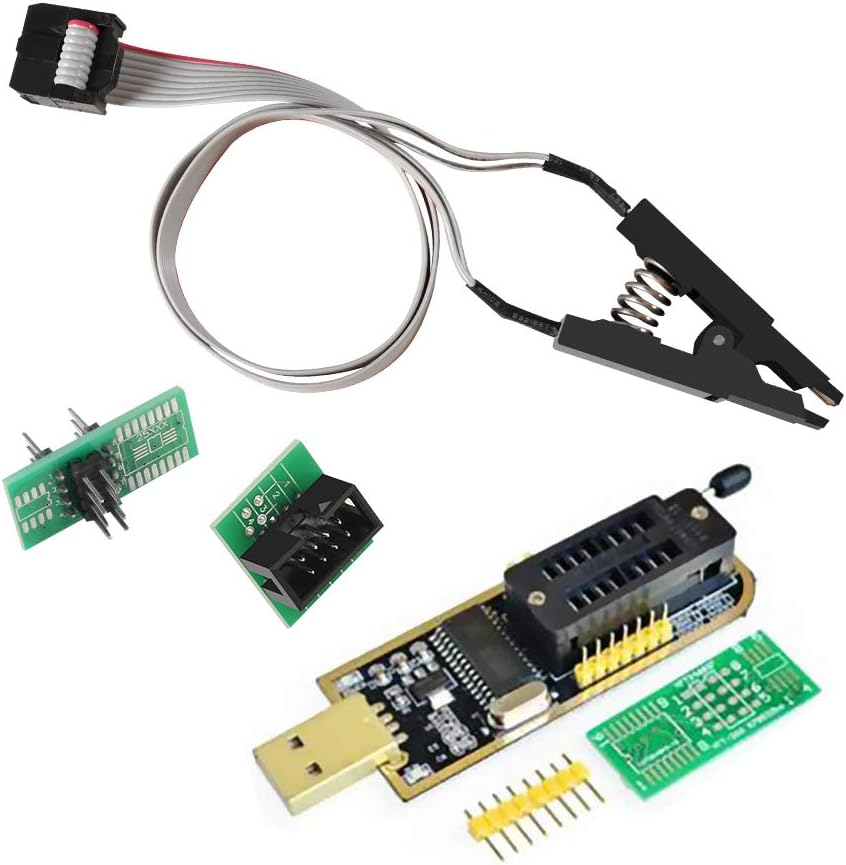
The WWZMDiB CH341A EEPROM BIOS Programmer Kit is a practical entry point for technicians who need to back up, erase, program, or calibrate supported flash chips. Its 4.1 rating reflects a generally useful package, while the combination of a CH341A programmer, SOIC8 test clip, and conversion plate gives beginners several ways to connect to a target device.
We may earn a commission when you buy through this link, at no additional cost to you.
The main strength is flexibility without requiring a full soldering setup. The clip allows supported SOP8 and SOIC8 devices to be accessed directly, while the conversion plate supports appropriate package arrangements. The stated 24- and 25-series compatibility covers many common EEPROM and SPI flash applications, and the programmer offers 3.3V and 5V switching for two common voltage classes.
There are important limits. The product supports only 3.3V and 5V, making it unsuitable for a 1.8V-only memory device without appropriate support. The listed chip coverage is also narrower than that of the EZP2023, and successful in-circuit communication can depend on the surrounding motherboard circuitry. Users should identify the exact chip before ordering or attempting to write it.
This is a sensible choice for a technician who wants a low-cost CH341A package, already works mainly with 24- and 25-series chips, and prefers a test clip over desoldering. It is less suitable for broad professional chip coverage or 1.8V-only systems, but it offers a convincing balance of capability and affordability.
The included SOIC8 SOP8 test clip enables direct access to compatible chips and can simplify backup or programming work. Always inspect the pin orientation and confirm that the clip cannot bridge nearby components before applying power.
The 3.3V and 5V switching support covers many common flash chips, but the wrong setting can damage hardware. Confirm the chip's rated voltage from its markings or device documentation before reading or writing.
We may earn a commission when you buy through this link, at no additional cost to you.
The ACEIRMC SOIC8 SOP8 Flash Chip IC Test Clips Socket Adapter Programmer is the most balanced direct programmer in this group. It has a 4.4 rating, supports in-circuit programming with a SOIC8 clip, and is designed to back up, erase, program, and check commonly used 24-, 25-, and 93-series EEPROM and flash chips.
We may earn a commission when you buy through this link, at no additional cost to you.
Its defining convenience is the ability to reach an SOIC8 or SOP8 chip without removing it from the motherboard. That can save time and reduce the risk associated with desoldering, particularly when the goal is to create a backup before a repair. The CH341A-based module provides the core reading, writing, erasing, and checking operations, while the clip handles physical access.
Compatibility is not universal despite the broad package. The listing specifically notes that ESMT SST-class 25-series chips can be read but not written because of the CH341A controller's characteristics. Peripheral circuits may also prevent a direct clip connection from reading a chip reliably, so some boards may still require removal and adapter-based programming.
This kit is the strongest general recommendation for laptop, desktop, router, and similar motherboard work involving common 24-, 25-, or 93-series chips. It combines a strong rating, useful accessories, and straightforward in-circuit access, making it more versatile than a basic cable set while remaining simpler than a broad multi-adapter programmer package.
Direct clipping can simplify a backup or firmware update by avoiding removal of the target chip. It is particularly useful when a technician routinely services several boards with compatible SOIC8 packages.
The product supports many 25-series chips, but the stated ESMT SST limitation affects write capability. Check the manufacturer and exact part number before planning an in-place firmware operation.
We may earn a commission when you buy through this link, at no additional cost to you.
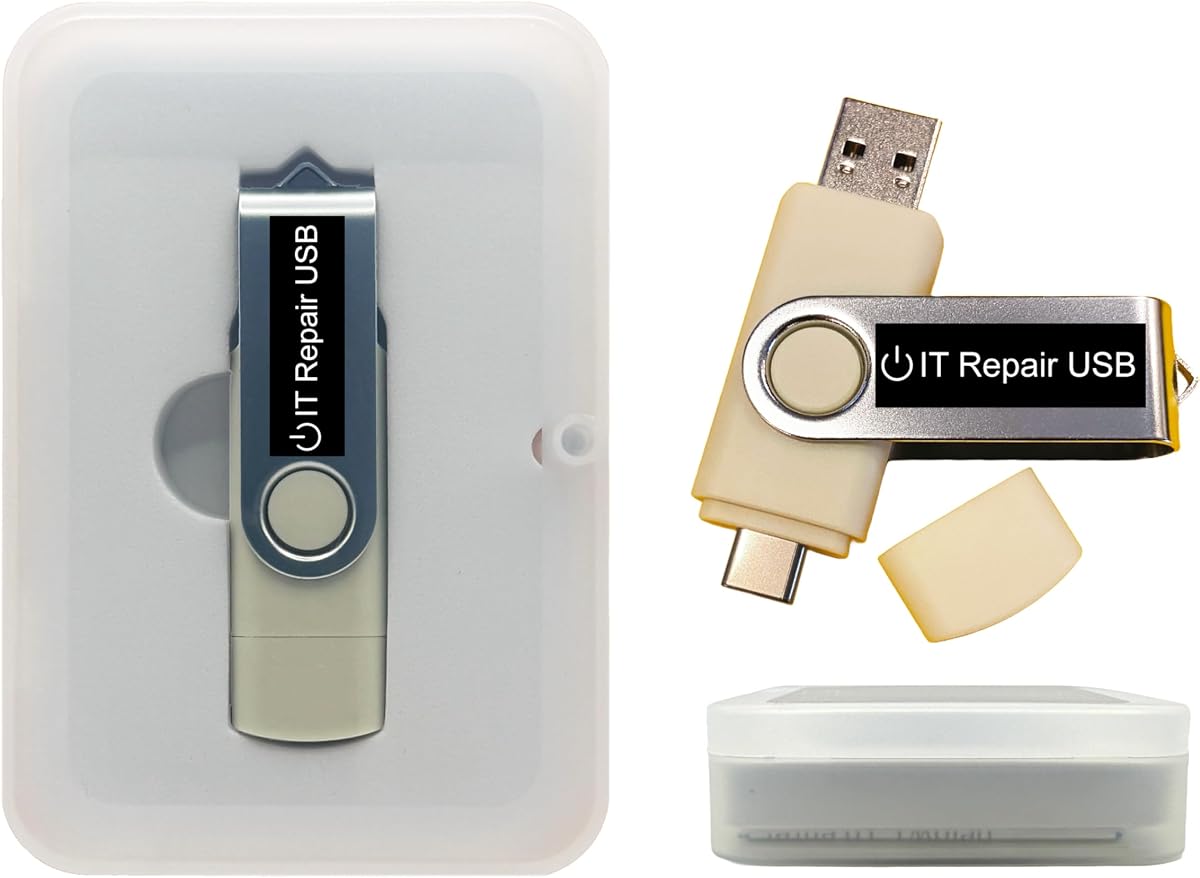
The Password Reset Bootable USB is designed for account access and operating-system recovery rather than direct BIOS chip writing. It offers a 3.6 rating and supports Windows versions from 2000 through 11 along with most Linux distributions, making it useful for technicians who need a portable environment for forgotten credentials.
We may earn a commission when you buy through this link, at no additional cost to you.
The dual USB-A and USB-C design improves compatibility with recent laptops, desktops, mini PCs, tablets, and servers. It can operate in UEFI or Legacy BIOS mode, while the on-screen workflow is designed to guide users through resetting or recovering a Windows or Linux account without reinstalling the system or intentionally losing files.
It is important to distinguish this product from a programmer. It does not read, erase, or write an EEPROM or SPI flash chip, and it cannot service a motherboard that fails to power on or enter firmware setup. Its customization feature also requires compatible bootable ISO applications, installers, or utilities and some technical care.
Choose it when the primary problem is a forgotten local password and the computer can boot normally. Technicians maintaining mixed Windows and Linux fleets may also appreciate having a portable recovery drive. For firmware-chip-level repair, choose one of the dedicated programmers instead.
The bootable environment is designed to restore access to local user accounts while avoiding a full operating-system reinstall. Administrative authorization and a sound understanding of local versus Microsoft-account sign-in remain important.
USB-A and USB-C connectors plus UEFI and Legacy boot support make the drive useful across many modern and older systems. Firmware security settings may still need to be adjusted to permit external boot.
We may earn a commission when you buy through this link, at no additional cost to you.
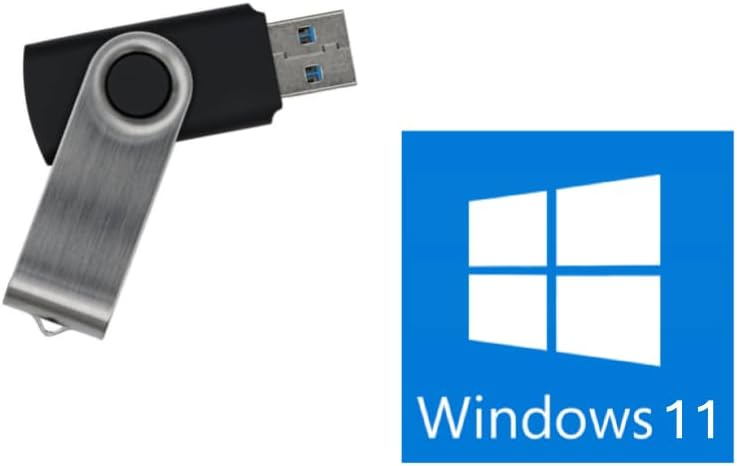
The Windows 11 No-TPM USB Installer is a focused reinstall and recovery drive with a 4.0 rating. Its primary distinction is the ability to install Windows 11 without requiring the computer to meet the normal Trusted Platform Module condition, which can be helpful for older or incompatible hardware that can still reach BIOS or UEFI setup.
We may earn a commission when you buy through this link, at no additional cost to you.
The 8GB drive is built around Windows setup and recovery rather than chip-level programming. It supports both UEFI and Legacy modes, providing a practical way to reinstall the operating system on a functioning PC. The listing also clearly emphasizes that this is an operating-system tool and not a solution for dead motherboards, failing RAM, bad storage, or systems that will not power on.
Platform exclusions are equally important. The drive is not intended for Chromebooks, ARM or Snapdragon PCs, or Apple-silicon Macs. It also does not provide BitLocker recovery, data recovery from a failed drive, or a method to save files from a system that cannot boot. A valid Windows license must be provided separately.
Buy this drive if the goal is installing or repairing Windows 11 on a compatible computer that can access its firmware and boot menu. It is not a Bios Flash Tool in the chip-programming sense, but it is a useful option for technicians who also need a straightforward Windows 11 installation medium without a TPM requirement.
The lack of a TPM requirement expands the range of machines that can receive a clean Windows 11 installation. Other hardware and driver compatibility still matter, so do not expect unsupported ARM, Chromebook, or Apple-silicon platforms to work.
This installer cannot revive a PC that does not power on or reach its boot menu. Diagnose fundamental hardware issues first and use a chip programmer only when firmware read or write access is genuinely required.
We may earn a commission when you buy through this link, at no additional cost to you.
The ACEIRMC 1.8V Adapter Kit is one of the most useful direct programmer packages for common 24- and 25-series flash work. It carries a 4.4 rating and combines a CH341A USB programmer, a 1.8V adapter, a SOIC8-to-DIP8 converter, and a SOIC8 test clip, giving technicians multiple ways to connect supported devices.
We may earn a commission when you buy through this link, at no additional cost to you.
The 1.8V adapter is the most notable addition. It expands the kit's relevance for compatible 1.8V SPI flash memory used in certain phones and motherboards, while the adapter socket and test clip support both removal-based and in-circuit approaches. The product description positions the package for TV memory, desktop motherboards, LCD equipment, notebooks, routers, cards, DVD equipment, and set-top boxes.
This is still a CH341A system, so the controller's limitations remain. It should not be treated as equivalent to a universal programmer capable of handling every package and voltage. The 1.8V adapter must be used only with compatible chips, and in-circuit results can be affected by surrounding components. Pin orientation and voltage should be checked before each operation.
This kit is best for users who need more than a basic CH341A and specifically encounter compatible 1.8V flash chips. It also serves as a well-rounded electronics repair package because the included clip, converter, and low-voltage adapter cover several common connection methods.
The 1.8V adapter and included converter make this package more adaptable than a bare programmer. Each accessory has a specific role, so identify the target package and voltage before choosing a connection method.
The stated use cases extend beyond desktop motherboards to routers, televisions, notebooks, and set-top boxes. Success still depends on the exact chip, package, voltage, and whether the board permits reliable in-circuit communication.
We may earn a commission when you buy through this link, at no additional cost to you.
The EZP2023 USB Programmer is the most feature-rich dedicated programmer in this guide. Its 4.3 rating, support for 24-, 25-, 93-, and 95-series memory, automatic chip detection, and extensive adapter set make it a strong choice for technicians who handle a wider range of flash chips than a basic CH341A kit.
We may earn a commission when you buy through this link, at no additional cost to you.
Automatic identification is especially useful for the 25-series, reducing the need to manually configure common SPI flash devices. The programmer also detects whether a chip is present and automatically selects its supply voltage. According to the product data, an EN25T80 can be read in three seconds and written in nine seconds, offering a notable convenience improvement over slower workflows.
Automatic features do not make it universal. The 24-, 25-, 93-, and 95-series EEPROM families can require manual selection, and unsupported chip identifiers or unusual voltage requirements may still need an alternative programmer. Adapter selection must also match the physical package and pin arrangement; having many adapters does not remove the need to verify compatibility.
For a repair shop or technically experienced user who wants one programmer to cover several common BIOS flash families, the EZP2023 is the strongest premium option. It is less appealing for a single basic task because its broader package and feature set go beyond what a simple CH341A cable provides.
Automatic chip identification, placement detection, and voltage selection can streamline repeated servicing work. The stated support for 25-series chips is a major advantage, while other families may still need manual configuration.
The 15 included adapters broaden the range of physical chip packages the programmer can reach. Match the adapter to the package, pin count, body width, and measurement before applying power or initiating a write.
We may earn a commission when you buy through this link, at no additional cost to you.
The Windows PC Repair Bootable USB Recovery Toolkit is aimed at system-level troubleshooting rather than firmware-chip programming. It has a 3.5 rating but offers a broad collection of utilities for startup problems, malware removal, file recovery, partition repair, account unlocking, password reset, and diagnosing systems that no longer boot normally.
We may earn a commission when you buy through this link, at no additional cost to you.
The drive can run as a live environment or serve as a recovery operating system, and it works without an internet connection. Its user-friendly interface is designed for technicians and computer resellers, while USB-A and USB-C connectors and both UEFI and Legacy modes support a wide range of machines. Compatible bootable ISO applications can also be added or replaced.
The low rating is a reminder to assess the environment carefully before relying on it for a critical job. Live recovery tools cannot bypass every storage failure, encryption barrier, or hardware defect. The USB also does not read or write BIOS EEPROM and SPI flash chips, so it cannot replace a programmer during a firmware-level recovery.
This toolkit is useful for a technician who wants a general-purpose diagnostic environment in one drive. It may help assess a bootable system, recover accessible files, repair partitions, and resolve common Windows startup issues. For direct firmware manipulation, select the EZP2023 or a CH341A kit instead.
Running from USB allows inspection of a system that cannot start its installed operating system. The available utilities can help identify startup faults, malware, partition issues, and recoverable files without immediately modifying the hard drive.
Compatible ISO applications, installers, and utilities can be added or replaced, allowing the drive to match a technician's workflow. Keep images and boot settings organized, and test the customized drive on a noncritical machine before deployment.
We may earn a commission when you buy through this link, at no additional cost to you.
The SOP16 IC Test Clip is a specialized programming accessory rather than a complete programmer. It has a 4.3 rating and provides a practical way to connect compatible 16-pin flash chips to programmers such as the RT809F, TL866CS, and TL866A for 25-series device work.
We may earn a commission when you buy through this link, at no additional cost to you.
Its hardened clip and gold-plated contact treatment are designed to support stable communication, while the 40-centimeter connection line gives more room to reach a chip on a crowded motherboard. The clip supports 150-mil and 300-mil SOP16 and SOIC16 packages, covering two common physical sizes.
Its limitations are significant for beginners. A compatible programmer is still required, and on-board peripheral circuits may interfere with identification or programming. The product information explicitly notes that some boards cannot be programmed online and may require the chip to be removed. The clip is therefore an accessory within a broader repair setup.
Buy this clip if you already use one of the listed programmers and regularly encounter SOP16 flash chips. It is a worthwhile convenience upgrade that can reduce repeated desoldering, provided your board layout allows the clip to make clean, reliable contact.
The 150-mil and 300-mil compatibility covers common SOP16 body widths. Verify the chip dimensions and pin orientation before clamping, since incorrect placement can produce unreliable reads.
A 40-centimeter cable allows the programmer to remain away from the board while the clip reaches a mounted chip. This can make crowded laptop and desktop motherboard work less awkward, although nearby components can still obstruct a perfect connection.
We may earn a commission when you buy through this link, at no additional cost to you.
The PC-DNA Bootable USB is a Windows 10 and 11 recovery and reinstallation tool with no listed customer rating. Its most notable feature is compatibility with Secure Boot left enabled, which differentiates it from recovery media that requires traditional BIOS settings to be changed before an external device can boot.
We may earn a commission when you buy through this link, at no additional cost to you.
The drive downloads genuine Windows 11 or 10 installation media directly from Microsoft rather than relying on an outdated or unauthorized image. It is designed for 64-bit systems with UEFI BIOS, covering most PCs produced since roughly 2013. The on-screen process aims to make installation and recovery accessible to users as well as technicians.
There is a product key limitation, and users must rely on an existing Windows license or obtain one separately. The current version does not support Legacy BIOS, so older systems may need a different drive. The product is also not a chip-level programmer and cannot recover a machine that does not reach its firmware setup or boot process.
This is a practical option for modern Windows recovery where Secure Boot is enabled and the user does not want to alter firmware security settings. The lack of a rating means there is not enough listed customer feedback to compare it confidently with the better-reviewed recovery drives, so verify its current requirements and functionality before purchase.
The ability to boot with Secure Boot enabled reduces the need to change sensitive firmware settings. This is especially convenient on managed business systems where unauthorized security changes may be restricted.
Downloading official Windows images helps avoid stale installers and keeps the recovery path connected to Microsoft's release process. Internet access and a valid operating-system license are still necessary for full installation use.
We may earn a commission when you buy through this link, at no additional cost to you.
The Kali Linux Bootable USB is a portable security-analysis environment with a 4.1 rating. It provides Kali directly from USB or allows installation for full performance, supporting both amd64 and arm64 builds for Intel, AMD, and supported ARM-based computers.
We may earn a commission when you buy through this link, at no additional cost to you.
The included platform carries more than 600 preinstalled penetration-testing and security-analysis tools for network, web, and wireless auditing. That makes it relevant to ethical hackers, security researchers, IT professionals, and digital investigators who want a ready-made environment rather than assembling individual utilities. UEFI and Legacy support broadens its reach across desktops and laptops.
This is not a BIOS chip programmer, an operating-system recovery drive, or a Windows installer. It should be used only for authorized testing of systems and networks you own or have explicit permission to assess. A live USB also has practical storage and performance limitations compared with a full installation.
Choose the Kali drive for security testing, forensics education, or authorized vulnerability assessment. It is a useful complement to a BIOS programmer because it helps investigate systems and software, but the two tools serve different purposes and should not be treated as interchangeable.
Running Kali from USB provides access to an extensive collection of security tools without immediately changing the installed operating system. The included environment is designed for authorized analysis and educational use.
The amd64 and arm64 builds allow compatible Intel, AMD, and supported ARM systems to run or install Kali. Confirm that the target device's boot interface and architecture are supported before starting.
We may earn a commission when you buy through this link, at no additional cost to you.
The right Bios Flash Tool depends on the exact repair objective, target chip, package, voltage, and whether the device must be accessed on or off the circuit board. These factors narrow the choice more effectively than the number of included cables alone.
Start by defining the desired result. A dedicated chip programmer is appropriate when you need to back up, erase, write, calibrate, or check an EEPROM or SPI flash device. A bootable Windows installer is better for reinstalling an operating system, while a recovery toolkit is intended to diagnose startup problems, recover files, repair partitions, or reset accounts. Kali Linux serves a different security-testing role and should not be viewed as a general BIOS writer.
Choose by outcome, not by the phrase BIOS tool. If firmware on a removable chip must be changed, select a programmer. If Windows is missing or damaged but the firmware still starts, select an installer or recovery drive.
CH341A kits in this guide are principally associated with common 24- and 25-series components, with one package also mentioning 93-series support. The EZP2023 extends its stated coverage to 24, 25, 93, and 95 families, including automatic identification primarily for the 25 series. Always check the exact part number, manufacturer, and package rather than relying only on a capacity marking.
Support for a family does not guarantee support for every chip within it. The ACEIRMC double-clip listing, for example, identifies an ESMT SST write limitation. Match the programmer's database and voltage requirements to the target before buying.
The target flash chip may use an SOIC8, SOP8, SOP16, DIP8, or another package. A test clip is useful for narrow or crowded boards, while a socket adapter is generally easier for removed chips. The EZP2023 includes 15 adapters, the SOP16 product provides a SOIC16-to-DIP16 route, and the WWZMDiB package includes a conversion plate.
Confirm pin count, body width, spacing, and pin orientation before ordering an adapter. More accessories are not useful if their dimensions do not match the chip or if the adapter introduces incompatible voltage or signal arrangements.
Flash memory can operate at 3.3V, 5V, 1.8V, or other levels. The WWZMDiB programmer supports 3.3V and 5V switching, while the ACEIRMC 1.8V kit includes a 1.8V adapter. The EZP2023 states that chip supply voltage is selected automatically, but users should still verify that the detected value is correct.
Do not rely on trial and error. A wrong voltage can damage the chip, motherboard, or adapter. Use chip markings and service documentation to establish the required level, and verify the jumper, adapter, or software setting before initiating a read or write.
Clipping a chip directly to the board can save time and avoid desoldering, but surrounding circuits may interfere with communication. The CH341A double-clip and ACEIRMC 1.8V products support this approach, while their descriptions acknowledge that not every board can be programmed online. If a chip cannot be detected, removal with a proper adapter is often more dependable.
For routine service, keep both methods available. A test clip is useful for quick backups and simple boards; a socket adapter is a dependable fallback for cramped layouts, obstructed pins, or chips that fail in-circuit detection.
Bootable recovery products have their own firmware requirements. The Password Reset and Windows Repair drives support USB-A, USB-C, UEFI, and Legacy modes. The Windows 11 No-TPM drive supports UEFI and Legacy but cannot help a computer that will not reach its boot menu. PC-DNA requires UEFI and does not support the current Legacy version.
Check the device architecture, boot security, and firmware interface before buying. The Kali drive supports UEFI and Legacy and includes amd64 and arm64 builds, but the computer still needs to permit external USB boot.
Automation can reduce setup time and configuration errors. The EZP2023 automatically identifies mainly 25-series chips, detects chip placement, and selects supply voltage. It reports fast read and write times for the tested chip example in its listing. For broader recovery workflows, customizable USB drives can accept compatible bootable ISO applications and utilities.
Automation is not a substitute for correct identification. A fast operation on the wrong chip or an incorrectly configured adapter can still cause damage or an unusable backup. Use automated detection as support, not as permission to skip verification.
Some recovery tools require a separate Windows product key, and Kali's security utilities should be used only for authorized testing. The Password Reset drive and Windows Repair Toolkit emphasize responsive support and customizable workflows, while the Windows 11 No-TPM product describes itself as a handmade drive from a family-owned technology shop.
Consider the support model and legal boundaries alongside hardware. Recovery media should use legitimate operating-system sources, and security tools should never be deployed against systems without clear permission.
Begin with documentation and identification. Photograph the board and chip location, note the chip's full marking, and locate its part number in the programmer's supported list. For a CH341A or EZP2023, disconnect power before attaching a test clip or adapter, then verify pin one and the package orientation before applying power. Never assume that every chip with the same nominal capacity has identical commands or voltage requirements.
For a direct programmer, begin with a read rather than a write. Connect the programmer to the computer, select the exact chip or series, confirm the voltage, and read the target. Save the backup in a clearly named folder and verify that the file has a plausible size and content. If the chip cannot be detected in circuit, move to a compatible socket adapter and consider removing it from the board. Write only after preserving a verified original and confirming the replacement image belongs to the exact device model.
For a bootable USB, save the drive's contents before customization and use a known-good image. Change the boot order or invoke the one-time boot menu, and keep Secure Boot in mind when choosing a recovery product. Do not use an installer on a computer that cannot reach firmware setup, and treat account recovery, data recovery, and firmware repair as separate tasks. Retain the original media, keep the programmer away from moisture and static, and inspect clips for bent or oxidized contacts after repeated use.
A Bios Flash Tool is a device or utility used to read, back up, erase, write, or verify firmware stored in programmable chips. Depending on the product, it may be a USB programmer, a test clip, a bootable recovery drive, or an operating-system installer. The term does not describe one universal device type, so the required operation must be identified before buying.
A CH341A programmer is suitable for many common 24- and 25-series EEPROM and SPI flash chips. The exact manufacturer and part number still matter because some devices have read-only or write limitations. Confirm voltage, package, and programmer compatibility before attempting to write firmware.
Yes, if the chip package, voltage, and surrounding circuitry permit reliable in-circuit communication. SOIC8 and SOP8 test clips are designed for this purpose, while some SOP16 chips can use a wider clip. Peripheral circuits may block detection, so removing the chip and using a socket adapter is a valid fallback.
No. It has the broadest stated family coverage in this guide, including 24-, 25-, 93-, and 95-series devices, but it is not universal. Some families require manual selection, and unusual packages, voltages, or identifiers may need a more specialized programmer.
No. A bootable drive requires the computer to power on and communicate with an external USB device. It also cannot perform chip-level firmware writes. If the system does not reach its firmware setup or boot menu, first diagnose the underlying power, motherboard, processor, memory, or storage issue.
No. The product information explicitly excludes Chromebooks, ARM and Snapdragon PCs, and Apple-silicon Macs. Its no-TPM feature addresses one compatibility obstacle for eligible Windows systems, not the architecture and firmware restrictions of unsupported platforms.
A verified backup can restore the original firmware if the replacement image is incorrect, the procedure is interrupted, or the device behaves differently after the operation. Read the chip first, preserve the file, confirm its contents and size, and keep multiple copies before making any changes.
The drive is intended for ethical hacking, cybersecurity, and authorized testing. Using security tools on networks or computers you do not own or have permission to test may be illegal or unethical. It is also a security-analysis environment, not a BIOS chip programmer or general Windows recovery tool.
The strongest direct choice is the ACEIRMC double-clip CH341A programmer because it combines a 4.4 rating with in-circuit SOIC8 access and common 24-, 25-, and 93-series support. The WWZMDiB CH341A kit is the best budget-oriented option, while the EZP2023 is the best premium programmer for broader family coverage, automatic detection, and a large adapter set.
Your priority should be the task itself. Choose a CH341A or EZP2023 for supported flash-chip reading and writing, a test clip for convenient board access, and a bootable recovery or installation drive for operating-system problems. In every case, identify the exact chip, verify voltage and package fit, and preserve a readable backup before making changes.
Finally, check the current product listing and price at the time of purchase. Configurations, included accessories, supported software versions, and availability can change, and a tool that is ideal for one firmware task may be unsuitable for another. Use the stated capabilities as a starting point, then confirm every compatibility detail against the specific device being serviced.
