
Fancyleds Three-Port HDMI 2.1
4.4Editor score
Three HDMI 2.1 inputs
8K 60Hz support
96 RGBW LEDs per meter
Large-screen strip included
An LED sync box for TV backlighting extracts colors from a video source and drives an LED strip to create ambient illumination around a television. The right model can improve movie nights, gaming, sports viewing, and music sessions, but HDMI compatibility, input design, response speed, and installation method matter more than decorative claims.
This guide compares ten sync boxes and backlight kits using the information supplied for each product. It considers HDMI versions, supported resolutions, whether an external source is required, included strip length, LED density, app and voice controls, music modes, and expansion features. It also distinguishes signal-based synchronization from camera-based alternatives.
The selections range from budget HDMI 2.0 systems for 55- to 85-inch televisions to premium HDMI 2.1 packages designed for high-refresh gaming. Each listing reveals a different balance of bandwidth, synchronization, lighting density, and flexibility. Product availability and prices can change, so compare the current specifications and deal terms before buying.
4.4Editor score

4.3Editor score

As an Amazon Associate we earn from qualifying purchases.
The table below compares the ten products by synchronization method, video bandwidth, lighting configuration, and the most important installation or compatibility consideration.




The Govee HDMI 2.1 AI Sync Box 2 combines high-bandwidth signal handling with a feature-rich lighting platform, earning a 4.3 rating in the supplied data. It supports resolutions up to 8K at 60Hz and 4K at 144Hz, making it one of the most technically capable options for modern gaming displays and high-end home theaters.
We may earn a commission when you buy through this link, at no additional cost to you.
Its standout feature is the combination of HDMI 2.1, AI-assisted visual recognition, VRR, and ALLM support. The RGBWIC strip uses a dedicated white channel for cleaner white tones and more accurate blending, while the listed 75 LEDs per meter and 450 lumens per meter should produce a denser glow than lower-density alternatives. DreamView can extend matching effects to multiple Govee lights for a more complete room effect.
There are important limitations. Automatic switching is not supported when multiple source devices are connected, so a source may need to be selected manually. The included strip targets 55- to 65-inch televisions rather than very large displays. In addition, Govee notes that HDR, HDR10+, and Dolby Vision can reduce light saturation; this is described as normal and can be adjusted in the app.
This is the most balanced choice for a buyer who wants signal-based synchronization, high refresh rates, dense LEDs, app controls, and smart-home expansion in one package. It is particularly well suited to console gaming and mixed entertainment. Buyers should verify the available strip length, source arrangement, and HDR behavior for their setup before ordering.
Supporting 8K at 60Hz and 4K at 144Hz gives the system headroom for demanding consoles and displays. VRR and ALLM support also make it a stronger fit for competitive gaming than a basic HDMI 2.0 box.
CogniGlow technology analyzes images and text to identify suitable lighting triggers. The RGBWIC configuration adds a white channel, helping the backlight maintain purer whites while the app allows further saturation adjustment.
We may earn a commission when you buy through this link, at no additional cost to you.
The Fancyleds 3 Port 2.1 Fancy Sync Box is a premium ambient-lighting package built around three HDMI 2.1 inputs and an included strip for 70- to 95-inch televisions. Its 4.4 rating reflects a strong overall proposition, particularly for large displays, multiple entertainment sources, and gamers who value bandwidth and low-latency reaction.
We may earn a commission when you buy through this link, at no additional cost to you.
Three HDMI inputs make the product more flexible than single-input boxes because a console, player, and set-top box can be connected directly. The listed maximum formats include 4K at 144Hz and 8K at 60Hz, with support for HDR, Dolby Vision, ARC, ALLM, and VRR. Its 96 RGBW LEDs per meter is the highest listed density in this group and is designed to reduce visible dark gaps.
The important caveat is that synchronization comes from an external HDMI device rather than a television's built-in applications. The product documentation also advises against PC use. Buyers with several source components still need to route those sources through the box, and they should confirm that their source and television support the selected resolution, refresh rate, and HDR format together.
Choose this model if you have a large television, want multiple HDMI 2.1 sources, and prefer a complete package with a dense RGBW strip. It offers a more specialized alternative to the Govee system, especially for buyers whose screen exceeds 65 inches or who prioritize three physical inputs and very high LED density.
Connecting multiple devices directly reduces the need for a separate switcher in many setups. Each source can still have distinct bandwidth and control requirements, so compatibility should be checked before installation.
At 96 RGBW LEDs per meter, the included strip is intended to create a smooth and even wash. A dedicated white diode supports neutral white tones in addition to saturated RGB effects.
We may earn a commission when you buy through this link, at no additional cost to you.
The AIYATO LED TV Backlight with HDMI Sync Box is aimed at 75- to 85-inch televisions and pairs a 16.4-foot RGBIC strip with an HDMI 2.0 synchronization box. The supplied product information does not include a customer rating, so its performance should be evaluated primarily through the stated features and compatibility requirements.
We may earn a commission when you buy through this link, at no additional cost to you.
The kit can connect to HDMI 2.0 multimedia devices through 2.4 GHz Wi-Fi and is designed to identify edge colors for matching. It also includes microphone-based music reactivity, allowing surrounding sound to move the lights vertically and create rhythmic color changes. Installation appears straightforward because the strip uses adhesive backing and is described as attaching to a clean, dry surface.
A TV's HDMI port normally acts as an input rather than a video output, so built-in television content cannot be synchronized through that port. A set-top box or another compatible HDMI source is therefore required. The use of HDMI 2.0 also makes this a less natural choice for a buyer who requires 4K at 120Hz or higher gaming bandwidth.
This kit makes sense for a large-screen viewer who wants a long strip, basic HDMI matching, music modes, and app control without focusing on high-end gaming formats. The lack of a published rating deserves caution, so reviewing recent customer feedback and confirming source compatibility before purchase would be wise.
The 16.4-foot length is suited to wrapping the perimeter of a 75- to 85-inch television. Its adhesive installation makes it accessible, although the surface must be clean and completely dry.
The built-in microphone allows nearby music to influence the lights, while app-based timing can automate daily lighting. These features add atmosphere even when a movie or game is not the primary content.
We may earn a commission when you buy through this link, at no additional cost to you.
The Govee HDMI 2.1 AI Sync Box 2, model B0DDPSCLFR, is a high-performance signal-processing option for 55- to 65-inch televisions. It has a 4.3 rating and supports HDMI 2.1, 8K at 60Hz, 4K at 144Hz, VRR, and ALLM. Those specifications position it strongly for recent consoles, high-refresh displays, and mixed streaming setups.
We may earn a commission when you buy through this link, at no additional cost to you.
CogniGlow technology is intended to identify images and text and choose appropriate trigger conditions. Its RGBWIC strip provides four-color mixing, while the stated 75 LEDs per meter and brightness of 450 lumens per meter support bright, even illumination. Matter support broadens compatibility with voice-control ecosystems, while the AI Generative Lighting bot can create effects from spoken, typed, or image-based prompts.
Multiple connected sources do not trigger automatic switching, which may be inconvenient for users who alternate between a console and a streaming device. Govee also warns that HDR, HDR10+, and Dolby Vision can make the lighting look less saturated. The app provides saturation controls, but the effect will not always match the brightness and intensity of standard dynamic-range content.
This product remains a strong recommendation for a gamer who values high refresh rates, low-latency synchronization, and connected-lighting features. It is less suitable for someone seeking a box with several automatic HDMI inputs or a very long strip for a display larger than 65 inches.
Fast processing and support for VRR and ALLM help the lighting follow action in games. The system is better suited to high-frame-rate consoles than entry-level 60Hz streaming configurations.
Matter support assists with lighting-related voice control across compatible ecosystems. Generative lighting features add creative effects, although they function as enhancements rather than substitutes for accurate screen matching.
We may earn a commission when you buy through this link, at no additional cost to you.
The WiZ Connected HDMI Sync Box with TV Backlight is a straightforward RGBIC system for 55- to 65-inch televisions. It has a 3.6 rating, reads colors directly from an HDMI source, and supports 4K at 60Hz along with HDR10+ and Dolby Vision. Its clean signal-based approach avoids the camera and exposed wiring associated with some screen-matching systems.
We may earn a commission when you buy through this link, at no additional cost to you.
Users can select synchronization presets and adjust saturation and intensity in the WiZ app. The box can also communicate with other Wi-Fi and Bluetooth WiZ color-changing lights, allowing an entire room to react to the same source. A built-in microphone provides music reactivity independent of the video input, which is useful for parties or casual listening sessions.
The single HDMI input is a meaningful limitation for anyone with several source devices. The product guidance specifically notes that an HDMI switcher, which is not included, is needed to connect more than one device. It also cannot synchronize with smart television applications because it requires an external video source. Philips Hue products are also outside the stated compatibility range.
This model suits a buyer who values a tidy installation, direct color sampling, and an expandable WiZ ecosystem more than high-end gaming bandwidth. It is a practical pick for standard movie and streaming use, especially if the household already owns compatible WiZ lights.
Because the box reads the video signal directly, it does not need to infer colors from a camera view. That can produce a cleaner installation around the television without a sensor mounted above the screen.
The box can drive multiple compatible WiZ lights together. This turns a backlight into the foundation for a broader ambient-lighting setup rather than an isolated strip effect.
We may earn a commission when you buy through this link, at no additional cost to you.
The Govee TV Backlight 3 uses a dual 4MP camera system rather than an HDMI extraction box, making it an alternative for shoppers whose priority is optical screen matching. It has a 4.3 rating and targets 55- to 65-inch televisions with a 60-LED-per-meter RGBWIC strip.
We may earn a commission when you buy through this link, at no additional cost to you.
The camera divides the screen into 24 independently mapped zones, and its hybrid lens structure is designed to reduce color dispersion and sharpen captured edges. A dedicated white channel produces cleaner whites, while the stated 20% brightness improvement and dual-chip processing are intended to provide quicker reactions and smoother transitions.
The gravity-fit camera is only 90 millimeters long and is designed for thin televisions. This reduces visual obstruction, but the camera must still be positioned near the screen, which may not suit every stand, wall mount, or viewing arrangement. It also differs fundamentally from the HDMI products in this guide because it captures what appears on the display rather than reading a source signal.
Choose the Govee TV Backlight 3 if broad content compatibility and precise optical mapping matter more than a box-only installation. It can capture colors from streaming, games, and videos without requiring a particular external source. Users who want a completely concealed, signal-based system should instead consider one of the HDMI 2.1 options.
Dividing the picture into 24 zones allows the lighting to follow colors distributed across the screen. This can create a more dimensional effect than a simple single-color edge response.
The 90-millimeter gravity-fit camera is made to remain unobtrusive on thin displays. Adhesive stabilization can reduce wobble, though careful placement remains important for stable matching.
We may earn a commission when you buy through this link, at no additional cost to you.
The Fancyleds 2.1 Fancy Sync Box offers two HDMI 2.1 inputs and a 96-RGBW-LED-per-meter strip for 56- to 65-inch televisions. Its 4.1 rating reflects a capable gaming-oriented package, particularly when both physical source connections and dense lighting matter.
We may earn a commission when you buy through this link, at no additional cost to you.
The box supports 4K at 144Hz and 8K at 60Hz, along with HDR, Dolby Vision, ARC, ALLM, and VRR. That makes it suitable for modern consoles and set-top boxes. HDCP compliance is listed for protected streaming playback, while the included strip is designed to reduce dark gaps and deliver smooth transitions with a separate white diode.
Its signal-based operation requires an external HDMI source, and applications running directly on a smart television are not synchronized. The instructions also state that PC use is not recommended. Although two inputs improve flexibility, households with three or more sources may still require additional routing equipment.
This is a solid choice for a 56- to 65-inch gaming television and a household that wants premium HDMI 2.1 support without moving to the larger 70- to 95-inch three-port package. It is particularly attractive to buyers who value the included strip's 96 LEDs per meter over ecosystem-specific expansion features.
Support for high refresh rates, VRR, and ALLM aligns the box with contemporary gaming requirements. Actual output still depends on the source device, television, cable, and selected format working together.
The 96 RGBW LEDs per meter are intended to create a continuous wall wash. The dedicated white diode improves neutral tones, which can make mixed-content viewing look more balanced.
We may earn a commission when you buy through this link, at no additional cost to you.
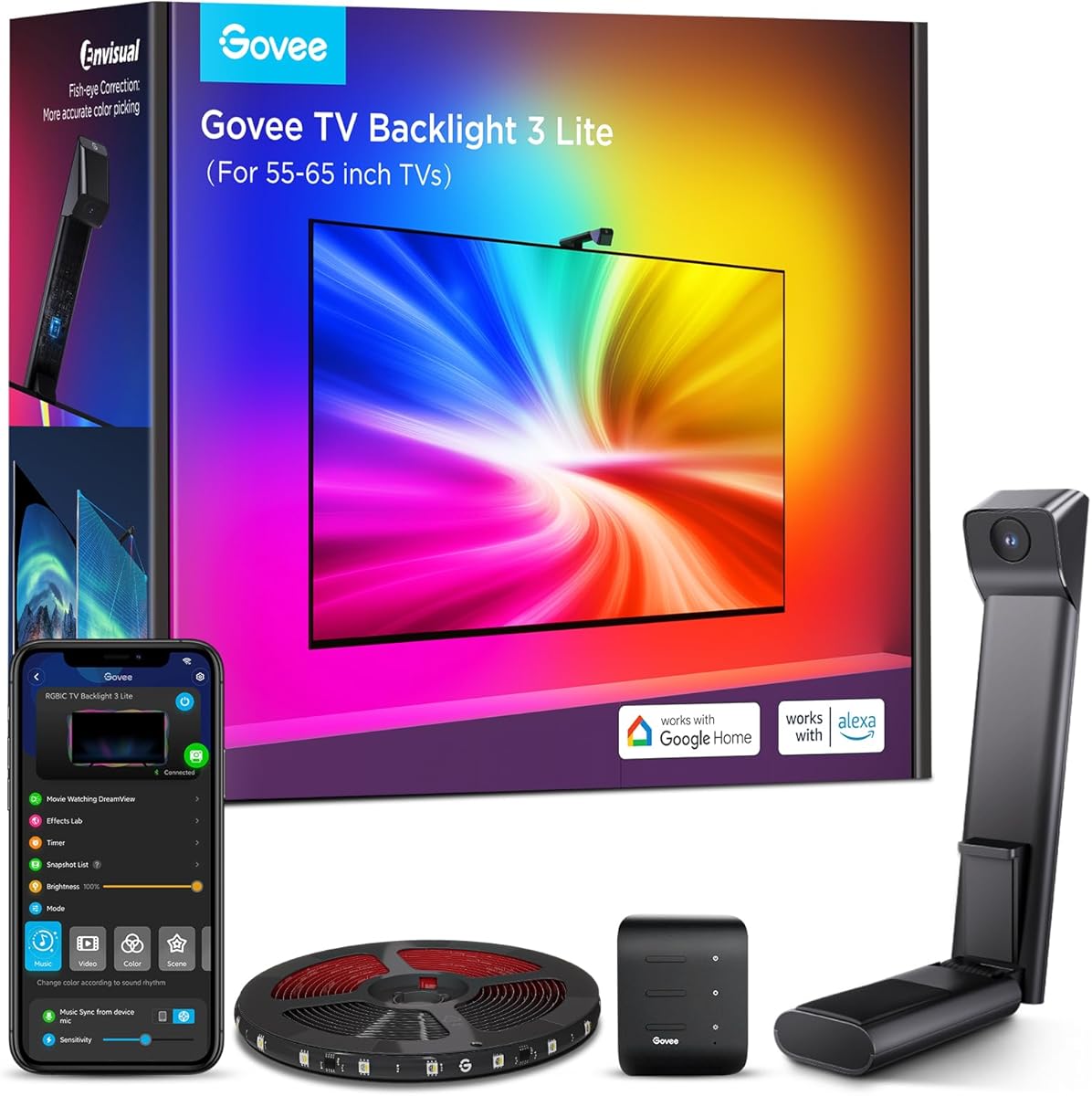
The Govee TV Backlight 3 Lite pairs a camera system with an 11.8-foot RGBICW strip for 55- to 65-inch televisions. Its 4.5 rating is the highest published customer rating among the products with available ratings, making it a strong choice for buyers focused on the lighting experience rather than HDMI box specifications.
We may earn a commission when you buy through this link, at no additional cost to you.
Its upgraded chip includes fish-eye correction intended to improve color matching near the edges. The 4-in-1 lamp bead adds a warm white channel for a purer white appearance, while higher pixel density supports natural effects. The camera uses a gravitational hanging design and adhesive stabilization to reduce wobble on thin televisions.
DreamView can link as many as seven additional devices to the 3 Lite, extending matching effects around a room. The Govee Home app offers black-bar elimination, blank-screen detection, more than 99 preset effects, and voice control through Alexa or Google Assistant. The main limitation is physical: an 11.8-foot strip is less suitable for wrapping the full perimeter of a large 65-inch screen than a longer kit.
This model is well suited to users who want broad content capture, attractive white tones, and app-driven features without managing HDMI routing. It may appeal to beginners because it can capture television content from any source, although a camera must still be mounted in the correct position.
Fish-eye correction expands the effective capture area and reduces edge distortion. This is particularly useful when the camera sees a wide viewing area of the display.
Black-bar elimination and blank-screen detection address common television viewing conditions. The broad effect library and voice controls make the system easy to use for everyday viewing as well as gaming.
We may earn a commission when you buy through this link, at no additional cost to you.
The Linkind ET6 AI Sync TV Backlight Kit is designed for large entertainment spaces, with a trimmable 20-foot RGB strip listed for 55- to 90-inch televisions. It has a 3.6 rating and offers signal-based matching through an HDMI 2.0 box without requiring a camera or room-lighting calibration.
We may earn a commission when you buy through this link, at no additional cost to you.
The ET6 reads colors directly from an HDMI source, which the manufacturer describes as helping maintain synchronization despite ambient light. Four music-sync modes and customizable RGB effects make it useful for parties and everyday ambience. The AiDot app provides control over colors, brightness, effects, and scenes, while Alexa and Google Assistant support adds hands-free operation.
Video support is more limited than the premium HDMI 2.1 products. The stated maximum is 4K HDR at 30FPS, making the kit better suited to films, conventional television, and standard streaming than high-refresh console gaming. Built-in smart television applications are unsupported, so an external source such as a player, set-top box, or console remains necessary.
The ET6 is a practical recommendation for someone with a large screen who values strip length and direct source matching. Its 20-foot length offers installation flexibility, but buyers should confirm whether the additional length is needed to follow the television perimeter or extend into the surrounding wall.
The long, trimmable strip can follow the edges of a large television or continue along nearby shelving. Trimming allows the installation to fit uneven room layouts without leaving excess length awkwardly coiled.
Direct HDMI color extraction avoids the need to calibrate against a camera view. That makes the system less sensitive to room brightness and reduces visible hardware around the screen.
We may earn a commission when you buy through this link, at no additional cost to you.
The HDMI Sync Box with TV Backlight is a signal-based kit intended for 75- to 85-inch televisions. It has a 4.5 rating and offers multi-zone lighting, a trimmable integrated strip, and app-based control through the Tuya or Smart Life ecosystem. Its concise product specification makes it appealing to buyers who want a straightforward large-screen upgrade.
We may earn a commission when you buy through this link, at no additional cost to you.
The box analyzes HDMI signals in real time and controls multiple lighting zones independently, allowing smoother transitions than a single uniform color. Twelve preset scene modes and four music-sync modes add variety, while Alexa and Google Assistant support provides hands-free control over lighting-related functions.
The product is compatible with common sources including PS5, Xbox, Apple TV, Fire TV, Roku, Blu-ray players, and PCs. However, built-in television applications cannot be synchronized, and the supplied information does not state a specific maximum resolution or refresh rate. That makes specification comparison with the HDMI 2.1 products less precise.
This kit is best for a large-screen household that wants broad device support and a well-rated multi-zone system without requiring stated 8K or 144Hz capability. It is also a sensible option for anyone already using the Tuya or Smart Life app for other connected accessories.
Separate zone control allows the light to vary across the strip instead of displaying one uniform hue. This can create smoother gradients and a more dimensional glow around the screen.
Support for major streaming platforms, game consoles, Blu-ray players, and PCs covers most common living-room sources. The external source still needs to be connected to the box for synchronization.
We may earn a commission when you buy through this link, at no additional cost to you.
The most important choices are how the box receives video, whether its bandwidth matches your source and television, how the strip fits, and which smart controls you actually use. The following factors help separate signal-based and camera-based systems while preventing costly compatibility surprises.
HDMI 2.0 models generally focus on standard 4K viewing and are appropriate for many streaming devices and cable boxes. HDMI 2.1 products are more relevant when using a recent game console, high-refresh television, or source capable of 4K at 120Hz or higher. The strongest products in this list state support for 8K at 60Hz and 4K at 144Hz, plus features such as VRR and ALLM. Bandwidth alone does not guarantee these formats, however; the television, source, cable, and selected setting must all support the same combination.
Most signal-based boxes need the television to be connected to a player, game console, or set-top box. The box receives that device's video signal and sends the picture to the television while analyzing it for lighting. A television's own applications usually cannot be synchronized because the TV's HDMI port is an input rather than a video output. If you watch primarily through built-in apps, choose a camera-based product such as the Govee TV Backlight 3 or 3 Lite.
A single-input box is simple but may require changing cables or adding a switcher whenever you move between a console and a streaming device. Two- and three-input models are more convenient because several sources can be connected directly. Automatic switching is not universal: the Govee HDMI 2.1 AI Sync Box 2 explicitly does not support it, while the Fancyleds packages offer multiple physical inputs. Decide whether convenience or the lowest possible component count matters more.
A denser strip generally creates smoother transitions, a more even wall wash, and fewer visible diode gaps. The products here range from the Govee 3 Lite's 60 LEDs per meter to Fancyleds' 96 RGBW LEDs per meter, with Govee's AI Sync Box 2 listed at 75. Strip length should match the television and installation plan: 11.8 feet suits certain 55- to 65-inch setups, while 16.4-, 20-, and large-screen-specific strips offer more coverage or flexibility.
HDMI matching extracts color information directly from the source and usually creates a tidier installation without a camera above the display. Camera-based systems can match content from virtually any source, including built-in television applications, but require accurate placement and a clear view of the screen. Signal-based systems are often preferable for dedicated home theaters and gaming rooms, while camera systems offer easier content coverage for general viewing.
High dynamic-range content can look less saturated on an ambient light strip because the television's color and brightness behavior differs from ordinary LED lighting. The Govee AI Sync Box 2 specifically notes reduced saturation with HDR, HDR10+, and Dolby Vision while providing app controls to compensate. Similar visual differences may occur in other systems. Consider whether accurate tone mapping matters more to you than vivid color, and check the available adjustment controls before installation.
WiZ, Govee, Tuya, and Smart Life ecosystems offer different levels of app, voice, and multi-device integration. Govee's DreamView can synchronize several lights, while Fancyleds focuses on a high-density included strip. Music modes use microphones to react to nearby sound, which can be entertaining but may also respond to conversation or other ambient noise. Decide whether a broad smart-home ecosystem or straightforward local operation is your priority.
The listed television size is only one part of a successful installation. Measure the available path around the display, including stands, wall mounts, speakers, and furniture. Camera systems need a stable position with a clear view of the screen, while HDMI systems need room for the box, cables, and possibly a switcher. Adhesive-backed strips require a clean, dry surface, and longer strips may need trimming to create a uniform path around corners.
Begin by identifying the external source you want to synchronize. Connect that device to the sync box, connect the box to the correct television HDMI input, and place the strip around the television's rear edge. Clean and dry the mounting surface before applying the adhesive, then trim the strip only if the installation path requires it. Do not plug the strip into a television's USB port when the product specification calls for a dedicated sync-box connection.
Power on the box and television, then complete setup in the stated app. Select the matching mode, adjust saturation and intensity, and allow the system to identify the current source. For camera-based models, center and stabilize the camera so it can view the screen. If colors appear inconsistent, reposition the camera, reduce nearby interference, or check that the source is connected through the intended HDMI path.
For daily care, dust the strip and any camera gently with a dry microfiber cloth and keep liquids away from the power supply. Check that adhesive sections remain secure without pressing hard on individual diodes. Review source compatibility before changing televisions, consoles, streaming devices, or app-based services, and update the associated app when a new version is available.
Usually, an HDMI-based sync box cannot synchronize with applications that run directly on a smart television. It must read video from an external source such as a game console, set-top box, streaming player, or Blu-ray player. A camera-based backlight can capture what appears on the screen, making it a more flexible option when the television's built-in apps are your main viewing method.
It depends on the number of inputs and how you switch sources. A one-input box may require a switcher if you regularly alternate between several devices. Two- and three-input boxes can accept multiple sources directly, but automatic switching is not guaranteed. Check whether the box changes inputs automatically and plan the connection order before installation.
For many standard 4K streaming setups, an HDMI 2.0 box can provide useful synchronization without supporting high gaming refresh rates. HDMI 2.1 becomes more important with a recent console, a 4K 120Hz television, 8K content, or advanced VRR and ALLM features. The best choice depends on your actual source and display rather than the newest specification alone.
A properly installed strip behind the television is designed to illuminate the surrounding wall rather than shine directly into the panel. Poor placement, excessive brightness, or an uneven adhesive path can create reflections or visible hotspots. Use the app's intensity and saturation controls and route cables so they do not press on the strip.
HDR uses a wider tonal range, and the colors perceived on a television are not identical to those reproduced by a nearby LED wall wash. Some products, including the Govee AI Sync Box 2, explicitly note that HDR, HDR10+, and Dolby Vision can reduce lighting saturation. Adjusting saturation in the app can improve the match, but the appearance may differ from standard dynamic-range content.
Yes, provided the selected box has enough inputs or you add a compatible HDMI switcher. The console and streaming device should connect to the sync box, and the box should output to the television. A console that supports 4K at 120Hz or 144Hz will require the television, source, cable, and sync box to support that format.
Camera-based lights generally require less source-routing work because they can capture any visible content. However, they need a stable, unobstructed position near the screen and may need careful alignment. HDMI boxes avoid a camera at the top of the television but require a compatible external source and correct signal routing.
The needed length depends on the screen perimeter and whether the lights continue along walls or furniture. A kit labeled for 75- to 85-inch televisions may include enough strip to trace the upper and lower edges, while a longer 20-foot strip offers room for side extensions. Measure the intended route and account for corners before choosing.
The Govee HDMI 2.1 AI Sync Box 2 is the strongest all-around recommendation because it combines high-refresh HDMI 2.1 support, AI-assisted matching, a dense RGBWIC strip, and smart-home features. The Fancyleds three-port package is the premium option for very large televisions and buyers who want multiple HDMI 2.1 inputs, while the AIYATO kit offers a more affordable route into long-strip, app-controlled ambience.
Prioritize the way you watch before comparing specifications. Choose an HDMI 2.1 model for modern console gaming, a basic HDMI 2.0 system for standard viewing, or a camera-based backlight if built-in television applications are essential. Then match the strip length and LED density to the screen, confirm that your source can reach the box, and consider voice-control and multi-light expansion only if you will use them.
Ratings, bundle contents, firmware behavior, and product availability can change over time, and prices also fluctuate. Review the current listing, technical specifications, and recent customer feedback before purchasing. That final check helps ensure the chosen LED sync box for TV backlighting remains compatible with your television, source devices, room, and viewing habits.