
Standard 5ft 3 Prong AC Power Cord
4.7Editor score
5ft 18 AWG cable
10-amp 125-volt rating
Fully molded construction
ASUS Monitor Power Cord Replacement guide compares 10 options for voltage, wattage, connector fit, model compatibility, safety, cable length, and value.
An ASUS monitor power cord replacement is not as interchangeable as the category name may suggest. Some listings describe the wall-side AC cable, while others provide a complete external power adapter with a DC output and monitor-side connector. Choosing safely requires matching voltage, wattage, tip dimensions, and the exact requirements of your display.
We compared the 10 available options by examining their stated electrical specifications, connector sizes, supported ASUS families, included components, cable lengths, safety features, and customer ratings. The list includes a basic three-prong AC cord as well as 19-volt adapters covering common VS, VG, VX, MX, MS, ML, and ROG models.
Each review explains where that replacement is most useful and where its compatibility claims stop. The top selections represent the strongest all-around match, the most economical option, and a feature-rich premium-style adapter. Prices and availability change over time, so confirm the current listing and your monitor's original label before ordering.
4.7Editor score

4.8Editor score

4.8Editor score
The comparison below distinguishes wall-only AC cords from complete monitor power adapters and highlights their electrical ratings, connector dimensions, cable configurations, and intended compatibility.

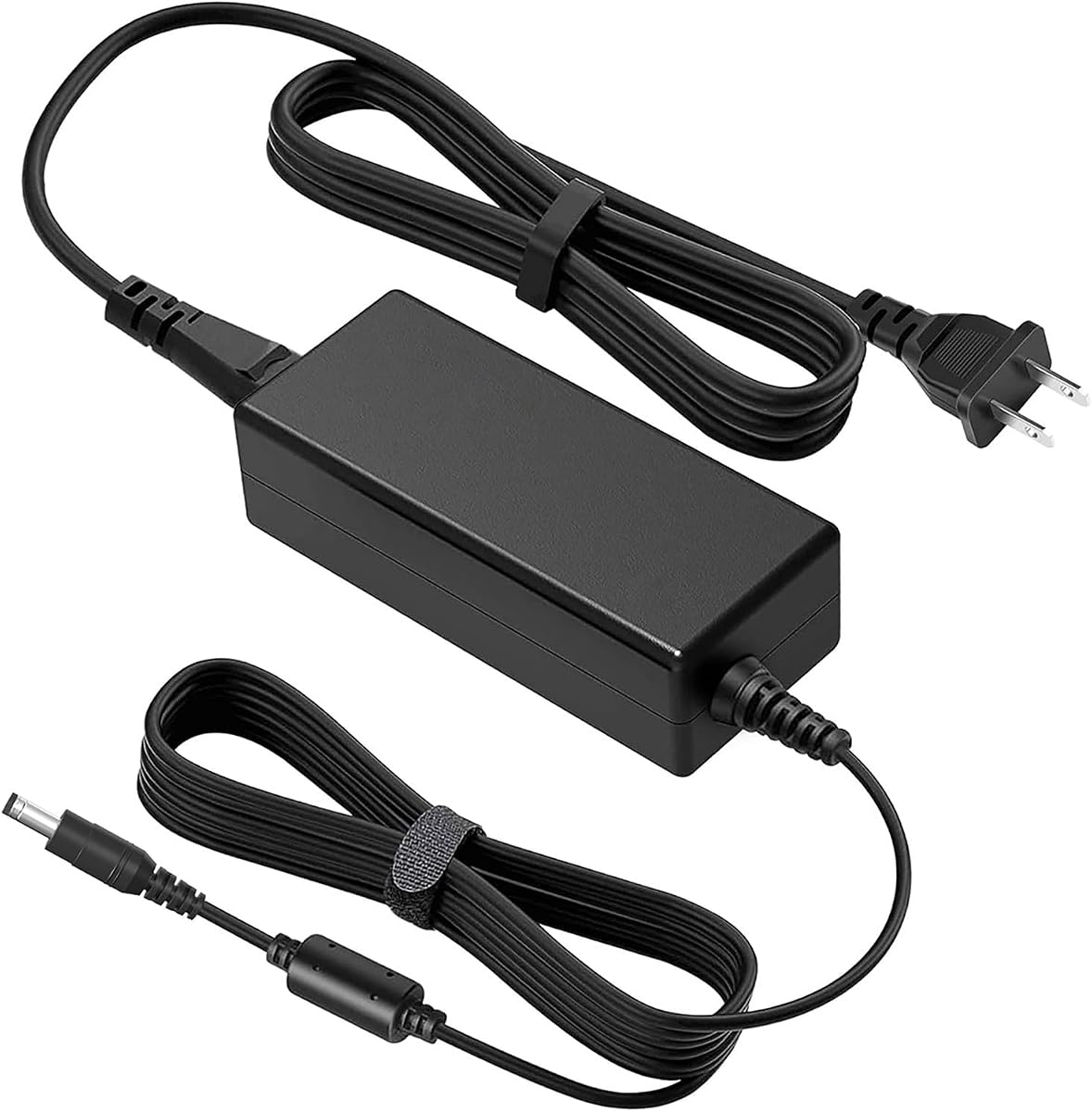


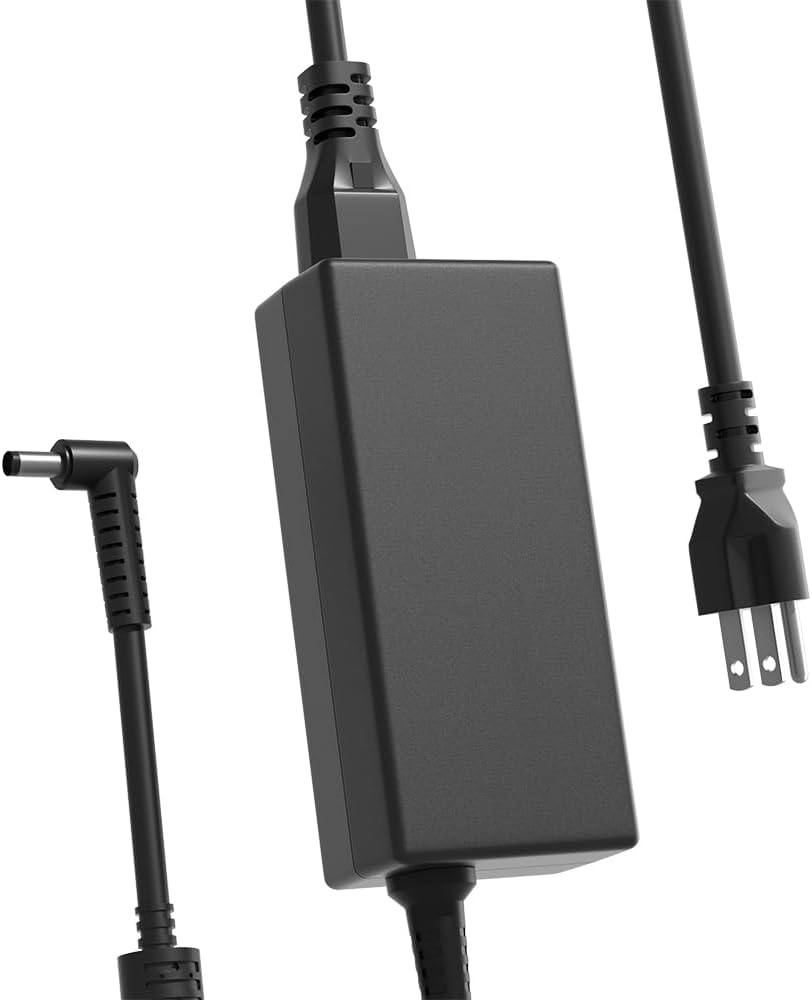


This 19-volt ASUS monitor charger earns the leading position because it combines a generous 90-watt output with compatibility across a large collection of popular ASUS displays. Its 4.8 rating also places it among the strongest customer-rated products in the group. Unlike a wall-only cord, it replaces the external AC-to-DC power supply that sits between the outlet and the display.
We may earn a commission when you buy through this link, at no additional cost to you.
The output is listed as 19V at up to 4.74A, allowing it to accommodate a range of monitor power requirements. Its charging connector measures 5.0 by 2.5mm, which is the most important caveat for buyers. The stated model coverage is unusually broad, spanning older VX, MS, ML, and LS models as well as VG, VP, PG, VC, and MX families.
Compatibility should still be established from the monitor's original power label. The smaller 5.0mm tip may fit models that require that dimension, but it is not interchangeable with every round barrel connector simply because the voltage is 19V. It also cannot serve displays that expect 12V or a USB-C input. Its higher output rating does not mean every listed monitor consumes 90W.
This is the best overall choice for a buyer whose original adapter used a 5.0 x 2.5mm plug and whose label confirms 19V. It is especially attractive for owners of one of the many explicitly listed ASUS VX, VG, PG, MX, or MS monitors. Verify the connector and electrical requirements before ordering rather than relying on model family alone.
The listed support covers an unusually broad assortment of ASUS displays, including VX, MS, ML, VG, VP, PG, VC, and MX series models. That breadth makes this a strong candidate for a household with more than one ASUS monitor.
A maximum output of 90W gives this unit more headroom than the common 65W adapter category. The relevant test is still the voltage, current, and connector printed on the original ASUS power supply.
We may earn a commission when you buy through this link, at no additional cost to you.
This standard five-foot, three-prong AC cable is the best basic choice when the damaged component is the wall cord and the monitor's original AC-to-DC power brick still works. It carries a 4.7 rating and offers a straightforward 10-amp, 125-volt power path for electronics. ASUS is one of several device categories named in the product description.
We may earn a commission when you buy through this link, at no additional cost to you.
The cable uses heavy-duty 18 AWG conductors and a fully molded construction intended to improve durability. Because it replaces the mains-side cord rather than the low-voltage monitor adapter, it does not provide voltage conversion. It also does not correct an incorrect output, damaged barrel connector, or missing internal power supply.
Its most obvious limitation is that the three-prong wall plug must correspond to the socket and grounding arrangement used by the original adapter. A monitor brick designed for a two-prong connection may require a different cord. The five-foot length is useful for a desk positioned close to an outlet, though it may be less convenient for larger installations.
Choose this product if your ASUS monitor uses a detachable AC input cable, its brick remains intact, and you need a fresh three-prong cord. Do not choose it when you need to replace the adapter brick or when your display uses USB-C. It is an economical, uncomplicated repair rather than a universal monitor power solution.
This cable addresses fraying, damaged insulation, or a failed plug while preserving the monitor's existing power brick. That limited scope keeps it simple and versatile.
The fully molded design and 18 AWG gauge provide a more substantial alternative to a lightweight household extension lead. Route the cable carefully to avoid pinching it behind furniture or along desk edges.
We may earn a commission when you buy through this link, at no additional cost to you.
This 65-watt ASUS monitor adapter is a well-balanced option for owners of several common VS, VG, VX, MX, and ROG Swift displays. Its 4.6 rating reflects a positive customer history, while the explicit connector warning helps narrow the correct use case. It supplies 19V at up to 3.42A through a standard 5.5 by 2.5mm round tip.
We may earn a commission when you buy through this link, at no additional cost to you.
The product supports lower-wattage monitors using 19V 2.1A and other compatible current ratings. Its 100-240V AC input makes it suitable for a broad range of locations, while CE, FCC, and RoHS certification adds useful assurance. The package includes both the power adapter and a US standard power cord.
Two limitations deserve special attention. It will not fit a 12-volt monitor, and it cannot connect to the smaller 4.0mm tip found on some newer slim models. The correct approach is to inspect the original brick rather than infer compatibility from screen size, branding, or marketing language.
This adapter is a strong choice for popular ASUS models such as the VS248H-P, VG248QE, VG278Q, PG278Q, and several VX and MX monitors. It is a particularly good recommendation for users who value stated certifications and clear compatibility guidance but do not need a higher-output adapter.
The listing directly identifies both the supported round connector and the exclusions. This is valuable because plug fit and voltage are non-negotiable when replacing a monitor power supply.
A 100-240V input range supports international use with a suitable local wall cord. A US standard cable is included for use in the United States.
We may earn a commission when you buy through this link, at no additional cost to you.
The HHZ adapter combines a 19V, 65-watt output with one of the most detailed compatibility descriptions in the group. Its 4.8 rating is joint-highest among these selections. The unit uses a 5.5 by 2.5mm connector and accepts 100-240V AC input, making it appropriate for many common ASUS monitor power bricks.
We may earn a commission when you buy through this link, at no additional cost to you.
Its main appeal is the combination of broad model coverage and stated protection circuitry. The listing names VS, VG, VX, ML, MS, LS, MX, and ROG Swift families, along with several original part numbers. It can also serve lower-wattage 19V requirements, including common 40W and 33W arrangements, provided the connector matches.
The word premium here reflects the feature set rather than a luxury price positioning. It still cannot overcome a basic electrical mismatch: 12-volt monitors and displays with a 4.0mm tip are excluded. Users should also distinguish the listed original part numbers from a guarantee that every similarly named monitor will work.
This is the strongest feature-focused adapter for a compatible 19V ASUS monitor. It is particularly suitable for owners who want extensive documented model support, explicit part-number cross-references, and detailed claims about short-circuit, over-voltage, over-current, and overheat protection.
The listing includes several ASUS and original adapter references, including ADP-65GD B and ADP-40KD BB. Comparing these with the brick label can be faster than searching by display size.
Built-in protection against short circuits, over-voltage, over-current, and overheating adds confidence for daily operation. These features complement, rather than replace, careful voltage and connector matching.
We may earn a commission when you buy through this link, at no additional cost to you.
This adapter stands out for its long cable arrangement and broad ASUS model coverage. It provides up to 65W at 19V and 3.42A, with a listed 5.5 by 2.5mm connector. Its 4.4 rating is lower than several alternatives, but the specifications make it worth considering for installations where reach is important.
We may earn a commission when you buy through this link, at no additional cost to you.
The product supports a long list of 19V ASUS monitors spanning 19.5-inch through 32-inch screens and multiple gaming, business, and design-oriented families. It accepts 100-240V AC input and lists compatibility with both 5.5 x 2.5mm and 5.5 x 2.1mm connectors. The package configuration includes a four-foot AC cable and a five-foot DC cable.
Although the overall cable reach is described as nine feet, that total should be understood as the combined run rather than nine feet of cable in every direction. The long lead can make cable management more involved. Buyers also need to check whether the advertised protection claims and broad model list correspond to their particular monitor.
This adapter is most useful for a desk positioned far from an outlet, a clean rear-cable route, or an owner who wants flexibility in moving the display. Confirm the monitor-side connector and required output before purchase. It is less compelling when a compact installation or a top customer rating is the priority.
The extended DC and AC lead arrangement reduces the need for an extension cord or a wall outlet located immediately behind the display. Route it along the desk or wall to prevent tension on the connector.
The stated protection covers overcurrent, overcharge, overtemperature, short circuit, overvoltage, and surge. That range is useful for a powered component that may remain connected for long periods.
We may earn a commission when you buy through this link, at no additional cost to you.
This 65-watt Zaidtek adapter is a strong option for gamers whose ASUS displays fall into the TUF, ROG Swift, VG, or MX families. It has a 4.6 rating and provides 19V output at up to 3.42A through a 5.5 by 2.5mm connector. The listing also identifies lower compatible current levels.
We may earn a commission when you buy through this link, at no additional cost to you.
Compatibility information is extensive. The product names numerous VX, MS, ML, LS, VC, VG, VP, MX, and PG models, including gaming displays such as the VG248QG, VG278QR, VG27AQ, PG278Q, PG279Q, and VG32VQ. It also includes multiple original part numbers, which makes label-based matching more practical.
The 65W ceiling means it should not be considered for any monitor requiring more than that output. It is also unsuitable for 12V systems or a different barrel size. Even when a model number appears in a listing, the original power brick's label remains the most authoritative starting point.
The package includes one AC adapter and one AC power cable, making it a practical all-in-one replacement. This adapter is best for a compatible gaming setup, especially when the user wants broad model and part-number guidance without moving to a higher-output design.
The compatibility list includes several TUF, ROG Swift, VG, and MX gaming monitors. This makes it practical for users who want one adapter to support several common gaming displays.
Original ADP, EXA, PA, 04G, and 0A001 references offer more ways to verify fit. Locate the model label on the old brick and compare it before selecting the replacement.
We may earn a commission when you buy through this link, at no additional cost to you.
This 19V, 65-watt power supply provides a familiar replacement format for many ASUS LCD and LED monitors. Its 4.5 rating reflects positive customer feedback, while the extensive model list covers common VX, MS, ML, LS, VC, VG, MX, VP, and PG families. The output reaches 3.42A at 19V.
We may earn a commission when you buy through this link, at no additional cost to you.
A 100-240V input supports use across different AC environments, and the unit also lists compatibility with 19V devices drawing 1.5A, 2.1A, 2.53A, or 3A. The connector is 5.5 by 2.5mm. Original part numbers include ADP-40KD BB, ADP-65GD B, EXA1203YH, EXA1204YH, and PA-1650-78.
Compared with adapters that explicitly say an AC cable is included, this listing focuses on the adapter itself. Confirm the package contents and make sure you have a suitable wall cord. As with every round-tip replacement, the connector and voltage must match exactly, and the 65W maximum rules out higher-power requirements.
This is a sensible option for a user with a conventional 19V ASUS monitor that accepts a 5.5mm tip. It is particularly helpful when the original brick has failed and the model or original part number appears in the compatibility details. Verify the label, connector, and package contents before ordering.
Support for several lower current ratings makes the unit relevant to both older 40W-style displays and standard 65W configurations when the connector is correct.
The 100-240V AC input means the adapter can work with suitable local power cords in many countries. The output stage remains fixed at 19V.
We may earn a commission when you buy through this link, at no additional cost to you.
The HSXIRQA replacement differentiates itself with a compatibility list that includes numerous Designo curved displays, from smaller 19.5-inch models to larger 34-inch screens. It has a 4.6 rating and supplies 19V at up to 3.42A for a maximum output of 65W. The connector is 5.5 by 2.5mm.
We may earn a commission when you buy through this link, at no additional cost to you.
The listing states that it also works with 45-watt devices, making it relevant to several lower-power ASUS displays. Compatibility names cover VC, VL, VX, VZ, VG, MX, ML, MS, LS, MZ, MG, VA, PT, and other families. The package includes one power adapter and one power cord.
Some product descriptions use charging language that can be confusing for a fixed-output monitor adapter. The useful facts here are the 19V output, maximum current, connector size, and input range. The unit is explicitly unsuitable for a monitor that requires more than 65W, and the connector must still be checked.
This product is a good fit for owners of a compatible curved ASUS monitor, especially within the broad Designo ranges in the listing. Its included cord and stated thermal protections make the package convenient. Verify the original adapter label rather than relying on the screen size or curved design alone.
The model list includes multiple curved and frameless ASUS displays across a wide size range. This is useful for buyers whose curved monitor uses the standard 19V barrel.
Heat-resistant materials and stated overcurrent, short-circuit, and overheating safeguards support dependable operation. Correct voltage matching remains essential.
We may earn a commission when you buy through this link, at no additional cost to you.
This adapter is designed for ASUS and HP displays that share a common 19V, 5.5 by 2.5mm power configuration. Its 4.4 rating is among the lower results in the group, but the electrical specification is precise and the package includes both the adapter and a US two-pin wall cord.
We may earn a commission when you buy through this link, at no additional cost to you.
ASUS compatibility includes the VX238H, VX238H-W, VX228, VX228H, VX248, VX248H, and LS246H and LS248H. The HP list covers several 20- to 27-inch IPS displays, including the 22cwa, 23xi, 23bw, 22bw, 23er, 23es, 24ea, 25er, 27xi, 27bw, 27er, 27es, and 27xw.
This adapter is not compatible with 6.5 by 4.4mm barrel connectors or USB-C monitor ports. Its 65W output also means it cannot replace a higher-wattage adapter. Although the ASUS family list is narrower than several competing products, mixed-brand offices or homes may appreciate the additional HP coverage.
Choose this option for a listed ASUS or HP monitor that requires 19V through a 5.5 by 2.5mm tip. It is particularly useful for a mixed monitor setup. Confirm the output label and port shape before ordering, especially for newer displays that may use USB-C.
Support for a range of HP monitors adds value for offices with mixed equipment. ASUS buyers should still verify that their exact model appears or shares the same label.
Keeping a matching adapter as a spare can reduce downtime if the original power supply fails. Store it unplugged and protect the connector from dust and bending.
We may earn a commission when you buy through this link, at no additional cost to you.
This replacement adapter combines common 19V power specifications with an eight-foot cable, making it a practical choice for gaming desks where the outlet is not immediately beside the display. It carries a 4.6 rating and supports many TUF, ROG Swift, VG, VP, MX, VC, and other ASUS monitor families.
We may earn a commission when you buy through this link, at no additional cost to you.
Its output is 19V at up to 3.42A, with a 65W maximum, and the monitor-side connector measures 5.5 by 2.5mm. The listing identifies CE, FCC, and RoHS certification, along with overvoltage, overcurrent, and short-circuit protection. Its ABS-and-PC flame-retardant case and pure-copper wire core are additional stated construction details.
The eight-foot lead provides flexibility, but longer cables should be routed to avoid a tight bend at the barrel plug. This is not suitable for a display requiring a 4.0mm tip, 12V output, USB-C, or more than 65W. Marketing references to a TUF charger do not mean every TUF monitor uses the same connector.
This is a good choice for a compatible ASUS gaming monitor that benefits from a longer reach. It is also a reasonable spare for a multi-monitor setup with similar power requirements. Confirm the original label, especially the voltage and connector, before ordering.
The eight-foot cable provides room to position an outlet away from the monitor without immediately adding an extension. Keep the cable away from walking paths and sharp edges.
CE, FCC, and RoHS certification plus overvoltage, overcurrent, and short-circuit protection support a safer replacement choice. Electrical matching is still the buyer's responsibility.
We may earn a commission when you buy through this link, at no additional cost to you.
The safest replacement is the one that matches the original power system's voltage, current, connector, and required components. Use the monitor label and brick markings to narrow the choice before considering model names or screen size.
A monitor may use a detachable wall cord, an attached AC cable, or an external AC-to-DC power brick. If the brick still works and only the wall-side plug or cable is damaged, the three-prong AC cord may be sufficient. If the brick has failed, look for a complete 19V adapter with a compatible monitor-side barrel plug. This distinction prevents buyers from purchasing a cable that cannot repair the actual fault.
Read the output line on the original adapter rather than relying on the monitor model. Most of the complete adapters in this guide output 19V, while some ASUS models use 12V and newer models may use USB-C. Voltage is a strict requirement: an adapter with the wrong output can fail to power the monitor or create a risk of damage. A monitor that will not turn on with a correctly shaped plug may simply require a different voltage.
Current and wattage determine the maximum load an adapter can supply. Most common ASUS monitor replacements in this group provide up to 65W at 19V and 3.42A, while the leading option offers up to 90W at 4.74A. A higher-capacity replacement can generally support a lower-rated device when voltage and connector match, but it cannot replace an adapter intended for a load above its own maximum.
Round barrel plugs can look identical while having different outer and inner dimensions. The most common option here is 5.5 by 2.5mm, while the leading adapter uses 5.0 by 2.5mm. Some adapters also state compatibility with 5.5 by 2.1mm, but that claim should be checked carefully. A plug must fit without forcing; an incorrect tip may enter partially yet still fail to establish a reliable connection.
Model numbers provide a useful starting point, but they are less reliable than the electrical label. Compatibility lists in these products cover numerous VS, VG, VX, MX, MS, ML, LS, VP, PG, VC, and related families. Search the list for the exact model and check the original part number when available. If the model is absent but the voltage and connector match, weigh the additional risk and confirm with the seller when possible.
Cable length should match the installation rather than simply appear larger. The options range from a compact five-foot AC cord to eight- and nine-foot adapter configurations. Longer leads are useful when the outlet sits behind a desk, beside a wall, or beyond a monitor arm. They should be routed without tight bends, tension on the connector, or a trip hazard.
Protection against overcurrent, overvoltage, short circuits, and overheating is valuable in any adapter left connected for long periods. Several options also state CE, FCC, or RoHS certification, while some describe multi-layer surge and temperature protection. These claims are useful differentiators, but they do not remove the need to match the electrical requirements correctly.
Some complete adapters include a wall power cord, while others may require you to retain or purchase one separately. The three-prong AC cord in this guide is only a wall-side cable and does not include an AC-to-DC brick. Confirm whether the box contains the adapter, a US wall cord, and the monitor-side lead. Having the correct components avoids delays and prevents confusion about which cable connects to the display.
Before disconnecting anything, switch off the monitor, unplug the existing power cord, and allow the display to rest. Read the replacement's output label and compare its voltage, current, connector size, and input requirements with the original adapter. Inspect the new cable for damage before installation.
Connect the replacement correctly: attach the DC output to the monitor's power input when using a complete adapter, then connect the adapter's AC input to a grounded wall outlet. If using the wall-only AC cord, attach it to the monitor's original power brick. Turn on the monitor and confirm normal operation, stable illumination, and a functioning power indicator.
Route the cable so it is not pinched, tightly bent, exposed to heat, or placed where someone could trip over it. Clean the connector with a dry cloth, keep liquids away from the power brick, and unplug the system before inspecting it. Replace the cable immediately if the plug becomes loose, discoloration appears, or the connector no longer seats securely.
Most of the complete adapters reviewed use 19V, but compatible ASUS monitors can also use 12V or USB-C. The original adapter's output label is the authoritative guide. Never assume that every ASUS monitor accepts the same voltage, even when the plug appears similar.
Measure the tip's outer diameter and the inner hole, then compare those dimensions with the replacement's specification. A common monitor connector is 5.5 x 2.5mm, but 5.0 x 2.5mm, 4.0mm, 6.5 x 4.4mm, and USB-C alternatives also exist. The connector should fit without force.
A 65W replacement can normally serve a compatible 40W monitor when both use 19V and have the same connector. Current draw is determined by the monitor, while the replacement supplies up to its rated capacity. You still must verify voltage and connector dimensions before connecting it.
No. The five-foot three-prong cord in this guide replaces only the mains-side cable between the wall outlet and an existing power brick. It cannot replace a failed AC-to-DC adapter, provide voltage conversion, or connect directly to a monitor's barrel input.
The original brick and the replacement generally serve the same purpose, so you normally use one or the other rather than connecting both in sequence. If the original brick works and only its wall cord is damaged, replacing just that cord is usually sufficient. Follow the wiring instructions for the specific product.
No. The round-barrel replacements in this guide are not designed for USB-C monitor inputs. A USB-C display requires a compatible USB-C power supply that supports the monitor's required voltage, current, and power-delivery protocol. Confirm the port before ordering any adapter.
Photograph or record the original adapter's full label, including output voltage, current, wattage, and part number. Next, measure the connector and search for the exact monitor model. Even when the model appears in a listing, matching the electrical label should remain your final decision.
First disconnect the replacement and confirm that it was selected for the correct monitor. Check the wall connection, monitor input setting, power indicator, and whether the connector fully seats. If the voltage or connector differs, stop using the product and verify compatibility with the seller rather than forcing it.
The strongest all-around choice is the leading 19V ASUS charger because it offers a high 90W output, a 4.8 rating, and broad coverage across popular display families. The five-foot three-prong AC cord is the sensible budget option when only the wall-side cable is damaged, while the HHZ adapter stands out for detailed compatibility, safety claims, and protected 65W output.
Prioritize the exact replacement task, output voltage, maximum current, and connector dimensions before reading long model lists. A model number can help confirm fit, but it should not override the original power label. Also verify whether the package includes a wall cord and whether your installation benefits from a shorter or longer lead.
Current prices and product availability can change, so review the live listing before purchasing. Compare the included components and compatibility details once more, especially if your monitor uses an unusual 12V supply, a 4.0mm tip, a 6.5 by 4.4mm barrel, or USB-C. The safest purchase is the one whose specifications exactly match the hardware you already own.