
Blackmagic Design Mini Converter Audio to SDI CONVMCAUDS
4.5Editor score
Automatic SD and HD switching
Redundant SDI input
USB software update support
Explore the best Audio to Sdi Embedder options for 2026, comparing audio inputs, SDI support, redundancy, channel counts, formats, and workflow fit.
An audio to SDI embedder places digital or analog audio into an SDI video signal, allowing camera feeds, playback systems, and production equipment to carry synchronized sound with video. A capable converter should support the formats used by your cameras, provide the correct audio connections, and preserve dependable synchronization for live or recorded productions.
This guide compares ten relevant converters and adjacent SDI audio devices using the supplied specifications, supported standards, input types, channel counts, redundancy features, and user ratings. The list includes dedicated audio-to-SDI models, higher-capacity broadcast converters, and reverse-direction units that help readers distinguish embedding from de-embedding.
Each review explains where the product fits, which technical features distinguish it, and what limitations deserve attention. The leading choices offer a strong balance of audio flexibility, SDI compatibility, and operational resilience. Product availability and pricing can change, so confirm the current specifications and listing details before purchasing.
4.5Editor score

4.9Editor score

3.8Editor score
The table below places all ten products side by side, emphasizing converter direction, supported SDI generation, audio connectivity, and workflow role. It includes three reverse-direction mini converters to clarify how embedding equipment differs from devices intended to extract audio.




The Blackmagic Design Mini Converter Audio to SDI 2 is a dedicated embedder for workflows that need audio carried inside an SDI stream. It holds a 4.9 listing rating, the strongest figure among the ten products, and its defining supplied feature is automatic switching between redundant SDI inputs. That combination makes it particularly attractive for installations where an interrupted feed should not immediately interrupt production.
We may earn a commission when you buy through this link, at no additional cost to you.
Its core job is straightforward: accept compatible audio, place that audio into the outgoing SDI signal, and maintain a usable video feed across standard-definition and high-definition formats. Automatic input handling reduces the need for manual intervention when the connected source changes. The redundant SDI path adds a practical safeguard, allowing a second input to take over if the primary connection is lost because of cable damage or another interruption.
The main trade-off is specialization. This is not presented as a combined embedder and de-embedder, nor as a converter for extracting audio from SDI. Buyers who need to monitor embedded audio, recover analog sound, or move between opposite conversion directions should look at one of the dedicated bidirectional units in this guide. Users working with modern 12G workflows may also need to confirm whether the exact source and cable arrangement fits their equipment.
For a straightforward broadcast, live-event, or studio task centered on dependable audio-to-SDI conversion, this is the strongest all-around recommendation in the list. The redundant input, automatic format handling, compact form, and excellent user rating reduce the number of separate considerations a buyer must make. It is especially attractive to users who value operational resilience over a broad collection of unrelated outputs.
A redundant SDI input can serve as a standby path when the primary cable or source fails. Automatic switching makes that protection useful in live settings because operators do not have to diagnose and reconnect the feed manually during an event.
Automatic SD and HD changeover reduces configuration effort across mixed equipment. The converter is better suited to a flexible production environment than a fixed-format installation requiring manual adjustments each time the source changes.
We may earn a commission when you buy through this link, at no additional cost to you.
The Blackmagic Design Mini Converter Audio to SDI CONVMCAUDS is a compact audio embedder with a 4.5 listing rating. It supports automatic changeover between standard-definition and high-definition video, covering widely used formats such as NTSC, PAL, 1080i/59.94, and 1080i/50. That makes it a sensible option for smaller production systems that still rely on conventional broadcast resolutions.
We may earn a commission when you buy through this link, at no additional cost to you.
Several practical details strengthen its value. The built-in USB connection allows new formats and compatibility updates to be loaded, while the redundant SDI input can automatically take over if the main connection is lost. An international power supply with socket adapters also simplifies travel and field deployment. These features make the unit more than a basic format adapter.
Its main limitation is generational. The supplied description emphasizes three-gigabit SDI technology and compatibility with standard-definition and high-definition equipment, not the twelve-gigabit paths found on newer broadcast hardware. A production working with UHD or other modern high-bandwidth requirements should not assume that this older Mini Converter can carry those signals. It is also not designed to reverse the conversion and extract audio.
For an independent studio, regional broadcaster, event crew, or educational production using SD or HD, this is a cost-conscious and capable selection. It offers redundancy, automatic format handling, update support, and portable power options in a small package. The rating is not the highest in the list, but the feature set makes it a well-balanced budget recommendation for compatible workflows.
The USB connection allows compatible software and future format updates to be added. This gives owners a practical way to adapt the converter as supported standards evolve, subject to the capabilities of the installed hardware.
Automatic switching to a redundant input adds resilience without requiring a larger converter. Combined with international power adapters, the design suits mobile crews working across different locations and power systems.
We may earn a commission when you buy through this link, at no additional cost to you.
The Blackmagic Design Teranex Mini Audio to SDI 12G is built for contemporary, high-bandwidth video chains. Its 12G-SDI input and output support automatic switching across SD, HD, 2K, and 4K, giving it a broader resolution path than the older Mini Converters. The supplied 3.8 rating is lower than those of the leading Blackmagic models, so capability alone should not be mistaken for uniformly positive customer feedback.
We may earn a commission when you buy through this link, at no additional cost to you.
Its audio section is more versatile than a simple analog-only embedder. Four channels of professional balanced digital AES/EBU audio enter through XLR connectors, with the right-hand connector able to be configured for timecode. The converter also accepts an optical S/PDIF signal through a TOSLINK connection. These options let a team combine balanced digital program audio, optical sources, and timing information in one unit.
Automatic multi-rate support is the feature that most deserves attention. A system may need to move between HD and 4K without manual intervention, and the stated behavior reduces operational friction. However, the product is intentionally higher in capability than a basic converter, which can be unnecessary for a small installation limited to older SD or HD equipment. Buyers should also confirm their downstream devices and cables support twelve-gigabit SDI.
This is the premium choice for facilities handling 4K, 2K, or mixed-resolution SDI and needing professional digital audio inputs. It is particularly relevant to modern production chains, live workflows, and users who value optical connectivity and timecode configuration. Its lower rating warrants checking recent customer feedback, but its documented format and audio support make it the most future-oriented dedicated embedder in this list.
A 12G-SDI input and output allow the converter to participate in high-bandwidth production chains. This is a decisive advantage for teams moving between 2K and 4K sources rather than operating exclusively on legacy broadcast formats.
Balanced AES/EBU input, optical S/PDIF, and configurable timecode provide more ways to organize professional audio. These connections make the unit useful in installations where analog-only embedding would be restrictive.
We may earn a commission when you buy through this link, at no additional cost to you.
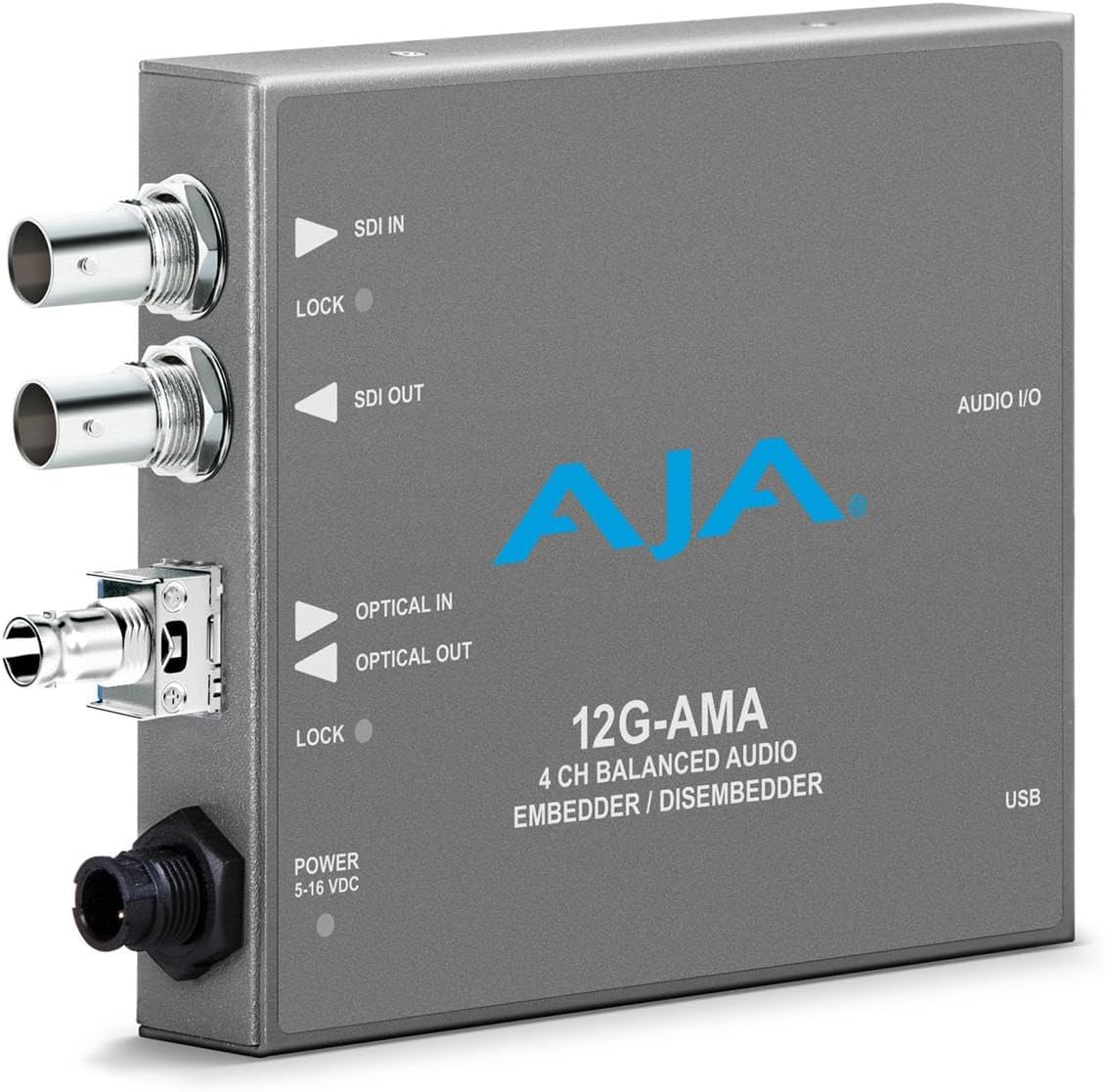
The Aja 12G-AMA is described as a twelve-gigabit SDI balanced audio embedder and de-embedder with fiber options, making it relevant to modern broadcast and production chains. It offers both signal directions in one category of equipment, which can simplify a setup that must embed audio into video and also recover audio for monitoring or distribution. No numeric customer rating was supplied, so there is no rating-based advantage over the other choices.
We may earn a commission when you buy through this link, at no additional cost to you.
The title points to 12G-SDI compatibility, balanced audio, and optional fiber connectivity. Those are meaningful features in installations where cables must travel between stages, control rooms, camera positions, or separate buildings. Fiber options can also help organize a high-bandwidth infrastructure, although the exact available modules and connector arrangements should be confirmed directly with the manufacturer or authorized documentation.
The supplied listing description does not align with the named converter. It discusses Bluetooth headphones for children, which is unrelated to professional SDI audio processing. That inconsistency makes it especially important to verify the full specifications, included accessories, and supported audio channels before ordering. A strong product name cannot substitute for a clear manual, and the confusing listing should be treated as a verification issue rather than evidence of missing features.
Despite that limitation, the Aja 12G-AMA is worth considering for buyers who need a bidirectional 12G-SDI workflow and may benefit from fiber transport. It is not our strongest recommendation because the available product data is incomplete, not because its stated design is unsuitable. Confirm the exact model revision, supported formats, channel count, and fiber option with reliable technical documentation.
An embedder and de-embedder can serve two different needs within one video chain. The design is attractive when a production requires both audio insertion into SDI and audio extraction for monitoring, recording, or distribution.
The supplied description appears to belong to an unrelated product. Buyers should confirm the technical manual, connector layout, supported standards, and package contents before relying on the listing for compatibility decisions.
We may earn a commission when you buy through this link, at no additional cost to you.
The Blackmagic Design SDI to Audio Mini Converter CONVMCSAUD performs the opposite operation from the device most buyers searching for an audio-to-SDI embedder need. It extracts audio from an SDI feed, with a supplied rating of 4.5. That makes it relevant to monitoring, sound recording, or distributing audio already embedded in a camera or production signal.
We may earn a commission when you buy through this link, at no additional cost to you.
Its value lies in focused functionality and a small form factor. The included multinational power adapters make it practical for field crews and mobile installations. In a compact production rack, a dedicated extraction unit can provide a cleaner route from camera SDI to a mixer, recorder, or monitor than repeatedly patching video and audio through a larger system.
The decisive limitation is direction. This product cannot place external audio into an SDI stream, so it does not solve the core requirement of an embedder. Purchasing it for that purpose would leave the user without the necessary conversion path. The most sensible approach is to consider it alongside an audio-to-SDI model, using one device to insert sound and the other to recover or monitor it.
For a buyer who specifically needs compact SDI-to-audio extraction, this is a practical and well-rated choice. For someone searching for an audio to SDI embedder, it is better viewed as a complementary accessory. Understanding the direction of conversion before ordering prevents the most common and most easily avoided mistake in this product category.
Extracting sound from SDI allows operators to monitor or route the audio portion of a camera feed. This is useful when a production needs a dedicated monitoring path without routing the entire video signal through another device.
Because the conversion runs from SDI to audio, this unit belongs beside an embedder rather than in place of one. It is especially relevant for recording, distribution, or redundant monitoring of already embedded sound.
We may earn a commission when you buy through this link, at no additional cost to you.
The Blackmagic Design Mini Converter SDI To Analog is a combined legacy-video and audio extraction converter with a 4.6 listing rating. It sends SDI video to an analog output and allows embedded SDI audio to be recovered as balanced analog or AES/EBU. That combination can bridge a digital production chain to older monitors, recorders, or distribution equipment.
We may earn a commission when you buy through this link, at no additional cost to you.
Its analog video function is the most visible feature, but the audio options are arguably more important for modern users. Balanced analog and AES/EBU outputs provide choices for connecting to different audio environments. The device can therefore serve as both a picture bridge and an audio monitor, reducing the need for separate boxes in a compact installation.
It is not an audio-to-SDI embedder, however. External sound cannot be inserted into the outgoing video with this unit. Its value is greatest when a facility still has analog endpoints and needs to make SDI sources usable there. Those willing to accept analog limitations may find that consolidating two conversion tasks in one enclosure simplifies wiring and saves space.
This is a strong choice for legacy compatibility and audio recovery, but it should not be selected by a buyer whose primary goal is embedding fresh audio into an SDI feed. Consider it when modern equipment must feed older displays or when monitoring already embedded sound. For new digital-only workflows, a dedicated audio embedder is the more logical investment.
Analog video output lets a modern SDI source remain usable with older displays or recording equipment. This is valuable in studios, houses of worship, and event systems that have not completed a full digital transition.
Extracted SDI sound can be delivered as balanced analog or AES/EBU. The two output choices make it easier to connect the converter to a variety of analog mixers and professional digital audio systems.
We may earn a commission when you buy through this link, at no additional cost to you.
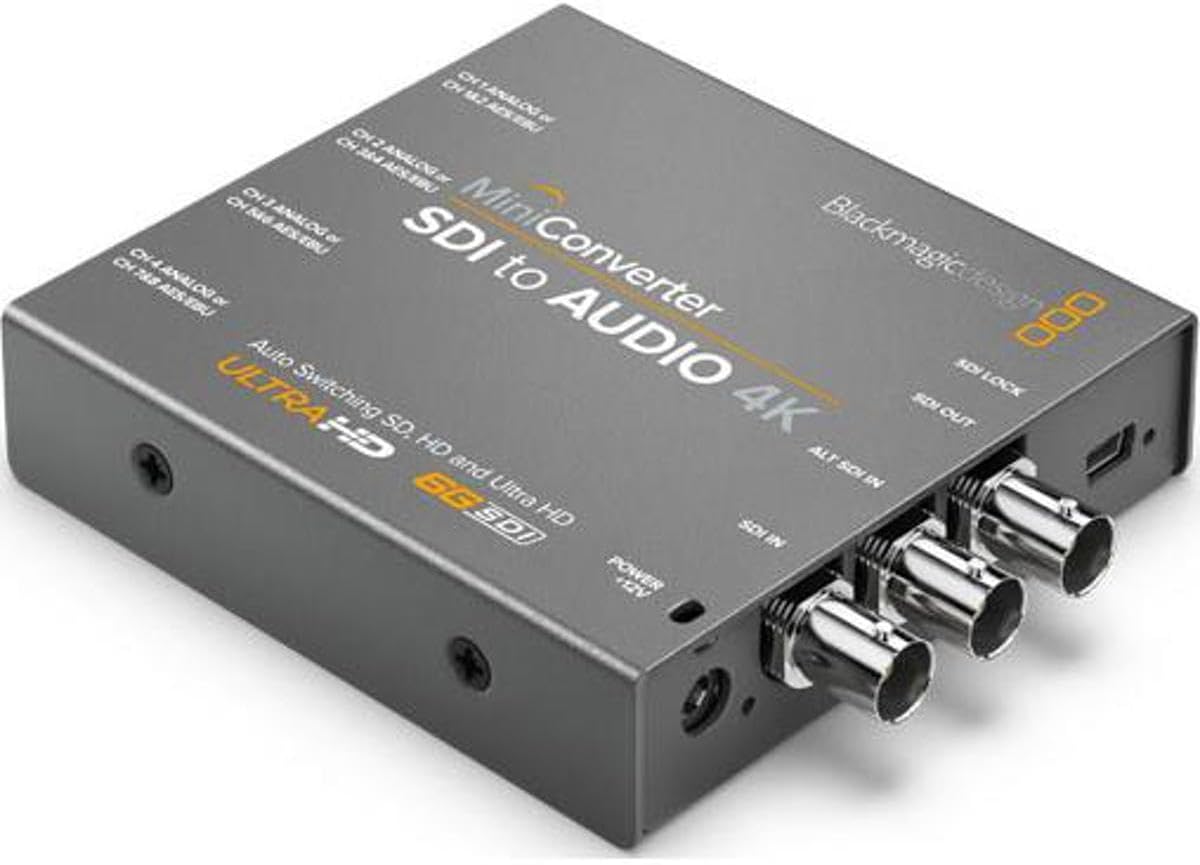
The Blackmagic Design Mini Converter SDI to Audio 4K is a feature-rich SDI-to-audio de-embedder with a 4.4 listing rating. It supports automatic detection across SD, HD, 2K, and 3G-SDI, adds a redundant SDI input, and provides four professional balanced analog channels alongside eight balanced digital AES/EBU channels. It is a strong monitoring and distribution tool for more complex audio workflows.
We may earn a commission when you buy through this link, at no additional cost to you.
Automatic video format detection and reclocking help the converter work with mixed source conditions. The redundant input provides continuity if the primary SDI cable is lost, which is useful in fixed installations and live events. On the audio side, the combination of analog and digital outputs allows a feed to reach mixers, recorders, and monitoring systems with different connection requirements.
The naming can cause confusion. Although the model includes “4K” in its name, the supplied specifications identify automatic support for SD, HD, 2K, and 3G-SDI rather than modern 12G-SDI or UHD. It also extracts audio rather than embedding external sound. Buyers should interpret the model name in light of the listed technical capabilities and not treat it as a four-kilobyte-per-second audio embedder.
The unit is recommended for users who need to monitor or distribute embedded audio from several video formats and value both analog and digital outputs. It can complement an audio-to-SDI converter in a production that sends sound downstream in one direction and recovers it for monitoring in another. As a standalone audio embedder, however, it cannot fulfill the requested function.
Automatic SD through 3G detection reduces the need to reconfigure the unit whenever the source format changes. This is useful in temporary or multi-camera environments where operating conditions are not always predictable.
Four balanced analog channels and eight AES/EBU channels provide useful flexibility for routing embedded audio. The converter can therefore serve both conventional audio equipment and professional digital monitoring chains.
We may earn a commission when you buy through this link, at no additional cost to you.
The Blackmagic Design Mini Converter – Analog to SDI is designed to bring older video sources into a digital SDI workflow. It accepts HD or SD component, NTSC, PAL, and S-video input, then provides an SDI output. Its 4.2 listing rating remains positive, while its broader purpose distinguishes it from a dedicated audio-only embedder.
We may earn a commission when you buy through this link, at no additional cost to you.
The key addition is embedded audio. The unit can place balanced AES/EBU or analog audio into the SDI output, allowing a legacy video source and its sound to travel as one digital signal. That makes it useful for older cameras, playback machines, mixers, and other analog equipment that still has useful video but lacks a modern digital output.
Its limitations center on the source side. It does not create a high-resolution feed from low-quality material, and its older SDI generation is not intended to serve the same demands as a twelve-gigabit converter. The source must also offer a compatible analog video signal and appropriate audio connection. In a modern camera-centered installation, these restrictions can outweigh the convenience.
This is the right recommendation for a studio that needs to integrate a specific legacy device into an SDI production chain. It combines video conversion and audio embedding in one compact unit, avoiding a separate box for the sound. Buyers building new all-digital workflows should instead select a dedicated audio-to-SDI model matched to their camera and recording formats.
Component, NTSC, PAL, and S-video inputs give older production equipment a path into an SDI system. This is useful when replacing every legacy device would be unnecessarily disruptive or expensive.
Embedding balanced AES/EBU or analog audio with the converted picture reduces the number of separate video and audio feeds. The result is simpler routing into recorders, switchers, and downstream monitoring equipment.
We may earn a commission when you buy through this link, at no additional cost to you.
The AJA 3G-SDI 4-Channel Analog Balanced Audio Embedder/Disembedder Mini-Converter combines four-channel balanced analog audio with bidirectional SDI processing. No numeric customer rating was supplied, but its documented feature set is compelling for live production, broadcast, and monitoring systems where low latency and flexible configuration matter.
We may earn a commission when you buy through this link, at no additional cost to you.
Video latency as low as 3.2 microseconds at the 3G Level A standard is the standout specification. Such minimal delay is valuable where audio and video timing must remain precise. Four-channel balanced analog input and output through an XLR breakout also make the device familiar to users accustomed to professional broadcast audio connections.
The converter supports a broad selection of video formats, including 2048x1080p and 1920x1080i, for integration with cameras, monitors, and switchers. MiniConfig software on PC or Mac allows operators to adjust audio levels and embedding or de-embedding behavior. That configurability is a meaningful advantage, although it adds a software-based setup step compared with a simple fixed-function converter.
This is a premium recommendation for operators who need both embedding and de-embedding, balanced analog audio, and very low latency. It is not designed around twelve-gigabit SDI, so facilities centered on UHD should evaluate the newer high-bandwidth options instead. For 3G workflows, though, the combination of speed, balanced connections, and configurable routing is highly attractive.
A stated latency as low as 3.2 microseconds is exceptionally small. In live environments, minimal processing delay can simplify synchronization and reduce the risk of visible timing mismatches between sound and picture.
MiniConfig on PC or Mac gives operators direct control over levels and embed or de-embed settings. This makes the converter adaptable to different cameras, switchers, monitors, and routing requirements within a three-gigabit workflow.
We may earn a commission when you buy through this link, at no additional cost to you.
The Blackmagic Design Audio to SDI 4K Mini Converter is a dedicated embedder that supports four professional balanced analog channels or eight AES/EBU digital channels. It automatically detects 4K, UHD, 2K, HD, and SD SDI inputs, allowing it to participate in both modern and conventional production chains. A numeric customer rating was not provided, so the main evidence for selection comes from the stated capabilities.
We may earn a commission when you buy through this link, at no additional cost to you.
Format support includes 4096x2160p30 as well as NTSC, PAL, 720p, 1080i or 1080p, and 2K and 4K resolutions. The unit also accepts 4:2:2 and 4:4:4 video sampling and uses television-standard 48 kHz, 24-bit audio sampling. These details indicate a production-oriented converter built to preserve both video fidelity and audio quality.
A redundant SDI input automatically takes over if the main input is lost, adding continuity for live and mission-critical applications. The converter is therefore attractive for a studio that wants high-resolution support and protected input routing in one compact device. The supplied data does not describe its connector panel, latency, power requirements, or configuration software, so those details should be confirmed before installation.
This is a compelling option for a dedicated audio-to-SDI role, particularly where multichannel analog or digital audio must be carried through UHD or mixed-resolution SDI. It should be compared closely with the Teranex Mini Audio to SDI 12G when high-bandwidth operation is required. Both provide automatic format handling, but the Teranex model explicitly identifies twelve-gigabit input and output connections.
Four balanced analog channels and eight AES/EBU channels provide enough capacity for professional production audio. The converter can carry separate program, mix, or auxiliary channels when a workflow requires more than a single stereo pair.
Automatic detection from SD through 4K simplifies operation in facilities that still combine older and newer sources. The converter allows a more consistent signal path without manually reconfiguring the unit whenever a different format enters the chain.
We may earn a commission when you buy through this link, at no additional cost to you.
Choosing an audio to SDI embedder starts with the signal chain. Identify the audio source, video formats, channel count, reliability requirements, and downstream connections before comparing models, because a converter that sounds broadly capable may still be the wrong direction or bandwidth class for the installation.
An audio-to-SDI embedder accepts audio and places it inside an outgoing video signal. An SDI-to-audio de-embedder does the reverse, recovering sound from a video feed. This distinction is more important than the presence of similar words in a product name because the two devices serve entirely different points in a workflow. A studio that inserts a mixer output into a camera feed needs an embedder, while a control room monitoring sound already inside that feed needs a de-embedder.
Several entries in this guide perform the reverse operation. They can be useful companions for monitoring, recording, or distributing embedded sound, but they cannot replace a true embedder. Check the product title, signal-flow diagram, and input and output descriptions before purchasing, and make sure external audio enters on one side while an SDI output leaves on the other.
SDI is not a single fixed standard. Conventional three-gigabit equipment is common for SD, HD, and many 2K or 3G workflows, while twelve-gigabit SDI is designed to carry modern high-bandwidth formats such as UHD. A converter cannot create bandwidth that its output and downstream devices do not support. The selected model must accept the incoming video, preserve the required resolution, and deliver a signal the recorder, switcher, or display can recognize.
The supplied products range from a three-gigabit Mini Converter to a dedicated 12G model. Look for explicit format support rather than relying on a product name that includes “4K.” If the source changes between HD and UHD, automatic multi-rate handling is valuable. For a fixed installation, confirm that the converter, cables, recording device, and display all support the same maximum format.
Stereo is sufficient for many simple productions, but professional workflows may need a program stereo pair, mono mix, timecode, and additional channels. An embedder with four balanced analog channels or eight AES/EBU channels provides more routing flexibility than a two-channel solution. Digital audio also helps prevent noise and interference over longer cable runs, while balanced analog connections remain useful for feeding existing mixers.
List the actual sources before choosing. Count stereo pairs and mono channels separately, and note whether timecode is required. Some converters configure one XLR for timecode, meaning that connector may no longer carry ordinary audio. A channel count is only useful if it aligns with the sources, connectors, and routing requirements of the particular installation.
XLR, balanced analog, AES/EBU, and optical S/PDIF are not interchangeable. XLR and balanced analog connections suit many professional analog mixers and patch systems. AES/EBU provides digital transmission and is common in broadcast infrastructure, while optical S/PDIF can be convenient for consumer or semi-professional sources. The converter must physically accept the equipment already in the chain or require clearly planned adapters.
Avoid selecting a product solely by the words “audio input.” Examine the supported signal type, channel organization, and connector format. Also consider whether the device outputs embedded audio only or can also de-embed it for monitoring. A bidirectional unit may reduce box count, while a dedicated embedder with a cleaner panel may be easier to operate and maintain.
Redundant SDI inputs allow a converter to switch to a backup path if its primary input fails. The leading Blackmagic models and the Audio to SDI 4K Mini Converter are explicitly described with this capability. Such protection is most relevant in live broadcasts, large events, long cable runs, and installations where staff cannot quickly diagnose a physical connection failure.
Redundancy is only useful if the rest of the installation is prepared for it. The backup source must carry compatible timing and format information, the operator must know the switch has occurred, and power and cabling should be managed appropriately. It complements rather than replaces good signal practices, including secure connections, strain relief, and tested backup routes.
Automatic switching between SD, HD, 2K, and 4K is convenient when the source format can change. It reduces menu navigation and the chance of an incorrect manual setting. Several Mini Converters explicitly support automatic detection, including the CONVMCAUDS model and the Audio to SDI 4K unit, while the Teranex 12G model supports automatic multi-rate operation across its documented formats.
Automatic behavior is valuable but should not be treated as a substitute for compatibility testing. Verify that the converter recognizes every source used in the production and that downstream equipment accepts the result. If the facility uses a single fixed format, automatic switching may be less important than balanced audio, redundant input, or a connector arrangement that matches the rack.
Timecode, reclocking, software configuration, and updateable firmware can influence the right choice for professional work. Timecode provides a direct timing reference, reclocking helps regenerate a stable signal, and PC or Mac configuration offers detailed control over levels and routing. USB update support can extend compatibility with future formats, although updates cannot add capabilities that the underlying hardware does not contain.
Prioritize features that solve a documented workflow problem. A large event may need timecode and redundant inputs, while a compact studio installation may mainly need balanced audio and automatic format detection. Check whether control software is required, which operating systems it supports, and whether settings can be stored reliably. These operational details often matter more in daily use than a headline resolution label.
Technical converters require trustworthy documentation, particularly when buying through a marketplace listing. The supplied description for the AJA 12G-AMA appears to discuss an unrelated Bluetooth headphone product, so its listed text should not be used to judge the converter. Review the manufacturer manual, data sheet, connector diagram, and firmware information before finalizing an order.
Cross-check the product identifier and model number as well. Similar names can refer to different generations, and one listing may combine several variants or accessory packages. Confirm the number and type of audio inputs, the supported SDI formats, redundancy behavior, power requirements, dimensions, and included accessories. This verification is especially important for products without a numeric customer rating.
Begin by documenting the complete signal path. Identify the audio source, the video feed that must accompany it, the required channel mapping, the embedder inputs and outputs, and every device that follows. Confirm that the converter supports the source video format, output format, audio signal type, and connector arrangement. This prevents a connection problem later from being mistaken for a faulty converter.
Power off the equipment before making connections, then attach the video source, audio source, and downstream SDI destination with properly rated cables. Configure the audio type, channel mapping, format, and redundancy behavior according to the manual. Use a short test path first, verify that the receiving device recognizes both video and embedded audio, and compare timing at the system level before connecting the full production chain.
For ongoing care, keep the unit ventilated, dry, and free from physical stress. Secure cables to prevent strain on connectors, and avoid leaving a permanently active backup input without confirming that it is compatible. Update software or firmware only through the manufacturer's supported process, record the current configuration, and test the unit before important events. Periodic signal checks help reveal cable damage, clocking issues, or configuration drift before they interrupt a live production.
An audio to SDI embedder inserts audio from a mixer, player, or other sound source into an SDI video stream. The result is a combined video-and-audio signal that can travel to a switcher, recorder, monitor, or transmission system. It is commonly used when a camera or production device needs a sound feed that the camera itself cannot accept.
No. The two devices operate in opposite directions. An embedder takes external audio and places it into outgoing SDI, while a de-embedder extracts audio from an incoming SDI feed. A de-embedder can be useful for monitoring, but it cannot insert fresh sound into a video signal unless the product is specifically designed to perform both directions.
Choose a converter that explicitly supports the 4K format, resolution, frame rate, and SDI bandwidth used by the entire chain. A model with twelve-gigabit SDI input and output is the clearer choice for modern high-bandwidth workflows, while some older or differently named 4K models may only support older standards. Cables, cameras, switchers, and recorders must all be compatible as well.
The correct choice depends on the equipment feeding the converter and the quality of the cable run. AES/EBU supports digital audio and is common in professional broadcast systems, while balanced analog works well with many mixers and patch bays. Check the physical connectors, supported signal voltage, and channel arrangement before selecting a model.
It is especially valuable in live production, large events, and installations where a cable failure could stop a broadcast. A redundant input can automatically switch to a backup source when the main connection is lost. The backup must be compatible and tested, and the operator should know how the switch is handled before relying on it under pressure.
Yes, some units are designed as bidirectional embedders and de-embedders. The AJA models in this guide are described for both directions, while several Blackmagic Mini Converters perform only one. Bidirectional equipment can reduce box count when a system must insert audio and also recover it for monitoring, though it may have more settings to configure.
Test the complete path with the actual camera, source audio, cables, converter, switcher, and recording or monitoring destination. Confirm the video format, embedded channel assignment, audio level, timing, and behavior of any redundant input. Run the test for enough time to reveal intermittent problems, and keep a known-good backup path available for critical productions.
Marketplace descriptions can contain mismatched specifications, especially when several models or variants share a listing page. The supplied listing for the AJA 12G-AMA includes text unrelated to professional SDI conversion. Checking the manufacturer manual, data sheet, connector diagram, and model number helps prevent an incompatible purchase.
The Blackmagic Design Mini Converter Audio to SDI 2 stands out as the strongest general recommendation because it combines a 4.9 listing rating with redundant SDI inputs and automatic SD and HD handling. The CONVMCAUDS model offers a budget-focused alternative with update support and international power accessories, while the Teranex Mini Audio to SDI 12G provides the most clearly documented route into high-bandwidth 4K and 2K workflows.
Whichever model you consider, begin with direction, bandwidth, and channel count rather than the product name alone. Verify every connector, match the converter to the downstream SDI equipment, and decide whether timecode, digital audio, optical audio, redundant inputs, or low-latency bidirectional processing are genuine requirements. Those priorities will distinguish a useful production tool from a unit that merely appears to fit the general category.
Finally, check current prices, availability, seller information, warranty terms, and the latest manufacturer documentation before ordering. Product details and market conditions can change, and a mismatched listing can create avoidable compatibility problems. With the right specification match, an audio to SDI embedder can make a video workflow cleaner, more synchronized, and easier to distribute.