
Lexar ES3 1TB Portable SSD
4.4Editor score
Up to 1050MB/s read speed
Xbox Series X|S compatible
Compact 10.5mm design
256-bit AES software encryption
Our external SSD Xbox Series X S guide compares 10 leading options for capacity, speed, compatibility, portability, durability, and reliable game storage.
An external SSD can give an Xbox Series X or Series S more room for modern games, while also providing a convenient way to transfer files between consoles, PCs, and other compatible devices. The best option depends on whether you want direct game access, compact portability, high transfer speeds, or generous capacity for a growing digital library.
The products in this guide were compared using their stated capacity, interface, read and write speeds, Xbox compatibility, physical design, storage features, and suitability for gaming. The list covers licensed expansion cards, purpose-built game drives, and portable external SSDs designed to work with Xbox Series X|S and a wider range of devices.
Each review explains the product's strongest qualities, limitations, and ideal use case, with special attention to the distinction between playing games directly from a drive and storing or archiving them. Ratings and product details reflect the supplied information, while prices and availability can change at any time.
4.4Editor score

4.8Editor score
4.6Editor score
The comparison below highlights capacity, interface speed, Xbox support, portability, and gaming-specific features across ten external storage options, including two licensed expansion cards and several general-purpose portable SSDs.


The SanDisk Optimus GX C50 is an officially licensed 1TB storage expansion card designed specifically for Xbox Series X|S consoles. Its 5.0 rating reflects its position as the most straightforward choice for console gamers who want games stored inside the Xbox system rather than moved to a generic external drive. The card supports direct game play, low-latency NVMe performance, and Quick Resume, covering the features that matter most in a modern console library.
We may earn a commission when you buy through this link, at no additional cost to you.
Its strongest advantage is the depth of Xbox integration. Rather than requiring a transfer to and from a conventional external SSD, the expansion card gives the console a native way to recognize additional storage. Games can play directly from it, while suspended games can be switched between without losing progress. Its stated capacity can expand a library by up to 50 additional games, although the actual number varies with title size and the console's existing storage situation.
There are trade-offs. This is an expansion card rather than a general-purpose portable drive, so it is intended to be installed in a compatible Xbox console and cannot simply travel between devices like a USB drive. The optional Game Pass Ultimate trial also depends on current offer terms, and users who move between Xbox and PC ecosystems may find a portable SSD more flexible. Even so, the licensed design and direct access make those limitations understandable for a console-focused product.
This is the strongest recommendation for an Xbox Series X or Series S owner whose priority is playing directly from expanded storage. It removes the transfer workflow associated with many external drives and combines a high rating, official licensing, and Quick Resume support. Anyone who instead needs one drive for a console, PC, phone, and camera should examine the more portable alternatives later in this guide.
Because the card is officially licensed and designed around the Xbox architecture, the console can use it as integrated expansion storage. That enables direct game launches and makes the drive feel more like an internal solution than an ordinary peripheral.
Quick Resume support allows players to move between suspended games without waiting for each title to reload fully. The feature adds particular value when the expanded library contains several large, installation-intensive releases.
We may earn a commission when you buy through this link, at no additional cost to you.
The Seagate 2TB Game Drive is a storage-focused external hard drive made for managing sizable Xbox libraries. It carries a 4.5 rating and is certified for Xbox Series X, Series S, and Xbox One systems. Its 2TB capacity is useful for holding many installed titles, while the illuminated green LED and console-friendly enclosure help it fit naturally into a gaming setup.
We may earn a commission when you buy through this link, at no additional cost to you.
The drive's defining limitation is clearly stated: games cannot be played directly from it. Instead, it is designed to form a Game Vault that stores games and moves them between the console's internal storage and the external drive. That makes it a companion for cataloging a collection rather than an expansion card that feels permanently integrated. USB 3.0 also places it below the newest high-speed interfaces featured by several SSDs in this list.
Still, there are situations where its approach makes sense. If the console has limited internal space and you want a secondary place for games that do not need to be immediately available, a two-terabyte drive can reduce clutter. The included three-year Rescue Data Recovery Services add another layer of utility, while the one-year limited warranty provides standard coverage. Buyers should confirm their transfer preferences before purchasing because the game must run from internal console storage.
The Seagate Game Drive is best for players who value capacity, organization, and a dedicated Xbox aesthetic more than direct external execution. It is less appropriate for users seeking the fastest loading behavior or the ability to launch a game without first transferring it back to the console. For a portable SSD with more flexibility, consider the Lexar, Samsung, or WD_BLACK options.
The main appeal is room to organize a large game collection in a secondary location. Moving eligible games between internal storage and the drive helps keep the console's built-in storage focused on the titles you play most often.
Its refined enclosure, Xbox-green light bar, and broad console certification make it feel purpose-built for the living room. It is particularly suitable when visual coordination and dedicated storage matter alongside capacity.
We may earn a commission when you buy through this link, at no additional cost to you.
The WD_BLACK 1TB C50 is a licensed NVMe storage expansion card built for Xbox Series X|S. Its 4.8 rating makes it one of the most compelling choices in the guide, particularly for gamers who want direct access to games without the recurring transfer process required by many conventional external drives. It also supports the console's Quick Resume feature and is presented as a simple plug-and-play upgrade.
We may earn a commission when you buy through this link, at no additional cost to you.
The card is optimized to work with Xbox Velocity Architecture, allowing the console to take advantage of fast NVMe storage. The result is a more integrated experience in which installed games can launch from the card and multiple suspended titles can be accessed through Quick Resume. Its 1TB capacity adds meaningful room to a game library without requiring the drive to be carried between different systems.
The tradeoff is format. Unlike a standard external SSD, this card must be installed in a compatible console and is not designed for the same cross-device portability. The included 1TB capacity may also be modest for owners of a very large collection, particularly when combined with a demanding internal game library. A licensed expansion experience naturally involves accepting a specialized form factor in exchange for deeper console integration.
For an Xbox Series X|S player seeking straightforward expansion, the C50 is a strong all-around recommendation. It combines official licensing, high performance, direct access, and Quick Resume support in a purpose-built package. It is especially well suited to users who play on one primary console and want their additional game storage to function as part of the system.
The licensed design removes much of the uncertainty associated with adding third-party storage to a modern console. Its plug-and-play approach makes it a practical option for expanding storage without assembling a portable external workflow.
Using an NVMe core and integrating with Xbox Velocity Architecture helps the card provide the low-latency access expected from console-integrated storage. Direct launch capability is the key benefit over a basic file-transfer drive.
We may earn a commission when you buy through this link, at no additional cost to you.
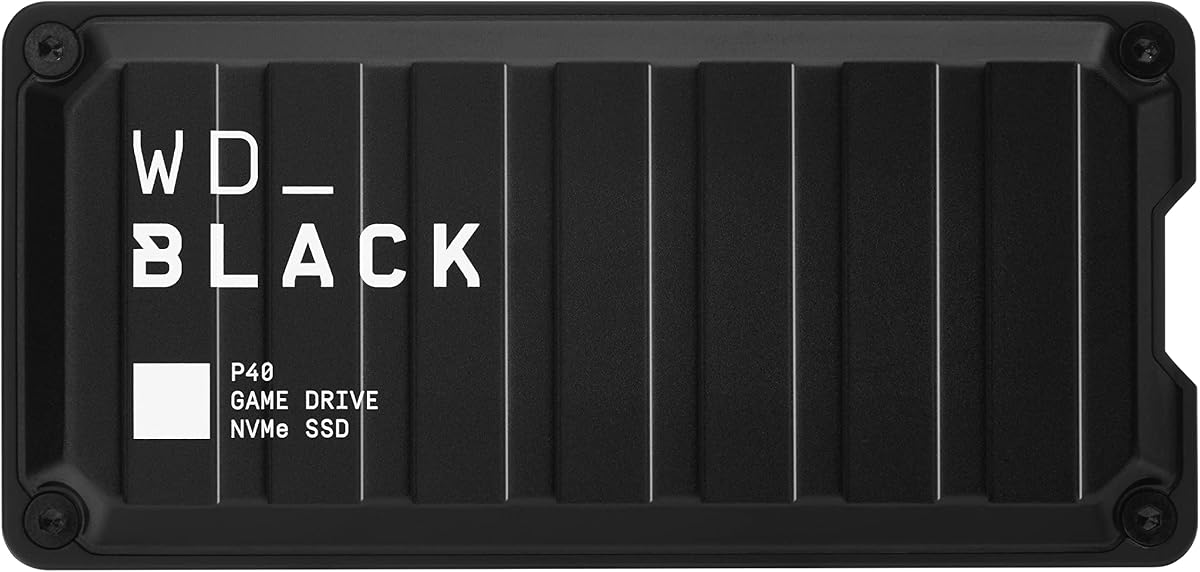
The WD_BLACK 1TB P40 is a premium portable game drive with a USB 3.2 Gen 2×2 interface, up to 2,000MB/s read speed, and customizable RGB lighting. Its 4.6 rating reflects the combination of strong transfer performance, broad compatibility, and a design that looks at home beside a gaming PC. It supports Xbox Series X|S, older Xbox One systems, PlayStation consoles, PCs, and Macs.
We may earn a commission when you buy through this link, at no additional cost to you.
Its headline strength is speed. A fast interface makes it valuable for moving large game files, backups, and creative assets, while the SSD format handles frequent access more effectively than a traditional hard drive. The RGB lighting can be customized through the WD_BLACK Dashboard on Windows, adding a level of personalization that many competing portable drives do not offer. Its shock-resistant construction is also rated to survive a drop of up to two meters.
The Xbox compatibility requires nuance. The drive can play and store Xbox One games and archive Xbox Series X|S games, but the distinction means an Xbox Series title may need to be moved back to internal storage before it can run from the console. In addition, the RGB lighting is less visible when the drive is connected to a console than when it sits beside a desktop. Those factors make it more of a cross-platform premium storage accessory than a native Xbox expansion solution.
Choose the P40 if transfer speed, design, and multi-device use matter most. It is an excellent option for moving games between a gaming PC and console, storing archives, or carrying a fast SSD between systems. Players who insist on launching Series X|S games directly from external storage should prioritize a licensed expansion card instead.
The USB 3.2 Gen 2×2 interface and advertised read speed of up to 2,000MB/s make large transfers quicker when the host device supports the full standard. Actual results can vary with the console, computer, cable, capacity, and usage conditions.
Downloadable RGB controls let the P40 match a gaming setup or communicate a preferred visual style. Windows is required for the dashboard, so lighting customization is primarily a PC-based feature.
We may earn a commission when you buy through this link, at no additional cost to you.
The Lexar ES3 1TB is a slim, portable SSD rated for up to 1,050MB/s reads and 1,000MB/s writes over USB 3.2 Gen 2. Its 4.4 rating makes it a versatile choice for Xbox Series X|S owners who also need to move files to a laptop, phone, camera, PlayStation, or Android device. The included Type-C cable and extremely thin 10.5mm enclosure add to its everyday portability.
We may earn a commission when you buy through this link, at no additional cost to you.
Compatibility is broad for such a compact drive. The stated support list includes Xbox X|S, PS4, PS5, laptops, cameras, Android devices, and the iPhone 17 series, with the note that MagSafe is unavailable on this version. Lexar DataShield 256-bit AES encryption software adds a useful file-protection layer for users who move sensitive documents alongside games and media.
The most important Xbox consideration remains the console's handling of games by title and generation. Even when the drive is listed as compatible, some games need to be transferred back to internal console storage. The ES3 is therefore best viewed as a flexible storage and transfer drive rather than a direct-play expansion card. Its advertised transfer rates also require a host that supports USB 3.2 Gen 2; slower connections will produce lower results.
For a buyer who values compactness, multi-device use, and a straightforward 1TB portable SSD, the ES3 offers an attractive balance. It is a strong travel companion for an Xbox and PC setup, yet it does not provide the seamless direct-access experience of the licensed C50 cards. Verify your preferred game's storage behavior before relying on it as the primary launch location.
At 10.5mm thick and 42 grams, the ES3 is easy to carry between locations. Its metal body gives it a more substantial feel than a basic flash drive while maintaining a profile smaller than many game-drive accessories.
Xbox, PlayStation, computer, phone, and camera support make the drive useful beyond a single console. Lexar DataShield software adds optional encryption for files stored during those cross-device transfers.
We may earn a commission when you buy through this link, at no additional cost to you.
The Lexar SL500 1TB is a slim external SSD built around USB 3.2 Gen 2×2 performance. It advertises up to 2,000MB/s reads and 1,800MB/s writes, placing it among the fastest conventional portable drives in this guide. Its 4.4 rating reflects strong technical specifications, broad device support, and a design suited to both gaming and high-resolution media workflows.
We may earn a commission when you buy through this link, at no additional cost to you.
The drive supports Xbox X|S, PS4, PS5, mobile devices, iPhone 15 and 16 series, laptops, and cameras. That makes it attractive for users who want one fast SSD to handle console transfers and professional tasks. It can also support Apple ProRes recording up to 4K at 60 frames per second with specified iPhone models, a useful detail for creators who need direct-to-drive recording.
Thermal control is the notable engineering feature. The design is intended to maintain suitable operating temperatures and preserve performance during demanding transfers. As with other high-speed USB products, reaching the maximum stated speeds depends on the host, cable, workload, capacity, and connected device. The Xbox also does not permit direct launching of every game from an external SSD, so faster transfer performance should not be confused with universal direct play.
The SL500 suits buyers who prioritize speed and portability over a permanently installed expansion card. It is particularly useful for moving large libraries between a PC and console or maintaining a shared pool of game and media files. For the most seamless Xbox expansion, choose a licensed card; for a versatile high-speed peripheral, the SL500 is a compelling option.
The 2×2 interface can move substantial installations much faster than older USB 3.0 hardware when both devices support it. The benefit is especially noticeable when consolidating or rotating a large collection of modern games.
A dedicated thermal-control design helps manage heat during sustained high-speed transfers. This is important for a drive intended to serve as a general-purpose workspace rather than only occasional file storage.
We may earn a commission when you buy through this link, at no additional cost to you.
The Samsung T7 1TB is a well-rounded portable SSD built for file storage, backups, creative work, and console transfers. It has a 4.7 rating, USB 3.2 Gen 2 connectivity, and stated read and write speeds of up to 1,050MB/s and 1,000MB/s. Its compact aluminum unibody enclosure makes it a practical everyday carry, while PCIe NVMe technology supports responsive performance.
We may earn a commission when you buy through this link, at no additional cost to you.
Samsung emphasizes durability, with shock resistance and fall protection up to six feet. The drive is also suitable for high-resolution workflows, including direct 4K recording at 60 frames per second from compatible cameras and mobile devices, as well as iPhone 15 ProRes 4K video support. For Xbox Series X|S owners, it is best used as a transfer, backup, and archive device rather than assuming every Series title can launch directly from it.
The T7 lacks the gaming-specific lighting and console-focused design seen in the WD_BLACK P40. It also uses Gen 2 rather than Gen 2×2, so the fastest competing drives can exceed its sequential transfer rates on suitable hardware. In return, the T7 offers a refined, durable design and a strong general-purpose feature set, making it a comfortable choice for storage that extends well beyond the console.
Choose the T7 when durability, compactness, and a broad mix of personal and creative uses matter. It is especially appealing for someone who wants a dependable drive to carry between an Xbox, a computer, and a phone. For exclusively gaming needs with direct access, the licensed expansion cards are more specialized and potentially more convenient.
The solid aluminum body and stated six-foot drop protection suit frequent travel. Its compact shape takes little room in a pocket, laptop sleeve, or camera bag while preserving a full terabyte of capacity.
NVMe internals and USB 3.2 Gen 2 provide fast everyday transfers for game backups, creative assets, and high-resolution video. The result is a versatile drive rather than a console-exclusive accessory.
We may earn a commission when you buy through this link, at no additional cost to you.
The WD_BLACK 4TB P50 is built for gamers who want an unusually large portable game library. It carries a 4.7 rating, offers up to 2,000MB/s read speed through a 20Gb/s interface, and provides four terabytes of SSD capacity. Its compatibility with PlayStation, Xbox, PC, and Mac makes it suitable for users who rotate between console generations and computer platforms.
We may earn a commission when you buy through this link, at no additional cost to you.
Capacity is the defining feature. Four terabytes can hold a major collection of installed games, and the SSD interface can reduce the waiting involved in moving titles from a computer to a console. The stated read speed is based on internal testing and can vary with the host device, connected equipment, usage conditions, and capacity. A supplied USB Type-A to Micro-B cable supports SuperSpeed transfers, although cable length may vary.
This remains a conventional external game drive rather than a console-integrated card. Xbox One games can be played and stored, while Xbox Series X|S games can be archived, but a Series title may need to be transferred back to the console for play. The four-terabyte capacity also represents a substantial storage investment, making it most useful for committed collectors who genuinely need a large pool of titles.
The P50 is a strong fit for a living-room media and gaming setup with many installed games. It combines the large capacity of a hard-drive-style library with SSD transfer speed, all in a portable, shock-resistant design. If direct console play and Quick Resume are nonnegotiable, a licensed expansion card is more appropriate; if capacity and fast archiving lead the brief, this drive is a compelling option.
A four-terabyte capacity reduces the need to delete older installations simply to make room for a new release. It also creates a useful central library that can be shared across compatible systems.
The advertised 2,000MB/s read speed supports quick movement of large files when the host and connection allow full performance. This is especially helpful for users who regularly move archives between a gaming PC and console.
We may earn a commission when you buy through this link, at no additional cost to you.
The Crucial X10 Pro 1TB is a durable, high-speed SSD aimed at creators who also want broad device compatibility. It advertises up to 2,100MB/s reads and 2,000MB/s writes, the highest read-speed figure among the listed products, and carries a 4.0 rating. Its IP55 water and dust resistance, drop protection up to seven and a half feet, and lanyard loop distinguish it from basic gaming drives.
We may earn a commission when you buy through this link, at no additional cost to you.
It supports Windows, Mac, iPad Pro, Chromebooks, Android, Linux, PS4, PS5, and Xbox through USB-C and USB-A connections. That makes it a useful bridge between console storage and a broader creative workflow. High-resolution photos, 4K or 8K video, and active projects can share the drive, while an activity light and SSD password protection add practical everyday features.
The product is not optimized around Xbox-specific appearance, and its supplied rating is lower than those of several alternatives. Direct game execution also remains subject to console rules and title-specific requirements, so it should be viewed as a compatible transfer, backup, and archive drive. The bundled Mylio Photos Plus and Acronis True Image benefits add value when purchased and registered, though they do not change the core hardware proposition.
The X10 Pro is recommended for users who need one rugged drive for console transfers, high-resolution media, and professional files. Its speed, environmental protection, and cross-platform support make it particularly compelling for content creators. Xbox-only players seeking the simplest direct-play experience should still favor a licensed C50 expansion card.
IP55 protection helps guard against dust and water exposure, while the stated drop resistance supports use in demanding mobile workflows. These are meaningful advantages for photographers, filmmakers, and other active professionals.
Broad platform support allows games, project files, and high-resolution media to share one portable device. The approach reduces the need to maintain separate drives for each part of a creative routine.
We may earn a commission when you buy through this link, at no additional cost to you.
The Lexar 2TB ES3 combines a larger capacity with the familiar portability of the ES3 family. It provides up to 1,050MB/s reads and 1,000MB/s writes, a 4.5 rating, and a two-terabyte storage pool. Its USB-C connection, slim profile, and included two-in-one USB-C and USB-A cable make it a practical drive for carrying larger game libraries and everyday files.
We may earn a commission when you buy through this link, at no additional cost to you.
Thermal management is a notable design detail. Built-in double-layer graphite sheets conduct heat away from the storage, helping the drive remain cool during sustained transfers. Drop resistance up to two meters provides reassurance for regular travel. The result is a drive that can function as a secondary game archive, general backup target, or portable workspace without depending on Xbox-specific visual design.
The supplied listing does not explicitly identify this particular 2TB model as an Xbox X|S-compatible game drive, and it is not an official expansion card. Console use should therefore be checked against the exact game and current Xbox requirements, with the understanding that external execution is not universal. Its main advantage over a smaller ES3 is simply the amount of data it can hold, but the additional capacity is only worthwhile if the user regularly stores enough files to fill it.
Choose the 2TB ES3 when you need more room than a one-terabyte portable SSD but do not require direct console execution. It is a balanced option for a mixed console-and-computer setup, particularly when fast transfers, sturdy construction, and a simple USB-C connection are priorities. For Xbox-specific storage, compare the clearly licensed and certified options before making a final decision.
Two terabytes provides a useful middle ground between compact one-terabyte drives and much larger game libraries. It can hold installed games, backups, documents, and media in a single portable device.
Double-layer graphite sheets help dissipate heat during demanding activity, while stated two-meter drop resistance supports mobile use. The included cable supports both modern USB-C and legacy USB-A connections.
We may earn a commission when you buy through this link, at no additional cost to you.
The right external storage choice depends on console integration, direct-play behavior, capacity, transfer speed, portability, and durability. Understanding these distinctions prevents a buyer from paying for specifications the Xbox cannot use in the way they expect.
Decide whether you need to launch games directly from the drive or only use it to transfer, back up, and archive them. Officially licensed expansion cards such as the SanDisk Optimus GX C50 and WD_BLACK C50 are designed for native Xbox integration, direct game access, and Quick Resume. Conventional external SSDs and game drives may support moving eligible titles to the console, but some Xbox Series X|S games must be returned to internal storage before they can run. Checking the exact behavior of the games you own is the safest way to avoid an unexpected transfer requirement.
Modern game installations can consume a great deal of console storage, so capacity should reflect the size of your existing collection and how often you acquire new releases. One terabyte is a useful starting point for moderate libraries, while two terabytes offers more room for consolidation and archiving. The four-terabyte WD_BLACK P50 is aimed at collectors who want a large portable pool. Capacity alone does not determine performance, but it can affect transfer duration and the amount of backup space available for non-game files.
USB 3.2 Gen 2 drives list read speeds around 1,050MB/s, while USB 3.2 Gen 2×2 or 20Gb/s products can claim roughly 2,000MB/s under supported conditions. Faster transfer speeds are most useful when moving complete game installations, large video files, or extensive libraries between devices. The Xbox connection and host system may not support the maximum advertised rate, and actual performance can vary with device, cable, workload, and capacity. Treat the stated figure as a best-case result rather than a guaranteed console experience.
Compatibility has several layers. An officially licensed expansion card is designed specifically for Xbox Series X|S, while an Xbox-certified game drive may support storage, transfer, and game-specific functions across console generations. General-purpose external SSDs often list Xbox support but do not provide the same native expansion experience. Some drives can store and archive Xbox Series games but cannot play them directly, whereas licensed cards can launch games from expansion storage. Always verify the console generation, game title, and intended function before purchasing.
A drive used only beside an Xbox can favor a console-styled enclosure, while a drive carried between a console, laptop, phone, and camera benefits from a slim aluminum or metal body. The Lexar ES3 is especially compact at 10.5mm, and the Samsung T7 also emphasizes pocketable portability. Consider cable type, included accessories, physical footprint, and whether the drive needs to fit into a media cabinet, travel bag, or pocket.
Portable SSDs are repeatedly connected, disconnected, and carried between locations. Shock resistance and drop ratings provide useful protection, while IP55 certification on the Crucial X10 Pro adds water and dust resistance for field work. Internal SSD construction also handles movement better than a spinning hard drive. No enclosure removes all risk, so important libraries should still be backed up and handled carefully. Protective features are most valuable for frequently transported drives.
A console game drive is not the only place private files may live. Lexar DataShield provides 256-bit AES encryption software on the ES3, while the Crucial X10 Pro includes SSD password protection. These features help protect files carried between work, home, and travel environments. Separately, game libraries benefit from regular backups, and a secondary drive can hold transferred installers or archived games. Consider data security and redundancy together rather than assuming one drive protects against every loss scenario.
Some game-oriented drives include features designed for the living room, such as the Seagate Game Drive's Xbox-green LED bar or the WD_BLACK P40's customizable RGB lighting. These details do not improve game load times, but they can improve the appearance and organization of a gaming setup. The Seagate drive also emphasizes a refined console-matching design. Players should balance visual features against the more important questions of direct access, capacity, and transfer performance.
Before connecting a new drive, read the Xbox's current storage instructions and confirm how the specific product is intended to be used. A licensed expansion card normally needs to be installed in the console, while a portable SSD or external game drive connects through a compatible USB port. Update the console software first, format the drive as directed, and allow the setup process to finish before moving games. For conventional external drives, check the title's requirements to determine whether it must be copied back to internal storage for play.
Transfer games in manageable groups rather than filling the entire drive in one operation. Confirm that each move or archive completed successfully before removing the drive, and avoid unplugging it while the console is writing data. Use the supplied or recommended cable, connect the drive directly rather than through an unpowered hub, and periodically check that the console still recognizes it. Licensed expansion cards should also be handled by their edges and reinstalled only with the console powered off.
Protect the drive by keeping it in a dry, stable environment and avoiding extreme heat, impact, or magnetic equipment. Do not format a drive containing the only copy of important files, and maintain backups of saves and irreplaceable data even when the games themselves can be downloaded again. If performance changes unexpectedly, check the cable and connection, review available console space, and confirm that the drive is healthy. Keeping the original packaging and documentation can also help with setup, warranty, or replacement needs.
It depends on the drive and the game. Officially licensed Xbox expansion cards are designed to support direct game access and Quick Resume, while conventional external SSDs commonly serve as transfer or archive storage. Some games can run from an external drive, but others must be moved back to the console's internal storage. Check the current requirements for the exact title before relying on external execution.
A 1TB drive can make a meaningful difference, especially if the console's internal storage is nearly full. Whether it feels sufficient depends on the number and size of installed games, saved data, and whether you also use the drive for archives or backups. Players with large libraries may prefer 2TB or 4TB, while regular download-and-delete users may find 1TB more than adequate.
An expansion card fits into a dedicated slot on the console and is officially licensed for deeper integration. It can provide direct game access and Quick Resume in supported configurations. A conventional external SSD connects through USB and is more portable, often serving as a transfer, backup, or archive device. It may support high transfer speeds across many platforms but does not necessarily offer native console behavior.
A faster SSD can shorten the time required to copy games to or from the console, especially for large installations. It does not automatically make every game launch faster because direct execution depends on the drive's compatibility, the title, and the console's software. Licensed expansion cards offer a more integrated path, while a fast portable SSD is most valuable for transfers and general file management.
Many of the listed portable SSDs support both Xbox Series X|S and computer platforms, allowing the same drive to store games, backups, photos, and videos. Compatibility for every game still depends on the console generation and title. A licensed expansion card is less portable because its specialized format is intended for installation inside a compatible console.
An SSD generally provides faster transfers, more responsive access, and better resistance to movement than a hard drive. The Seagate 2TB Game Drive is a dedicated hard-drive option and cannot play games directly, making it better suited to storage and archiving. If transfer speed, portability, and frequent use are priorities, an SSD is usually the more versatile choice.
A backup is prudent even if most games can be downloaded again. Saves, custom content, purchased items, and personal files may not be easy to restore, and a drive can fail or be lost. Keep another copy of important data and avoid making the external drive the only location for irreplaceable files. For licensed cards, the added complication of reinstallation makes regular backups especially valuable.
Yes. A cable that does not support the drive's full USB interface can limit transfer performance. Use the supplied cable when possible or a properly rated replacement that matches the drive and host connection. Even with the correct cable, the Xbox, computer, workload, drive capacity, and thermal conditions can cause real-world results to differ from advertised maximum speeds.
The SanDisk Optimus GX C50 and WD_BLACK 1TB C50 stand out for Xbox players who want officially licensed expansion, direct game access, and Quick Resume. The SanDisk card earns the strongest all-around recommendation in this guide, while the WD_BLACK card provides a similarly focused alternative with a 4.8 rating. For buyers wanting one portable drive across several devices, the Lexar ES3 1TB combines a compact body, useful encryption, and solid everyday speed.
Prioritize the storage behavior you actually need. Native expansion is best for a dedicated console and direct launches; portable SSD capacity is better for transfers, archives, backups, and use with a PC or phone. The WD_BLACK P40 adds premium speed and RGB lighting, the Samsung T7 emphasizes durability, and the four-terabyte P50 targets large game archives. Review game-specific compatibility before purchasing, since the fastest advertised drive cannot override console rules.
Finally, check the current product details, supported games, included cable, warranty, and price at the time of purchase. Ratings, firmware behavior, and console software can evolve, while storage pricing and availability change frequently. A little research before checkout will help ensure that the selected external SSD matches both your Xbox setup and your broader storage needs.