
Brother HL-L2405W
4.1Editor score
30-page monochrome print speed
Dual-band wireless connectivity
250-sheet paper tray
Brother Refresh toner trial
Discover the best laser printer with cheap toner, with ten options compared for speed, duplex printing, connectivity, paper handling, and multifunction
A laser printer with cheap toner can provide sharp monochrome documents, dependable page output, and economical operation for homes, schools, and small offices. The right model should balance cartridge availability and yield with speed, wireless access, duplex printing, and enough paper capacity for the way you actually print.
We compared ten monochrome laser printers across print speed, connectivity, paper handling, scanning, copying, faxing, and toner compatibility. The list includes single-function models for straightforward printing and multifunction devices for offices that need to digitize, copy, or send documents without buying separate equipment.
Each pick represents a different use case, from compact wireless printers to all-in-one office machines. Ratings and specifications are based on the supplied product information, while toner economics and product availability can change. Check current cartridge costs and retailer listings before making a final purchase.
4.1Editor score

4.5Editor score

4.3Editor score
This side-by-side overview compares toner-related compatibility, printing speed, duplex capability, connectivity, and document-handling features across all ten printers.


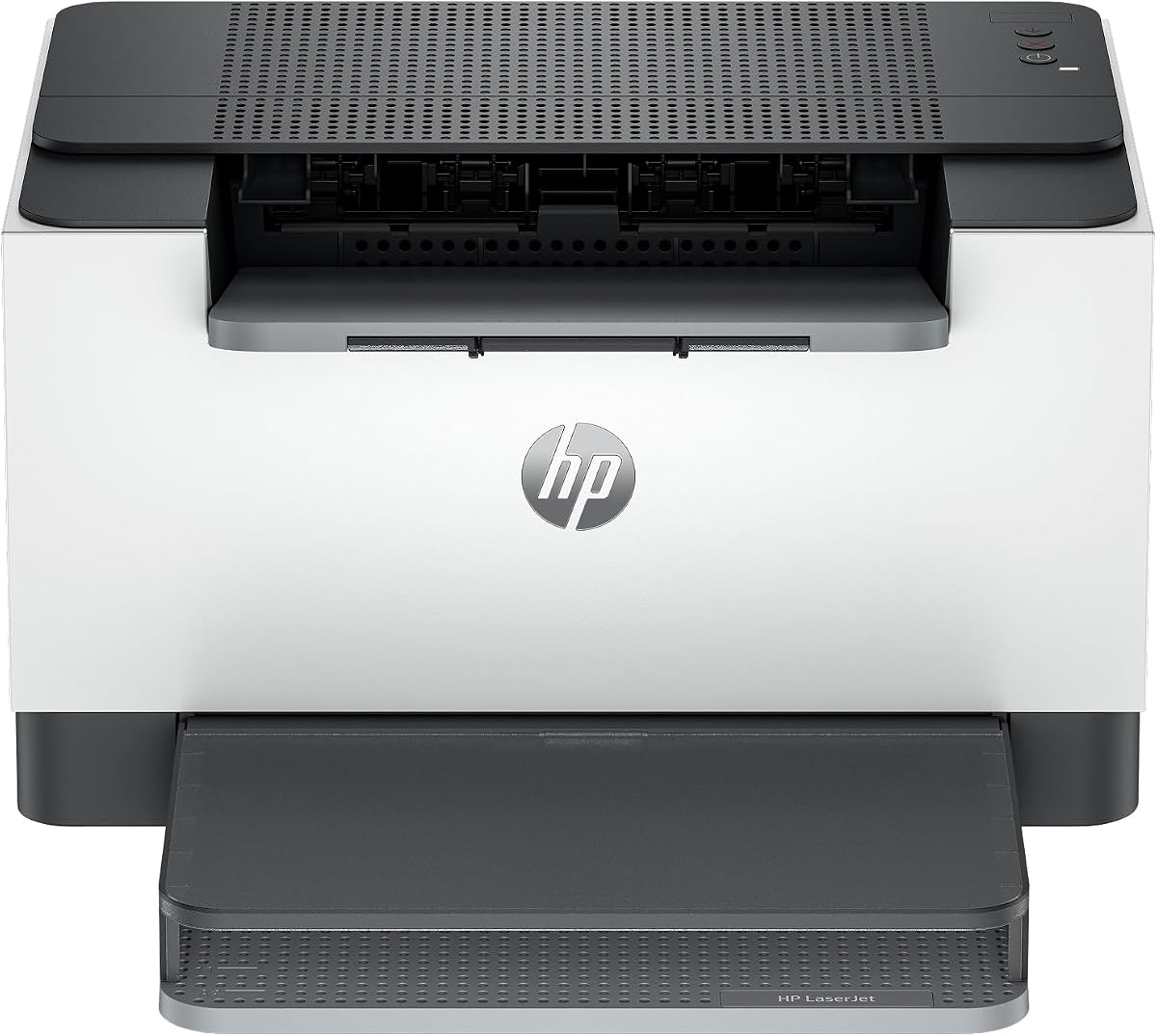


The Brother HL-L2405W is a compact monochrome laser printer built for homes and home offices that want sharp documents without the complexity of an all-in-one machine. Its 4.1 rating reflects a practical balance of output speed, connectivity, and affordability. The printer reaches up to 30 pages per minute and produces crisp black-and-white pages for contracts, invoices, schoolwork, reports, and routine office documents.
We may earn a commission when you buy through this link, at no additional cost to you.
Toner compatibility is one of its most attractive features. It accepts Brother Genuine TN830 and TN830XL cartridges, and the included Refresh EZ Print subscription trial offers a structured way to manage replacements. For buyers who want predictable toner replenishment without manually shopping whenever a cartridge runs low, that service can simplify ownership. Its 250-sheet tray reduces the need for frequent refills, while dual-band Wi-Fi supports a more stable connection on modern networks.
The principal compromises are functional rather than fundamental. This is a single-function printer, so it cannot scan or copy, and it lacks automatic duplex printing. Long documents therefore require manual page flipping or separate two-sided workflows. The manual feed slot is useful for envelopes and specialty paper, but it is not designed to replace the main tray for sustained office output.
Choose the HL-L2405W when inexpensive toner access, wireless printing, and quick monochrome output matter more than scanning or automatic two-sided printing. It is particularly suitable for a student, remote worker, or household that prints mostly one-sided pages and wants access to the Brother TN830 family. Buyers should review the subscription terms and current cartridge costs before committing.
Compatible TN830 and TN830XL cartridges give owners multiple supply options, while the Refresh subscription trial adds an automated replenishment path. Compare current cartridge pricing and subscription terms against your typical monthly page volume.
Dual-band wireless connectivity works well for modern homes and offices, and USB provides a local option. The Brother Mobile Connect app also supports mobile printing, toner tracking, and supply ordering.
We may earn a commission when you buy through this link, at no additional cost to you.
The Canon imageCLASS LBP6030w is a straightforward monochrome laser printer aimed at homes, schools, and small workspaces where desk space is more important than heavy-duty speed. It has a 3.8 rating and prints up to 19 pages per minute. That pace is sufficient for letters, worksheets, invoices, and occasional document batches, though it is the slowest listed model.
We may earn a commission when you buy through this link, at no additional cost to you.
The printer uses Canon Genuine Toner 125 with a stated page yield of 1,600 pages. A widely understood cartridge family can make replenishment convenient, but the total cost depends on current prices and page volume. Its compact, print-only design avoids unnecessary scanner and copier components, while wireless connectivity permits printing from compatible mobile devices within the workspace.
Its limitations are straightforward. The 150-sheet input tray is smaller than the 250-sheet trays offered by several Brother models, and there is no automatic duplex printing. The 19-page-per-minute speed can feel modest when printing long reports. Nevertheless, Energy Saver mode uses less than two watts, making it reasonable for environments where the printer sits idle between smaller jobs.
This Canon makes the most sense for someone who wants a simple, compact wireless laser printer and prints at a moderate pace. It is a practical option for dorm rooms, home offices, and classrooms where reliable monochrome output matters more than duplex printing, scanning, or maximum speed. Confirm current Canon 125 toner costs before buying.
Its space-saving single-function design is easy to position on a small desk or shared shelf. Wireless printing removes the need for a dedicated cable while retaining a focused monochrome workflow.
Canon Genuine Toner 125 has a stated 1,600-page yield. Compare that yield with your usage to estimate how often replacements may be required.
We may earn a commission when you buy through this link, at no additional cost to you.
The Brother MFC-L2820DW is the most functionally complete printer in this roundup, combining printing, copying, scanning, and faxing in a compact monochrome unit. Its 4.3 rating reflects strong performance, and the combination of a 2.7-inch touchscreen, a 50-page automatic document feeder, and automatic duplex printing makes it especially appropriate for small offices.
We may earn a commission when you buy through this link, at no additional cost to you.
Print speed reaches 36 pages per minute, while scanning reaches up to 23.6 pages per minute for black-and-white documents. The automatic document feeder can copy, scan, or fax multipage sets without requiring every page to be placed on the glass. Dual-band wireless and Ethernet support flexible office networking, and the touchscreen can connect with popular cloud services such as Google Drive, Dropbox, Evernote, and OneNote.
The machine accepts Brother Genuine TN830 and TN830XL toner and includes a Refresh EZ Print subscription trial. That supply program is valuable for offices trying to prevent interruptions caused by an empty toner cartridge. The trade-off is its larger size and greater acquisition cost compared with a basic print-only model. Users who only need occasional pages may not use the fax, scanner, touchscreen, or feeder enough to justify the extra capability.
Buy the MFC-L2820DW for a small business, home office, or shared administrative workspace that regularly scans, copies, faxes, and prints multipage documents. It is the strongest premium-oriented choice here when workflow breadth and convenience matter more than the smallest possible footprint.
The 50-page automatic document feeder streamlines copying, scanning, and faxing. Automatic duplex printing also reduces the need to reinsert pages when producing two-sided documents.
The Brother Mobile Connect app supports supply ordering and toner tracking, while the Refresh trial offers a subscription-based replenishment option.
We may earn a commission when you buy through this link, at no additional cost to you.
The Canon imageCLASS MF3010 VP is a wired monochrome multifunction laser printer that combines printing, scanning, and copying. It carries a 4.2 rating and stands out for its stated in-box toner yield of up to 2,300 pages. That substantial starting supply may appeal to buyers who want fewer early replacement cycles, although actual yield depends on document coverage and usage.
We may earn a commission when you buy through this link, at no additional cost to you.
A USB cable is included, and the listed operating system support includes Windows versions, Mac OS X, and Linux print-only use. The scanner can produce color scans at up to 600 dpi interpolated quality, and ID Card Copy helps reproduce identification cards and similarly small documents. Its 19-page-per-minute print speed and 150-sheet paper capacity are acceptable for a home office or small department.
The largest limitation is the absence of wireless connectivity. Every print job must originate from a wired computer unless another compatible connection method is available but not stated in the supplied information. It also lacks automatic duplex printing, so multipage documents generally need manual handling. Its sleep mode consumes approximately 1.2 watts, which is favorable for regular office use.
Choose the MF3010 VP when you value scan and copy functions, a strong starting toner yield, and wired stability more than mobile printing. It can be a sensible fit for a dedicated office computer or a shared workstation. Verify that every intended device can connect through the available USB workflow before purchasing.
The listed in-box yield of up to 2,300 pages provides a useful head start. Compare cartridge yield, page coverage, and replacement availability when estimating ongoing costs.
Integrated scanning and copying provide the core functions of a small all-in-one. ID Card Copy and color scanning add convenience for common administrative tasks.
We may earn a commission when you buy through this link, at no additional cost to you.
The Brother HL-L2460DW is a compelling budget-oriented option for home offices and small teams that need fast monochrome output and automatic duplex printing. Its 4.0 rating reflects a capable workhorse design. At up to 36 pages per minute, it is among the fastest printers listed and handles two-sided documents automatically.
We may earn a commission when you buy through this link, at no additional cost to you.
A 250-sheet paper tray reduces interruptions during larger print jobs, while dual-band Wi-Fi, Ethernet, and USB cover several networking preferences. The Brother Mobile Connect app adds remote printing, toner tracking, and supply ordering. This printer uses Brother Genuine TN830 and TN830XL cartridges and comes with a Refresh EZ Print subscription trial, giving owners a potentially convenient way to manage toner replenishment.
It remains a single-function printer, so adding scanning or copying later would require separate equipment or another model. Envelopes and specialty media go through the manual feed slot. The Refresh program should be evaluated for its delivery schedule, eligibility, and actual savings against standard cartridge purchases rather than treated automatically as the least expensive option.
The HL-L2460DW is a strong recommendation for a budget-conscious buyer who prioritizes speed, duplex printing, and a generous paper tray. Choose it when your workflow only produces black-and-white pages and you want to minimize paper waste. It is especially effective for contracts, reports, internal documents, and mixed office printing.
Automatic duplex printing handles two-sided pages without manual reinsertion. That is particularly useful for long reports, packets, and routine office documents.
Up to 36 pages per minute and a 250-sheet tray make this model well suited to teams producing moderate-to-heavy monochrome workloads.
We may earn a commission when you buy through this link, at no additional cost to you.
The HP LaserJet M110w is designed for small teams that need a compact black-and-white printer and little else. Its 3.9 rating reflects a simple proposition: wireless printing at up to 21 pages per minute in a small footprint. It is best suited to homes, shared workspaces, and offices where volume stays modest and scanning is handled elsewhere.
We may earn a commission when you buy through this link, at no additional cost to you.
It supports wireless printing from compatible mobile devices, PCs, and tablets, including Microsoft, Mac, AirPrint, Android, and Chromebook environments. HP Smart adds mobile printing and copy functions through the app, although the printer itself remains focused on output. Wireless self-reset technology is also included to help maintain the connection.
A critical ownership consideration is cartridge compatibility. The supplied information states that the printer is intended to work only with cartridges containing original HP chips or circuitry and will block cartridges using non-HP chips or circuitry. That limitation makes cartridge selection less flexible and should be considered carefully by anyone hoping to use lower-cost alternative supplies. Automatic duplex printing, scanning, and copying are also absent.
Buy the M110w for a simple wireless printer with a small footprint and relatively modest page-volume needs. It is a reasonable choice for someone who values HP Smart integration and broad device support without needing an all-in-one. Compare current original HP toner costs and availability before making the final decision.
The compact chassis is designed for limited workspaces. Wireless setup eliminates the need to run a permanent USB cable to every printing device.
The printer requires cartridges with original HP chips or circuitry according to the supplied product information. Review that restriction before budgeting for replacement supplies.
We may earn a commission when you buy through this link, at no additional cost to you.
The HP LaserJet M209dw is a print-only monochrome laser printer aimed at small teams that want fast output, automatic duplex printing, and flexible wireless connectivity. Its 4.2 rating makes it one of the stronger all-around choices in the list. It prints up to 30 pages per minute single-sided and up to 19 black-and-white images per minute for two-sided output.
We may earn a commission when you buy through this link, at no additional cost to you.
Dual-band Wi-Fi includes a self-reset feature designed to detect and resolve connectivity issues. Built-in security features are intended to protect the printer from potential attacks, an important consideration in shared offices. Automatic two-sided printing reduces paper consumption and manual handling, making it useful for reports, presentations, and multi-page internal documents.
The printer does not scan or copy, so it is not a full all-in-one solution. It is also labeled Instant Ink eligible, but that designation applies only if a buyer enrolls; eligibility alone should not be treated as proof that it offers the lowest toner expense for every user. Compare subscription terms, cartridge economics, and expected page volume before deciding which supply route makes sense.
The M209dw is a strong fit for a team of one to five people that primarily prints black-and-white documents. Choose it when duplex output, speed, and wireless reliability outweigh the need for scanning. Buyers should also consider the HL-L2460DW, which offers faster listed single-sided output and a larger stated paper tray.
Automatic duplex printing supports up to 19 black-and-white images per minute. That makes the model useful for teams with a steady stream of two-sided documents.
Dual-band Wi-Fi with self-reset helps simplify network maintenance. Built-in security features add protection for shared business environments.
We may earn a commission when you buy through this link, at no additional cost to you.
The Canon imageCLASS LBP122dw is a compact wireless monochrome duplex printer for home users and personal offices. Its 3.9 rating reflects a balanced set of features: up to 30 pages per minute, automatic two-sided printing, and mobile printing support. The design focuses on efficient document production rather than scanning, copying, or faxing.
We may earn a commission when you buy through this link, at no additional cost to you.
Canon PRINT app compatibility allows printing away from a desk within the connected workflow. Toner can be supplied in the Canon Genuine 071 family, including a high-capacity 071 option. Having standard and high-yield cartridge choices gives owners some flexibility based on their print volume and desired replacement interval.
As a print-only model, it cannot scan or copy, and its supplied information does not state a paper tray capacity. That means buyers should verify its handling requirements against their own volume before purchase. It also competes with several models that add larger paper trays or faster output, so its strongest advantages are wireless duplex output and a compact form.
Choose the LBP122dw for someone who regularly prints two-sided monochrome documents from a phone, tablet, or computer and does not need multifunction features. It is well suited to a home office where fast duplex output matters more than scanning. Compare current Canon 071 toner prices before deciding on a supply strategy.
Automatic two-sided printing and a 30-page-per-minute speed create a capable home-office workflow without the bulk of a multifunction machine.
The printer supports Canon Genuine Toner 071 and high-capacity 071 supplies. Compare yield and current cost to match the cartridge to your usage pattern.
We may earn a commission when you buy through this link, at no additional cost to you.
The HP LaserJet MFP M235sdw is a balanced monochrome all-in-one for small offices that need printing, scanning, and copying without a fax function. It has a 4.0 rating and prints up to 28 black-and-white pages per minute. Automatic duplex printing further improves its suitability for multipage reports, internal communications, and meeting materials.
We may earn a commission when you buy through this link, at no additional cost to you.
The MFP combines fast two-sided output with integrated scan and copy functions. It supports dual-band Wi-Fi with self-reset, Ethernet, and printing from compatible mobile devices, PCs, and tablets. Listed platform support includes Microsoft, Mac, AirPrint, Android, and Chromebook environments, making it adaptable to mixed-device offices.
Its listed single-sided speed is below the fastest Brother models in the roundup. The product name also includes multifunction scanning and copying, but no fax capability is stated, so buyers who require faxing should not assume it is included. Toner planning also deserves attention because HP all-in-one models use their own designated cartridge supplies rather than the toner used by unrelated LaserJet printers.
Buy the M235sdw when a small office wants scanning, copying, duplex printing, and flexible networking in one machine. It is a practical middle ground between a basic wireless printer and a larger fax-equipped all-in-one. Check current HP cartridge costs and availability for this specific model before ordering.
Integrated scanning and copying turn the printer into a practical document hub. Automatic duplex output keeps routine multipage jobs efficient.
Dual-band wireless, Ethernet, and broad device compatibility provide several ways to connect. Wireless self-reset can simplify recovery from common network issues.
We may earn a commission when you buy through this link, at no additional cost to you.
The Brother HL-L2480DW combines a fast monochrome laser printer with flatbed scanning and copying in a compact three-function design. Its 4.5 rating is the highest among the ten products, making it an especially balanced recommendation for work-from-home users and small offices. It prints up to 36 pages per minute and includes automatic duplex printing.
We may earn a commission when you buy through this link, at no additional cost to you.
A 2.7-inch touchscreen provides access to copying, scanning, cloud destinations, and printer controls. It can print from and scan to services such as Google Drive, Dropbox, Evernote, and OneNote. The 250-sheet paper tray handles routine office volume, while a manual feed slot accommodates envelopes and specialty paper. Dual-band Wi-Fi, Ethernet, and USB provide flexible setup options.
Toner remains compatible with Brother Genuine TN830 and TN830XL cartridges, and the included Refresh EZ Print subscription trial provides a managed replenishment option. Compared with the MFC-L2820DW, this model lacks faxing and an automatic document feeder. That trade-off keeps the unit compact and may suit users who mainly scan occasional pages rather than process lengthy document stacks.
The HL-L2480DW is an excellent all-round pick for buyers seeking speed, scanning, copying, duplex printing, and toner-management convenience in one footprint. Choose it for a home office that handles both printed and digital documents or a small team that does not need fax. Confirm that flatbed scanning meets your volume before purchasing.
The printer combines 36-page-per-minute output, automatic duplex printing, and flatbed scan and copy functions. Its compact format reduces the space required for separate devices.
The touchscreen supports direct access to popular cloud services. Mobile printing, remote toner tracking, and supply ordering add convenience for distributed users.
We may earn a commission when you buy through this link, at no additional cost to you.
The best value comes from matching toner expense and availability to your print volume, while also selecting the connectivity, paper handling, and document functions required by your workspace.
Compare the current cost of each compatible cartridge with its stated page yield rather than focusing only on the printer's purchase price. Standard and high-capacity versions may have different unit economics, and actual coverage depends on darkness, graphics, page complexity, and how often the printer is serviced. The Brother models use the TN830 family, Canon models use the 125 or 071 families, and HP models require model-specific cartridges.
Choose a printer whose genuine or approved cartridge is widely stocked and whose yield suits your typical monthly volume. Subscriptions may simplify ordering but should be compared with ordinary purchases after considering shipping, eligibility, renewal terms, and savings.
Listed speeds range from 19 to 36 pages per minute. Faster output can be valuable for reports, school packets, invoices, and shared office demand, but the highest speed is unnecessary when documents are printed only occasionally. Consider duplex rates as well, since two-sided jobs take longer and may consume toner and paper differently from one-sided output.
Match speed to your busiest period rather than your daily average. Light users can prioritize compactness and toner availability, while frequent users benefit from faster engines, larger trays, and automatic document handling.
A single-function laser printer concentrates on printing and may offer a smaller footprint or a lower acquisition cost. A multifunction model adds scanning and copying, and some also include faxing. An automatic document feeder further accelerates multipage copy, scan, and fax tasks, while a flatbed scanner works well for books, forms, and individual pages.
Buy an all-in-one only when its additional functions will be used. For a home that already owns a good scanner, a fast print-only model may deliver better value. For an administrative office, avoiding separate devices can save space and streamline the workflow.
Wi-Fi is essential for printing from phones, tablets, and shared workstations, but network standards and setup tools vary. Dual-band connectivity can be advantageous in congested environments, while self-reset features may simplify recovery from connection problems. Ethernet provides a stable wired option for offices, and USB remains useful for a direct local connection.
Confirm that every device and operating system you plan to use is compatible. Also consider where the router is located, whether the printer will sleep or disconnect, and whether your preferred app supports the functions you actually need.
Automatic duplex printing saves paper and reduces manual reinsertion, especially for multipage reports. Print-only models without it are easier to operate but can be less efficient for two-sided content. Paper tray capacity also matters: the 250-sheet Brother trays suit moderate workloads better than the 150-sheet trays listed for several Canon and HP models.
Prioritize automatic duplex if you routinely print contracts, presentations, or long documents. Check the main tray, manual feed slot, and supported media together, since envelopes and specialty paper usually use a different path.
An automatic document feeder handles many pages without repeated manual placement, making it valuable for shared office machines. A flatbed scanner is more versatile for unusual sizes, books, and delicate items. Scan resolution, color capability, touchscreen destinations, and cloud services should be considered if digitization is central to your work.
Choose a document feeder for routine multipage files and a flatbed for flexibility. If you scan only occasionally, a multifunction model may still save space, but extensive scanning could justify a separate dedicated scanner instead.
Brother Mobile Connect, Canon PRINT, and HP Smart can simplify setup, mobile printing, supply ordering, and remote management. Brother devices also offer toner tracking and a Refresh subscription trial, while the HP M209dw is identified as Instant Ink eligible. These applications are useful, but their feature sets vary between print-only and multifunction models.
Check whether the app supports the functions you need. For example, a mobile print function is not the same as remote scanning, and toner ordering is convenient only if the required cartridge is readily available in your region.
Compact models suit dorm rooms, apartments, and small desks, while all-in-ones need room for output trays and paper access. Energy-saving modes matter when a printer remains connected but idle; the Canon LBP6030w uses less than two watts in Energy Saver mode, and the MF3010 VP uses approximately 1.2 watts in sleep mode. Manufacturer warranties and support can also affect long-term ownership confidence.
Measure the intended location before ordering and check the model's warranty terms. A slightly larger machine may be worthwhile if it includes needed functions, while a smaller one may be easier to place and maintain.
Begin by unpacking the printer, removing any packing material, and installing the supplied toner cartridge according to the manufacturer's instructions. Place the unit on a level surface with clearance around vents and output areas. Connect it by USB, Ethernet, or the preferred wireless method, then use the manufacturer's setup process to select language, paper size, and network settings.
Load plain paper into the main tray and adjust the guides so the sheets sit flat. Use the manual feed slot for envelopes, labels, and specialty media, and select the correct paper type in the print dialog. Before a large job, print a short test page and verify that margins, darkness, and duplex orientation match your document.
For toner care, use the specified compatible cartridge, store sealed supplies in a cool, dry area, and rotate stock so older cartridges are used first. Clean the exterior with a dry or lightly damp cloth, following the manual's guidance for the scanner glass and internal components. If output fades, develops streaks, or produces marks, check the cartridge, paper path, and approved cleaning procedure before ordering supplies.
There is no single universal winner because cost depends on page volume, cartridge yield, coverage, and where you buy supplies. Compare the price per printed page using each compatible cartridge's stated yield. Low-volume users may benefit from standard cartridges, while high-volume users should compare high-capacity options and available subscription programs.
Third-party cartridges may appear less expensive, but compatibility, yield, image quality, and warranty implications vary. The HP LaserJet M110w explicitly requires cartridges with original HP chips or circuitry according to the supplied information. Other models may permit more options, so confirm manufacturer guidance before using an unlisted cartridge.
Automatic duplex printing primarily reduces paper consumption and manual handling. It may improve efficiency for multipage documents, but toner use still depends on coverage and how many physical pages are printed. A duplex model is especially valuable for reports, contracts, and other two-sided documents.
Not necessarily. A single-function model such as the Brother HL-L2405W or HP LaserJet M110w can satisfy basic printing needs while occupying less space. Choose a multifunction model if you regularly scan, copy, or fax and want those functions in one device.
Print-only models handle paper output but do not digitize or reproduce documents. All-in-one models add scanning and copying, and some include faxing and an automatic document feeder. The extra functions save desk space and may reduce the need for separate equipment, but they also increase the purchase and complexity.
Wireless printing can be convenient when several employees need access from different computers or mobile devices. Models with dual-band Wi-Fi and self-reset features may make network maintenance easier. For sensitive environments, review the security features and follow organizational network policies.
Estimate your average monthly pages and divide that total by the cartridge's stated yield. Add a safety margin for large coverage, occasional setup pages, and documents with images or graphics. The estimate is only approximate because actual cartridge life varies with content and usage.
A subscription can be convenient if it prevents emergency supply interruptions and delivers the expected savings. Compare the service terms with standard cartridge purchasing, including renewal rules, shipping, eligibility, and overage policies. Buyers with irregular or unpredictable printing needs should examine those terms carefully.
The Brother HL-L2480DW stands out as the most balanced all-round option, combining a 4.5 rating with fast duplex output, scanning, copying, a large paper tray, and managed toner options. The Brother HL-L2405W is a simpler wireless choice, while the MFC-L2820DW is the most complete option with faxing and a 50-page document feeder.
Prioritize the features that affect your actual workflow. Light users can focus on compact design, wireless access, and cartridge availability. Frequent office printers should value automatic duplex, paper capacity, and speed, while administrative teams should consider scanning, copying, faxing, and automatic document feeding.
Toner expense cannot be judged from a printer's rating or purchase price alone. Check the current cost, yield, availability, and subscription conditions for the exact compatible cartridge, and confirm current product details before placing an order. Doing that final check can prevent both surprise running costs and incompatibility issues.