
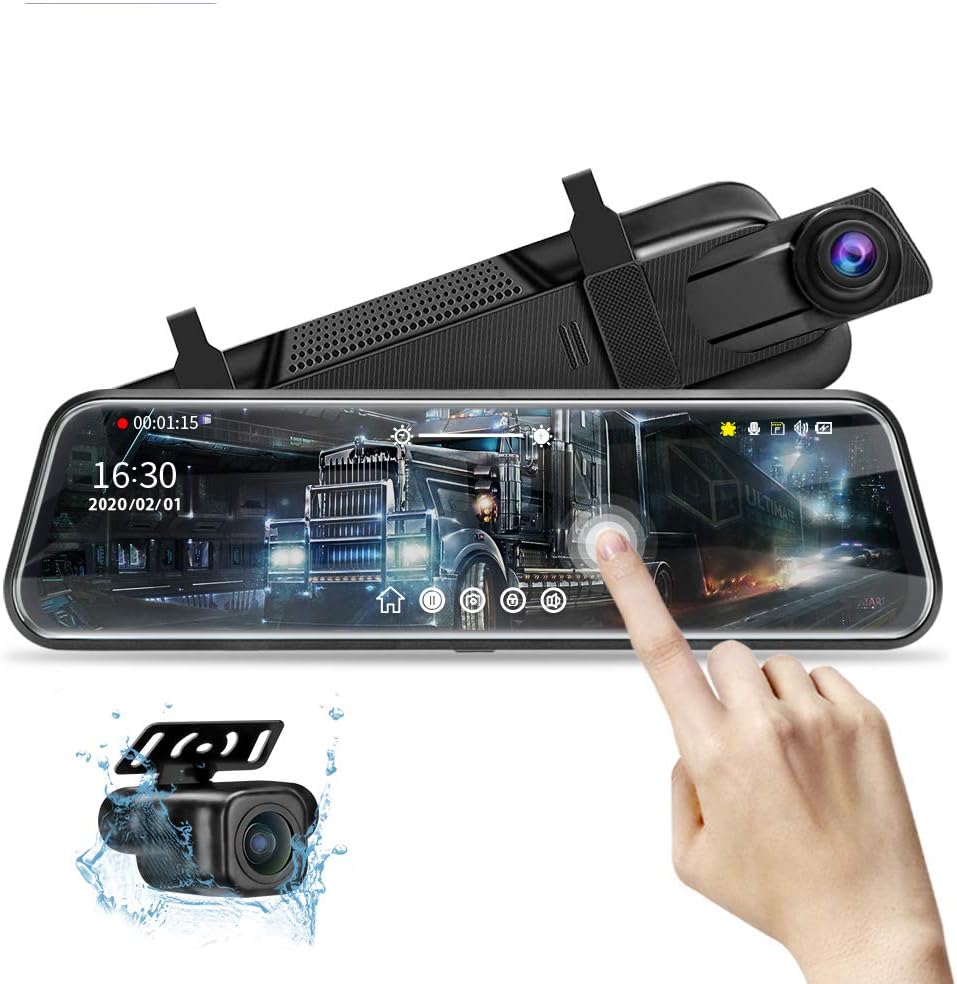
Mirror Dash Cam 10-Inch Touch Screen
4.1Editor score
Dual 1080P camera recording
Ten-inch touch display
Included 32GB memory card
A rear view mirror dash camera combines forward and rearward recording with a large display mounted over your vehicle’s existing mirror. The best models improve blind-spot visibility, preserve useful footage, and provide parking assistance, but meaningful differences in resolution, field of view, storage, night performance, and connectivity should shape your decision.
This guide compares ten popular mirror dash cameras using the supplied specifications, customer ratings, recording formats, display dimensions, safety features, parking functions, and installation requirements. It covers practical differences among the WOLFBOX G840S, G930, G850 PRO, and G900 PRO as well as competing dual-camera, ADAS-equipped, and 360-degree designs.
Each recommendation highlights who the product is likely to suit, where it stands out, and where buyers may encounter compromises. Product ratings are included for reference, while features and costs can change, so readers should verify the current listing, compatibility, included accessories, and storage-card requirements before purchasing.
4.1Editor score

4.2Editor score

4.2Editor score
As an Amazon Associate we earn from qualifying purchases.
The comparison below highlights each mirror dash camera’s display, front and rear recording formats, field of view, and most important connected or parking features. It is designed to clarify which model offers the strongest balance of visibility, evidence quality, and everyday convenience.




The WOLFBOX G840S is a well-rounded 12-inch mirror dash camera with a 4.3 rating. Its strongest combination is a 4K UHD front camera, 1080p rear camera, large curved display, external GPS antenna, and 5.8GHz WiFi. That mix gives it broad appeal for drivers who want detailed forward footage without giving up convenient app-based review and route information.
We may earn a commission when you buy through this link, at no additional cost to you.
The unusually large display provides 1.5 times the viewing area of a standard mirror, while the listed 170-degree front lens and 140-degree rear lens are intended to reduce blind spots. Low-reflectivity LCD treatment, WDR, HDR, a professional-grade sensor, and a six-glass lens are all intended to improve visibility in direct sunlight, shadows, and nighttime conditions. The included 32GB card also gives buyers a usable starting point.
The main compromise is that the rear camera records at 1080p rather than 2.5K or 4K, so this is not the strongest option when maximum detail behind the vehicle is the priority. Parking surveillance is another limitation: the 24-hour time-lapse function requires a hardwire kit that is not described as included. The unit is also a display-heavy design and may not suit vehicles with unusually small or restricted mirrors.
This is a strong recommendation for commuters and road-trip drivers who want 4K forward evidence, a very broad display, and GPS-backed playback. It works particularly well for people who can install a hardwire kit and use the WOLFBOX app on iOS or Android. Buyers prioritizing rear-camera detail or a compact, uncomplicated installation may prefer another option.
The 12-inch 2.5D curved screen is the G840S’s most immediately noticeable feature. Its wider live view and split-screen capability should make traffic, lane positions, and reversing surroundings easier to inspect than a conventional narrow mirror.
The external GPS antenna can display location data on the screen and within recorded video, while 5.8GHz WiFi supports live viewing, playback, and quick sharing through the WOLFBOX app. This makes the camera more useful for reviewing a route or extracting an event clip without repeatedly removing the memory card.
We may earn a commission when you buy through this link, at no additional cost to you.
The WOLFBOX G930 carries a 4.3 rating and combines a 10-inch streaming-media mirror with 4K front recording, 1080p rear recording, a 64GB card, and 5.8GHz WiFi. Its display can slide vertically to adjust the viewing angle, while horizontal swipes switch among the front, rear, and split-screen images, making the interface more flexible than a fixed-layout mirror.
We may earn a commission when you buy through this link, at no additional cost to you.
The WOLFBOX app supports quick downloads and sharing over the upgraded high-speed WiFi system. WDR is designed to balance exposure in high-contrast scenes, and the low-reflectivity screen is intended to limit daytime glare. A six-glass lens and premium sensor support image quality, while the GPS receiver can display real-time speed and direction and add valid GPS information to recorded clips.
Loop recording can be configured in one-, two-, or three-minute intervals, and the G-sensor locks a clip when a collision is detected. That protects important footage from being overwritten by later segments. On the other hand, the product data does not advertise a dedicated parking monitor for this model, and the rear channel remains 1080p. Buyers wanting continuous parked-vehicle surveillance should examine a model that expressly includes that function.
The G930 is an excellent fit for drivers who want a highly adjustable 10-inch display, 4K forward footage, and straightforward wireless retrieval. It is especially appealing when phone-based file management matters more than elaborate collision warnings. Choose it over the G840S if the sliding design and compact footprint feel more suitable for your vehicle.
Vertical sliding changes the screen angle to suit the driver’s seating position and mirror placement. Horizontal gestures move between the front image, rear image, and split-screen layout, letting the driver change the view without navigating a complicated menu.
The G-sensor immediately locks the current recording when it detects a collision, reducing the risk that the clip will be replaced during loop recording. GPS information can be reviewed in the supplied player, which adds context beyond the visual footage itself.
We may earn a commission when you buy through this link, at no additional cost to you.
The Jansite 10-inch model is a 4.1-rated dual-camera system built around a large IPS touch display. Both channels record at 1080p, and the rear camera is described as IP68 waterproof. While it does not reach 4K, it provides a broad feature set that includes reverse assistance, parking guide lines, loop recording, collision locking, and optional time-lapse parking surveillance.
We may earn a commission when you buy through this link, at no additional cost to you.
Touch gestures provide direct access to recording, playback, exposure, brightness, and date and time settings. The display is advertised as three times wider than a traditional rear view, and the wide-angle rear lens is intended to capture more of the area behind the vehicle. When reverse gear is selected, the rear image fills the screen, and the driver can adjust the displayed range vertically.
The rear camera uses a six-layer glass lens, improved night-exposure processing, and intelligent noise reduction to improve low-light details. The included G-sensor protects collision footage from loop overwriting, while support for memory cards up to 128GB allows for flexible storage. Parking mode requires a separate hardwire kit, and the supplied information notes that the screen’s optimized reflectivity prevents it from functioning as a conventional mirror when powered off.
This model makes sense for drivers who value touchscreen operation, parking guidance, and a rear camera that can be installed in flexible locations. It is a good fit when a 4K front image is not essential but practical visibility and event protection are. Check the stated dimensions and weight against your original mirror before buying, and confirm the card and hardwire kit needed for your preferred setup.
Automatic rear-camera switching and adjustable guide lines make the display useful in tight spaces. Six guide-line height positions and a separate rear-camera angle adjustment provide more control than a basic fixed parking image.
The rear image supports vertical flipping for roof or trailer-hook installation, and the product information identifies a replacement rear-camera and extension cable for those arrangements. This adds flexibility for unusual mounting positions.
We may earn a commission when you buy through this link, at no additional cost to you.
The AZDOME 12-inch 4K+2.5K is our Editor’s Choice because it combines unusually strong recording specifications with a broad set of driver-assistance and review tools. It has a 4.2 rating, records forward footage at 3840 by 2160 and rear footage at 2560 by 1440, and includes a 64GB card. Its 12-inch touchscreen makes the live view and menus easier to inspect.
We may earn a commission when you buy through this link, at no additional cost to you.
ADAS, blind-spot detection, and lane-change assist are intended to increase awareness around lane changes, merging, and busy multi-lane roads. The AZDOME app adds AI-powered augmented-reality overlays for recognized license plates, vehicle distance, speed, and lane guidance. Those overlays can make important details easier to find during post-incident review instead of forcing the driver to search individual frames.
Five8GHz WiFi supports preview, downloads, sharing, and settings through the app, while timeline playback makes searching recordings more convenient. Ten English voice commands can capture stills, lock videos, switch views, and control audio, WiFi, or the screen. Reverse assistance displays parking lines, and separate time-lapse and collision-detection parking modes are available with the separately sold Type-C hardwire kit.
This camera is a strong candidate for drivers who want more than basic front-and-rear recording. It suits people interested in lane awareness, blind-spot alerts, and richer app analysis, provided they understand that such features remain aids rather than substitutes for attentive driving. The need for a hardwire kit and the potential complexity of the advanced feature set may discourage very simple setups.
Recording 4K ahead and 2.5K behind provides more usable detail than conventional dual-1080p systems. That advantage is especially relevant for license plates, distant traffic, and incidents where fine visual evidence may matter.
ADAS, BSD, and lane-change assist provide different types of awareness around the vehicle. The feature set is most relevant to drivers who frequently navigate dense traffic, but alerts should always support rather than replace mirror checks and safe following practices.
We may earn a commission when you buy through this link, at no additional cost to you.
The Hufdic 10-inch is our Best Budget pick because it delivers the core rear view mirror dash camera experience without an advanced-assistance feature list. It has a 4.1 rating, dual 1080p cameras, a large touch display, a 170-degree front lens, and an included 32GB card. Those fundamentals are enough for everyday recording, playback, and reverse visibility.
We may earn a commission when you buy through this link, at no additional cost to you.
The responsive touchscreen provides direct control over recording, playback, exposure, brightness, and date and time settings. The front and rear wide-angle lenses are intended to show more of the surroundings than a traditional mirror, while night-vision processing supports usable footage in dim conditions. A 24-hour parking monitor includes a low-frame-rate time-lapse mode, and the G-sensor locks a recording following a detected collision.
Loop recording automatically replaces the earliest clips when the card becomes full, allowing unattended operation without constant manual cleanup. The principal limitation is that no WiFi or phone-app connectivity is described, so retrieving and sharing footage depends on the memory card and the unit itself. Parking monitoring also requires a hardwire kit that is not included.
This is a sensible choice for new owners, commuters, and anyone who wants a large mirror display and front-and-rear coverage without a complicated feature ecosystem. It is also appropriate for drivers who prefer local controls and straightforward operation. Those seeking wireless transfer, GPS, voice commands, or lane warnings should look toward one of the more specialized models.
The dual-camera configuration, touch menu, loop recording, and collision locking cover the most common dash camera needs. Keeping the feature set focused may make this model easier to understand and operate than a more elaborate driver-assistance system.
The included 32GB card lets owners begin recording without sourcing storage separately. When a hardwire kit is added, time-lapse parking mode reduces storage demands while maintaining periodic surveillance of the parked vehicle.
We may earn a commission when you buy through this link, at no additional cost to you.
The WOLFBOX G850 PRO is a feature-oriented mirror dash camera with a 4.3 rating. It combines a 4K front channel, 1080p rear channel, a full IPS touch display, ADAS alerts, blind-spot detection, 5.8GHz WiFi, voice control, and an included 64GB card. That makes it a notable step up for drivers who want more proactive warnings than a basic dual-camera model.
We may earn a commission when you buy through this link, at no additional cost to you.
The listed ADAS functions cover forward collision, pedestrian collision, lane departure, lead-vehicle start, and distance monitoring. The enhanced blind-spot algorithm is designed to identify hazards during lane changes and provide rear-collision warnings. These tools can increase awareness, particularly in fast-moving traffic, although they should never be treated as guarantees that every danger will be detected.
The supplied product information lists the front camera as 2160P with a 2560 by 1440 frame size and the rear camera as 1080P at 25 frames per second. Both channels use WDR or HDR and wide-angle lenses, while the IPS touchscreen provides straightforward control. Five8GHz WiFi supports app-based downloads and sharing, and twelve voice commands include actions such as taking a photo, locking a video, and turning on WiFi.
The G850 PRO suits drivers who want lane, forward, and blind-spot assistance in a single mirror-style unit. It is a good middle ground between simpler recording systems and high-end imaging models. The 1080p rear channel and lack of a prominently advertised parking monitor in the supplied details are the main reasons to consider an alternative.
Forward-collision, pedestrian-collision, lane-departure, lead-vehicle, and distance alerts cover several common driving risks. Blind-spot detection adds another layer when changing lanes, giving the driver a reason to check the surrounding area more carefully.
The app connection makes recorded video easier to retrieve, while voice commands reduce the need to handle the touchscreen while moving. A 64GB card is included, and the combination of HDR, WDR, and wide-angle lenses is intended to maintain detail in uneven lighting.
We may earn a commission when you buy through this link, at no additional cost to you.
The generic 10-inch 4K mirror dash camera has the highest customer rating in this group at 4.5. It pairs a 4K front camera with a 1080p rear camera, a 10-inch HD IPS touchscreen, an F1.8 aperture for low-light capture, WiFi connectivity, automatic reverse-view switching, and an included 32GB memory card.
We may earn a commission when you buy through this link, at no additional cost to you.
The listed lens angles are 130 degrees at the front and 145 degrees at the rear, giving the rear view a slightly broader perspective than the forward view. When the vehicle shifts into reverse, the display automatically changes to the rear camera, helping the driver evaluate nearby obstacles and traffic. A low-reflectivity screen and night-vision capabilities are intended to keep the image readable in difficult lighting.
WiFi supports app-based downloads and sharing, which is valuable for retrieving a short event clip without repeatedly handling the memory card. The G-sensor detects a collision and locks the corresponding video so it is less likely to be overwritten. A parking monitor is accessible through OBD, allowing surveillance while the vehicle is off and reducing the need for a conventional hardwire installation.
This camera is a compelling option for drivers who want a high rating, 4K forward footage, and app connectivity without moving to a large 12-inch display. It may appeal particularly to owners whose vehicles support the specified OBD parking connection. The lack of advertised GPS and the reliance on OBD for parking mode should be checked against your installation preferences.
The change from the forward display to the full rear view during reverse is a practical convenience. The 145-degree rear lens helps cover more of the area behind the vehicle, while guide-based parking assistance supports judging distance.
The F1.8 aperture is designed to gather more light in dark conditions, supplementing the advertised night-vision capability. WiFi gives the owner a convenient route to download and share footage, while the included card avoids the need to select storage immediately.
We may earn a commission when you buy through this link, at no additional cost to you.
The 12-inch CarPlay and Android Auto mirror camera has a 4.6 rating, making it the second-highest-rated product in this guide. It combines a large curved display with a 4K front camera, 1080p rear camera, 170-degree front lens, 140-degree rear lens, wireless smartphone integration, voice control, reverse assist, and standard dash camera functions.
We may earn a commission when you buy through this link, at no additional cost to you.
Its main distinction is the ability to connect over Bluetooth with CarPlay or Android Auto. Maps, music, video apps, calls, and navigation can be accessed through the display, while touch and voice controls reduce the need to handle a separate device. The built-in 1920 by 480 display and 2.5D curved glass are designed to provide a clear interface across the unusually wide housing.
For recording, the camera supports loop recording and uses a G-sensor to lock footage after a collision. Reverse assist helps when backing up, and 24-hour parking monitoring can record impacts when the appropriate hardwire kit is installed. The 64GB card is referenced in the feature description, while the rear image can be flipped through settings for different mounting arrangements.
This is the strongest choice for drivers who want their mirror replacement to function as an infotainment display as well as a recorder. It is less suitable if your original mirror is shorter than 6.3 inches, if you need the device to act as a conventional powered-off mirror, or if you prefer a simple camera-only design. Verify vehicle support and mounting clearance before installation.
CarPlay and Android Auto support make this more than a conventional camera display. Drivers can use familiar phone-based navigation, communication, and media functions in one large interface, provided their phone and vehicle are compatible.
The unit attaches over the factory mirror with mounting straps, and the original mirror must be longer than 6.3 inches. Its dimensions are 30 centimeters by 8 centimeters and its approximate weight is 1.3 pounds, so checking clearance is essential before purchasing.
We may earn a commission when you buy through this link, at no additional cost to you.
The WOLFBOX G900 PRO is our Best Premium recommendation for drivers who put a high priority on image quality. It has a 4.2 rating and uses an 8MP STARVIS IMX678 sensor to record 4K at 30 frames per second through the front camera. The rear camera records 2.5K at 30 frames per second, giving the pair a strong resolution advantage over common dual-1080p systems.
We may earn a commission when you buy through this link, at no additional cost to you.
STARVIS is designed specifically for low-light performance, while the seven-glass lens supports the G900 PRO’s image pipeline. Five8GHz WiFi allows fast access to files through the WOLFBOX app, and voice control provides hands-free management of common functions. A 128GB memory card is included, offering a substantial amount of storage for long drives and multiple camera channels.
The product is not only about resolution. Its 24-hour parking monitoring function can preserve evidence while the vehicle is unattended, but it requires a separately purchased hardware kit. Support for memory cards up to 512GB is listed, which is useful for owners who want to retain more footage, though storage requirements and overwrite behavior still depend on the selected recording mode.
The G900 PRO is best suited to drivers who regularly travel at night, want maximum detail from both directions, or plan to build a more capable connected dash camera setup. Its premium imaging justifies consideration over lower-resolution models, but the lack of an included parking kit and the greater cost of expanding storage should be factored into the overall purchase.
The STARVIS IMX678 is the model’s defining feature. Backed by an 8MP sensor and seven-glass lens, it is intended to preserve usable detail in dim roads, parking areas, and other situations where conventional dash cameras often produce grainy or poorly exposed footage.
The front channel captures 3840 by 2160 footage at 30 frames per second, while the rear records 2560 by 1440 at the same frame rate. This combination provides more spatial detail for distant traffic, road signs, and license plates than a standard 1080p rear camera.
We may earn a commission when you buy through this link, at no additional cost to you.
The GFG Drive four-channel system is built for drivers who want more coverage than a conventional front-and-rear mirror camera. It has a 4.1 rating, a 12-inch LCD, a 150-degree front lens, and detached cameras for the left side, right side, and rear. The design aims to cover the area around the vehicle with a stated 360-degree monitoring concept.
We may earn a commission when you buy through this link, at no additional cost to you.
All four channels are listed as FHD 1920 by 1080. The front camera uses an F1.8 aperture to improve night performance, while the side cameras extend visibility into areas that a normal mirror and rear camera cannot fully show. Dual-band WiFi connects to the GFG Drive app for iOS and Android, allowing live viewing, downloads, sharing, and settings changes from a phone.
Two parking modes are offered: time-lapse recording at one frame per second and collision-triggered recording that captures and locks a ten-second clip. Both require an additional hardwire kit. An external GPS module supplies location, speed, time, and route data, while loop recording and emergency locking help preserve useful footage. Installation is strap-based and does not require drilling.
This is the most specialized model in the roundup. It makes sense for drivers who want side-camera awareness, full surround recording, or live remote viewing around a parked vehicle. The extra cameras and wiring introduce more installation complexity than a two-channel mirror unit, and buyers should confirm they have the space and routing options needed for side-mounted hardware.
Detached left and right cameras fill the major gaps left by a normal mirror, while the rear camera handles traffic directly behind the vehicle. This setup is more useful for broad parking-lot awareness or for drivers who want a near-surround camera layout.
Time-lapse mode reduces the data required for extended monitoring, while collision detection automatically records and protects a short event clip. The external GPS module adds route and speed context, but the parking functions require the separately sold hardwire kit.
We may earn a commission when you buy through this link, at no additional cost to you.
A useful mirror dash camera should combine a readable display, dependable recording, useful viewing angles, and a secure installation. The right model also depends on whether you prioritize night visibility, wireless access, parking surveillance, driver-assistance alerts, or simple operation.
Resolution determines how much detail the cameras can preserve, but it is only one part of image quality. The G900 PRO records 4K ahead and 2.5K behind, the AZDOME combines 4K and 2.5K, and several alternatives use dual 1080p channels. A higher resolution can help when a vehicle, sign, or license plate appears far away, while lens quality, sensor behavior, exposure, and lighting determine how effectively that resolution appears in real footage.
Choose 4K front recording if you often travel at higher speeds or need greater detail in distant traffic. A 2.5K rear camera is a meaningful improvement over 1080p when evidence behind the vehicle matters. Dual 1080p remains adequate for many drivers, especially when the budget is more important than maximum detail.
Mirror dash cameras use displays ranging from 10 to 12 inches. A larger screen can show more of the road and nearby vehicles at once, while a smaller unit may fit a compact mirror or constrained mounting position more effectively. The AZDOME, WOLFBOX G840S, CarPlay model, and GFG Drive system use 12-inch displays; the G930, Jansite, Hufdic, and generic 4K model use 10-inch screens.
Consider glare, reflection, viewing angle, and the position of the original mirror before choosing a size. Some streaming-media mirrors cannot display a conventional reflective image when powered off, which may be important for vehicles that need a mirror in a parking situation.
Wide-angle lenses help a mirror camera show areas that a standard mirror leaves hidden, but the stated angle alone does not describe the entire image. The G840S, Hufdic, and CarPlay model list a 170-degree front lens, while the GFG Drive system uses a 150-degree front lens and a 360-degree side-camera arrangement. Wider views can introduce distortion or make objects appear smaller than they do in reality.
Check whether the product provides separate front and rear views, a split screen, and automatic reverse switching. Drivers who value full surround awareness may prefer the four-channel GFG Drive design, while conventional front-and-rear users may find a two-channel model simpler.
Night performance depends on the sensor, aperture, lens, image processing, and exposure controls working together. The G900 PRO’s STARVIS IMX678 and seven-glass lens form the most explicitly premium imaging package here. The generic 10-inch 4K model uses an F1.8 aperture, while several WOLFBOX models rely on WDR, HDR, low-reflectivity screens, and upgraded night processing.
For frequent night driving, prioritize a camera that explicitly discusses low-light sensor performance rather than resolution alone. Also test or verify whether the rear camera has its own night-exposure controls. A bright daytime display is not the same as a capable nighttime recording, and glare can remain a problem if the screen reflectivity is not well managed.
A dash camera is useful only if it has suitable storage and the right overwrite behavior. Loop recording replaces older unlocked clips when the card fills, while G-sensor locking protects collision footage. Several products include storage: the G840S has a 32GB card, the G930 and G850 PRO have 64GB, the AZDOME and CarPlay model reference 64GB, and the G900 PRO includes 128GB.
Match capacity to recording resolution and how long you want to retain clips. The Jansite supports cards up to 128GB but does not include one, and the G900 PRO supports cards up to 512GB. Confirm that the card is compatible, properly formatted, and inserted in the required direction before relying on unattended recording.
WiFi makes a mirror camera considerably easier to manage because footage can be viewed, downloaded, and shared from a phone. Most WOLFBOX models use 5.8GHz WiFi, the generic 4K model provides app connectivity, and the GFG Drive system uses dual-band WiFi. The AZDOME adds timeline playback and augmented-reality overlays to its app. GPS appears on the G840S, G930, and GFG Drive system.
Choose WiFi when convenience and rapid clip retrieval are priorities. Choose GPS when location, speed, direction, and route context add value to your recordings. Drivers who prefer no network connection can still operate a local-only model, but they should expect more frequent card removal and manual file management.
Parking monitors continuously record while the vehicle is unattended, typically through a hardwire or OBD connection. The G840S, Jansite, Hufdic, AZDOME, CarPlay model, and GFG Drive system advertise parking-related functions, but most require an additional wiring kit. The generic 10-inch 4K model uses OBD for its parking monitor, while the G930 does not list a dedicated parking mode.
ADAS and blind-spot functions are different from parking surveillance. The AZDOME, G850 PRO, and G900 PRO emphasize driver assistance or voice control, with the G850 PRO listing forward-collision, pedestrian-collision, lane-departure, and blind-spot alerts. Treat these systems as supporting tools and verify the installation, vehicle compatibility, and alert behavior before relying on them.
Mirror cameras are usually strapped over the factory rearview mirror, but dimensions and weight still vary. The Jansite lists a weight of 326 grams and specific top and bottom widths, while the CarPlay model requires an original mirror longer than 6.3 inches. The GFG Drive system adds side-camera wiring, making it the most involved installation in this group.
Check clearance around the mirror, visibility of the display, access to power, and the routing required for rear and side cables. Touchscreens and voice commands can reduce menu interaction, but a simpler model may be preferable if you rarely use connected features. Confirm whether a parking kit, memory card, rear-camera extension, or hardwire cable is included before purchase.
Install the unit in daylight when possible, with the vehicle parked safely. Secure the mirror unit over the factory mirror using the supplied straps, keep the camera lens clear of obstructions, and route the rear-camera cable away from sharp edges, moving components, and heat sources. Confirm that the image is upright and that the display angle is comfortable from the driver’s normal seating position.
Format a compatible memory card in the camera, insert it in the correct orientation, and test both camera channels before relying on the system for evidence. Set the date and time accurately, review loop-recording length and storage capacity, and test the G-sensor and reverse switching if those functions are important. Pair the app over WiFi, confirm live viewing works, and verify that downloads can be opened on the phone before the first long drive.
For parking surveillance, install the appropriate hardwire or OBD kit according to the manufacturer’s instructions and route the wiring safely through the vehicle. Check the screen brightness and reflective surfaces at different times of day, clean the lens and display with a soft microfiber cloth, and keep the memory card and connectors dry. Periodically review storage health, saved event clips, and the rear-camera image.
A mirror dash camera is convenient for drivers who want recording, a live rear view, and parking assistance in one unit. Conventional dash cams can be smaller, easier to position, and less intrusive, so the better choice depends on display size, storage, installation, and the importance of a large viewing screen.
Most of the systems in this guide support front, rear, and split-screen views. Switching is commonly handled through touchscreen swipes, while several models automatically display the rear camera when the vehicle enters reverse.
It is helpful when you want more detail from distant traffic, road signs, or license plates, but it is not the only determinant of image quality. Sensor performance, lens quality, exposure, night capability, and correct installation also affect how useful the footage looks.
Many mount over the original mirror with straps, but heated surfaces, unusual shapes, sensor pods, and extra-wide mirrors can affect fit. Check the unit’s dimensions, weight, and stated mirror-length requirements before installation.
No. The WOLFBOX G840S, G930, G850 PRO, and G900 PRO, the AZDOME, the Hufdic, and the generic 10-inch 4K model are described with included storage, while the Jansite supports up to 128GB but does not include a card. Always verify the current package contents.
A standard accessory socket loses power when the vehicle is switched off, so it cannot sustain parking surveillance. A hardwire or OBD connection provides continuous power while protecting the vehicle battery through the kit’s designed power-management circuitry.
That depends on the model. The Jansite explicitly states that its glare-optimized display cannot be used as a mirror when turned off, and the CarPlay model also notes that it cannot replace the factory mirror. Other digital mirrors may retain reflective behavior, so check the product details before buying.
No. ADAS, blind-spot detection, and lane-change alerts can improve awareness, but they depend on camera placement, lighting, software interpretation, and real-world conditions. Drivers must continue checking mirrors, maintaining a safe following distance, and controlling the vehicle directly.
The AZDOME 12-inch 4K+2.5K stands out as the most feature-complete Editor’s Choice, combining high-resolution recording with ADAS, blind-spot detection, lane-change assistance, app analysis, and voice control. The Hufdic 10-inch is the most straightforward Best Budget option, while the WOLFBOX G900 PRO is the strongest premium choice for drivers who prioritize low-light imaging and detail.
Before choosing, prioritize the features you will actually use. Dual 1080p may be sufficient for ordinary commuting, 4K forward and 2.5K rear recording is advantageous for detailed evidence, and WiFi or GPS improves file management and route context. Also verify mirror fit, parking-power requirements, memory-card compatibility, and whether the rear camera is sufficiently protected and well positioned.
Ratings and product configurations can change, and manufacturer updates may add or revise functions. Review the current listing, package contents, installation guide, app compatibility, and warranty terms before making a final choice, and compare the latest available options with the strengths and limitations covered in this November 2026 guide.