
GIPOYENT 20.34FT Camera TV Lights
4.4Editor score
Real-time camera color matching
Designed for 65–100 inch TVs
Adjustable app controls
Music-synchronized lighting modes
Adhesive and clip installation
Smart TV sync lights extend the colors of a screen onto the wall, desktop, or entertainment center behind it. A capable system can make movie scenes feel more immersive, add energy to games, and create a more deliberate atmosphere. The right choice depends on screen-matching accuracy, TV size, installation method, and smart-control options.
We compared all 10 products by examining their synchronization methods, screen-size guidance, strip length, camera or sensor design, app and voice controls, lighting modes, installation hardware, and additional ecosystem features. The list includes camera-based options, HDMI-dependent systems, and app-controlled strips that do not automatically capture colors, allowing buyers to compare genuinely different approaches.
Each review explains the product's strongest features, practical limitations, and ideal setup. The top selections show the strongest combinations of color accuracy, screen fit, control, and installation convenience. Product specifications and availability can change, so readers should confirm current features, compatibility, and prices on the linked listing before making a final purchase.
4.4Editor score

4.5Editor score

4.3Editor score
As an Amazon Associate we earn from qualifying purchases.
This side-by-side comparison highlights each light's synchronization method, intended television size, major control features, and installation approach. It also distinguishes camera-based systems from HDMI and app-only models so buyers can identify the setup that best fits their entertainment space.



The GIPOYENT 20.34FT TV LED Lights with Camera Sync to Screen for 65–100 in TV is a versatile camera-based lighting kit rated 4.4 out of 5. Its chief attraction is the unusually long 20.34-foot strip, which can wrap around a broad range of television sizes while creating the glow that extends visible colors beyond the display. The included camera provides real-time screen matching rather than relying solely on a fixed color chosen in the app.
We may earn a commission when you buy through this link, at no additional cost to you.
The system supports television sizes from 65 to 100 inches, although GIPOYENT notes that a 100-inch television only receives three-quarters screen coverage. Its recommended sweet spot is 70 to 85 inches, where the length should create a more balanced perimeter effect. App controls let users manage the strips and adjust remote lighting effects, while music-synchronized modes and other ambient scenes add variety for gaming, films, parties, and everyday bedroom illumination.
Installation relies on strong adhesive backing and secure clips. The sensor attaches at the center top of the television, allowing it to observe the image and map colors to the strip. That approach is convenient for many entertainment centers, although it also means the camera needs a clear view of the screen. A wall-mounted television or a deeply recessed set may complicate sensor placement, and buyers using the largest screens should account for incomplete coverage.
This is an appealing choice for buyers who want automatic screen matching across a large television without choosing between several short strip sizes. It is particularly useful for larger home-theater setups and viewers who value flexible app adjustments and music modes. Those wanting the most advanced optical processing or a very discreet camera may prefer a newer Govee Backlight 3 model, but this GIPOYENT kit remains a capable and flexible recommendation.
The top-mounted camera captures what appears on the display and maps those colors onto the strip in real time. That makes the system useful for varied content, including live television, streaming video, games, and computer output shown through the television.
At 20.34 feet, the strip gives installers more routing flexibility than shorter models. Adhesive and included clips help it follow the back and sides of a television, although users should check the full route for corners and available surface area before mounting.
We may earn a commission when you buy through this link, at no additional cost to you.
The Govee TV LED Backlight for 55-65 inch TVs is a polished ambient-lighting package rated 4.4 out of 5. Rather than using a camera to reproduce changing content, it creates color-segmented effects through Govee's RGBIC technology. The 12.5-foot strip is designed to cover all four sides of a 55- or 65-inch television, making it a straightforward option for stylized rooms, gaming desks, and everyday accent lighting.
We may earn a commission when you buy through this link, at no additional cost to you.
Its strongest feature is the breadth of available effects. Govee Home provides more than 99 preset scene modes along with 11 music modes. A built-in microphone lets the colors and brightness react to nearby audio, while app and smart voice control through Alexa and Google Assistant make routine adjustments convenient. The AI Generative Lighting feature can also translate spoken, typed, or photographed ideas into personalized lighting effects through the app.
The important limitation is explicit in the product data: this model does not automatically capture colors from the screen. It is also compatible with 2.4GHz networks only. Buyers who equate backlighting with automatic movie matching should understand that this product delivers selectable ambient scenes and music synchronization rather than live visual tracking. Its RGBIC segmentation can still create dynamic effects around the display.
For viewers seeking abundant scenes, responsive music lighting, and straightforward app control, this Govee option is difficult to overlook. It is a strong fit for 55- and 65-inch televisions and for anyone who wants creative lighting control without positioning a camera. Those whose main goal is a precise reflection of on-screen action should move up to a camera-based model.
The large preset library and RGBIC color segmentation make it easy to change the room's character for a game, a gathering, or a quiet evening. It works best for intentional atmosphere rather than literal screen imitation.
The built-in microphone adds an immediate visual dimension to songs and other audio. It offers an easy alternative for users who want energetic light movement without relying on a screen-analysis camera.
We may earn a commission when you buy through this link, at no additional cost to you.
The Govee TV Backlight 3 Lite for 75-85 Inch TVs earns a 4.5 out of 5, the highest rating in this comparison. It combines automatic screen capture with a 16.4-foot RGBICW strip and upgraded Envisual technology. That makes it a particularly well-rounded choice for large home-theater displays where matching the on-screen palette in real time is the central goal.
We may earn a commission when you buy through this link, at no additional cost to you.
Govee's upgraded chip includes fish-eye correction intended to improve matching near the screen's edges. The 4-in-1 lamp bead adds warm white to the RGB mix, supporting a cleaner white tone and improved pixel density. The result is described as more vivid and natural lighting for movies and games. A gravity-hanging camera design helps the sensor sit more securely on ultra-thin televisions without wobbling.
The camera can capture colors from streaming content, online videos, games, and other television sources without content-specific compatibility limitations. App controls include black-bar exclusion and blank-screen detection, both useful for preventing lighting from reacting to empty screen regions. DreamView can link as many as seven sub-devices to the 3 Lite, expanding the synchronized effect into a broader room-scale arrangement.
This is the most balanced recommendation for a large television when automatic color matching is essential. Its 4.5 rating reflects a well-developed feature set, while the camera and improved chip address common weaknesses in earlier backlight systems. Homeowners with smaller sets should choose the corresponding 40-50 inch model, and those seeking even more optical detail may consider the dual-lens Backlight 3 series.
Fish-eye correction expands the effective capture area and is intended to keep colors accurate near the edges. This is particularly useful when the glow follows a large screen and small positional errors become visible along the perimeter.
DreamView linking lets the 3 Lite coordinate with up to seven additional sub-devices. Users can create a more enveloping lighting arrangement rather than restricting every effect to one strip.
We may earn a commission when you buy through this link, at no additional cost to you.
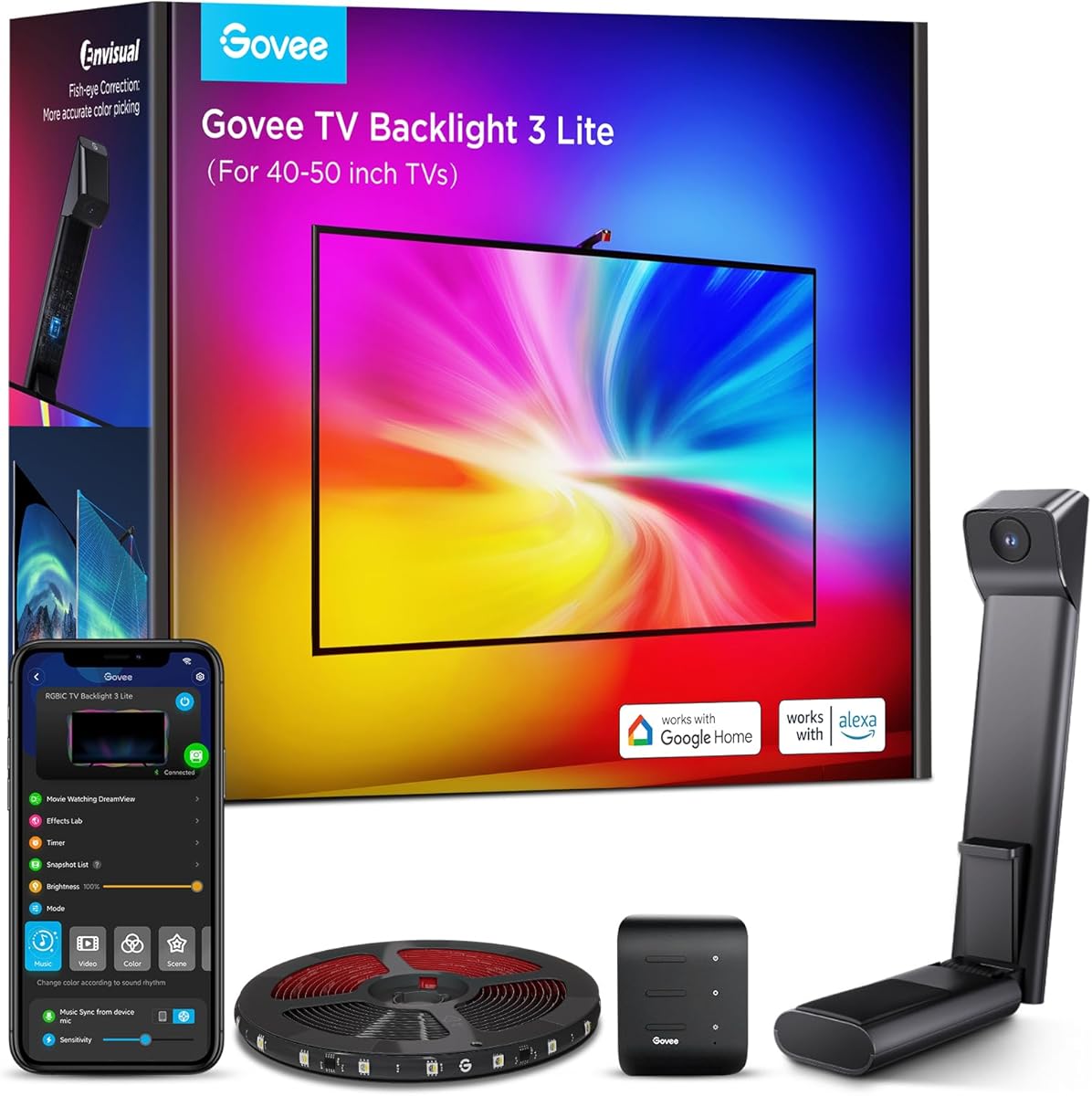
The Govee TV Backlight 3 Lite for 40-50 Inch TVs is a size-focused alternative to the larger 3 Lite model. Its 4.5 out of 5 rating places it among the strongest products here, while the 7.8-foot strip is tailored to smaller televisions. It provides the same important combination of automatic screen capture, upgraded Envisual processing, and RGBICW lighting with a warm-white channel.
We may earn a commission when you buy through this link, at no additional cost to you.
Fish-eye correction is intended to improve matching around screen edges, while improved pixel density and the 4-in-1 bead design support a more natural blend of saturated colors and white. The gravity-hanging camera is designed for secure placement on ultra-thin televisions and can be stabilized with adhesive. This keeps the sensor in a consistent position, which helps maintain reliable color analysis during viewing.
The 3 Lite can capture the color of any television content, including streamed programs, online videos, and games. Govee Home and voice commands through Alexa or Google Assistant provide access to black-bar exclusion, blank-screen detection, and scene modes. DreamView also allows up to seven additional sub-devices to join the lighting effect, giving compact-screen users an optional route to a larger synchronized setup.
This is a strong recommendation for a 40- or 50-inch television, particularly in a bedroom, office, or compact entertainment area. Its shorter strip avoids the excess length that can make installation awkward on smaller sets. It is less suitable for a 65-inch television or larger, for which buyers should select a longer version and verify that the strip can follow the intended perimeter.
A 7.8-foot strip is easier to manage around a compact television than a much longer kit. For buyers replacing an existing strip, matching the strip to the screen's usable perimeter can also reduce unnecessary corners and excess cable.
Black-bar exclusion and blank-screen detection reduce unwanted illumination when a program or game contains large dark regions. These app controls help preserve the intended atmosphere during varied content.
We may earn a commission when you buy through this link, at no additional cost to you.
The Govee TV Backlight 3 with Dual 4MP Lens for 55-65 Inch TVs is a technology-focused option rated 4.3 out of 5. It uses dual hybrid 4MP lenses to capture screen content with reduced color dispersion and sharper edges. The camera system is designed to give the surrounding light a cleaner transition from the display rather than a softer or less defined color wash.
We may earn a commission when you buy through this link, at no additional cost to you.
An AI color-mapping algorithm divides the screen into 24 independently captured zones. A separate film-style filter can adjust the lighting theme, while a dedicated white channel in the high-density RGBWIC strip supports purer colors and additional depth. The strip is described as 20% brighter, with 60 LEDs per meter and four-in-one beads for smoother transitions along the television's edges.
The dual-chip design claims millisecond response and 132% faster processing, aiming to keep effects aligned during rapid action and competitive games. Its slim gravity-fit camera measures 90 millimeters, allowing it to sit more discreetly on ultra-thin televisions. Heat-resistant adhesive is intended to simplify mounting and resist residue. DreamView can synchronize the system with 10 devices, while Matter, Alexa, and other supported smart controls broaden compatibility.
This model is best for technically minded buyers who value optical resolution, fine color segmentation, and fast response. It can capture colors from streaming, gaming, and video content without special source requirements. The lower 4.3 rating relative to the 3 Lite options does not negate those advanced specifications, but it may make the simpler Lite products more appealing to buyers prioritizing proven user satisfaction over the newest camera design.
The dual hybrid lenses are intended to reduce color dispersion and capture sharper frame details. That focus makes the system relevant to viewers who notice uneven or diffuse light spreading behind their television.
A dual-chip processor is designed for millisecond-level response, which helps lighting transitions keep pace with quick action. Competitive games and fast-paced films are the most demanding use cases for that capability.
We may earn a commission when you buy through this link, at no additional cost to you.
The GIPOYENT 13.7FT LED TV Lights with Camera that Change with for 45-65 in TV is rated 4.4 out of 5. It offers real-time color recognition for televisions between 45 and 65 inches, placing it between the smaller Govee Backlight 3 Lite and the broader 20.34-foot GIPOYENT kit. The result is a practical camera-based option for mid-sized displays.
We may earn a commission when you buy through this link, at no additional cost to you.
The camera maps colors from the television or a computer screen shown on the display to the backlighting in real time. An app allows users to adjust brightness, color, sensitivity, and other settings, offering more control than a fixed preset system. A range of ambient scenes and music-synchronized modes creates additional atmosphere when automatic matching is not the only goal.
Installation uses adhesive backing and secure clips, while the camera sensor attaches at the center top of the television. No tools are required. The main consideration is maintaining a clear field of view for the sensor. Deep entertainment centers, wall-mounted displays, or unusual television shapes may restrict placement, and users should confirm that the 13.7-foot strip is sufficient for the desired route.
This kit suits buyers who want automatic screen response in a moderate-size setup and who appreciate sensitivity controls. It offers a middle ground between compact strips and the more flexible 20.34-foot version. A larger television may need the longer kit for balanced coverage, while users who value more advanced optical hardware can consider Govee's dual-4MP-lens systems.
Brightness, color, and sensitivity controls allow the user to tune how strongly the backlight responds. These settings are useful when a room is brighter during daytime viewing or when certain content calls for subtler illumination.
Real-time screen matching is complemented by selectable ambient scenes and music modes. This creates a product that can shift between literal screen imitation and more decorative, rhythm-responsive effects.
We may earn a commission when you buy through this link, at no additional cost to you.
The Govee TV LED Backlight for 70-80 inch TVs brings ambient RGBIC lighting to larger sets without requiring a camera. It is rated 4.4 out of 5 and uses a 15-foot strip designed to cover four sides of a 70- or 80-inch television. This makes it a practical option for buyers who want a large-screen glow and extensive preset effects rather than literal content tracking.
We may earn a commission when you buy through this link, at no additional cost to you.
Govee's RGBIC technology separates colors into distinct segments, creating more dynamic gradients than a basic single-color strip. The Govee Home app supplies more than 99 preset scene modes and 11 music modes. App and voice control through Alexa and Google Assistant make it easy to select scenes or adjust the setup, and the built-in microphone allows color and brightness to react to nearby audio.
As with the smaller Govee RGBIC model, automatic screen capture is not included, and network support is limited to 2.4GHz. It should therefore be considered a versatile ambient-light kit rather than a screen-matching backlight. Users whose priority is having the room reflect the exact hues of a program or game should choose one of the camera-based alternatives instead.
This 70-80 inch version is well suited to larger living rooms and entertainment areas where a compact 12.5-foot strip would not provide enough routing length. Its combination of segmented color, music response, smart control, and ample scenes is compelling for general ambience. Confirm the television dimensions and intended installation path before buying, as corner routing and the placement of the entertainment center can affect the final fit.
RGBIC segmentation creates distinct blocks and gradients of color around the display. The effect is especially noticeable in larger rooms, where broad sections of colored light can transform the wall or entertainment area.
The absence of a screen sensor avoids calibration and camera-placement concerns. Buyers can install the strip, select a scene, and use it as decorative ambient lighting immediately.
We may earn a commission when you buy through this link, at no additional cost to you.
The Govee TV Backlight 3 with Dual 4MP Lens for 75-85 Inch TVs is a premium-oriented model in this guide. It carries a 4.3 out of 5 rating and focuses on precise capture, fast response, and dense lighting output. Its dual hybrid lenses are designed to minimize color dispersion, while the surrounding strip uses a high-density RGBWIC configuration to extend screen colors cleanly onto the wall.
We may earn a commission when you buy through this link, at no additional cost to you.
The system divides the image into 24 independently captured zones, allowing different portions of the display to influence separate sections of light. An AI filter identifies film-style content and adjusts the theme, while a dedicated white channel creates purer whites. With 60 LEDs per meter and four-in-one beads, the strip produces a denser, brighter effect intended to enhance large-screen viewing and gaming.
A compact 90mm gravity-fit camera minimizes visual obstruction on ultra-thin televisions. The processor is designed for millisecond response and 132% faster processing than earlier dual-chip processing, helping effects remain stable during rapid scenes. DreamView supports synchronization with 10 devices, while compatibility with Matter, Alexa, and the Govee app makes it more integrated with a smart home.
This is the advanced choice for a large display and buyers who prioritize optical resolution, zone control, and low-latency synchronization. It can work with streaming, games, and videos without special source hardware. However, its rating trails the 4.5-rated 3 Lite options, and buyers may find the camera alignment process more involved. It is best justified when precise optical capture and advanced smart-home features are priorities.
Independent zone capture allows different regions of a frame to influence different parts of the lighting. This can create more nuanced transitions than a single-color view, especially during scenes with several distinct colors.
The short gravity-fit camera is intended to remain visually unobtrusive while remaining stable. For wall-mounted or ultra-thin televisions, its compact profile can help preserve the clean appearance of the installation.
We may earn a commission when you buy through this link, at no additional cost to you.
The Philips Hue Play Gradient 65-inch Smart TV Light Strip is a premium lighting option rated 4.3 out of 5. The package includes one White and Color Ambiance television strip and mounting brackets designed for a 65-inch television. Its main appeal is not standalone hardware but integration with the wider Philips Hue ecosystem, where lighting can be refined through app-based control.
We may earn a commission when you buy through this link, at no additional cost to you.
The strip offers both warm-to-cool white and a broad range of colors. Users can customize how the lights react to content on a monitor or television through the Hue app. Included mounts allow the strip to bend around corners, making it easier to follow the rear of a compatible display. Voice control through Alexa or Google Assistant can be configured once the lighting system is set up.
A crucial limitation is that automatic synchronization with movies, music, or gaming requires both a Hue Bridge and a sync box, which are sold separately. This adds cost and setup complexity compared with camera-based kits. Buyers should also account for the fact that this package is designed around a 65-inch television and may not suit every screen size or mounting arrangement.
Despite those requirements, the Play Gradient remains attractive for households already invested in Philips Hue. Its polished customization, flexible mounts, and established app ecosystem are compelling for users who value ecosystem consistency over a self-contained installation. It is less suitable for a first-time buyer seeking a simple camera-and-strip package, but it can serve as the premium choice for an existing Hue setup.
The strip can become part of a broader Philips Hue lighting arrangement rather than operating only as a television accessory. That makes it particularly attractive for rooms where several compatible lights already share one control system.
The included brackets let the strip bend around the corners of a compatible television. This flexibility helps the light follow the screen perimeter without forcing a rigid, square layout.
We may earn a commission when you buy through this link, at no additional cost to you.
The PHILIPS Smart Lighting HDMI Sync Box is a signal-based lighting system rated 3.6 out of 5. It is designed for users who want the lighting system to receive the video signal directly from an HDMI source rather than relying on a camera to interpret what appears on the screen. The approach targets accurate matching and low latency for movies, games, and other externally sourced video.
We may earn a commission when you buy through this link, at no additional cost to you.
The box supports HDMI 2.0 devices, 4K at 60Hz, HDR10+, and Dolby Vision. Setup involves connecting the source device, television, and backlight through the sync box. A separate HDMI switcher is required to connect multiple source devices. This makes the installation less immediate than camera-based alternatives, but it gives the system direct access to the original video feed.
Compatibility is the defining constraint. The product cannot synchronize with apps that run directly on a smart television, and synchronization is possible only when content comes through an external streaming device, game console, or cable box. The WiZ app allows adjustment of color saturation and light intensity within preset modes. The built-in microphone can also react to music, while the setup can expand to compatible Connected by WiZ lights.
Despite its more technical requirement, the sync box offers a logical route for users who regularly connect external media devices and want low-latency matching without placing a camera above the screen. Its 3.6 rating is the lowest here, and the source requirement may frustrate viewers who stream primarily from smart-TV apps. It is best for technically confident buyers with a clear external-source workflow.
Receiving the original video signal can support precise color matching and low latency. The approach removes camera exposure, screen glare, and room-light interference from the color-analysis process.
Automatic synchronization works through HDMI but not with television-native apps. Users should map their streaming, gaming, and cable sources through the box before expecting consistent matching across every viewing method.
We may earn a commission when you buy through this link, at no additional cost to you.
The right smart TV sync light depends on how closely it must follow the screen, the size and mounting style of the television, the available source connections, and the smart-home controls you already use. These factors help narrow the list before comparing detailed features.
Camera-based lights analyze the image displayed on the television and reproduce its colors around the screen. They are convenient because they work with many sources, including television apps, games, and streamed content, but they require an unobstructed view and occasional sensitivity adjustment. HDMI-based systems receive the source signal directly, which can offer low-latency matching but generally cannot synchronize with apps running natively on a smart television.
Strip length should correspond to the television's perimeter and the desired installation route. A 7.8-foot strip is intended for 40-50 inch sets, while 12.5- and 13.7-foot options target mid-sized televisions. The 15-foot and 16.4-foot versions address larger displays, and the 20.34-foot GIPOYENT kit extends toward very large screens. Check whether the strip must cover all four sides, run only along the back, or stop short at the corners.
Products differ substantially in how they interpret color. RGBIC segmentation creates distinct color blocks, while camera systems aim to reproduce the screen's live palette. Advanced models add fish-eye correction for edge accuracy, multiple capture zones, dedicated white channels, and faster processors. These improvements can make transitions look cleaner, especially on large displays or during fast-changing games and action scenes.
Automatic camera lighting can usually work with streaming video, television apps, games, and computer content displayed on the television. An HDMI system has a narrower path because the signal must enter through a compatible external device. Smart-TV applications do not send their video through an external box, so an HDMI-only light may remain inactive during those apps. Confirm exactly which sources your household uses before selecting an architecture.
App control provides access to brightness, color, sensitivity, scene modes, and other settings. Voice support through Alexa or Google Assistant adds convenient hands-free operation. Some systems also work with Matter or can synchronize with other compatible lights through DreamView or Connected by WiZ. Philips Hue products require specific hub hardware, while Govee and GIPOYENT products use their own apps. Choose the ecosystem that best fits your existing setup.
Most systems use adhesive backing, cable clips, or mounting brackets. The camera or sensor must be positioned where it can see the screen, often at the upper center, without blocking viewing. Ultra-thin televisions may benefit from gravity-fit designs. Wall-mounted sets and recessed entertainment centers can present more difficult placement problems, so compare the included mounting hardware with the television's available surface and viewing angle.
Not every visual reaction needs to imitate the screen. Many strips include preset scenes, gradients, and music modes that can turn the television area into a decorative focal point. Built-in microphones allow colors and brightness to move with nearby audio. These features are especially useful for parties, gaming sessions, and everyday room ambience, but they serve a different purpose from precise frame-by-frame screen synchronization.
A complete result may require more than the visible light strip. The Philips Hue Play Gradient needs a Hue Bridge and sync box for automatic reactions. The Philips HDMI Sync Box requires an external video source and may need an HDMI switcher for multiple devices. Camera kits need a clear sensor position, while all options benefit from adequate cable routing and an accessible wall outlet. Consider the complete installation before deciding which product offers the better overall fit.
Begin by identifying the desired light route and cleaning the mounting surfaces. For a camera-based system, install the strip with its adhesive or clips, then position the sensor near the upper center of the television where it has a clear view of the screen without covering the display. For an HDMI-based system, connect the streaming device, game console, or cable box to the sync box, then connect the television and compatible lights as directed.
After assembly, download the appropriate app and connect the lighting hardware to the required network or hub. Many of these products work on 2.4GHz networks, so confirm the phone or home network can reach that band before setup. Select the matching television size, choose a screen mode, and adjust brightness, color, sensitivity, or saturation. Users should test streaming, broadcasts, and games separately because dark scenes and fast motion may need different settings.
For daily care, gently wipe the strip and sensor with a soft, dry cloth and keep liquids away from the electronics. Avoid pulling on cables or repeatedly moving the adhesive-mounted sensor, as alignment changes can affect color matching. Check clips and connections periodically, especially around ventilation openings or high-traffic areas. When the product is not in use, switching off the light reduces unnecessary operation and helps maintain a consistent appearance for the room.
Screen-sync lighting detects colors from the television and reproduces them around the display, often in real time. Ambient backlights create selectable colors, gradients, and music effects without automatically following the image. The products in this guide cover both approaches, so buyers should choose based on whether literal screen matching is essential.
Most camera-based kits are designed to work with varied content displayed on a television, including native smart-TV apps. HDMI-based systems have stricter requirements because they need an external streaming device, game console, or cable box. They generally cannot synchronize with applications running directly on the television's operating system.
Yes, measuring the television and intended light route is strongly recommended. Strip lengths are designed for particular size ranges, but the exact route depends on whether you cover all four sides, leave corners open, or route only behind the screen. A little extra length can help at corners, while excessive length may be inconvenient to secure.
That depends on brightness and personal preference. Most systems let you lower brightness, soften color intensity, or adjust the camera's sensitivity. It is best to begin with moderate settings, then make small changes while watching different kinds of content.
Camera-based systems can work with wall-mounted televisions if the sensor has a clear view of the screen and the strip can be mounted behind the set. Placement may require an adjustable camera mount or careful camera alignment. HDMI-based systems avoid the camera-placement issue because they read the external video signal directly.
Yes. The Philips Hue Play Gradient 65-inch package includes the strip and mounting brackets, but a Hue Bridge and a sync box are required for synchronization with movies, music, or games. Both required accessories are sold separately and must be set up with the Hue app.
The Govee RGBIC strips for 55-65 and 70-80 inch televisions do not capture screen colors automatically. They provide RGBIC effects, more than 99 preset scenes, 11 music modes, and app or voice control. Buyers wanting automatic on-screen matching should select a model with a camera or an HDMI signal connection.
Keep the camera lens clean and unobstructed, and avoid touching or repositioning it frequently because consistent alignment supports accurate matching. Wipe the strip and housing gently with a soft, dry cloth, check that clips remain secure, and keep the connected cables organized to prevent accidental pulls.
The Govee TV Backlight 3 Lite for 75-85 inch TVs stands out as the strongest all-around choice in this guide, combining a 4.5 rating with automatic content capture, improved edge matching, smart controls, and expandable DreamView syncing. The GIPOYENT 20.34FT kit is a flexible alternative for larger screens, while the Philips Hue Play Gradient appeals most to households already invested in the Hue ecosystem.
The right choice ultimately depends on the viewing environment. Buyers who need literal matching across smart-TV apps should favor camera-based models. Those with external media devices may prefer HDMI signal matching, while users who mainly want colorful ambience can choose an app-controlled RGBIC strip with more scenes and music modes. Television dimensions, mounting space, network requirements, and the need for additional hubs should all be considered before installation.
Features and product configurations can evolve, so shoppers should review the current listing, compatibility notes, included accessories, and installation requirements. Confirming the television size and intended source setup can prevent most disappointments. Comparing current prices at the time of purchase is also advisable, since promotions and product configurations may change independently of the guidance in this November 2026 guide.