
GMKtec M3
4.4Editor score
Core i5-12450H processor
Triple 4K display support
16GB dual-channel DDR4
1TB NVMe storage
Our Intel Core i5 Mini PC guide compares 10 compact systems for performance, connectivity, memory, storage, display support, upgradeability, and everyday
An Intel Core i5 Mini PC packs desktop-class essentials into a compact enclosure that works well behind a monitor, beside a television, or in a crowded office. The best models balance processor power, memory, storage, networking, display support, thermal design, and practical expandability without turning a small computer into a complicated project.
This guide compares ten Core i5 mini computers using the specifications and feature details supplied for each listing. It covers business-oriented systems, highly connected models, compact units for dual or quad displays, a premium enterprise desktop, and a renewed option for buyers working with a limited budget. Ratings and configurations reflect the provided product information.
Each review identifies the strongest use case and the compromises worth considering, helping you compare processors, RAM, SSD capacity, ports, operating systems, and included accessories. Product listings, configurations, and prices can change, so confirm the current specifications and seller details before purchasing, particularly for memory, storage, and operating-system upgrades.
4.4Editor score
5.0Editor score

4.5Editor score
The table below provides a direct comparison of the ten mini PCs, with particular attention to processor generation, included memory, storage, display support, and the most distinctive connectivity features.



The ASUS NUC 13 Pro is a compact, business-oriented mini PC built around the Intel Core i5-1340P and supplied with 16GB of DDR4 memory, a 512GB M.2 PCIe SSD, and Windows 11 Pro. Its 4.5 rating reflects a favorable balance of performance, connectivity, and manageability. The hybrid processor combines four performance cores with eight efficient cores and reaches up to 4.60GHz, making it well suited to office applications, heavy browser workloads, presentations, and professional multi-window multitasking.
We may earn a commission when you buy through this link, at no additional cost to you.
Connectivity is one of the NUC's strongest arguments. It includes two Thunderbolt 4 ports with DisplayPort 2.1 and USB4 support, an Intel i226V Ethernet port with speeds up to 2.5Gbps, three front and rear USB-A 3.2 ports, and internal USB headers. Two HDMI 2.1 ports, Wi-Fi 6E, and Bluetooth 5.3 complete a flexible workstation package. The NUC Pro Software Suite adds remote control, power management, hardware alarms, boot redirection, and other tools valued by IT departments and unattended installations.
The trade-offs are mostly about cost and the stock configuration. A 512GB SSD may be modest for extensive file libraries, although the supplied information confirms support for an additional M.2 2242 drive and up to 64GB of dual-channel DDR4-3200 memory. As a business mini PC, it also demands a willingness to navigate product naming, barebone-related service notes, and optional component configuration. Buyers should verify the exact contents of the listing before purchase.
This is our premium recommendation for buyers who want a highly compact, well-connected Intel Core i5 system with enterprise features. It suits a professional desk, reception area, shared workspace, or monitor-mounted installation where low noise, tidy cabling, and reliable management matter. For a simpler home computer, the GMKtec M3 may be more economical; for a premium but especially compact design with unusually strong connectivity, the ASUS NUC 13 Pro stands out.
Thunderbolt 4, dual HDMI, 2.5Gbps Ethernet, and abundant USB connectivity allow the NUC to serve demanding desk setups without demanding a pile of adapters. The port mix also provides a useful foundation for high-resolution monitors, fast storage, and conventional office peripherals.
The NUC Pro Software Suite is more than decorative software: its remote control, power controls, hardware alarms, and unattended operation features can simplify managed deployments. These functions give the NUC an advantage over many general-purpose mini PCs.
We may earn a commission when you buy through this link, at no additional cost to you.
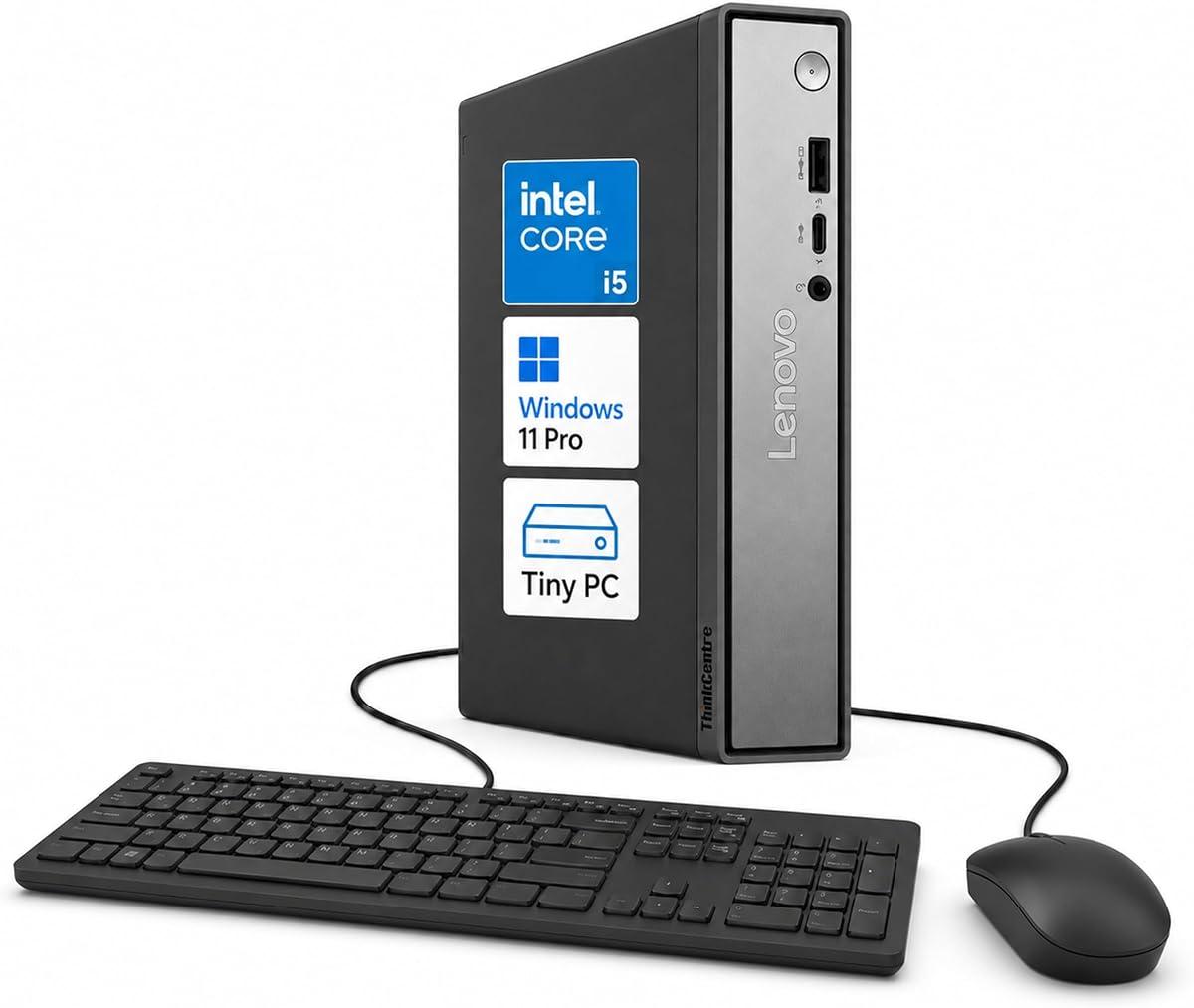
The Lenovo ThinkCentre Neo 50q Gen 5 is the most broadly balanced system in this guide. It carries a 5.0 supplied rating and combines the Intel Core i5-13420H with Windows 11 Pro, DDR5 memory, and PCIe NVMe storage. The processor has eight cores and 12 threads, which gives it enough parallelism for office suites, web research, video meetings, and multitasking without requiring a large tower desktop.
We may earn a commission when you buy through this link, at no additional cost to you.
Its one-liter chassis is especially useful for offices, classrooms, retail counters, and home workspaces where surface area is limited. It can sit upright, lie flat, or use a compatible mounting arrangement. Display flexibility is another major strength: two DisplayPort outputs and one HDMI connection allow up to three independent displays. Front USB-A, USB-C, and audio connections make frequently used peripherals easy to reach, while rear USB and Gigabit Ethernet cover routine office integration.
The main purchasing task is selecting the right configuration. The listing specifically states that multiple memory and storage configurations are available, so the 5.0 rating should not be read as applying identically to every possible setup. Buyers should verify the installed RAM capacity, SSD size, and included accessories. Lenovo's business focus is reinforced by TPM 2.0, a Kensington security slot, and professionally installed and tested Windows 11 Pro.
For most office and professional users, the Neo 50q is the easiest recommendation in the group. It offers the strongest supplied rating, a compact and flexible chassis, business security, and rare three-monitor support without demanding a premium enterprise price. It is particularly attractive for shared workspaces, reception desks, compact home offices, and users who want a current Intel Core i5 platform without paying for the NUC's specialized management suite.
The Neo 50q makes efficient use of a very small enclosure while allowing vertical, horizontal, and compatible mounted placement. That flexibility makes it straightforward to integrate into offices, classrooms, retail environments, and home offices where a conventional tower would be inconvenient.
Support for up to three independent displays is a major productivity advantage for research, finance, editing, and general multitasking. The mixture of two DisplayPort outputs and one HDMI port also provides flexibility when monitors use different connection standards.
We may earn a commission when you buy through this link, at no additional cost to you.
The MINISFORUM NAB5R is a connectivity-heavy Core i5 mini PC with a 4.5 supplied rating. Its Intel Core i5-13500H processor provides 12 cores, 16 threads, 18MB of Smart Cache, and turbo speeds up to 4.7GHz. With 16GB of DDR4-3200 memory and a 512GB PCIe 4.0 SSD, it is well equipped for office productivity, browsing, image editing, and video playback.
We may earn a commission when you buy through this link, at no additional cost to you.
The networking is the standout feature. Two 2.5Gb Ethernet ports make the NAB5R a compelling candidate for firewall duties, link aggregation, file serving, or network storage, while Wi-Fi 6E and Bluetooth 5.2 provide modern wireless options. It also supports up to four 4K displays at 60Hz through two HDMI ports and two video-capable USB-C connections. The full selection includes three USB-C ports, four USB 3.2 Gen 2 Type-A ports, and a combined audio jack.
Its preinstalled Windows 11 IoT Enterprise operating system is intended for stable, long-term use in areas such as healthcare, banking, retail, and manufacturing. That makes sense for embedded or kiosk-style deployment, although buyers who need a conventional desktop edition should confirm their software requirements before purchase. Memory can be expanded to 64GB, and the supplied information says storage can reach 4TB with two additional 2TB drives sold separately.
The NAB5R is best for a technically capable buyer who values networking and display flexibility more than a highly polished office bundle. Its abundant ports can reduce the need for a docking station, while the Core i5-13500H supplies ample multiprocessing capacity. It is less compelling for a buyer seeking the most discreet traditional office PC, but for a multi-screen workstation, lightweight server, or network appliance, it is one of the most capable options here.
Two 2.5Gb Ethernet ports distinguish the NAB5R from conventional office mini PCs. They can support advanced network arrangements, including firewall, aggregation, file-server, or storage use cases when the operating system and configuration are appropriate.
Two HDMI and two video-capable USB-C outputs allow as many as four 4K displays at 60Hz. This makes the system attractive for command centers, analysis desks, trading setups, and creative workflows that need extensive screen space.
We may earn a commission when you buy through this link, at no additional cost to you.
This HP Mini PC provides a familiar large-brand alternative to enthusiast mini desktops. It has a 4.3 supplied rating and pairs a six-core Intel Core i5 processor with 16GB of DDR4 memory, a 256GB PCIe NVMe SSD, and Windows 11 Pro. The supplied details cite speeds up to 3.7GHz, 9MB of cache, and an Intel Q370 chipset for business-oriented stability.
We may earn a commission when you buy through this link, at no additional cost to you.
Its two DisplayPort 1.2 outputs make it suitable for a two-monitor office arrangement, while Intel UHD Graphics 630 handles everyday visual work. Connectivity includes front USB 3.1 Gen 2, USB-C Gen 2, and headset ports, plus rear USB, Gigabit Ethernet, 802.11ac Wi-Fi, and Bluetooth. The 65W power adapter supports a straightforward setup, and Windows 11 Pro adds remote desktop and business-oriented tools.
The primary limitation is the 256GB SSD, which may feel restrictive once applications, updates, and user files are installed. Integrated UHD 630 is also less capable than the Iris Xe and newer UHD graphics found in several competing systems, although it remains appropriate for office documents, web work, presentations, and standard media playback. The supplied information does not give a specific processor model, so buyers should confirm the exact CPU when ordering.
At 6.97 by 6.89 by 1.35 inches and 2.76 pounds, this is a genuinely compact option that can sit behind a monitor or on a small desk. It is best for a straightforward business or home-office replacement where dual displays, front USB access, Windows 11 Pro, and a recognizable enterprise product line matter more than maximum storage or modern integrated graphics.
Front USB and headset connections are convenient for offices where peripherals are attached and removed frequently. Rear networking and display connections remain easy to reach when the system is mounted behind a monitor or positioned beneath a desk.
Although the included 256GB drive is small for some workflows, the use of a standard NVMe SSD gives buyers a practical path to more space. Confirm the available M.2 configuration and compatible capacity before replacing or adding storage.
We may earn a commission when you buy through this link, at no additional cost to you.
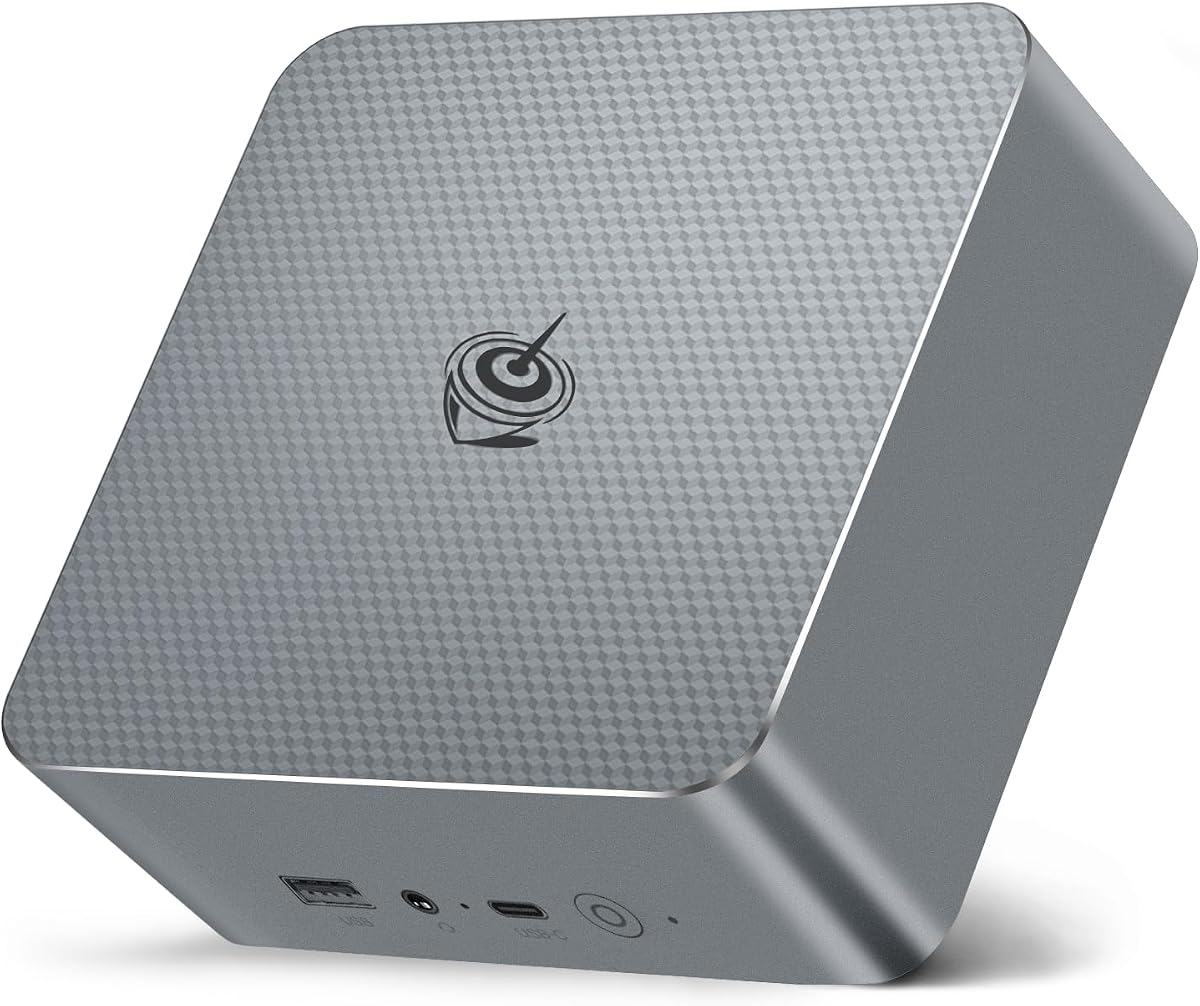
The GMKtec M3 combines a Core i5-12450H with 16GB of dual-channel DDR4 and a 1TB M.2 NVMe SSD, giving it a useful balance of processing power and storage. Its 4.4 supplied rating reflects a generally capable configuration, while the eight-core, 12-thread processor can reach 4.4GHz and includes 12MB of cache for office work, browsing, and routine creative applications.
We may earn a commission when you buy through this link, at no additional cost to you.
One of its strongest features is the included 1TB SSD, which provides considerably more room than the storage bundled with several competing systems. It also supports an additional M.2 2242 SATA drive up to 2TB, subject to the listed configuration. Intel Iris Xe Graphics 96EU drives two HDMI outputs and one USB-C display output, allowing three independent 4K displays at 60Hz.
Networking includes 2.5Gbps RJ45 Ethernet, dual-band Wi-Fi 6, and Bluetooth 5.2. The package contains a power adapter, VESA mounting hardware, an HDMI cable, and a user manual, reducing the number of extras a buyer may need. The M.2 2242 SATA expansion position and older 12th-generation processor are the main caveats, and the listing's language about a 32GB memory option should be checked carefully against the stated 16GB package.
This is our best budget-focused pick because it does not make the usual compromises at the entry level. The 1TB SSD, dual-channel RAM, triple-display support, fast Ethernet, and included mounting hardware make it particularly complete. It suits a home office, media workstation, study machine, or small business deployment that needs more storage than a basic mini PC without moving to an enterprise premium.
A 1TB NVMe drive is a meaningful advantage for large application libraries, media collections, and projects that would quickly fill a smaller included SSD. The additional M.2 2242 SATA position provides another possible upgrade path.
Two HDMI ports and one DisplayPort-capable USB-C connection support up to three 4K screens at 60Hz. 2.5Gbps Ethernet, Wi-Fi 6, and Bluetooth 5.2 give the compact system a strong connection mix for a desk or media setup.
We may earn a commission when you buy through this link, at no additional cost to you.
The Lenovo ThinkCentre Tiny M70q is a premium enterprise mini desktop with a Core i5-14400T, 16GB of DDR5 memory, a 512GB NVMe SSD, and Windows 11 Pro. It has a 4.2 supplied rating and emphasizes longevity, managed business use, and a compact ThinkCentre footprint. The 10-core processor combines six performance cores with four efficient cores, reaches up to 4.5GHz, and includes 20MB of cache.
We may earn a commission when you buy through this link, at no additional cost to you.
Its specifications are well suited to business, education, remote learning, and content creation. Intel UHD 770 handles streaming, presentations, and daily computing, while Wi-Fi 6, Bluetooth 5.1, and RJ-45 Ethernet cover common connectivity needs. The supplied data also notes that memory and the hard drive can be upgraded, giving owners a path to tailor the system as workloads change.
The main disadvantage is the high purchase cost. It asks for a meaningful premium over mainstream mini PCs even though some competing systems offer larger SSDs, more display outputs, or faster networking. The 4.2 rating is still solid, and it should not be treated as a direct measure of build quality or longevity; it is a reflection of customer feedback in the supplied listing rather than a laboratory result.
This M70q is the strongest choice for a business buyer who values the ThinkCentre name, enterprise support, a three-year warranty, and a polished Windows 11 Pro experience more than maximum value. It works especially well for an individual professional, a corporate refresh, or a home office that will remain in service for several years. Buyers comparing it with the ASUS NUC 13 Pro should prioritize warranty terms, management features, and total configuration cost.
The Core i5-14400T's ten-core design provides strong headroom for multitasking, business applications, and periodic content workloads. Its 20MB cache and boost speed up to 4.5GHz complement the system's fast DDR5 memory and NVMe storage.
Windows 11 Pro, an upgradeable design, and a stated three-year Lenovo warranty create a more conventional enterprise ownership experience. These attributes are especially relevant when the mini PC will support daily business rather than occasional household use.
We may earn a commission when you buy through this link, at no additional cost to you.
The KAMRUI Hyper H2 is built around the Intel Core i5-14500HX, a 14-core, 20-thread processor with speeds up to 4.9GHz. It has a 4.5 supplied rating and targets demanding office tasks, compilation, large spreadsheets, and virtual-machine workloads. Unlike many lower-powered mini PCs, it combines substantial core count with a compact desktop replacement design.
We may earn a commission when you buy through this link, at no additional cost to you.
The system includes 16GB of DDR4 RAM and a 512GB PCIe 4.0 NVMe SSD. Dual-channel memory slots support up to 64GB, and two M.2 positions permit up to 4TB of total storage according to the supplied details. That expansion potential is valuable for developers, engineers, and heavy multitaskers who may outgrow the initial configuration.
Display and peripheral connectivity is also strong. HDMI 2.0, DisplayPort 1.4, and a full-featured USB-C connection with DisplayPort Alt Mode and 15W power delivery support three 4K displays at 60Hz. Seven USB ports, Gigabit Ethernet, Wi-Fi 6, and Bluetooth 5.2 reduce dependence on adapters. A dual-fan thermal system, full copper heat pipes, and a dedicated SSD heatsink are designed to manage sustained workloads.
The principal considerations are the initial 512GB storage capacity and the absence of an operating system in the supplied product information. Users needing Windows or another licensed operating system must account for that separately. Even so, the H2 is a compelling processor-first option for users whose priority is maximum CPU capability in a tiny chassis, particularly if they plan to expand memory and storage after purchase.
Fourteen cores and 20 threads give the Hyper H2 considerable headroom for compiler workloads, large spreadsheets, and multiple virtual machines. Its 4.9GHz maximum turbo specification also makes it one of the more performance-oriented Core i5 mini PCs in this comparison.
Support for 64GB of memory and 4TB of total M.2 storage allows the system to grow with demanding workloads. Buyers should verify slot layouts and compatible drive sizes before purchasing additional components.
We may earn a commission when you buy through this link, at no additional cost to you.
This Intel NUC 13 Pro for ASUS combines the Core i5-1340P with 16GB of DDR4 memory and a 512GB M.2 SSD. Its 4.6 supplied rating is the second-highest among the ten products, and the system's strongest qualities are its compact dimensions, modern connectivity, and flexible four-display support.
We may earn a commission when you buy through this link, at no additional cost to you.
The hybrid processor provides up to 12 cores, with four performance cores and eight efficient cores, and reaches 4.6GHz. Intel Iris Xe Graphics supports demanding media and general graphics tasks. Two HDMI 2.1 ports and two Thunderbolt 4 ports allow four displays, with the supplied information listing 8K at 60Hz, 4K at 120Hz, and 4K at 60Hz capabilities.
Networking includes an Intel i226 Ethernet port rated up to 2.5Gbps, Wi-Fi 6E across 2.4GHz, 5GHz, and 6GHz bands, and Bluetooth 5.3. At 4.6 by 4.4 by 2.1 inches, the enclosure can fit under a large television or mount behind a monitor. The system also supports adding a 2.5-inch SSD, although that drive is not included.
This listing is a compelling alternative to the ASUS NUC 13 Pro at the top of the guide, with similarly strong core hardware and a slightly higher supplied rating. Buyers should compare warranty administration, exact memory and storage terms, included software, and seller support before deciding between the two listings. For compact four-monitor use, media, and professional multitasking, both NUC 13 Pro options are highly capable.
Two HDMI 2.1 and two Thunderbolt 4 connections make the NUC well suited to demanding multi-monitor desks. The variety of video outputs also allows buyers to combine different monitor types without relying on display adapters.
The enclosure's compact measurements make it easy to place behind a monitor or beneath a display. Integrated power options and a tidy port selection help preserve a clean workspace when the system is used as an all-in-one-style setup.
We may earn a commission when you buy through this link, at no additional cost to you.
The Beelink EQI13 uses the same broad processor family as the Lenovo Neo 50q, with a 13th-generation Core i5-13420H rated at eight cores, 12 threads, and up to 4.6GHz. It includes 16GB of DDR4 memory and a 500GB M.2 2280 PCIe 4.0 SSD. The supplied 4.5 rating reflects a capable general-purpose configuration for office, design, home entertainment, and selected lighter games.
We may earn a commission when you buy through this link, at no additional cost to you.
Its most distinctive practical feature is the built-in 85W power supply, which means the computer needs only a power cable rather than a separate external power brick. That can reduce desk clutter and make the 4.96 by 4.96 by 1.74-inch enclosure easier to position behind a display. The system also supports dual 4K screens at 60Hz through two HDMI outputs and includes a USB-C port for data transfer.
Networking is unusually generous, with two 2.5Gb Ethernet connections, dual-band Wi-Fi 6, and Bluetooth 5.4. A cooling system described as MSC2.0 with a silent fan, SSD heatsink, and dustproof design aims to control temperatures and noise. Remote functions such as Wake-on-LAN, PXE boot, RTC wake, and automatic power-on make the mini PC suitable for server-like tasks when configured appropriately.
The EQI13 is an attractive option when clean cabling and flexible networking matter. Its limitation is display scale: only two 4K screens are supported, fewer than the NAB5R, Hyper H2, or NUC alternatives. It is best for a dual-monitor office, a small server, or a home entertainment system that benefits from built-in power and high-speed Ethernet.
The integrated 85W power supply eliminates the external adapter brick associated with many mini PCs. This makes the EQI13 particularly tidy behind monitors and in entertainment setups where every visible cable matters.
Dual 2.5Gb Ethernet, Wake-on-LAN, PXE boot, and scheduled wake functions create several options for network storage, remote management, and unattended operation. Software and hardware compatibility should be confirmed for the intended server role.
We may earn a commission when you buy through this link, at no additional cost to you.
The HP EliteDesk 800 G4 Mini is a renewed business desktop built around the six-core Intel Core i5-8500T, which can boost up to 3.5GHz. It includes 16GB of DDR4 RAM, a 256GB SSD, and 64-bit Windows 11. Its 4.0 supplied rating is the lowest here, but that figure should be considered alongside its role as a renewed older-generation machine and its significantly lower purchase cost.
We may earn a commission when you buy through this link, at no additional cost to you.
Dual-monitor support through DisplayPort and HDMI is useful for an inexpensive office replacement, while Wi-Fi and Bluetooth reduce the need for a wired connection to every peripheral. The small chassis can sit on or under a desk and is well suited to routine office applications, browsing, schoolwork, and lightweight productivity tasks.
As a renewed product, it may carry minor cosmetic wear, and the older Core i5-8500T lacks the core count, modern efficiency profile, and newer media capabilities of several 13th- and 14th-generation alternatives. The 256GB storage capacity is also limited for modern applications. The supplied listing also refers to 250GB in its feature summary, so buyers should confirm the exact drive capacity and the condition of the enclosure and components.
This is the value pick for a buyer who wants a recognized HP business desktop, a compact footprint, and a complete Windows installation at a substantially lower cost. It is less appropriate for demanding creative work, heavy virtualization, or buyers who want the newest processor architecture. A careful inspection of the renewed condition, storage health, and included power cable is essential before purchase.
The EliteDesk 800 G4 platform remains useful for conventional office duties, and renewed inventory can offer a way to obtain a complete business PC with Windows at a lower cost. Its familiar HP chassis also supports tidy placement on a desk or beneath it.
The six-core 8500T and 256GB SSD trail modern alternatives in processor throughput and storage capacity. Renewed status can also involve cosmetic wear, making product photos, seller guarantees, and return terms especially important.
We may earn a commission when you buy through this link, at no additional cost to you.
Choosing an Intel Core i5 Mini PC requires balancing processor generation, memory, storage, display support, networking, expansion, and intended workload. The right model for a dual-monitor office is not necessarily the best choice for virtualization, a home theater, or an inexpensive refurbished computer.
Processor model numbers reveal more than the general Core i5 label. The Core i5-13500H and i5-14500HX provide high core counts for heavy multitasking, compilation, and virtual machines, while the i5-12450H and i5-13420H target efficient general-purpose use. The NUC 13 Pro's i5-1340P uses four performance and eight efficient cores, and the older i5-8500T in the renewed HP model reflects a previous platform generation. Compare core count, threads, cache, turbo speed, and thermal limits rather than treating all Core i5 chips as equivalent.
A 16GB configuration is the most common starting point in this group and is sensible for browsing, office applications, and several open programs. However, memory-intensive work benefits from 32GB or more. The ASUS NUC 13 Pro, MINISFORUM NAB5R, KAMRUI Hyper H2, and Beelink EQI13 are listed as supporting expansion to 64GB. Check whether the included RAM is configured in dual channels, confirm the maximum module size, and verify that expansion requires replacing rather than supplementing the existing memory.
The included SSD capacity can determine how quickly a new system feels constrained. The GMKtec M3 stands out with 1TB, while the HP Mini PC, HP EliteDesk 800 G4, and Beelink EQI13 begin with 256GB or 500GB. Most systems use NVMe storage, and several provide an additional M.2 position. Confirm both the M.2 form factor and interface before buying a replacement or expansion drive, since M.2 2242 SATA and M.2 2280 PCIe drives are not interchangeable.
The number of displays can transform productivity. The Lenovo Neo 50q supports up to three independent screens, while the MINISFORUM NAB5R, ASUS NUC 13 Pro, other Intel NUC listing, and KAMRUI Hyper H2 support four in their supplied descriptions. The Beelink EQI13 supports two, while the HP options provide dual-monitor arrangements. Also examine supported resolution and refresh rate, port types, and whether USB-C provides DisplayPort Alt Mode rather than data transfer alone.
Fast Ethernet can make a mini PC considerably more useful in network-storage, firewall, and file-server roles. The MINISFORUM NAB5R and Beelink EQI13 include dual 2.5Gb Ethernet, while the ASUS and Intel NUC listings use Intel i226 Ethernet. Other useful features include Thunderbolt 4, USB-C, multiple DisplayPort outputs, front audio, and USB-A access. Choose based on your existing peripherals so the system can reduce docking clutter without forcing a larger desk footprint.
Windows 11 Pro is included or stated as installed in the ASUS, Lenovo, HP, and other NUC listings, while the MINISFORUM NAB5R comes with Windows 11 IoT Enterprise. These editions serve different purposes: conventional Pro is familiar to office users, while IoT Enterprise emphasizes stable, long-term embedded deployment. Business systems may also include TPM 2.0, security slots, remote management, hardware alarms, and unattended operation features that can be more valuable than a small difference in benchmark speed.
A mini PC's compact enclosure makes thermal design especially important. The KAMRUI Hyper H2 uses a dual-fan system with copper heat pipes and an SSD heatsink, while the Beelink EQI13 describes a silent fan and dustproof cooling design. The ASUS NUC uses built-in fan cooling. For sustained workloads, consider the stated cooling architecture and the processor's power class. A system intended to run continuously should also have suitable ventilation and a stable power arrangement.
A three-year ASUS warranty supports the NUC 13 Pro, the ThinkCentre Tiny M70q lists a three-year Lenovo warranty, and GMKtec provides a stated one-year limited warranty. Renewed products require a different evaluation: the HP EliteDesk 800 G4 may show cosmetic wear and should be checked for completeness, storage condition, and seller guarantees. Compare warranty length, local service access, included components, and return terms alongside the hardware.
Before the first use, check that the package includes the correct power adapter or cable, and confirm that the operating system and essential applications are installed. Connect the desired display, keyboard, mouse, network, and peripherals, then follow the operating system's setup process. If you intend to add RAM or an SSD, power the system down completely, disconnect power, consult the model-specific instructions, and confirm that every component is compatible before opening the chassis.
Place the mini PC on a hard, level surface with clearance around its vents. Avoid soft furnishings, closed cabinets, and areas where accumulated heat can raise operating temperatures. If the system sits behind a monitor, verify that it is not blocking the display's ventilation. Clean exterior vents with compressed air or a dry soft brush, and disconnect power before cleaning. Do not use liquid cleaners on the chassis, and avoid opening the unit while it is running.
For the best experience, install current operating-system and application updates, move important files to a separate backup, and keep a small amount of free storage available. Use Windows power settings for sleep, restart, and shutdown according to how often the system runs. For remote or server-like use, configure the appropriate network, wake, and access settings. Periodically check temperatures, storage health, memory use, and available space so performance issues can be addressed before they become disruptive.
Yes, an Intel Core i5 Mini PC is generally well suited to home-office tasks such as document editing, email, web browsing, spreadsheets, video meetings, and cloud-based applications. A model with at least 16GB of memory and a fast NVMe SSD provides the most comfortable experience. Consider additional storage, a second display, and wired Ethernet if your workflow is especially intensive.
The MINISFORUM NAB5R supports up to four 4K displays, while the Lenovo ThinkCentre Neo 50q supports up to three independent displays. The ASUS and Intel NUC 13 Pro listings and KAMRUI Hyper H2 also provide four-display arrangements in their supplied specifications. Check the exact resolution, refresh rate, and connection type required by each monitor before buying.
For standard office, school, and browsing tasks, 16GB is a sensible minimum and is included in most of the systems reviewed here. Heavy browser sessions, creative applications, large spreadsheets, and virtual machines can benefit from 32GB or more. Several models support expansion to 64GB, so you can select a lower-cost configuration and expand later if necessary.
Usually, but the exact process depends on the model. The ASUS NUC 13 Pro, MINISFORUM NAB5R, KAMRUI Hyper H2, and Beelink EQI13 provide stated memory or storage expansion options, while the Lenovo ThinkCentre Tiny M70q is also described as upgradeable. Check maximum capacities, module format, and M.2 interface compatibility before purchasing parts.
A properly functioning renewed system can be suitable for standard office, school, and web tasks. The renewed HP EliteDesk 800 G4 in this guide has a 4.0 supplied rating, uses the older Core i5-8500T, and may show cosmetic wear. Review the seller's condition description, included accessories, warranty or return policy, and storage health before choosing it over a newer model.
Not usually for ordinary web browsing, office applications, and video calls, especially if the network plan and connected devices are limited to gigabit speeds. It becomes more valuable for network storage, file transfers, virtualization, and managed network roles. The MINISFORUM NAB5R and Beelink EQI13 are the strongest choices here when high-speed dual Ethernet is a priority.
The supplied information states that Windows 11 Pro is installed on the ASUS NUC 13 Pro, Lenovo ThinkCentre systems, HP Mini PC, and Intel NUC listing. The MINISFORUM NAB5R includes Windows 11 IoT Enterprise, while the KAMRUI Hyper H2 listing does not identify an installed operating system. Verify the software included with the exact configuration before ordering.
For office work, browsing, education, media playback, and light creative tasks, a Core i5 mini PC can replace a tower desktop. Multi-monitor support, fast Ethernet, and fast storage make many of these models particularly practical. Highly demanding gaming, specialized professional software, or sustained workstation workloads may still benefit from more powerful graphics, cooling, or storage.
The Lenovo ThinkCentre Neo 50q stands out as the best overall choice, combining a 5.0 supplied rating, a current Core i5 processor, a one-liter business chassis, Windows 11 Pro, and support for three displays. The ASUS NUC 13 Pro is the premium pick for demanding users who prioritize Thunderbolt 4, business management features, flexible expansion, and a three-year warranty. The GMKtec M3 delivers the strongest budget-focused configuration with 16GB of dual-channel memory, a 1TB NVMe SSD, and three-display support.
For users with unusually demanding networking or display needs, the MINISFORUM NAB5R offers dual 2.5Gb Ethernet and four 4K outputs. The KAMRUI Hyper H2 leads on processor core count, while the ThinkCentre Tiny M70q emphasizes enterprise ownership. The Beelink EQI13 is appealing for its integrated power supply, and the renewed HP EliteDesk 800 G4 can be the most economical route to a complete Windows business desktop. Prioritize the features your daily workflow actually requires rather than selecting solely by processor model.
Before purchasing, confirm the exact processor, included memory, SSD capacity, operating system, warranty, and display configuration. Amazon listings can change, and several models here appear in multiple storage or memory configurations. Check current pricing, seller information, return terms, and component compatibility at the time of purchase so the configuration you select matches the system you expect to receive.