
Enbrighten Smart Dimmer Light Switch
4.6Editor score
Matter and Wi-Fi control
No hub required
QuickFit installation design
Discover the best in wall smart dimmer switch options, comparing connectivity, dimming, installation, hub needs, and smart features.
An in wall smart dimmer switch adds remote control, scheduling, voice assistance, and adjustable brightness while preserving the familiar feel of a conventional wall switch. A worthwhile model should pair dependable dimming with straightforward app setup, useful automation, and compatibility with the bulbs and wiring already in your home.
We compared these ten switches across important buying considerations, including dimming range, neutral-wire requirements, single-pole or 3-way support, hub requirements, Matter compatibility, app controls, voice-platform support, and load limits. The list covers affordable options, premium Lutron models, Kasa and Tapo kits, and Leviton switches for different household needs.
Each selection highlights the product that best serves a particular use, from budget-conscious whole-home control to polished premium automation. Ratings reflect the supplied customer feedback, while practical details such as wiring and required accessories can vary by installation. Product prices change, so compare current listings before purchasing.
4.6Editor score
4.6Editor score

4.8Editor score
The table below compares the ten dimmers by installation style, connectivity, smart-home support, and practical feature coverage, making it easier to identify the right model for your wiring and routines.




The Leviton Decora Smart Dimmer Switch D36HD-1RW combines an established Decora-style format with Wi-Fi control, remote access, and detailed dimming controls. Its supplied customer rating is 4.4 out of 5, reflecting a generally positive reception, while its standout qualities are adjustable fade behavior, preset brightness, and attention to dimmable LED performance.
We may earn a commission when you buy through this link, at no additional cost to you.
The switch lets users create a calmer environment for meals, movies, or bedtime rather than offering only on and off behavior. Customizable fade rates make transitions gradual, while preset levels provide a quick route to a preferred brightness. Settings for bulb type, minimum dim level, and maximum brightness can help improve compatibility and reduce visible flicker with compatible dimmable LED bulbs and fixtures.
My Leviton Night Settings add another layer of automation by enabling softer lighting at night, which is particularly useful for kitchen and bathroom paths. Remote status checks and adjustments through a smartphone are convenient when nobody is home. The trade-off is that this model is an earlier Wi-Fi design, so buyers wanting explicit Matter support or the broadest stated voice-platform list may prefer the newer D26HD-1RW.
It is a strong choice for someone who values careful lighting behavior over cutting-edge ecosystem features. Confirm that the existing bulbs are dimmable, review the load and wiring requirements, and verify the setup process in the My Leviton app. For a neutral-wire-compatible installation that prioritizes smooth customization, this remains a practical and well-rounded option.
Fade rates, preset levels, and adjustable minimum and maximum settings give this switch more control over the overall lighting experience. These options are particularly useful when a room serves multiple purposes throughout the day.
My Leviton Night Settings can activate softer light for late-night kitchens and bathrooms. The feature makes nighttime navigation more comfortable without requiring a separate night-light.
We may earn a commission when you buy through this link, at no additional cost to you.
The Enbrighten Smart Dimmer Light Switch is an appealing value-oriented option for buyers who want modern connectivity without another hub. It has a supplied rating of 4.6 out of 5, connects to a 2.4 GHz Wi-Fi network, and supports Matter-certified smart-home platforms through the Enbrighten app.
We may earn a commission when you buy through this link, at no additional cost to you.
Its headline strength is flexible control. Users can adjust brightness from a smartphone, issue commands through compatible voice assistants, or use the in-wall dimmer even when internet access is unavailable. That last point is valuable because a network interruption does not remove the switch's fundamental lighting function.
The QuickFit installation design reduces housing depth by 20 percent, removes heat tabs, and uses color-coded flying leads to make installation more approachable in crowded electrical boxes. Automation can respond to time, weather, location, presets, and custom triggers, while the supplied data confirms compatibility with Amazon Alexa and Google Home.
This is a good fit for a single-room upgrade or a broader mixed-platform home. Verify dimmable bulb compatibility and local electrical requirements before installation. Buyers who value a modern standards-based ecosystem, compact box design, and no-hub setup will find this switch especially useful.
Direct 2.4 GHz Wi-Fi and Matter support simplify the architecture of the system. The switch can work through the Enbrighten app or a compatible Matter platform, reducing the need for dedicated bridge hardware.
The reduced-depth housing and color-coded flying leads can make the switch more manageable in shallow or crowded boxes. Buyers should still inspect their existing wiring and follow local electrical requirements.
We may earn a commission when you buy through this link, at no additional cost to you.
The Kasa Smart 3-Way Dimmer Switch Kit KS230 KIT v2 is built for homes where a light is controlled from two locations, such as stairways, long hallways, or living rooms. Its supplied rating is 4.4 out of 5, and the kit stands out for one-percent brightness control, app-guided setup, and clear support for common dimmable bulb loads.
We may earn a commission when you buy through this link, at no additional cost to you.
Brightness can be adjusted directly from the elegant wall control or remotely through the Tapo or Kasa app. Scheduling allows lights to switch on or off at a preferred brightness, supporting gentle morning illumination and nighttime routines. Voice control through Alexa and Google Assistant adds another convenient layer for hands-free operation.
The main requirement is neutral wiring, along with a 2.4 GHz Wi-Fi network. The switch supports incandescent bulbs up to 300 watts or dimmable LED bulbs up to 150 watts, and the product is ETL certified with a two-year warranty. The app also supports firmware updates, helping keep the installed switch current.
Choose this kit when you need coordinated dimming from two switch locations rather than a single-pole replacement. It is particularly suitable for a stairway, entry corridor, or room with multiple access points. Homeowners who are unfamiliar with electrical wiring should consider professional installation, and everyone should verify their load type before buying.
The three-way configuration lets household members adjust the same fixture from two wall switches. This is useful in circulation spaces where an upstairs or downstairs control may be more convenient.
One-percent control and scheduled brightness levels allow the fixture to transition from a soft overnight setting to a brighter task level. The app can be updated as features and firmware evolve.
We may earn a commission when you buy through this link, at no additional cost to you.
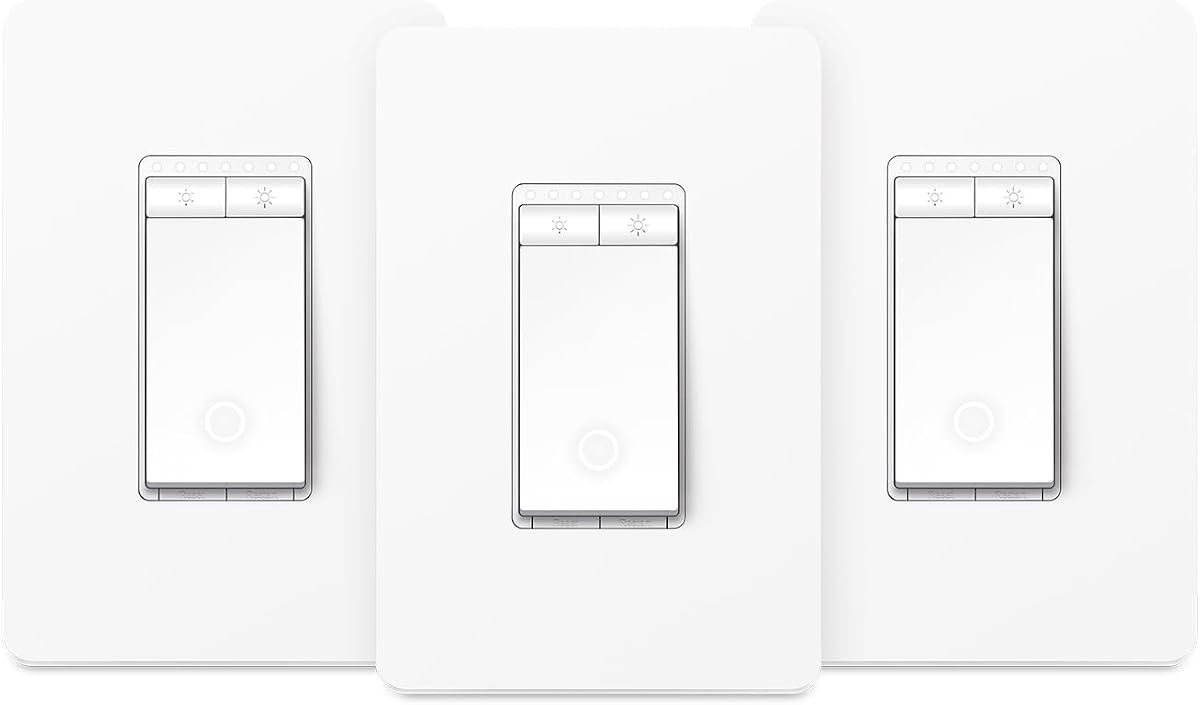
The Kasa Smart Dimmer Switch HS220P3 is a focused single-pole solution that combines conventional wall control with app, schedule, and voice options. Its supplied customer rating is 4.6 out of 5, and its clearest strengths are complete brightness adjustment, straightforward setup, and useful wall-mounted behavior.
We may earn a commission when you buy through this link, at no additional cost to you.
Users can control brightness from the button or the Kasa app across a zero-to-100-percent range. A single click provides instant full light, while a double click initiates a fade-off, which is helpful at bedtime. Schedules can also create a softer morning glow, giving the switch value beyond basic remote operation.
The Kasa or Tapo app provides step-by-step setup guidance, and the switch operates on a secured 2.4 GHz network without a separate hub. Amazon Alexa and Google Assistant are supported for hands-free control. The trade-off is that neutral wiring is required, and the device does not offer the Matter positioning seen in several newer alternatives.
This is a strong recommendation for a straightforward, single-location dimmer where the buyer wants useful wall gestures and dependable app control. Its stated dimensions and clear installation requirements make planning easier. It suits first-time smart-switch buyers who want established features without maintaining a separate hub.
Single-click instant-on and double-click fade-off actions make the switch practical even when a phone is not nearby. The physical control continues to serve as the primary interface rather than becoming a decorative app-only device.
Direct connection to a 2.4 GHz network keeps the installation manageable. App-guided instructions help with pairing and control configuration, although existing wiring still needs to meet neutral-wire requirements.
We may earn a commission when you buy through this link, at no additional cost to you.
The Leviton Decora Smart Dimmer Switch D26HD-1RW is a well-connected second-generation model designed for households with multiple smart-home platforms. Its supplied rating is 4.6 out of 5, while its main advantage is a broad compatibility list spanning Matter, Alexa, Google Assistant, Apple Home, Siri, SmartThings, Sonos, and Resideo.
We may earn a commission when you buy through this link, at no additional cost to you.
Lighting controls remain thorough. Users can customize fade rates, choose preset light levels, and adjust bulb type, minimum dim, and maximum brightness to improve the behavior of compatible dimmable LED fixtures. My Leviton Night Settings provide automatic softer light at night, useful in kitchens and bathrooms where bright fixtures can be disruptive.
Remote control and status checks work through the My Leviton app, and the switch supports both wired and wireless 3-way arrangements. Matter support can be enabled through a firmware update. The trade-offs are the neutral-wire requirement and the need to complete that update before using the standards-based integration.
Compatibility with major platforms makes this switch useful in a home that already mixes assistants, speakers, and smart devices. Enabling Matter support through the app adds a more standardized route for connected control.
Bulb type, minimum dim, and maximum brightness settings help fine-tune compatible fixtures. Adjusting these values can produce smoother transitions and reduce unwanted flicker.
We may earn a commission when you buy through this link, at no additional cost to you.
The Tapo Matter Smart Dimmer Switch S505D two-pack is designed for homeowners who want to upgrade more than one standard single-pole location at once. Its supplied rating is 4.5 out of 5, and the package combines full-range dimming, Matter certification, and broad smart-platform compatibility.
We may earn a commission when you buy through this link, at no additional cost to you.
Each switch supports brightness levels from zero to 100 percent and can be managed through the Tapo app, voice assistants, or schedules. Fade on and off creates smooth transitions, while away mode randomly turns lights on and off to simulate occupancy. Amazon Alexa, Apple HomeKit, Google Home, and Samsung SmartThings are among the compatible ecosystems listed in the supplied information.
Installation requires a neutral wire, 2.4 GHz Wi-Fi, and the Tapo app. The app provides step-by-step guidance, and consulting an electrician is recommended for those unfamiliar with electrical wiring. The limitation is that the package is intended for single-pole applications, so it does not replace a multi-location 3-way arrangement.
This two-pack is especially useful for coordinating matching rooms, such as a kitchen and dining area, or for completing several single-pole upgrades in one project. It offers an efficient path to a consistent lighting system without sacrificing remote access, scheduling, or physical dimming control.
The two-pack simplifies a coordinated project involving separate single-pole switches. It is less suitable when the installation requires a dedicated 3-way kit or a particular wallplate arrangement.
Matter certification supports broader ecosystem compatibility, while app and voice controls cover three common operating methods. Away mode and scheduled dimming add useful presence and routine features.
We may earn a commission when you buy through this link, at no additional cost to you.
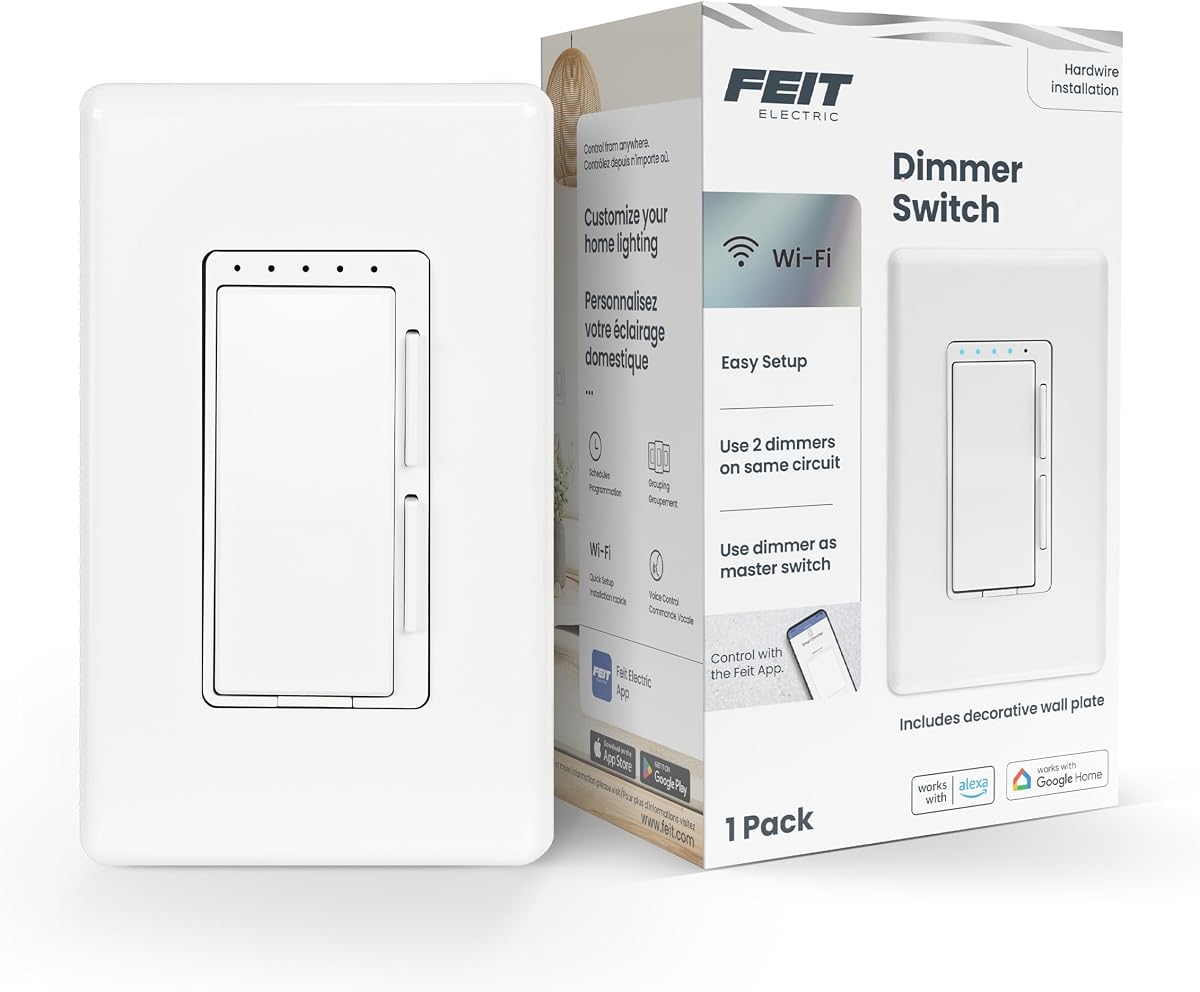
The Feit Electric Smart Dimmer Switch DIM/WiFi offers a broad range of installation styles at an accessible tier. Its supplied customer rating is 4.2 out of 5, the lowest among this group, but the switch provides app control, dimming, timers, and voice-assistant compatibility for a straightforward lighting upgrade.
We may earn a commission when you buy through this link, at no additional cost to you.
The device can replace single-pole, 3-way, or 4-way switches and is compatible with one-gang, two-gang, and three-gang installations. It supports dimmable LED and CFL loads up to 150 watts and incandescent or halogen loads up to 450 watts. Existing dimmable bulbs can become controllable through the app, with schedules, dimming, and timers.
Amazon Alexa and Google Home Assistant are supported, and a 2.4 GHz Wi-Fi connection is required. The included mounting frame and decorative wall plate simplify the finishing work, while indicator lights show connectivity and the dimming range. The neutral wire requirement and lack of stated Matter support are important constraints for buyers planning a new ecosystem.
This switch makes sense for a value-focused buyer who needs compatibility with a non-neutral multi-way setup and wants a mounted unit with a decorative plate. It is also suitable for existing dimmable bulbs that do not need replacement. Confirm the exact multi-way configuration, load type, and box depth before installation.
Support for single-pole, 3-way, and 4-way arrangements is unusually broad in this category. That flexibility can make it useful in homes where the desired location is not a simple single-pole circuit.
A power indicator confirms connectivity, and LED dimming indicators show the available dimming range. These details make everyday operation easier to understand than an interface with no physical status feedback.
We may earn a commission when you buy through this link, at no additional cost to you.
The Lutron Caseta Diva Smart Dimmer Switch is the premium choice for buyers who prioritize physical lighting control and a polished wall interface. Its supplied rating is 4.7 out of 5, and its soft-glow light bar, vertical slider, and preset button offer a refined alternative to tap-heavy smart switches.
We may earn a commission when you buy through this link, at no additional cost to you.
The Diva supports up to 150 watts of dimmable LED bulbs or 600 watts of incandescent and halogen bulbs. It is not rated for low-voltage applications such as track or landscape lighting. A coordinating Claro wallplate is included, which helps create a more finished appearance than installing a smart module without a matching plate.
A major advantage is that the Caseta system does not require a neutral wire, making it usable in homes of any age. The trade-off is the required Lutron Smart Hub for full smart functionality. Once connected, users can control lights through the Lutron app, voice platforms, the wall control, schedules, scenes, and optional Pico remotes.
This model is best for a premium single-location installation where precise dimming and a refined physical interface matter. It also supports easy 3-way setup through the appropriate wall-mount kit and Pico remote. Homeowners already invested in the Caseta ecosystem will find its broad device integration especially valuable.
The vertical slider provides clear, incremental brightness adjustment, while the preset button restores a preferred level. The soft-glow bar also makes the current status easier to read in the room.
The hub enables app, voice, scene, and schedule control, while a Pico remote can add a wireless location. These options make the switch adaptable to both physical and automated routines.
We may earn a commission when you buy through this link, at no additional cost to you.
The Tapo Matter Smart 3-Way Dimmer Switch Kit S515D KIT extends Tapo's smart lighting approach to fixtures controlled from two locations. Its supplied rating is 4.3 out of 5, and it stands out through Matter certification, full-range dimming, energy-usage monitoring, and flexible scheduling.
We may earn a commission when you buy through this link, at no additional cost to you.
The kit is aimed at living rooms, hallways, and stairways where existing traditional switches can be replicated. Users can adjust brightness from zero to 100 percent, create schedules for on, off, or dimmed states, and enable fade transitions. The app also includes away mode, which randomly switches lights to create the appearance of occupancy.
Matter certification supports compatibility with major platforms including Amazon Alexa, Apple HomeKit, Google Home, and Samsung SmartThings. Remote app and voice control are supported through Alexa, Siri, Google Assistant, and Samsung Bixby. The installation requires neutral wiring and 2.4 GHz Wi-Fi, and the app guides users through setup.
This kit is a compelling choice for a Matter-oriented home that needs intelligent dimming from two switch locations. Energy monitoring adds a useful layer beyond basic remote control, allowing users to review consumption and make more informed adjustments. Buyers should ensure their circuit and existing switch arrangement are compatible before installation.
The three-way kit gives both switch locations access to dimming and automation. Matter certification broadens its usefulness in a home built around mixed smart-home brands.
Energy monitoring lets users track consumption for connected lights and consider more efficient settings. The feature is most useful when paired with schedules and away-mode routines.
We may earn a commission when you buy through this link, at no additional cost to you.
The Lutron Caseta Smart Dimmer Switch is the highest-rated product in this guide, with a supplied rating of 4.8 out of 5. It is well suited to premium connected homes, particularly those that value broad device integration, flexible automation, and installation in houses that lack a neutral wire.
We may earn a commission when you buy through this link, at no additional cost to you.
The switch supports up to 150 watts of dimmable LED or CFL bulbs and 600 watts of incandescent or halogen bulbs. It is not rated for low-voltage applications such as track or landscape lighting. Existing compatible bulbs can receive smart control without requiring smart bulbs themselves, provided one switch can handle the combined load.
Smart features require the Caséta Smart Hub. With the hub, users can create schedules, activate favorite scenes, use voice platforms, and enable away behavior. A seasonal function can automatically adjust lighting as conditions change, while the stated compatibility list includes Alexa, Apple HomeKit, Google Assistant, Serena shades, and Sonos.
The lack of a neutral-wire requirement makes this model a strong option for existing homes, and the included wallplate helps finish the installation. The trade-off is the additional hub and associated setup. It is a strong recommendation for a buyer committed to a polished Lutron system who values dependable control, broad integration, and flexible routines.
The hub unlocks personalized schedules, scenes, away behavior, and voice control across supported services. This makes the switch more than a remote dimmer and places it at the center of a connected lighting routine.
No neutral wire is required, which helps overcome a common obstacle to smart-switch installation. The model can also control multiple compatible bulbs while retaining conventional wall control.
We may earn a commission when you buy through this link, at no additional cost to you.
Choose an in wall smart dimmer switch by matching its wiring, control method, load rating, and smart ecosystem to your home. Installation compatibility matters more than any individual feature, so begin with the existing switch box and bulb type.
A single-pole switch controls one fixture from one location and is the simplest configuration. A 3-way arrangement controls the same fixture from two locations and requires either a coordinated smart kit, a wired companion, or a wireless remote. The Kasa KS230 and Tapo S515D are explicit 3-way kits, while the Feit model supports several configurations. Lutron offers wireless 3-way expansion through a Pico and wall-mount kit.
Match the product to the physical layout before considering the app. A single-pole smart dimmer cannot simply replace one switch in a true 3-way circuit, and a 3-way kit may not suit a box containing only one control.
Many smart switches require a neutral wire to maintain constant power for their electronics. The Kasa, Tapo, and newer Leviton options in this guide require one, while both Lutron Caseta models are expressly designed to work without it. This factor can determine whether a project is a straightforward replacement or requires opening walls and running new wiring.
Confirm the presence of a neutral wire before buying. If it is absent, a no-neutral model or professional electrical work may be necessary; do not assume a grounded-looking conductor is a neutral.
Hub-free switches connect directly to a 2.4 GHz Wi-Fi network, simplifying setup and reducing equipment requirements. Enbrighten, Kasa, Tapo, and the listed Leviton Wi-Fi models follow this approach. Lutron Caseta switches require the Lutron Smart Hub for their smart features, but that requirement unlocks broad integration, scenes, and Pico remote support.
Choose a hub-based system if you already use Lutron or value centralized reliability and extensive device compatibility. Choose a hub-free model if simpler ownership, fewer accessories, and immediate app-based control matter more.
Matter support can simplify communication among accessories from different manufacturers, while voice-platform compatibility determines whether Alexa, Google Assistant, Siri, SmartThings, Bixby, or another assistant can adjust the lights. The Enbrighten and Tapo models emphasize Matter, and the Leviton D26HD-1RW supports Matter through a firmware update plus a broad platform list.
Verify both the switch and your chosen smart-home service. Voice support can be present without every other feature being available, so also check app control, local operation, schedules, and scenes.
A smart dimmer requires compatible bulbs; non-dimmable LED bulbs may flicker, fail to reach low levels, or behave unpredictably. Payloads also matter because incandescent and halogen fixtures draw much more power than LED lighting. Kasa specifies up to 300 watts for incandescent or 150 watts for dimmable LED, while Feit supports comparable LED and higher incandescent capacities. Lutron supports up to 150 watts of dimmable LED and 600 watts of incandescent or halogen.
Calculate the connected load before purchasing and confirm the manufacturer's limits. Also check whether a fixture contains integrated dimming, fan controls, or other features that may not be supported by the switch.
Good dimming is more than changing brightness on a screen. Kasa models provide fine percentage control, and the Leviton switches include bulb type, minimum dim, and maximum brightness settings. These adjustments can help a switch work more smoothly with modern dimmable LED bulbs. Smooth fade options on Tapo and customizable fade rates on Leviton also improve perceived quality.
Look for a device with low-level adjustment and compatibility settings, especially if your fixture uses dimmable LEDs. If possible, identify the bulb model beforehand and use the manufacturer's recommended dimming range.
The wall switch remains important because household members may not always have a phone or use a voice assistant. The Lutron Diva offers a vertical slider, soft-glow indicator, and preset level. Kasa provides click and double-click gestures, while Tapo and Enbrighten prioritize straightforward wall dimming. Interface design can make a meaningful difference for children, older adults, and guests.
Choose a layout that is intuitive for everyone likely to use the room. A physical preset, slider, or familiar fade gesture can reduce friction compared with an interface that requires repeated presses.
Schedules, timers, away modes, and weather or location triggers turn a dimmer into an automated control. The Enbrighten switch supports several trigger types, Tapo includes away-mode simulation, and both Lutron models support personalized schedules and scenes. The Tapo S515D additionally tracks energy usage for connected lights.
Prioritize the automation that matches your routine. A useful feature should save repeated effort or improve comfort; avoid paying for a broad ecosystem when only basic timers and remote adjustment are needed.
Begin by confirming that the power is off at the breaker and that the existing switch, wiring, box, bulb type, and load fall within the product's requirements. Follow the manufacturer's wiring diagram and app-guided instructions. If the installation involves unfamiliar wiring, have a licensed electrician handle it rather than guessing at conductor identity.
After installation, restore power, pair the switch with its designated app on a 2.4 GHz network, and create a name that reflects the room and fixture. Test on, off, minimum brightness, and maximum brightness. Then establish schedules for waking, bedtime, and away periods, add relevant voice-assistant access, and confirm that physical wall controls still operate normally.
For care, keep the switch face clean with a soft, lightly dampened cloth and avoid spraying liquid directly into the gaps. Update the app and firmware when prompted, especially for Matter-enabled devices. If lights flicker, check bulb compatibility and adjust dimming ranges before changing electrical wiring. Periodically review schedules, load limits, and connected services.
Only when the bulbs are specifically rated as dimmable. Non-dimmable LEDs can flicker, buzz, fail to dim properly, or be damaged when used with a dimmer. Replace non-dimmable bulbs with compatible dimmable models and confirm the connected load remains within the switch's rating.
A single-pole switch controls a fixture from one location, while a 3-way setup controls it from two locations. Replacing only one switch in a 3-way circuit can leave the controls working incorrectly. Use a compatible 3-way kit, a supported companion module, or a wireless remote system designed for that arrangement.
It depends on the model. The Lutron Caseta options in this guide are designed to work without a neutral wire, while the listed Kasa, Tapo, Feit, and newer Leviton models require one. A missing neutral may require a different switch or professional wiring work, and it should never be improvised.
No. Enbrighten, Kasa, Tapo, and the listed Leviton models can provide app-based control without a separate hub, using 2.4 GHz Wi-Fi. Lutron Caseta requires the Lutron Smart Hub for its full smart functionality, which adds centralized device support but also another accessory to install and maintain.
Flickering can result from incompatible or non-dimmable bulbs, an unsupported driver, low minimum settings, or an electrical issue. Begin by confirming bulb compatibility and adjusting minimum dim, maximum brightness, and bulb-type settings where available. If the problem continues, have a qualified electrician investigate the fixture.
Most models here support at least one major voice platform, including Alexa or Google Assistant. Matter-enabled Enbrighten and Tapo models also support broader combinations, while Lutron uses its hub for voice integration. Complete the appropriate app setup and link the switch to the desired assistant account.
Confirm that the switch and load are specifically rated for the fan and its controls. This guide covers lighting dimmers, and some fan motors require a dedicated fan control. Neutral-wire, load-type, and manufacturer instructions should be checked before connecting a fan to any lighting dimmer.
A hub-free model can generally be the first connected device on a 2.4 GHz network, although wiring and bulb compatibility still matter. A hub-based Lutron installation requires the additional hub. In either case, the switch will generally retain conventional wall operation, subject to the product's specific requirements.
The Enbrighten Matter Dimmer stands out as the best budget-oriented selection because it combines Matter support, hub-free Wi-Fi, a reduced-depth housing, and local dimming. The Kasa HS220P3 earns the Editor's Choice recommendation for its balanced combination of precise dimming, simple gestures, app guidance, and no-hub operation. The Lutron Caseta Diva takes the premium position for its excellent physical interface, broad integration, and no-neutral-wire design.
Prioritize installation reality before app features. Identify whether the location is single-pole or 3-way, confirm neutral-wire availability, calculate the load, and verify dimmable bulb compatibility. Next, decide whether a direct Wi-Fi connection or hub-based architecture better fits your home, then select the ecosystem and automation functions you will actually use.
Ratings and features provide a useful starting point, but current product availability, accessories, and prices can change. Review the latest listing, installation guide, load specifications, and app requirements before making a final purchase. A compatible bulb, correct wiring, and the right control method will matter more than any single advertised feature.