
14Pcs 3D Printer Scraper Tool
4.4Editor score
Dual metal and plastic tools
Fifteen-degree metal blade angle
Twelve replacement plastic blades
Broad FDM and resin compatibility
A build plate scraper removes finished models without forcing them away by hand, which helps protect both delicate parts and printer surfaces. The best tool balances a sharp working edge, controlled leverage, comfortable handling, and enough flexibility to avoid gouging glass, textured PEI sheets, or other coated build plates during post-processing.
This guide compares ten build plate scraper options by examining blade material, edge design, grip, replacement system, printer compatibility, and intended cleaning tasks. It includes general-purpose plastic scrapers, rigid stainless steel tools, angled metal spatulas, magnetic designs, and multi-tool kits intended for removing prints, adhesive, labels, and residue.
Each review highlights the product's most useful features, practical limitations, and likely owner. The recommendations show how the tools differ for everyday FDM printing, stubborn high-adhesion materials, resin cleanup, printer-specific blade systems, and general surface cleaning. Product pricing and availability can change, so confirm current listing details before purchasing.
4.4Editor score

4.6Editor score

4.9Editor score
As an Amazon Associate we earn from qualifying purchases.
The comparison below covers the main design choices that separate these scrapers: plastic versus metal working edges, angled leverage, replaceable blades, grip systems, printer compatibility, and suitability for general cleanup as well as model removal.


The 14Pcs 3D Printer Scraper Tool is a dual-purpose kit that combines a rigid metal spatula with a thin flexible plastic blade. It carries a 4.4 rating and stands out because one component can provide controlled prying leverage while the other offers a gentler option for delicate surfaces. The set also includes twelve spare plastic blades, making it unusually well equipped for routine post-processing.
We may earn a commission when you buy through this link, at no additional cost to you.
The metal tool uses a 15-degree angle and a 0.4mm-thick blade to lift firmly adhered prints from glass or textured PEI beds. That geometry is useful when a model edge has fused more strongly than the surrounding area. By contrast, the 0.2mm plastic blade is designed to flex, which reduces the likelihood of scratching a valuable coated sheet or flexible build plate.
The main trade-off is that the set does not have the refined clamping system, balanced metal handle, or magnetic storage found on some dedicated premium tools. Users must also exercise more care with the rigid blade, since greater leverage can be harmful if the scraper is pushed too deeply beneath a model. The listed universal compatibility is broad, but it does not provide the printer-specific detail offered by several competing products.
This is a strong recommendation for new and experienced makers who want two different removal approaches without replacing the tool immediately. Choose it when most prints are standard PLA or PETG, when both delicate surfaces and stubborn corners appear in your workflow, and when having spare flexible blades available is valuable. It is especially practical for owners who want one kit to cover print removal, light resin cleanup, and general residue scraping.
The metal blade is intended for leverage, while the flexible plastic blade is the safer default on delicate PEI coatings. Having both makes it easier to change tactics before increasing force.
Twelve replacement plastic blades help maintain a clean working edge. Replaceable inserts are particularly practical because small nicks can reduce scraping efficiency without justifying replacement of the entire tool.
We may earn a commission when you buy through this link, at no additional cost to you.
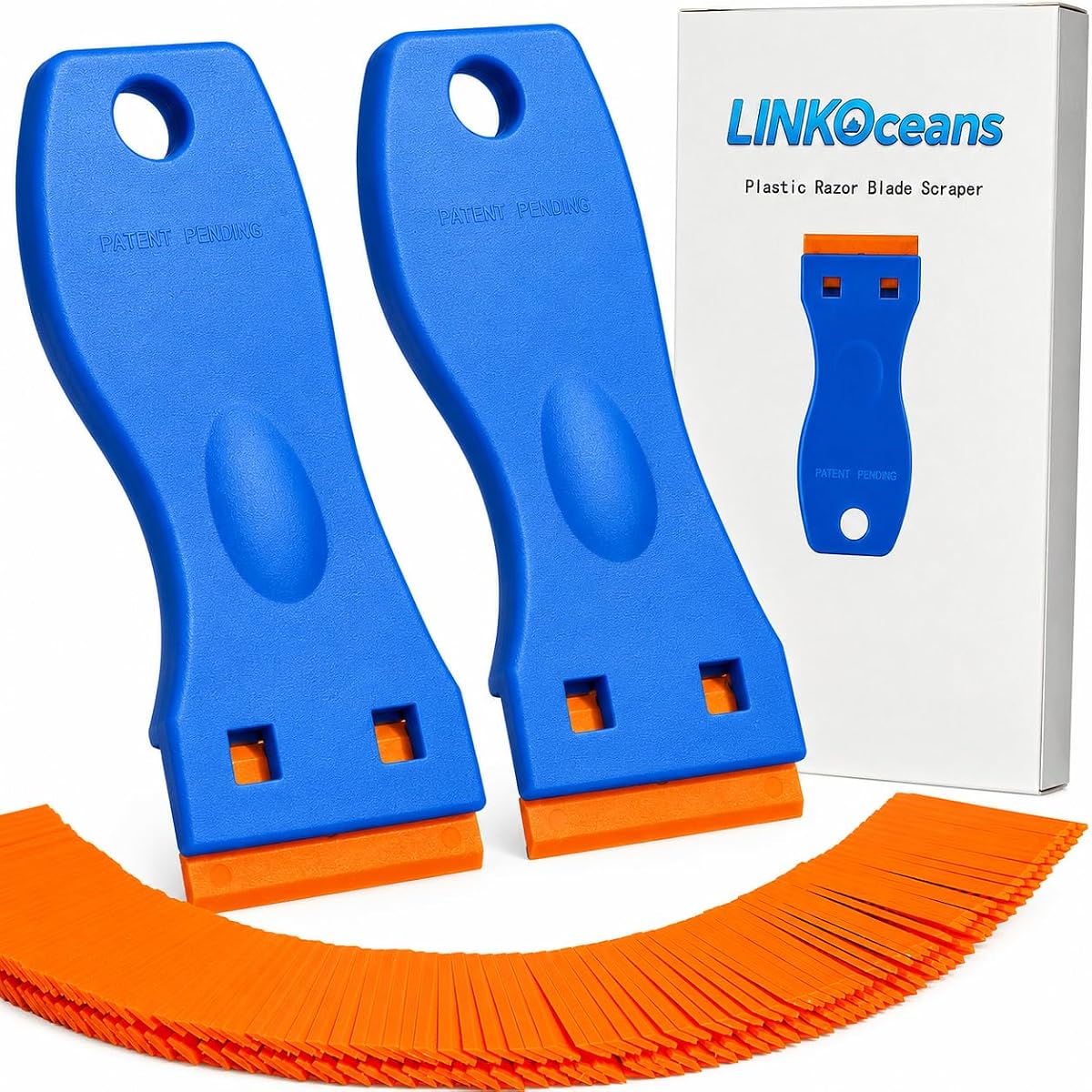
The FOSHIO Plastic Razor Blade Scraper is a general cleaning system rather than a printer-specific model-removal tool. Its 4.6 rating reflects a well-established product aimed at removing gaskets, labels, decals, adhesive, and residue from windows and glass. The package includes two plastic scraper handles and 100 double-edge replacement blades.
We may earn a commission when you buy through this link, at no additional cost to you.
Its strength lies in flexibility and reach. The sharp yet flexible blades conform to a surface better than a rigid metal edge, which can be beneficial when cleaning curved glass, labels, or old adhesive. Angled scraper heads add leverage and directional control, while the blade clip allows quick changes without fumbling with complicated fasteners. The lightweight, rustproof plastic construction also makes the set easy to organize and carry.
For 3D printer owners, this is more of a secondary maintenance tool than a dedicated spatula. It can lift stray fragments, labels, and adhesive residue from a build surface, but its construction is not intended to deliver the concentrated mechanical advantage needed for aggressively fused TPU, PETG, ABS, or nylon prints. The large number of loose replacement blades may also require a storage case or careful organization.
Choose this scraper if your priority includes broad household cleanup alongside occasional printer maintenance. It is a strong fit for users who already own a rigid build plate spatula and want a separate system for stickers, decals, and residue. For printers that regularly produce large, tightly adhered models, however, a metal model-removal tool is the more appropriate primary instrument.
The handles and plentiful replaceable blades can handle gaskets, labels, decals, and adhesive on glass. That makes the package a practical addition to a broader home or workshop cleaning kit.
A blade clip keeps replacements simple. Users can swap a worn or nicked insert quickly and continue the same cleaning task with a fresh edge.
We may earn a commission when you buy through this link, at no additional cost to you.
The BIQU Panda Edge 3D Printer Scraper is a polished, printer-specific tool for people who already use Bambu-Lab blades. It has a 4.6 rating, an anodized 6061 aluminum handle, and three extra SK5 steel blades. Its design combines functional model removal with details that help it fit neatly into a modern printer workspace.
We may earn a commission when you buy through this link, at no additional cost to you.
Magnetic storage is one of the most convenient features. The scraper can attach to a magnetic metal surface, including the exterior side of Bambu-Lab X1-series and P1S printers. BIQU also provides an STL file for a desktop vertical holder, giving users an alternative when the printer is not a suitable storage location. That combination of useful storage options is a meaningful advantage over an ordinary loose spatula.
The scraper's safe-use instructions are worth noting. The end of the spatula grip should be pressed firmly against the plate while prying, and the tool should not be used at a steep angle. Those guidelines make sense because leverage is greatest when the working edge stays close to the build surface. The blade replacement process is straightforward: unscrew the grip, remove the old blade, insert a new one, and reinstall.
This is our editor's choice for users who want a dedicated, nicely constructed scraper compatible with Bambu-Lab replacement blades. It is particularly suitable for standard FDM prints and regular post-processing where a rigid blade is useful. It may be less compelling for someone with no Bambu-Lab ecosystem or a strict need for a flexible plastic edge, although the included SK5 blades can handle many routine removal tasks.
A magnetic rear attachment lets the tool live on the side of compatible printers. The supplied holder file provides a vertical option for desks and workspaces where a magnetic surface is unavailable.
Compatibility with Bambu-Lab blades makes replacement straightforward for many users. Three spare SK5 steel blades add resilience against edge wear and nicking.
We may earn a commission when you buy through this link, at no additional cost to you.
The 22Pcs 3D Printer Scrapers Model Removal Kit is a two-tool system designed around the idea that delicate build surfaces and heavily adhered prints demand different approaches. It includes an upgraded plastic scraper backed by a stainless steel core and a separate heavy-duty stainless steel scraper. The plastic tool is intended for PEI sheets, while the rigid tool targets materials such as TPU, PETG, ABS, and nylon.
We may earn a commission when you buy through this link, at no additional cost to you.
The plastic scraper includes a brass-and-steel thumbscrew clamp that secures a double-edge plastic blade without wobble. Its head is set at a 25-degree offset, allowing the edge to slide under brims and thin layers with less downward force. A textured anti-slip grip supports control, while twenty replacement blades help maintain performance. The rigid scraper uses a sharpened high-carbon stainless steel edge for situations where more force is required.
The main limitation is the absence of a published rating, so buyers cannot use the same level of customer feedback available for the other products. The kit is also more elaborate than necessary for someone who occasionally removes a small PLA print. Its multiple mechanisms, separate tools, and larger collection of components may take more time to organize than a single spatula. However, those complexities also make it adaptable to varied cleaning and maintenance tasks.
Choose this kit if you regularly alternate between delicate textured sheets and materials that adhere aggressively. It is also attractive for users who perform broader printer maintenance, including removing dried filament, glue residue, and buildup before applying fresh bed adhesive. The dual design offers more operational range than either material alone, making it a practical choice for an active workshop.
Flexible plastic is suited to coated PEI surfaces, while rigid stainless steel provides the force needed for fused brims. This makes the kit useful when one working edge cannot handle every material.
The thumbscrew locking mechanism keeps the plastic blade from shifting during a pull. That control is helpful when working near a model edge or a narrow section of the build plate.
We may earn a commission when you buy through this link, at no additional cost to you.
The 3D Printer Tool Removal Scraper Kit is a rigid, one-piece stainless steel tool with both curved and straight edges. Its 4.3 rating reflects a practical design aimed at model removal, resin cleanup, and general residue removal. The straight edge suits flat build plates, while the curved profile reaches interior corners and conforms better to molded surfaces.
We may earn a commission when you buy through this link, at no additional cost to you.
Its 0.4-inch-thick blade provides substantial strength without requiring a complicated handle or fastening system. The 1.5-inch width gives the edge enough surface area to lift a model corner in a controlled movement rather than repeatedly prying at the same point. A hang hole at the end of the handle supports convenient storage near the printer, and the stainless steel construction is described as wear resistant and rust resistant.
The central trade-off is surface protection. A rigid metal edge can scratch glass or damage a textured coating if slid directly across the build plate or used at an excessive angle. Unlike flexible plastic tools, it offers no forgiving edge for delicate PEI surfaces. It also lacks replaceable blades, so even a small chip can end the tool's usefulness until the entire scraper is replaced.
This product is best for makers who work with resin, smooth build surfaces, stubborn residue, or models that require decisive separation. It can also handle kitchen grease, making it broader than a typical printer spatula. Users who primarily print with PLA on delicate textured sheets should keep a separate plastic scraper and treat the metal tool as a higher-force option reserved for difficult jobs.
The straight edge provides broad contact on flat plates, while the curved edge handles corners and recessed surfaces. Selecting the appropriate profile can reduce repeated passes and improve control.
A thick one-piece stainless steel body has no blade clamp to loosen or replacement parts to track. Water cleaning keeps the tool ready for the next task.
We may earn a commission when you buy through this link, at no additional cost to you.
The SARDVISA Professional 3D Printer Tool is a metal removal spatula centered on handling comfort. It carries a 4.5 rating and uses polished stainless steel with a hard, wear-resistant surface. Its rounded transition from blade to handle is designed to glide beneath a model without catching and to reduce the chance of scratching the printed part or printer table.
We may earn a commission when you buy through this link, at no additional cost to you.
The nonslip sleeve follows an ergonomic shape intended to fit the hand. This matters during repeated removal jobs, where a thin, slippery handle can make it difficult to keep the edge shallow. A 2.3-inch blade edge and sufficient working area also make the tool more suitable for larger models than a narrow precision spatula. These qualities position it as a straightforward metal removal tool without an elaborate replacement mechanism.
Because the working edge is rigid, it demands more care around delicate build surfaces. There is no flexible plastic insert for softer PEI coatings, and the product description does not mention a replaceable blade supply. A scratch or deformation could therefore affect the whole tool rather than a small replaceable insert. It is also less versatile for decals, labels, and general household residue than the plastic razor kits in this list.
Choose this spatula if you prefer a solid, polished metal tool and value a comfortable, controlled grip. It is well suited to standard model removal on durable glass or smooth plates. For users who frequently handle delicate textured PEI, keeping a separate flexible scraper is still advisable. The stated two-year warranty and ongoing support also add reassurance for buyers seeking a straightforward long-term tool.
The rounded transition helps the blade enter beneath a model without abruptly snagging. That design can reduce both cosmetic marks on a print and unnecessary force during removal.
An ergonomic nonslip sleeve gives the user a more secure hold than a bare metal handle. Better grip also makes it easier to keep the blade at a shallow angle.
We may earn a commission when you buy through this link, at no additional cost to you.
The Universal 3D Printer Scraper Tool Kit combines a CNC-machined anodized 6061 aluminum handle with three replaceable SK5 steel blades. Its 4.9 rating is the highest in this roundup, and the package includes the handle, blades, six screws, and a 2.0mm hexagon wrench. It is designed for a premium, organized approach to FDM model removal.
We may earn a commission when you buy through this link, at no additional cost to you.
Blade replacement is a major strength. Users can unscrew the fasteners, exchange a worn insert, and reassemble the tool with the included wrench. Three blades provide a healthy starting supply, while SK5 steel is intended to retain its edge through repeated use. The blades are compatible with Bambu-Lab X1 and P1 series blade formats, and the listing also identifies Creality printer use.
The handle is carefully sized at 161.6mm by 32.7mm, while each blade measures 23mm by 32mm. Its balanced weight, cool anodized surface, and comfortable grip are intended to make repetitive post-processing less tiring. The complete hardware package also means owners do not need to search separately for a suitable replacement blade or driver.
The trade-off is that a rigid premium metal design still demands careful technique. Users should avoid dragging the edge across textured surfaces and should focus on lifting at the model perimeter. Compatibility language is broad, and the product is not a universal fit for every imaginable scraper blade format. Even so, it is the strongest all-around pick for users who value replaceable components, refined construction, and a high customer rating.
The included screws and hexagon wrench make blade changes self-contained. A spare blade can be fitted quickly after an edge becomes dull, dented, or contaminated.
The CNC-machined handle is designed around weight balance and comfortable use. That control can help users maintain a shallow working angle when separating a model from the plate.
We may earn a commission when you buy through this link, at no additional cost to you.
The D Printer Scraper with 3 Blades is a compact all-metal model-removal tool built around SK5 steel blades and a 6061 aluminum handle. It has a perfect listed rating of 5.0 and includes three blades. Although its name is generic, the product is clearly designed for users familiar with Bambu-Lab-style scraper blades and compatible magnetic printer frames.
We may earn a commission when you buy through this link, at no additional cost to you.
A threaded connection secures the blade to the handle, adding strength and making removal straightforward. The aluminum grip is precision machined by CNC and includes a thumb rest designed around balance and center of gravity. This is a refined layout because the thumb rest can stabilize the tool during a pull while the longer handle provides leverage.
The magnetic rear attachment is another useful feature. It can hold the scraper to the exterior side of X1-series and P1S printers, keeping the tool close without requiring a separate drawer. The product description also states that the tool can remove models quickly while avoiding build plate damage, provided it is used with controlled pressure and a shallow approach.
Its strongest limitation is the same one associated with many rigid metal tools: there is no flexible plastic edge for delicate PEI coatings. The product is also optimized around Bambu-Lab blade formats rather than every possible printer. Users who need a universal, mixed-material kit may prefer the more broad 22-piece system, while those who want a compact tool with magnetic storage may find this option especially convenient.
The thumb rest provides a natural stopping point for the upper hand. It can improve leverage and make it easier to keep the blade aligned with the plate.
The rear magnet and all-metal profile make the scraper easy to keep near compatible printers. This reduces the chance that a useful tool will be misplaced in a crowded workshop.
We may earn a commission when you buy through this link, at no additional cost to you.
The 3D Printer Cooktop Scrapers are replacement-style blade assemblies intended for users who want to print or design their own handles. They carry a 4.7 rating and include three scraper blades with eight screws. The package does not include a handle, so the product is best suited to makers who enjoy customizing their printer accessories.
We may earn a commission when you buy through this link, at no additional cost to you.
The dual-edge design gives the blade both a sharp working side and an unsharpened side. The sharp side tackles difficult residue, while the blunt side can be used for more delicate positioning without the risk of accidental gouging. The steel construction is intended to resist wear, and the mounting system uses two screws per assembly to create a stable connection to a compatible handle.
Compatibility is one of the product's most compelling features. The listed fit includes Bambu-Lab A1, A1 mini, P1, X1, P1P, P1S, X1C, and X1E models, along with Anycubic Kobra 2, 3, and S1 series and several Creality Ender 3, K1, and K2 series printers. Users should still verify the physical blade dimensions and mounting arrangement for their specific machine.
The absence of handles is a significant inconvenience for anyone who wants an immediately usable scraper. It also means the finished grip, balance, and storage system depend entirely on the user's printed design. For a creative maker who already prints organizers and accessories, that customization is an advantage. For a beginner wanting to remove the first print, a complete spatula would be more convenient.
The sharp side tackles stuck residue, while the unsharpened side supports cautious adjustments. This gives a custom handle more than one way to interact with a build surface.
The listed compatibility covers several popular Bambu-Lab, Anycubic, and Creality models. Buyers should confirm dimensions and attachment points before ordering.
We may earn a commission when you buy through this link, at no additional cost to you.
The Plastic Razor Blade Scraper 2 Pack is a flexible cleaning system with two curved handles, 100 double-edge replacement blades, and a clear storage case. Its 4.5 rating reflects a versatile approach to removing stickers, labels, glue, paint, grease, caulk, and residue from cars, glass, appliances, tiles, ovens, and 3D printer beds.
We may earn a commission when you buy through this link, at no additional cost to you.
The POM plastic handles offer a forgiving combination of toughness and flexibility. Their curved shape and thumb grip improve directional control while reducing hand fatigue during prolonged cleaning. The included case is a notable quality-of-life feature because loose razor blades are otherwise easy to damage, misplace, or leave in a drawer where they could be a hazard.
For build plate care, the tool is best suited to light residue, labels, decals, and surface cleanup rather than the severe mechanical separation of a fused model. Flexible plastic may conform to a surface and reduce scratching, but it also provides less leverage than steel. The one-piece nature of the 100-blade supply means a fresh edge is always available, although the case must be used consistently to keep the blades organized.
Choose this two-pack if you want a flexible scraper for routine printer maintenance and a broad range of cleaning tasks around the home or workshop. It is a good companion to a rigid model-removal spatula rather than a replacement for one. Users with heavily adhered technical prints should select a dedicated metal tool, while everyday maintenance and residue removal are strong reasons to choose this organized plastic set.
Flexible plastic blades are less likely to gouge a coated or polished surface than a rigid steel edge. This makes the tool appropriate for cautious cleanup around printer beds and household glass.
The clear case holds the handles and replacement blades together. Portable organization reduces clutter and keeps sharp loose components from being scattered.
We may earn a commission when you buy through this link, at no additional cost to you.
The right build plate scraper depends on the printer surfaces you use, the materials you print, and whether you also need a general residue-cleaning tool. Blade material, leverage, edge geometry, grip, and replacement support are the most important factors to compare.
Prioritize plastic for delicate surfaces and metal for stubborn prints. A combined kit is ideal for varied workflows.
Choose a shallow angle and rigid edge for control. Wider blades help with large, firmly attached models.
Check surface safety and blade format separately. A universal handle is not the same as universal blade compatibility.
Favor replaceable inserts with secure clamping. Match the tool to the included hardware and spare supply.
Choose a nonslip, ergonomic grip that supports controlled leverage. Comfort is especially valuable during repeated post-processing.
Choose magnetic storage for compatible printers or a dedicated holder. Keep loose blades in their supplied case.
Use plastic systems for broad surface cleaning and metal tools for rigid buildup. Match the tool to the broader job.
Favor rigid blade materials, corrosion-resistant handles, and replaceable parts. Warranty support can further reduce risk.
Allow the build plate and printed part to cool before attempting removal. A warm model can be softer, more tacky, or more difficult to separate cleanly. Inspect the print and identify a brim, raft, skirt, or edge that can be accessed without crossing a delicate finished surface. Hold the scraper at a shallow angle and place only a small portion of the working edge beneath the model.
Apply steady, controlled pressure rather than forcing the edge deep into the plate. On rigid metal tools, push the handle firmly against the build surface so the force travels along the plate rather than downward into it. Work section by section for large prints, and alternate between a metal and plastic tool if the material adheres aggressively but the surface is delicate. Avoid levering against a finished top surface whenever a lower edge or brim is available.
After use, remove loose plastic fragments and residue from the tool, then dry it before storage. Metal components can be cleaned with water and dried thoroughly, while blades should be handled carefully and stored securely. Replace an insert when it becomes dull, bent, or chipped. Keep loose razor blades in a case, inspect screws periodically, and avoid leaving a scraper where it can contact printer motion or be knocked from a magnetic surface.
A flexible plastic scraper is generally the safest starting point for a textured PEI sheet because it is less likely to gouge the coating than a rigid steel edge. Use a shallow angle and lift at a brim or accessible edge. If the model is bonded too firmly for plastic, use a rigid metal tool only with extra care and controlled leverage.
A properly used scraper should not scratch glass, but careless movement can cause damage. Do not drag a metal blade across the surface, and do not wedge the edge downward with excessive force. Keep the tool close to the plate, clean away abrasive debris, and use a plastic blade when the objective is residue rather than severe model separation.
TPU can adhere strongly to smooth glass, bare aluminum, and some other surfaces, so a flexible plastic scraper may not provide enough leverage. A rigid stainless steel or SK5 steel tool is better suited to lifting a firmly fused brim. Work at the edge and use a shallow angle to reduce the chance of damaging the model or plate.
No. A listing that mentions Bambu-Lab compatibility may refer to the blade dimensions and mounting format, but the tool can still be intended for one handle or printer family. Compare the blade length, width, screw pattern, and handle geometry before buying. The products in this guide identify compatibility in different ways, so the physical fit should be verified.
It is better to let the model and build plate cool first. A warm print may be softer, tackier, or more prone to deformation, while the heated plate can make safe handling more difficult. Once cool, identify the best access point and use steady pressure to remove the model without levering against a finished surface.
Plastic tools are flexible, gentle, and well suited to delicate coatings and light residue. Metal tools are rigid and provide greater leverage for firmly attached prints, resin molds, and hard buildup. Many owners keep both because a plastic scraper is ideal for routine care, while a metal spatula is useful when a print has fused to the plate.
Replace a blade when it becomes dull, bent, chipped, or visibly contaminated. A nicked edge may drag across the model instead of lifting cleanly, while a dirty blade can leave residue on the build surface. Inspect it after difficult removal jobs and replace it when the edge no longer slides beneath the print with controlled effort.
Yes, provided the tool is suitable for the surface and residue. A rigid stainless steel scraper with a curved or straight edge can assist with resin and mold cleanup, while flexible plastic is better for delicate surfaces. Wear suitable protection for chemical handling, work slowly, and never allow a sharp blade to contact a surface it could scratch.
The 14Pcs 3D Printer Scraper Tool is the strongest value-oriented choice because it includes both a rigid metal spatula and a flexible plastic blade, along with a generous supply of replacements. The BIQU Panda Edge stands out for Bambu-Lab users who value magnetic storage and compatibility with familiar blades. For a refined, replaceable-metal system with a high customer rating, the Universal 3D Printer Scraper Tool Kit is the premium option.
Prioritize the surface before choosing an edge. Flexible plastic is the better choice for delicate PEI coatings and light cleanup, while stainless steel or SK5 steel provides necessary leverage for TPU, PETG, resin residue, and firmly fused brims. Printer-specific compatibility, blade replacement, grip, and storage can then determine which of those general approaches is most convenient for your specific setup.
Before ordering, confirm the physical blade format, the materials you print most often, and whether you need a dedicated model-removal tool or a multipurpose cleaner. Product pricing, ratings, availability, and seller details can change, so review the current listing and recent customer feedback before making a final purchase.
